dsh-settings-about
Run the following command in DeepSeek Harness:
dsh plugin install sha2kyou/dsh-settings-about
Paste the following prompt into your AI chat to install this plugin:
Run dsh plugin install sha2kyou/dsh-settings-about in the DeepSeek Harness terminal to install the plugin; source is at https://github.com/sha2kyou/dsh-settings-about
About this plugin
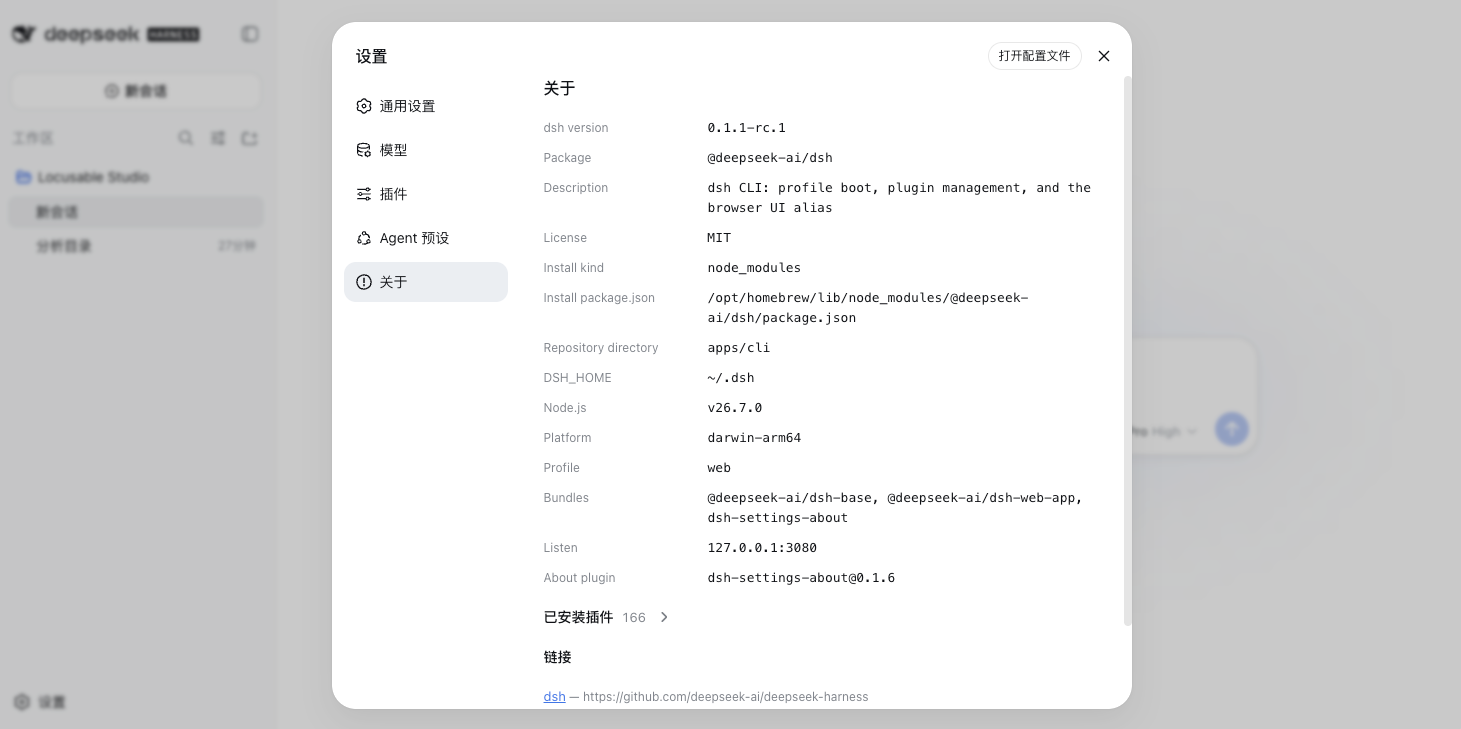
When you are juggling multiple environments or debugging across deployments, the first question is always: which dsh version is actually running, on what platform, listening where, and which plugins are loaded? dsh-settings-about adds a Settings to About page to the dsh client UI that answers all of these at a glance, eliminating the need to dig through logs or package.json files.
Every value on the page is collected from the currently running process only. It covers the dsh version, license, DSH_HOME path, Node version, platform and architecture, profile and bundle configuration, the live listen address, and a full inventory of installed plugins (id, module, version, enabled state, and fiber phase). Fields that cannot be resolved are simply omitted or listed under notes; nothing is ever fabricated.
Ideal for developers and operators who switch between environments frequently, troubleshoot version-compatibility issues, or need to share the current dsh deployment snapshot with their team.
Screenshots
Use Cases
- Diagnose version-compatibility issues when switching between environments
- Share a live deployment snapshot with your team in seconds
- Verify which plugins are actually loaded by the running process
Best For
- Developers who switch between dsh environments frequently
- Operators troubleshooting version or platform compatibility
- Engineers who need to sync deployment state with their team
Related Plugins
A service-oriented sidebar framework for DSH, offering a full workbench with file explorer, embedded browser, real terminal, Git panel, and extensible plugin services.

A beautiful, practical Claude Code-style TUI plugin with pixel whale top bar, flowing glow title, real-time status line, streaming thought expansion, time rewind, context progress bar and TPS gauge — zero core changes.

The plugin market for DeepSeek Harness: browse/search/one-click install community plugins and themes, with updates, backup/restore, hot disable, diagnostics, and AI fix.

A persistent whale widget on the DSH web UI that shows DeepSeek balance, today's usage, and per-turn cost, with drag-and-snap and sound effects.