dsh-desktop-windowos
Run the following command in DeepSeek Harness:
dsh plugin install RAFOLIE/dsh-desktop-windowos
Paste the following prompt into your AI chat to install this plugin:
Run `dsh plugin install RAFOLIE/dsh-desktop-windowos` in the DeepSeek Harness terminal to install this plugin; its full open-source repository is available at https://github.com/RAFOLIE/dsh-desktop-windowos.
About this plugin
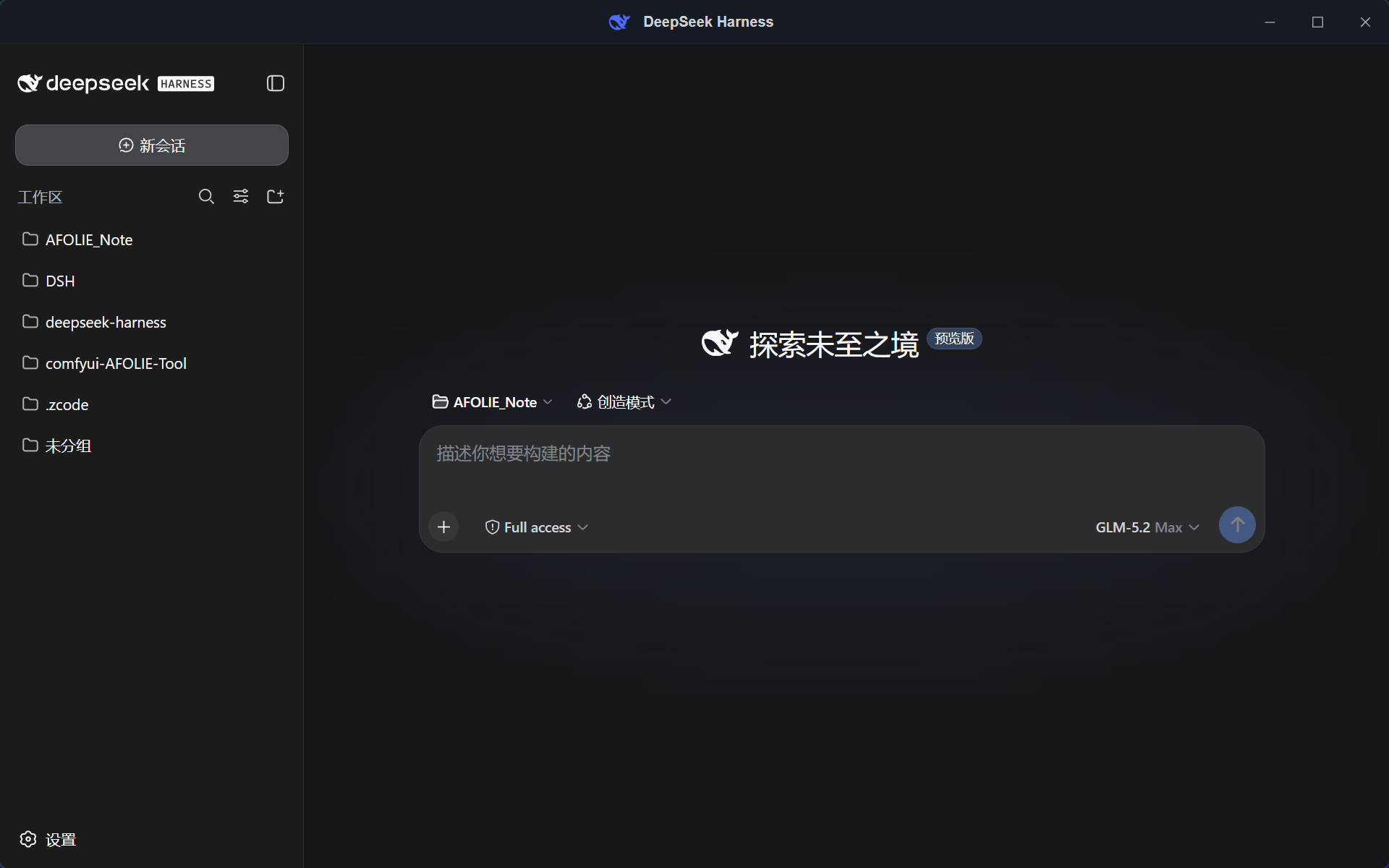
DeepSeek Harness (DSH) offers powerful AI capabilities, but relying purely on command-line interfaces and lacking system-level integration can make the daily workflow feel fragmented on Windows. dsh-desktop-windowos solves this by providing a lightweight, native, and ready-to-use desktop shell built with Tauri v2, transforming DSH into a seamless desktop application.
Delivered as a single, portable executable of just ~4.5 MB, the app automatically discovers and launches the local DSH web service upon double-clicking, embedding the native WebChat UI within a custom frameless window. Beyond its ComfyUI-style environment panel, real-time logging, and one-click diagnostic exports, it deeply integrates with Windows features—offering system tray residency, task-completion toast notifications, auto-start, and a robust auto-update system. Furthermore, built-in process supervision and self-healing mechanisms ensure the backend service recovers gracefully from crashes or corrupted configs.
This shell is perfect for heavy users who want DSH running persistently in the background with actionable system notifications, as well as developers seeking a portable, zero-config desktop experience without wrestling with Node.js environments or command-line setups on Windows.
Screenshots
Use Cases
- Double-click the single portable executable to launch the DSH service and WebChat UI without any configuration.
- Minimize to the system tray for background execution and receive OS toast notifications when AI tasks finish.
- Export diagnostic logs via the built-in environment panel to quickly troubleshoot backend runtime issues.
Best For
- DSH users seeking a native desktop experience on Windows.
- Developers who need the AI assistant running in the background with task-completion alerts.
- Everyday users who want to avoid wrestling with Node.js command lines and environment setups.
Related Plugins
A service-oriented sidebar framework for DSH, offering a full workbench with file explorer, embedded browser, real terminal, Git panel, and extensible plugin services.

A beautiful, practical Claude Code-style TUI plugin with pixel whale top bar, flowing glow title, real-time status line, streaming thought expansion, time rewind, context progress bar and TPS gauge — zero core changes.

The plugin market for DeepSeek Harness: browse/search/one-click install community plugins and themes, with updates, backup/restore, hot disable, diagnostics, and AI fix.

A persistent whale widget on the DSH web UI that shows DeepSeek balance, today's usage, and per-turn cost, with drag-and-snap and sound effects.