dsh-file-mentions
Run the following command in DeepSeek Harness:
dsh plugin install a903067276-rgb/dsh-file-mentions
Paste the following prompt into your AI chat to install this plugin:
You can install this plugin in DeepSeek Harness by running `dsh plugin install a903067276-rgb/dsh-file-mentions`, or visit https://github.com/a903067276-rgb/dsh-file-mentions for the source code and manual mounting instructions.
About this plugin
When using DeepSeek Harness for coding or document processing, AI replies often contain numerous file paths that remain unclickable plain text by default. The dsh-file-mentions plugin solves this friction by delivering a Codex-style interactive experience, automatically transforming backtick-wrapped local paths into clickable links. Whether they are absolute, relative, or home-directory paths, a single click opens the file with your default application, while a dedicated folder icon instantly reveals it in your system's file manager.
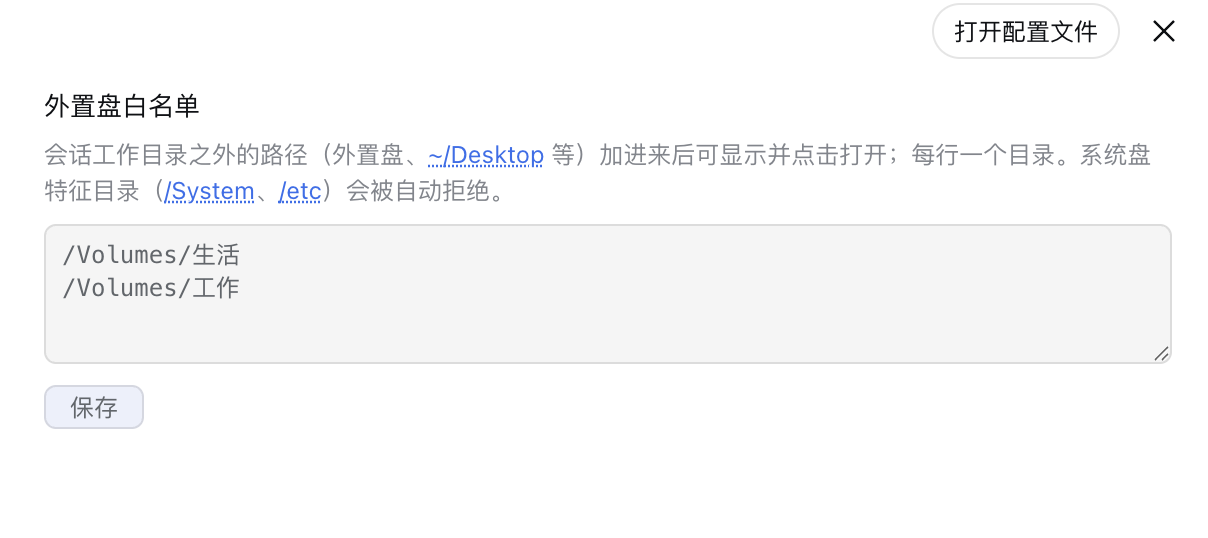
Beyond inline interactions, the plugin automatically generates a "📎 mentioned files" chip list at the end of each turn, allowing you to quickly preview or manage all files referenced in the conversation. For users working with external drives or network volumes, it offers a secure whitelist configuration with built-in system-disk protection to prevent accidental access. If you frequently rely on AI to navigate local codebases or manage files, this plugin will significantly streamline your DSH workflow.
Screenshots
Use Cases
- Click code paths in AI replies to instantly open them in the default editor.
- Reveal AI-generated logs or output files in the system file manager with one click.
- Quickly preview all documents referenced in the conversation via the turn-tail list.
Best For
- Developers who frequently use AI to write and modify local code.
- Users who need AI to process, analyze, or organize large volumes of local documents.
- Heavy DSH users seeking an ultimate interactive experience and efficient workflow.
Related Plugins
A service-oriented sidebar framework for DSH, offering a full workbench with file explorer, embedded browser, real terminal, Git panel, and extensible plugin services.

A beautiful, practical Claude Code-style TUI plugin with pixel whale top bar, flowing glow title, real-time status line, streaming thought expansion, time rewind, context progress bar and TPS gauge — zero core changes.

The plugin market for DeepSeek Harness: browse/search/one-click install community plugins and themes, with updates, backup/restore, hot disable, diagnostics, and AI fix.

A persistent whale widget on the DSH web UI that shows DeepSeek balance, today's usage, and per-turn cost, with drag-and-snap and sound effects.