dock-media
Run the following command in DeepSeek Harness:
dsh plugin install AKS1st/dock-media
Paste the following prompt into your AI chat to install this plugin:
Run dsh plugin install AKS1st/dock-media in the DeepSeek Harness terminal to install this plugin, whose source code is available at https://github.com/AKS1st/dock-media.
About this plugin
Previewing local audio or video inside the DSH workbench used to mean reading the entire file into memory as base64 before the first frame could render. Large files would freeze the tab, and the seek bar was effectively dead. dock-media replaces that with true streaming: a dedicated /dock-media/source route serves bytes via HTTP Range requests (206 Partial Content), so the browser starts playback instantly, supports real-time seeking, and keeps memory usage flat no matter how big the file is.
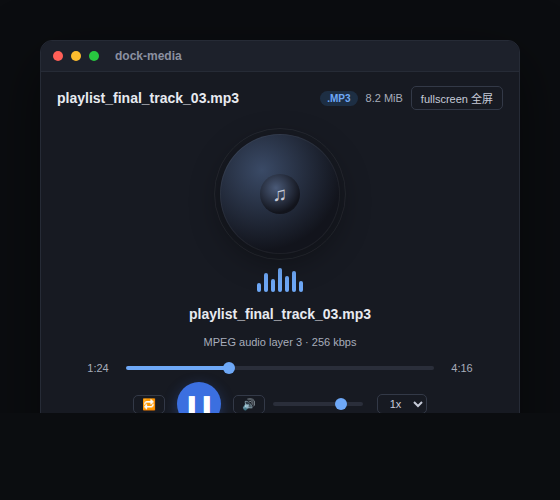
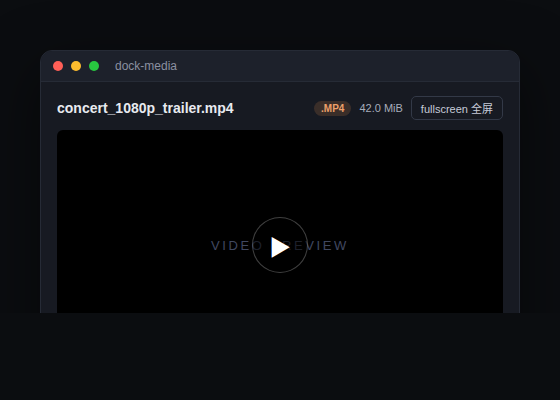
The player adapts to the media type. Pure-audio formats (MP3, WAV, FLAC, M4A, OGG, OPUS, AAC, and more) open in a custom music player featuring a spinning-disc animation, equalizer bars that react to playback state, a draggable seek bar, volume and mute controls, playback speed from 0.5x to 2x, and single-track loop. Video formats (MP4, WebM, MOV, MKV, OGV, and others) use the native video element with one-click fullscreen via the Fullscreen API and a semi-transparent floating header for an immersive feel. The header shows a format badge and file size in real time, and containers the browser cannot decode (AVI, FLV, WMV, MPG, etc.) receive a clear message instead of a dead spinner.
This plugin is built for developers and content creators who keep local audio or video files inside the DSH workbench. Double-click a track in ~/Music or a screen recording under ~/.dsh/skills and it plays immediately, without switching to a system player or spinning up a separate browser tab. It coexists cleanly with dock-editor, dock-markdown, and dock-images, each claiming its own file extensions by design.
Screenshots
Use Cases
- Preview local music and voice recordings inside the workbench
- Watch video files in fullscreen without leaving DSH
- Open large media files instantly with seekbar scrubbing
Best For
- Developers managing local audio/video assets in the DSH workbench
- Plugin-ecosystem users who need quick media previews
- Workflows that prefer embedded playback over system players
Related Plugins
A service-oriented sidebar framework for DSH, offering a full workbench with file explorer, embedded browser, real terminal, Git panel, and extensible plugin services.

A beautiful, practical Claude Code-style TUI plugin with pixel whale top bar, flowing glow title, real-time status line, streaming thought expansion, time rewind, context progress bar and TPS gauge — zero core changes.

The plugin market for DeepSeek Harness: browse/search/one-click install community plugins and themes, with updates, backup/restore, hot disable, diagnostics, and AI fix.

A persistent whale widget on the DSH web UI that shows DeepSeek balance, today's usage, and per-turn cost, with drag-and-snap and sound effects.