deepseek-harness-mobile
Run the following command in DeepSeek Harness:
dsh plugin install frederico-kluser/deepseek-harness-mobile
Paste the following prompt into your AI chat to install this plugin:
Install it in DeepSeek Harness by running dsh plugin install frederico-kluser/deepseek-harness-mobile; source is at https://github.com/frederico-kluser/deepseek-harness-mobile .
About this plugin
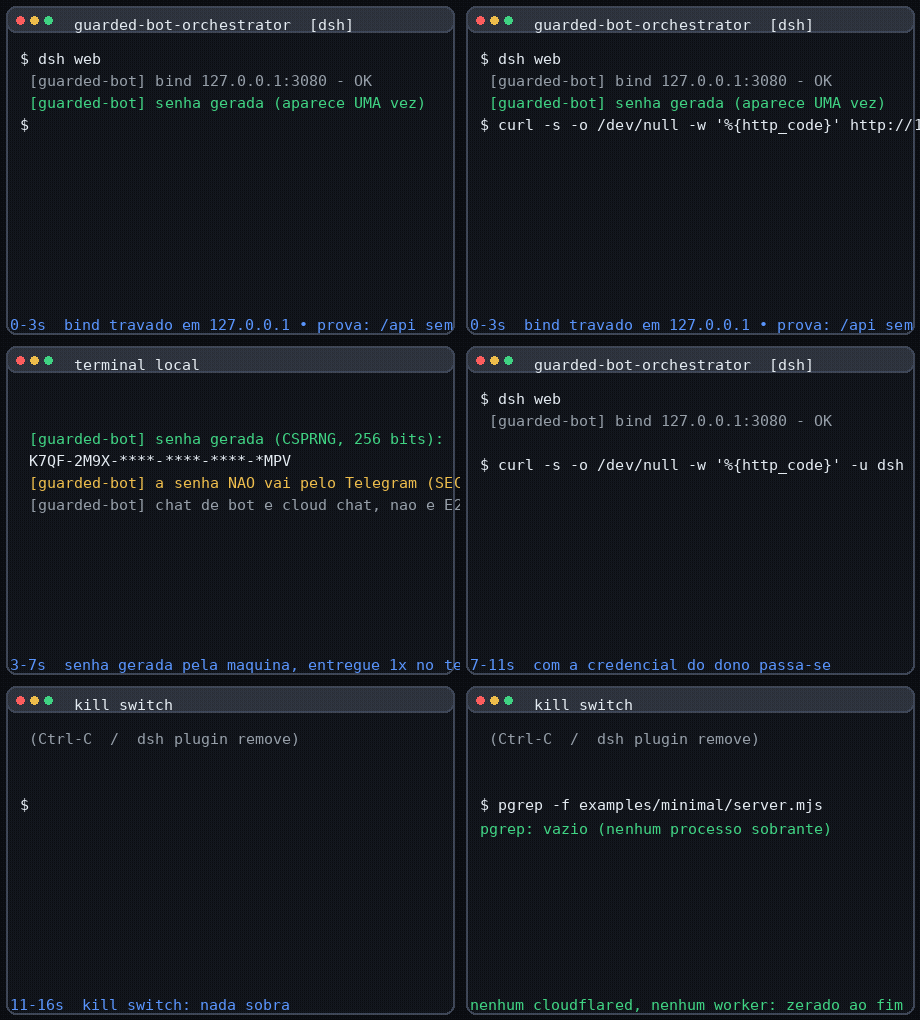
You want the full DeepSeek Harness Web UI on your phone, but you refuse to bind to 0.0.0.0. deepseek-harness-mobile draws a Cloudflare quick tunnel from the edge to a dedicated proxy that sits behind 127.0.0.1. Local access on the loopback is always open, no login; remote access requires a link key (?key=) or a valid session. The tunnel is ephemeral and killable with a single message, and the local socket is never widened.
There is no password to type. The key is generated locally with a CSPRNG (256-bit), stored on disk only as a SHA-256 digest, and delivered over Telegram or Discord as a chat message. The browser swaps it for a session cookie on first hit, so subsequent requests carry nothing sensitive. Want to cut access instantly? Send /rotacionar or /desligar in the chat and every live connection, including WebSockets and streaming output, is torn down within milliseconds. The bot can also dispatch Harness sub-agents to execute code on your host, but only after a two-step confirmation, and the agent receives nothing but a rendered prompt, never the bot token.
This plugin is built for a single owner who trusts themselves and wants to borrow a local dev environment on a phone for a sprint, then shut the door. It does not solve team collaboration, and it does not pretend that remote exposure carries zero risk. The README devotes a full threat-model section to the trade-offs: TLS terminates at the Cloudflare edge (cleartext passes through a third party), the tunnel URL is public, and the key rides in a query parameter visible to intermediaries. If you need stronger isolation, the authors will point you to Tailscale or SSH.
Screenshots
Use Cases
- open the local Harness Web UI from a phone during a commute and just code
- spin up a tunnel, check status, and kill it all from a Telegram message away from your desk
- dispatch an allow-listed sub-agent on the host machine with a chat message from your phone
Best For
- solo developers who trust only themselves
- heavy Telegram or Discord users
- local-first developers who refuse to widen a port binding
Related Plugins
A service-oriented sidebar framework for DSH, offering a full workbench with file explorer, embedded browser, real terminal, Git panel, and extensible plugin services.

A beautiful, practical Claude Code-style TUI plugin with pixel whale top bar, flowing glow title, real-time status line, streaming thought expansion, time rewind, context progress bar and TPS gauge — zero core changes.

The plugin market for DeepSeek Harness: browse/search/one-click install community plugins and themes, with updates, backup/restore, hot disable, diagnostics, and AI fix.

A persistent whale widget on the DSH web UI that shows DeepSeek balance, today's usage, and per-turn cost, with drag-and-snap and sound effects.