dsh-feishu-channel
Run the following command in DeepSeek Harness:
dsh plugin install whoisjiahao/dsh-feishu-channel
Paste the following prompt into your AI chat to install this plugin:
Run dsh plugin install whoisjiahao/dsh-feishu-channel in DeepSeek Harness to install the Feishu channel plugin from https://github.com/whoisjiahao/dsh-feishu-channel, then restart dsh web and scan the QR code to start chatting.
About this plugin
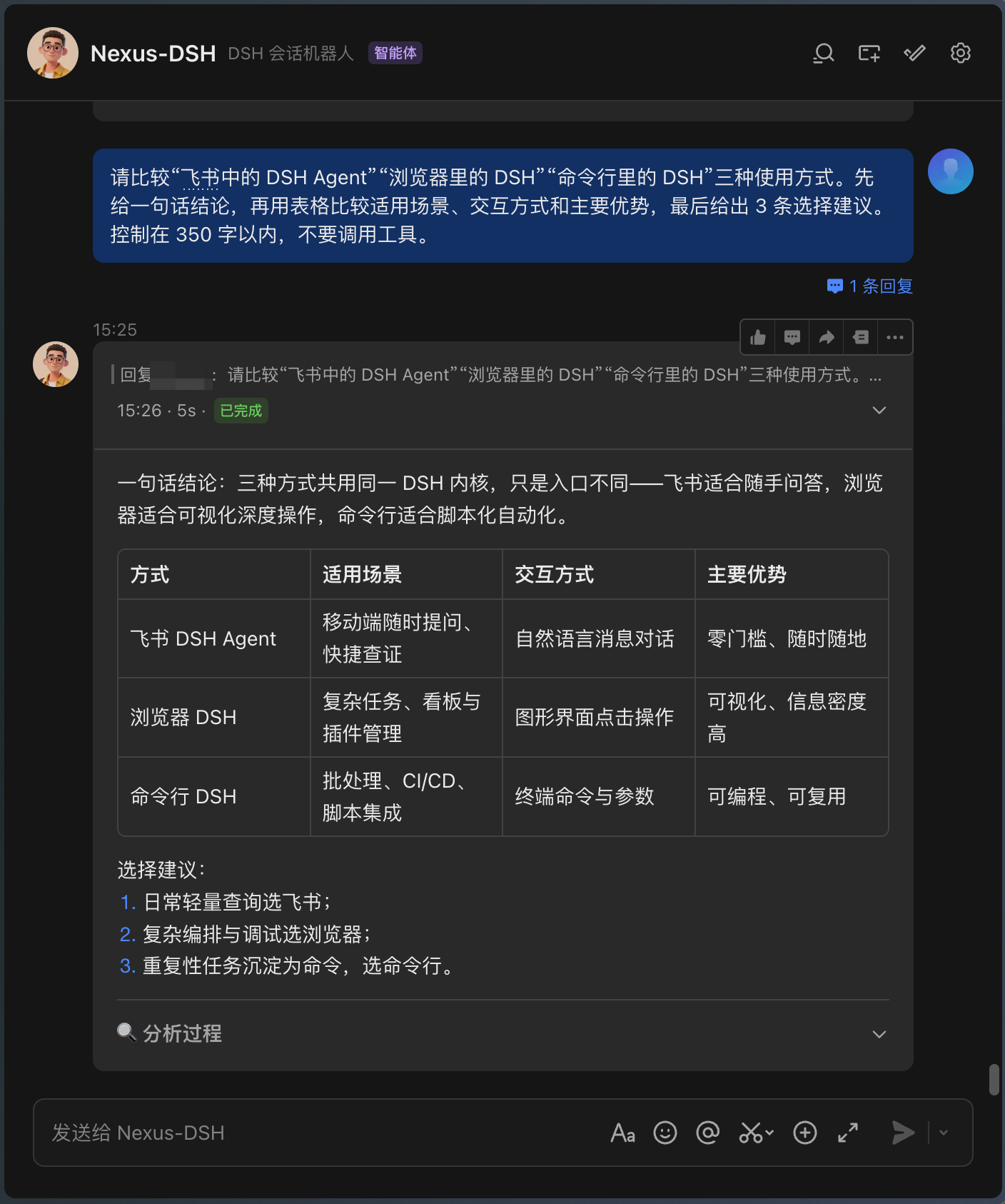
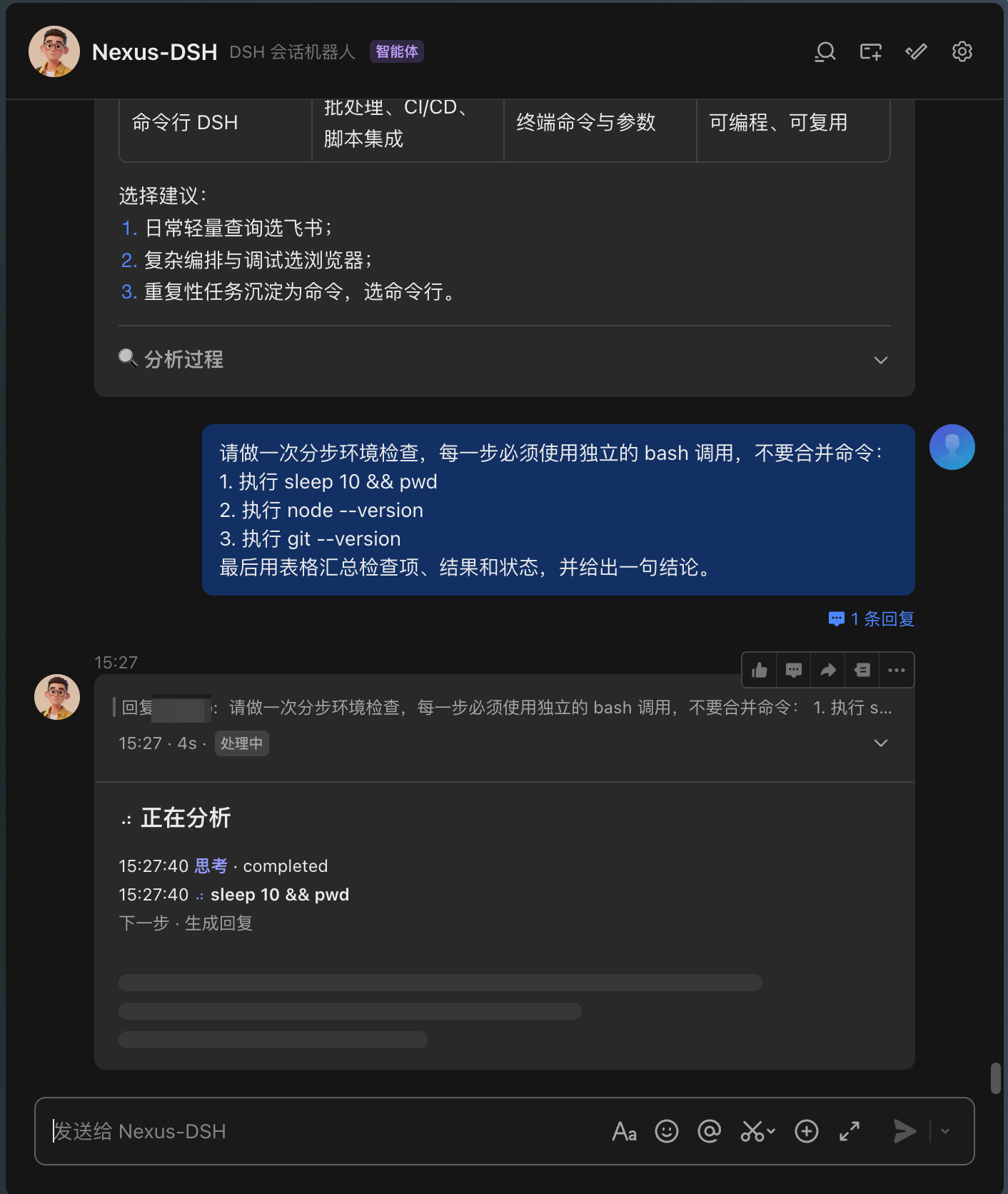
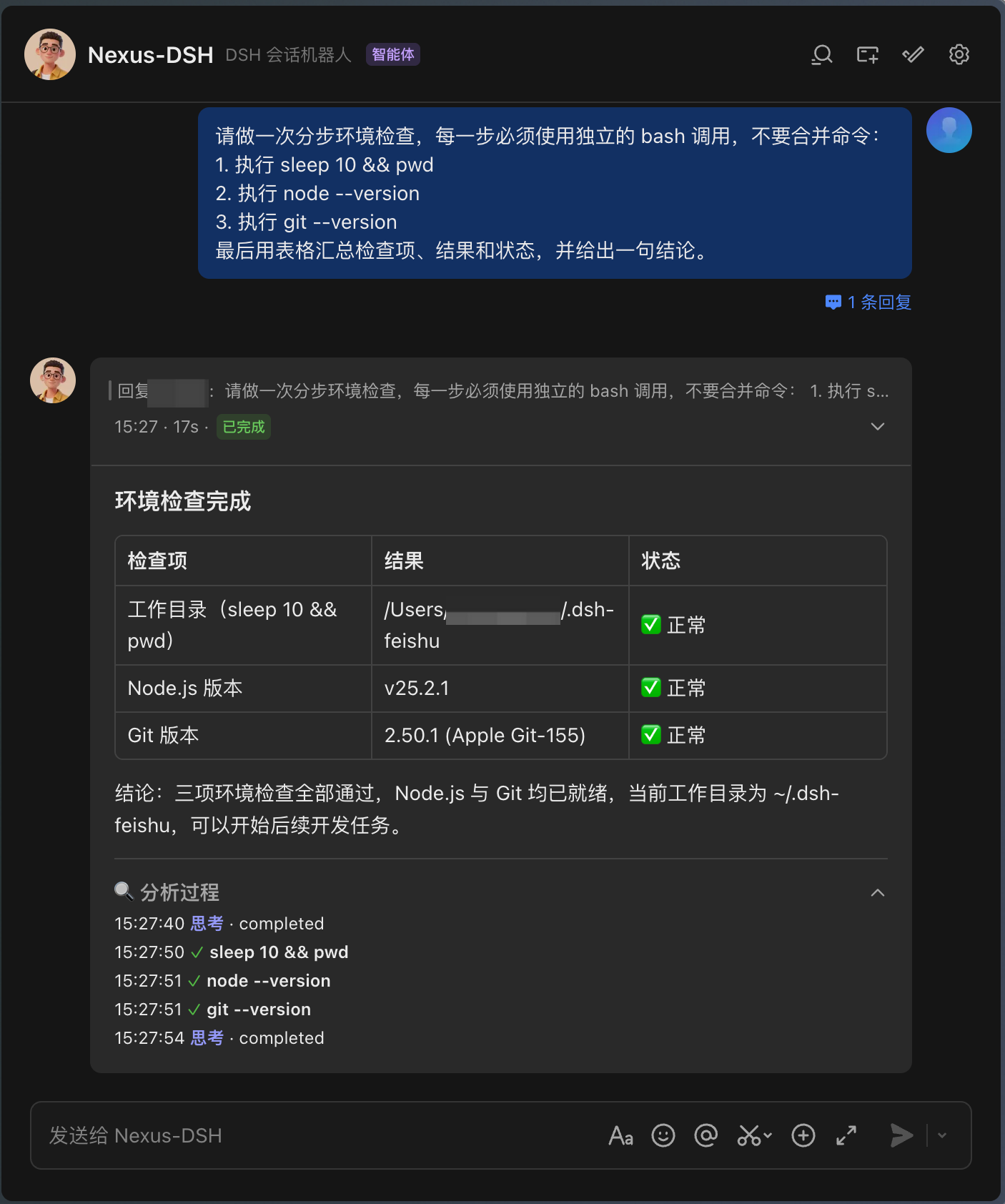
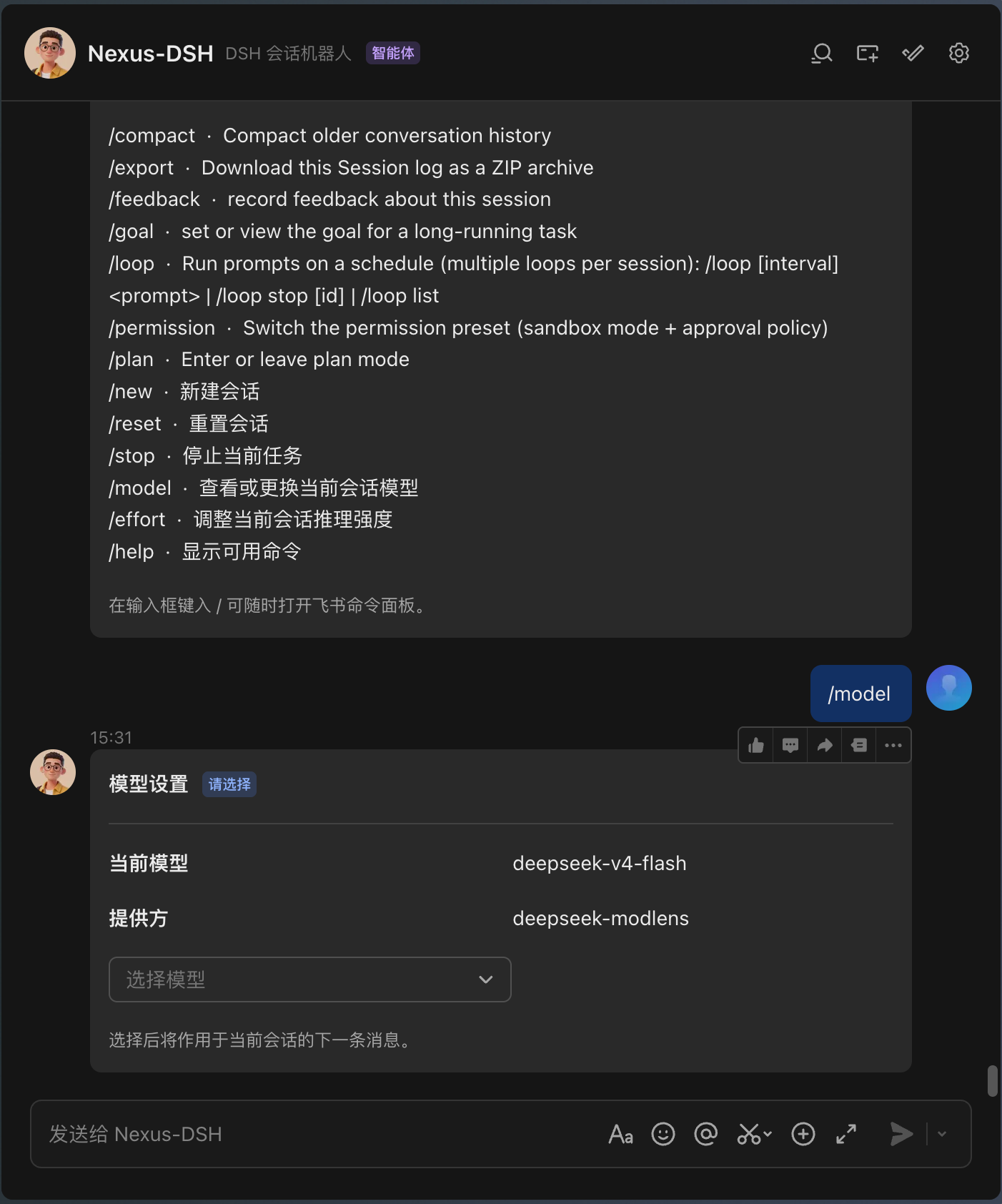
Tired of bouncing between a terminal and your chat client just to watch an AI agent run? dsh-feishu-channel turns Feishu (Lark) into a native remote control for DeepSeek Harness: send a message to the bot in any direct chat, group, or thread, and the agent executes in the background while results stream back as rich cards that update in place—loading progress, intermediate steps, final answer, or a retryable failure, all within a single card. No window switching, no log-watching.
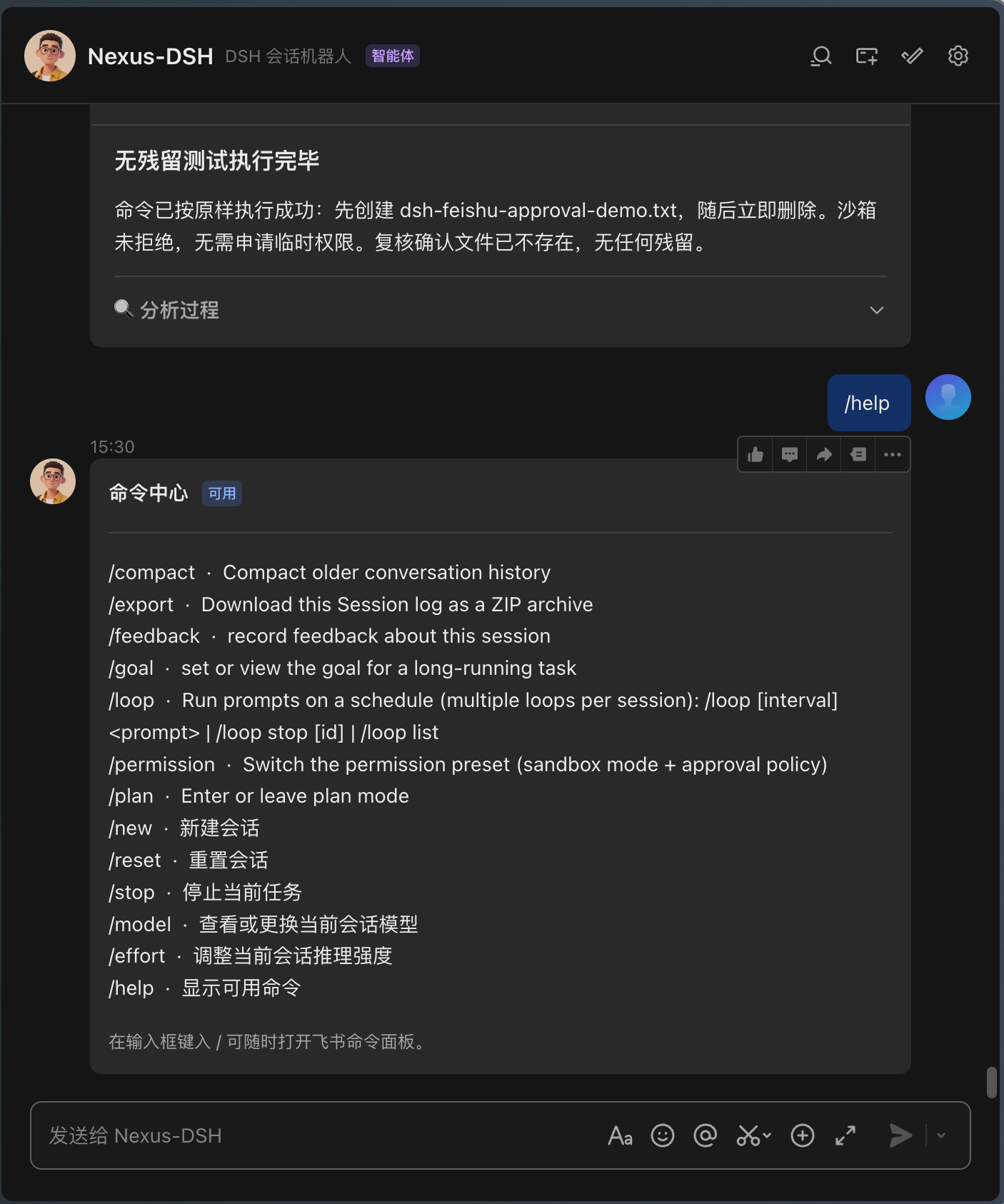
The plugin is built around conversation-as-operation. Every chat context owns an isolated agent session, so parallel tasks never cross-contaminate. Tool-permission prompts become tappable approve or deny buttons instead of typed commands; bare slash commands like /model or /stop auto-expand into dropdowns or input fields, with results written back to the same card. The transport layer uses a WebSocket long-connection, so no public URL, callback endpoint, or port forwarding is required—a quick QR scan handles app registration and credential persistence in under thirty seconds. Security defaults are strict: sender and group allowlists, in-group mention gating, automatic secret redaction, and approval taps validated against action, card, chat, and session simultaneously; unauthorized requests are dropped silently without revealing boundary details.
Built for developers and small teams who live in Feishu for daily collaboration and want to fold DSH agent workflows—running scripts, querying logs, iterating on code, generating reports—directly into that same chat surface, with built-in DeepSeek peak/off-peak pricing surfacing real-time token cost on every turn.
Screenshots
Use Cases
- @ the bot in a Feishu group to run scripts with live streaming card results
- Approve or deny tool permissions with one tap right on the card, no window switch
- Onboard a new teammate via QR scan with no public URL or port forwarding needed
Best For
- Developers whose daily workflow lives in Feishu
- Small teams who want to drive DSH agents directly from chat
- Engineers and ops staff who prefer zero-config, QR-scanned setup
Related Plugins
A service-oriented sidebar framework for DSH, offering a full workbench with file explorer, embedded browser, real terminal, Git panel, and extensible plugin services.

A beautiful, practical Claude Code-style TUI plugin with pixel whale top bar, flowing glow title, real-time status line, streaming thought expansion, time rewind, context progress bar and TPS gauge — zero core changes.

The plugin market for DeepSeek Harness: browse/search/one-click install community plugins and themes, with updates, backup/restore, hot disable, diagnostics, and AI fix.

A persistent whale widget on the DSH web UI that shows DeepSeek balance, today's usage, and per-turn cost, with drag-and-snap and sound effects.