dsh-qq-skin
Run the following command in DeepSeek Harness:
dsh plugin install lispking/dsh-qq-skin
Paste the following prompt into your AI chat to install this plugin:
Run dsh plugin install lispking/dsh-qq-skin in your terminal to add the QQ NT skin plugin to your web profile; the source is available at https://github.com/lispking/dsh-qq-skin .
About this plugin
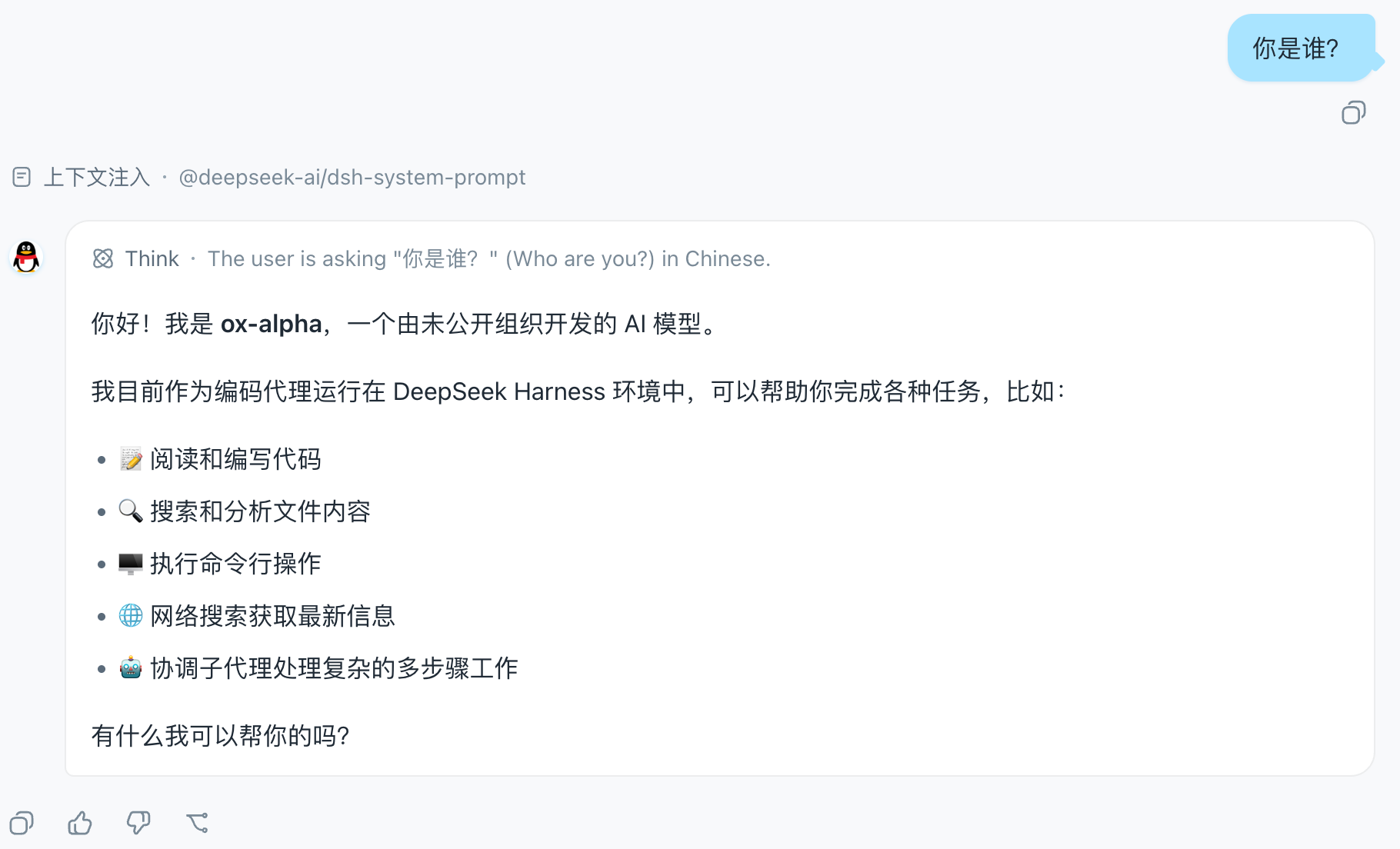
If you spend long stretches in the DeepSeek Harness (dsh) web client and wish the UI carried a bit more of that familiar chat-app personality, dsh-qq-skin is built for exactly that. It re-skins the entire interface in the QQ NT visual language: the brand color unifies to sky blue #12B7F5, user bubbles turn light blue #A8E3FF with a small triangular tail, assistant messages get the classic penguin avatar disc, the input bar shrinks into a capsule, and the chat flow centers and narrows — instantly recognizable as QQ.
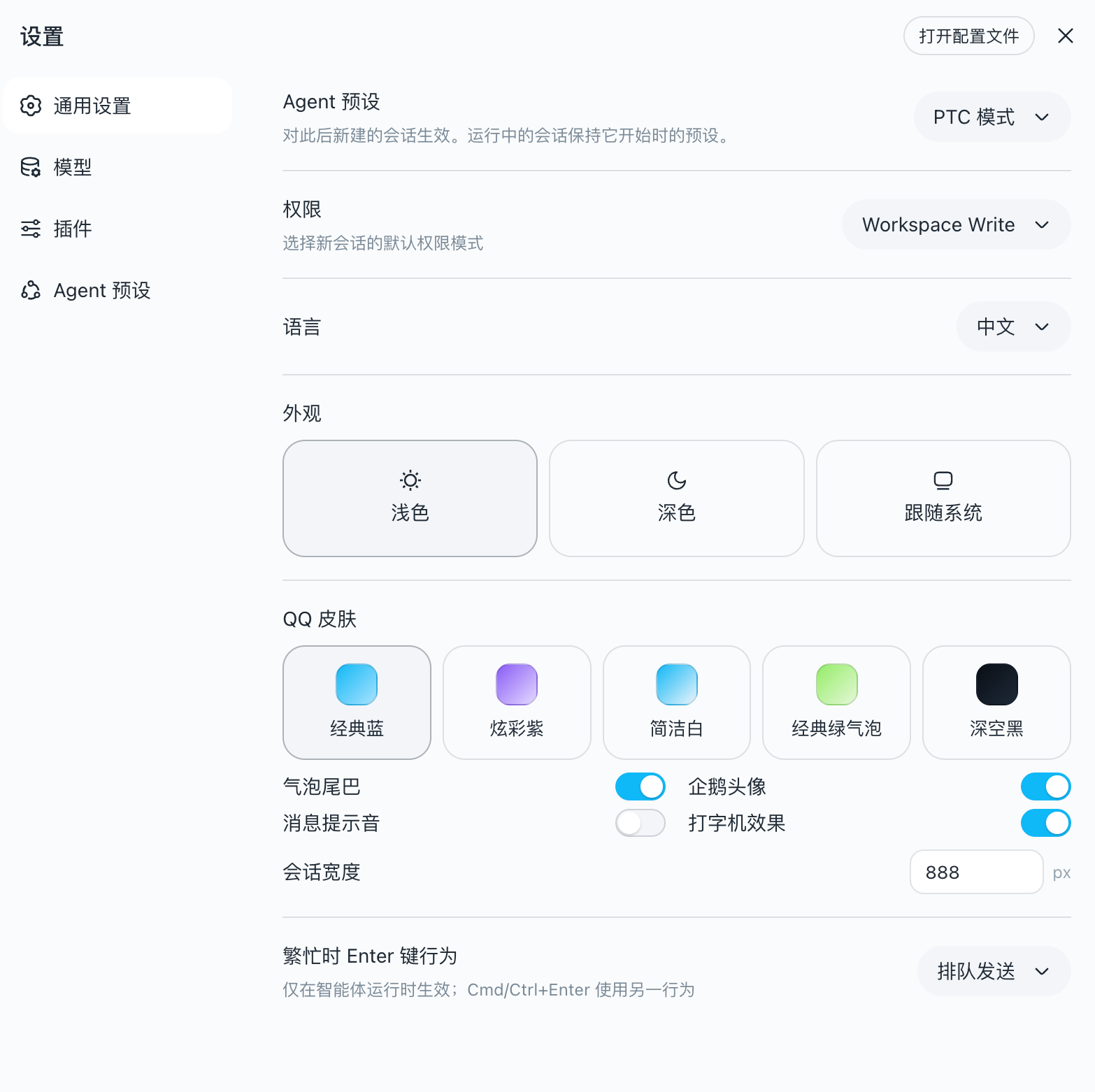
Under the hood the skin works in two reversible layers. A semantic token override stack rewrites brand, bubble, sidebar, scrollbar, and status colors via a single set of --dsw-* CSS variables, each carrying a light and a dark value so the skin follows your active base palette instead of fighting it. A global layout injection handles bubble radius and tail geometry, the avatar disc, the capsule input, a slim header divider, QQ-styled timestamps, and scrollbars. Five palette variants — Classic Blue, Vivid Purple, Clean White, Green Bubble, Deep Black — share the same neutral blue-gray skeleton and differ only in personality accents. Every toggle (palette, bubble tail, assistant avatar, chat width) lives in a settings row with hot reload: changes re-apply both layers instantly without restarting the plugin. On unload, effect cleanup strips the tokens and the injected style, restoring the product default in one step.
It is aimed at dsh users who want long conversation windows to feel more like a chat app they actually recognize — no theme swap, no config-file juggling, no restart. Install it, and the QQ blue and the penguin are there waiting; uninstall it, and everything is back to how it was.
Screenshots
Use Cases
- Wanting a livelier visual style during long chats in dsh Web
- Preferring the recognizable QQ blue palette, bubble tails, and penguin avatar
- Toggling between light and dark modes without restarting the plugin
Best For
- dsh power users who enjoy a chat-app feel
- Developers nostalgic for the QQ visual language
- Technical users wanting zero-config, plug-and-play theming
Related Plugins

whale-girl is a desktop pet in the DSH Web GUI (bottom-right for instant companionship) — draggable, feedable, playable; completed tasks, sessions and companionship time accrue into seniority levels, titles, and memories.

A WebGPU ocean skin for DeepSeek Harness with five-wave Gerstner waves, translucent theme, day/night cycle, and quick controls, installable as plugin or extension.

A Galgame-style conversation view and visual scene editor for DSH web sessions, with a real-time editing mode.

A native skinning plugin for DeepSeek Harness: 8 designer themes, wallpapers, accent colors, and shareable theme packs, built purely on design tokens.