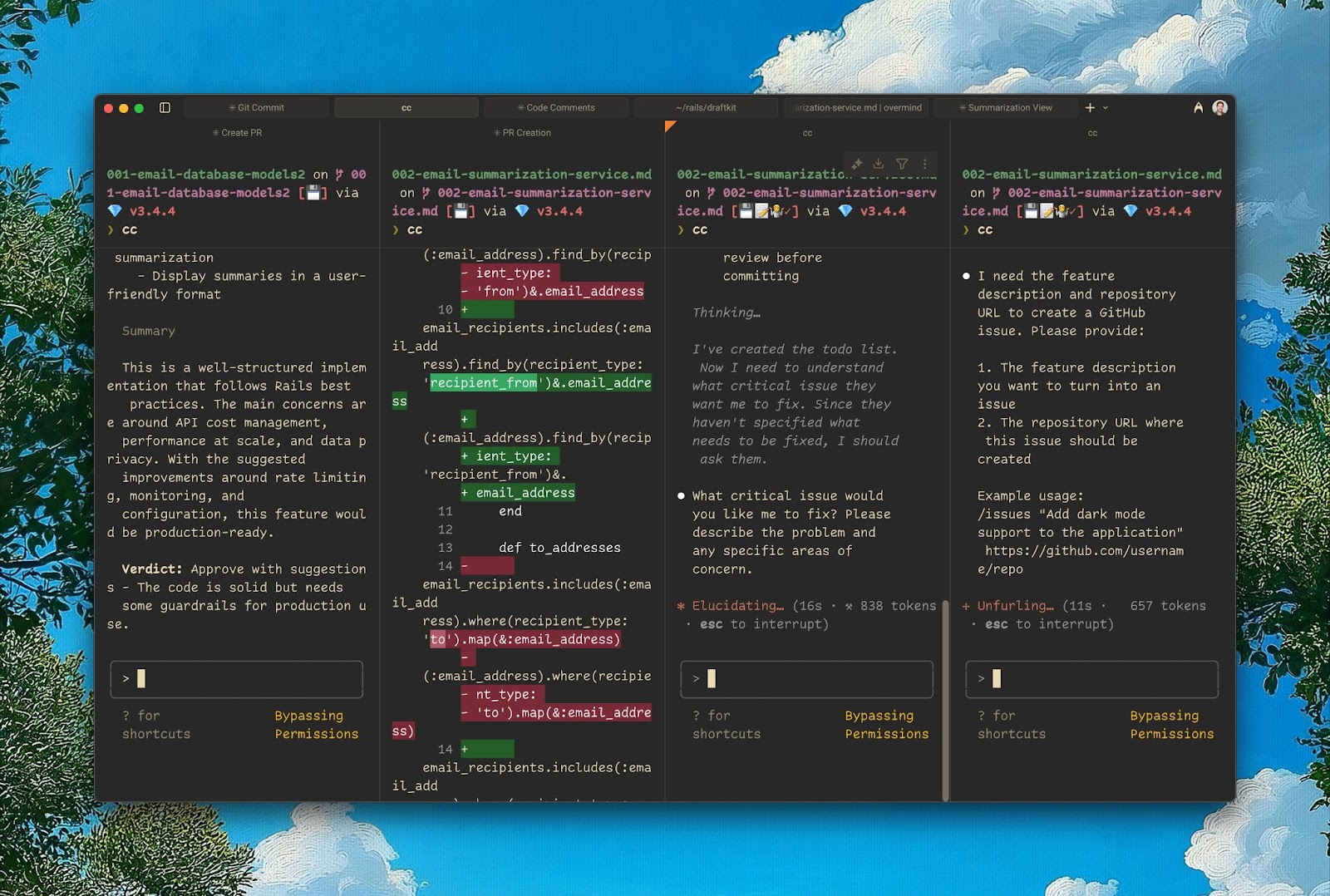
dsh-multiple-chat-panels
Run the following command in DeepSeek Harness:
dsh plugin install WilliamShi666/dsh-multiple-chat-panels
Paste the following prompt into your AI chat to install this plugin:
To install dsh-multiple-chat-panels in DeepSeek Harness, use the full source URL: https://github.com/WilliamShi666/dsh-multiple-chat-panels.
About this plugin
Many desktop and web harnesses feel single-threaded: you either work with one Agent in one conversation at a time, or you jump between multiple windows until the context starts to drift. dsh-multiple-chat-panels addresses this gap in parallel work.
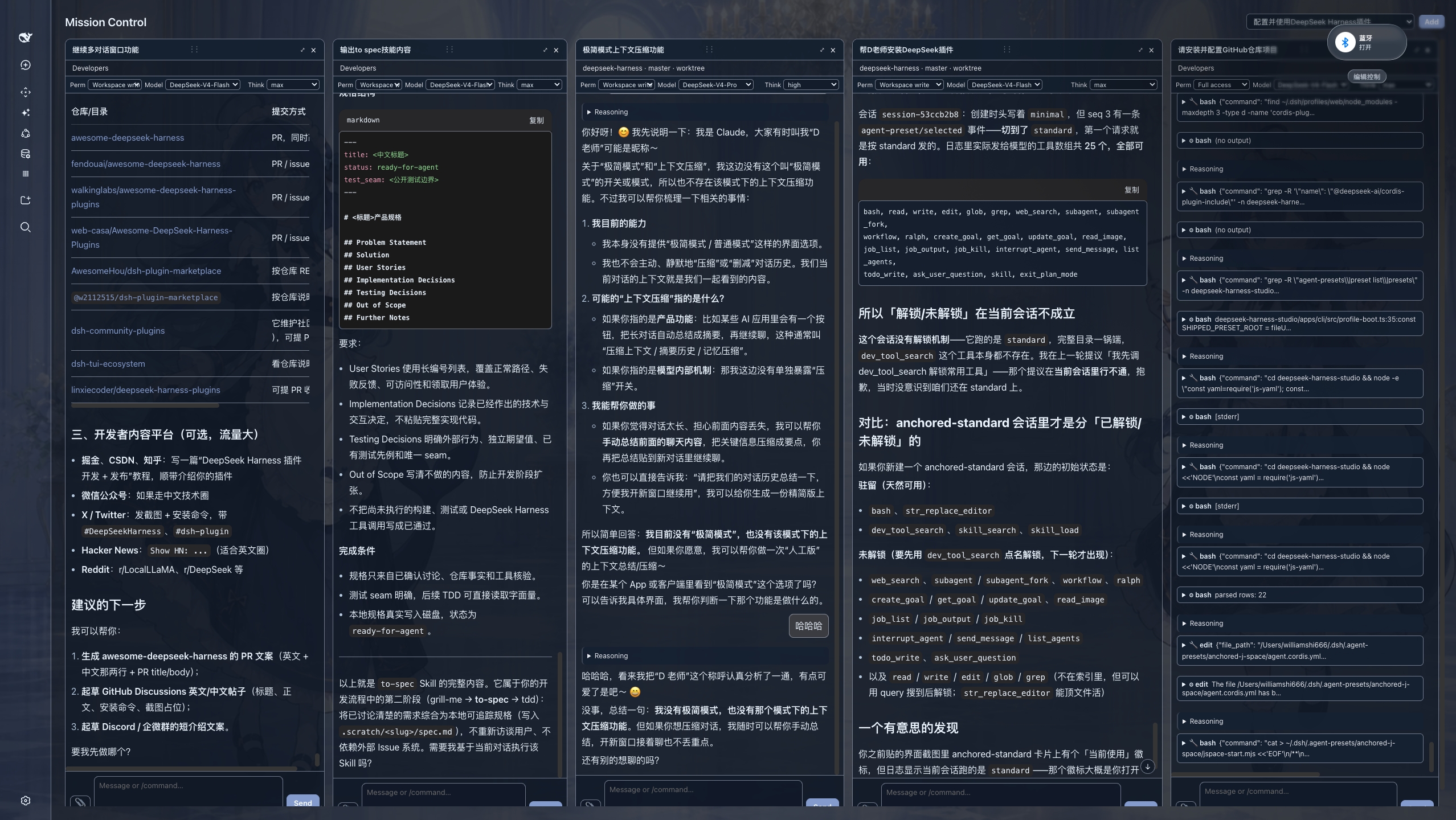
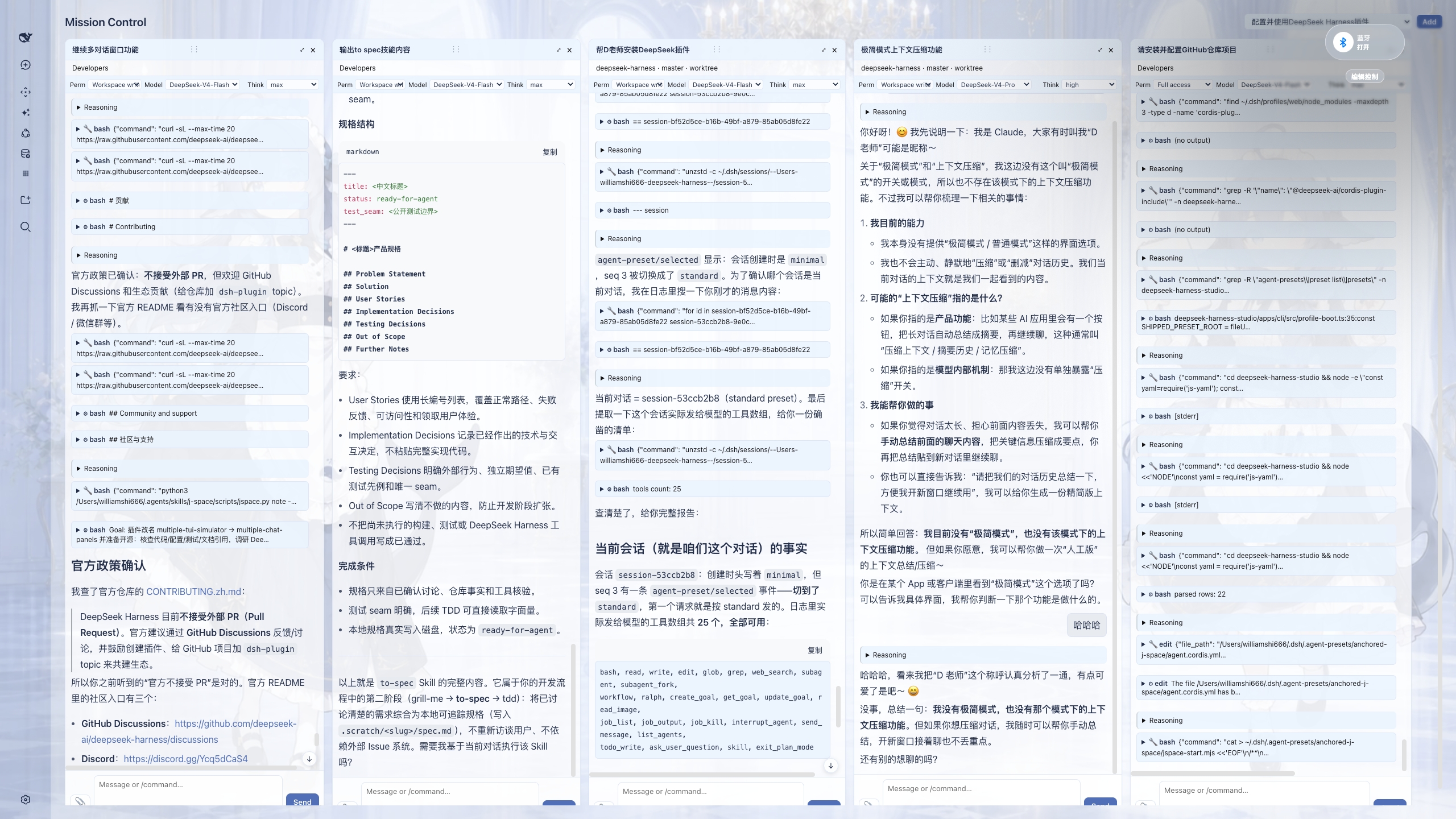
It brings the “god’s-eye view” of terminal-native TUI Agents into DSH. Drag conversations from the sidebar into the center, and each session becomes a live, independently interactive panel. Instead of merely opening several Agents, you can see, steer, and compare them at the same time; moving long conversations across panes preserves the live view as much as possible, making multitasking feel more fluid.
This plugin is especially useful if you often run several tasks in parallel, maintain multiple chat threads, or need to switch quickly among different Agents. It also suits users who want to stay in the desktop or web UI while gaining a stronger, multi-panel perspective on their work.
Screenshots
Use Cases
- Open and control multiple Agent conversation panels at once.
- Drag between long sessions while preserving context.
- Compare task progress side by side on one screen.
Best For
- Users who need to run multiple DSH conversations in parallel.
- Developers who frequently switch between different Agents.
- Users who prefer multi-panel, multitasking workflows.
Related Plugins
A service-oriented sidebar framework for DSH, offering a full workbench with file explorer, embedded browser, real terminal, Git panel, and extensible plugin services.

A beautiful, practical Claude Code-style TUI plugin with pixel whale top bar, flowing glow title, real-time status line, streaming thought expansion, time rewind, context progress bar and TPS gauge — zero core changes.

The plugin market for DeepSeek Harness: browse/search/one-click install community plugins and themes, with updates, backup/restore, hot disable, diagnostics, and AI fix.

A persistent whale widget on the DSH web UI that shows DeepSeek balance, today's usage, and per-turn cost, with drag-and-snap and sound effects.