dsh-video-player
Run the following command in DeepSeek Harness:
dsh plugin install IP050/dsh-video-player
Paste the following prompt into your AI chat to install this plugin:
Run dsh plugin install IP050/dsh-video-player to add the plugin to DeepSeek Harness; the source is available at https://github.com/IP050/dsh-video-player.
About this plugin
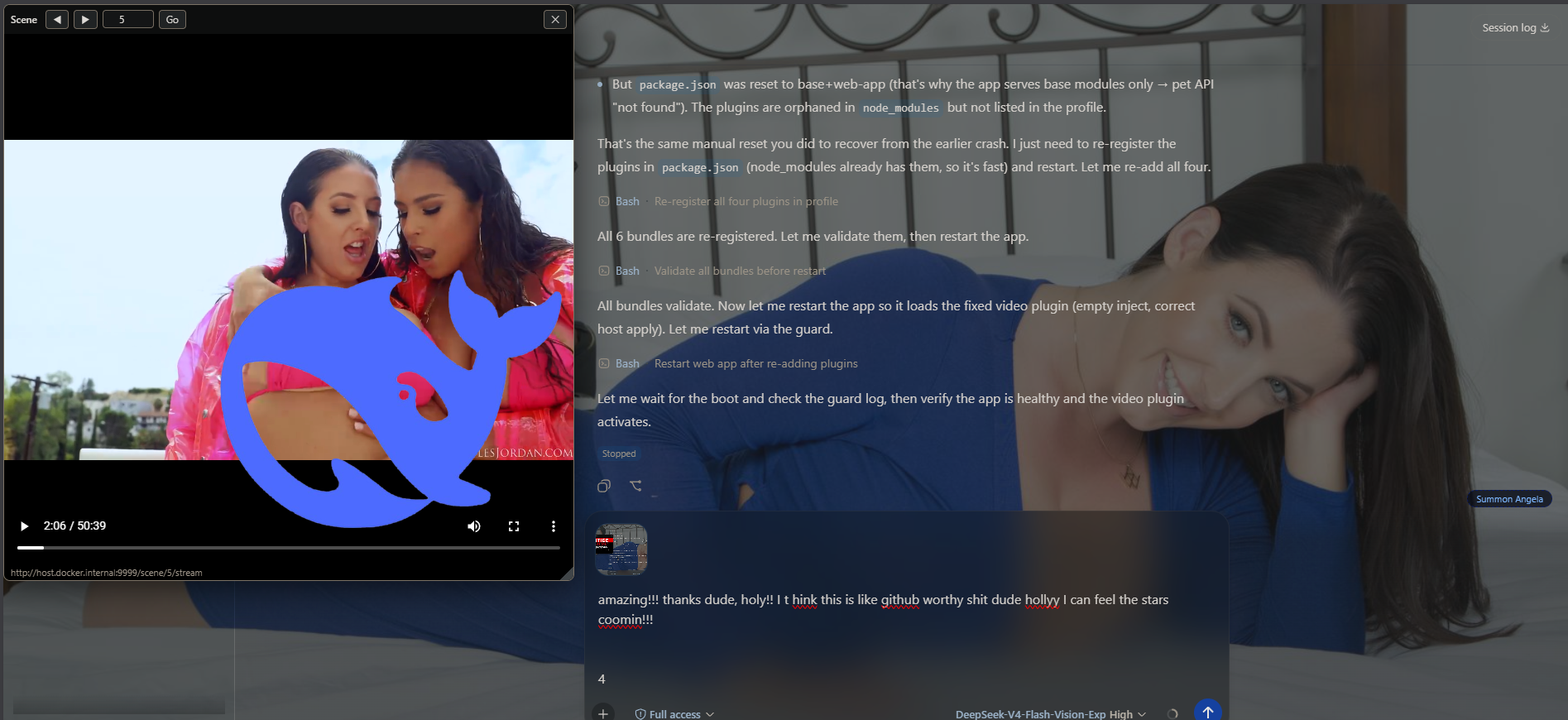
DeepSeek Harness turns your browser into a focused workspace, but that focus gets in the way when you need to glance at a video clip mid-conversation—checking a reference, comparing shots, or picking an asset. Switching tabs or squashing the window breaks your flow. dsh-video-player solves this by mounting a small picture-in-picture window right beside the chat, so video and conversation coexist without stealing focus.
The window is fully interactive: drag the title bar to reposition it, pull the bottom-right corner to resize it live (minimum 200×140), and set opacity from 0.3 to 1.0 in the gear panel. Position, size, and opacity all persist across reloads via localStorage. Playback controls—play, pause, scrub, fullscreen, volume—sit in the title bar, kept out of the drag handler so they stay clickable. The primary source is a Stash-style scene server: step through scenes with arrow keys, jump to any number, and watch the exact stream URL in the status line. Seeking works because the server honors Range requests (206 Partial Content). YouTube, Twitch, Jellyfin, and direct file links are equally supported; paste a link and it auto-detects the channel and hits play, with no manual selection needed.
It renders as a separate fixed overlay alongside the DSH desktop pet and theme wallpaper, so nothing conflicts. It is built for creators who use DSH as a working surface for script drafting, content review, or asset curation and need a video feed on hand at all times—especially those who keep a local library in Stash and want to page through consecutive scenes quickly without leaving the chat.
Screenshots
Use Cases
- Page through Stash scene clips in a floating window while chatting with the AI
- Paste a YouTube or Twitch link to instantly play a reference beside the conversation
- Park the player semi-transparent on the side and glance at progress while writing
Best For
- Creators who keep a local Stash library and page through scenes rapidly
- Editors doing script comparison or content review who want a video always in view
- Users who prefer a persistent PiP feed and want to avoid breaking focus with tab switches
Related Plugins
A service-oriented sidebar framework for DSH, offering a full workbench with file explorer, embedded browser, real terminal, Git panel, and extensible plugin services.

A beautiful, practical Claude Code-style TUI plugin with pixel whale top bar, flowing glow title, real-time status line, streaming thought expansion, time rewind, context progress bar and TPS gauge — zero core changes.

The plugin market for DeepSeek Harness: browse/search/one-click install community plugins and themes, with updates, backup/restore, hot disable, diagnostics, and AI fix.

A persistent whale widget on the DSH web UI that shows DeepSeek balance, today's usage, and per-turn cost, with drag-and-snap and sound effects.