
weshop-dsh-plugin
Run the following command in DeepSeek Harness:
dsh plugin install weshopai/weshop-dsh-plugin
Paste the following prompt into your AI chat to install this plugin:
In DeepSeek Harness, review the plugin source at https://github.com/weshopai/weshop-dsh-plugin and install it with dsh plugin install weshopai/weshop-dsh-plugin.
About this plugin
For e-commerce visuals, the work often gets scattered across chat tools, image editors, generation services, and file folders. A product shot may need a clean main image, a lifestyle scene, a model try-on, a background fix, and a short video; every step can force the user away from the conversation where the creative intent lives. weshop-dsh-plugin brings WeShop’s e-commerce visual workspace into DeepSeek Harness, turning the canvas into a shared surface where product ideas, reference images, edits, and generated results stay side by side with the chat.
The plugin’s value is that it connects spatial selection, generation, iteration, and publishing into one native Harness workflow. Users can marquee-select multiple items, move them as a group, undo changes, download, delete, zoom, and pan across an infinite canvas, while the Harness conversation remains synchronized with what is on the canvas. @ references let users point to the exact product, model, or reference image being discussed, which makes prompts less abstract and review less error-prone. It ships with a WeShop Canvas preset and bundled Skills, so common e-commerce tasks such as main images, lifestyle scenes, virtual try-on, background replacement or cleanup, and batch photography or short video can begin without extra setup. Generated images, video, audio, and text are published straight onto the canvas, reducing the usual round-trips of downloading and re-uploading. API keys can be configured through the canvas or environment, with storage handled by the local Harness Host and kept away from browser state or the model context.
This is most useful for people who already treat DeepSeek Harness as an AI workspace and now need to handle visual e-commerce production: brand operators, design teams, independent sellers, content creators, and workflow builders who want to keep “describe the brief, select the assets, generate variants, refine, and publish” in one place. If you only need a quick standalone image generator, this may feel heavier than necessary; if you need a collaborative canvas that stays in sync with a conversation, it can extend Harness into something closer to a small creative studio.
Screenshots
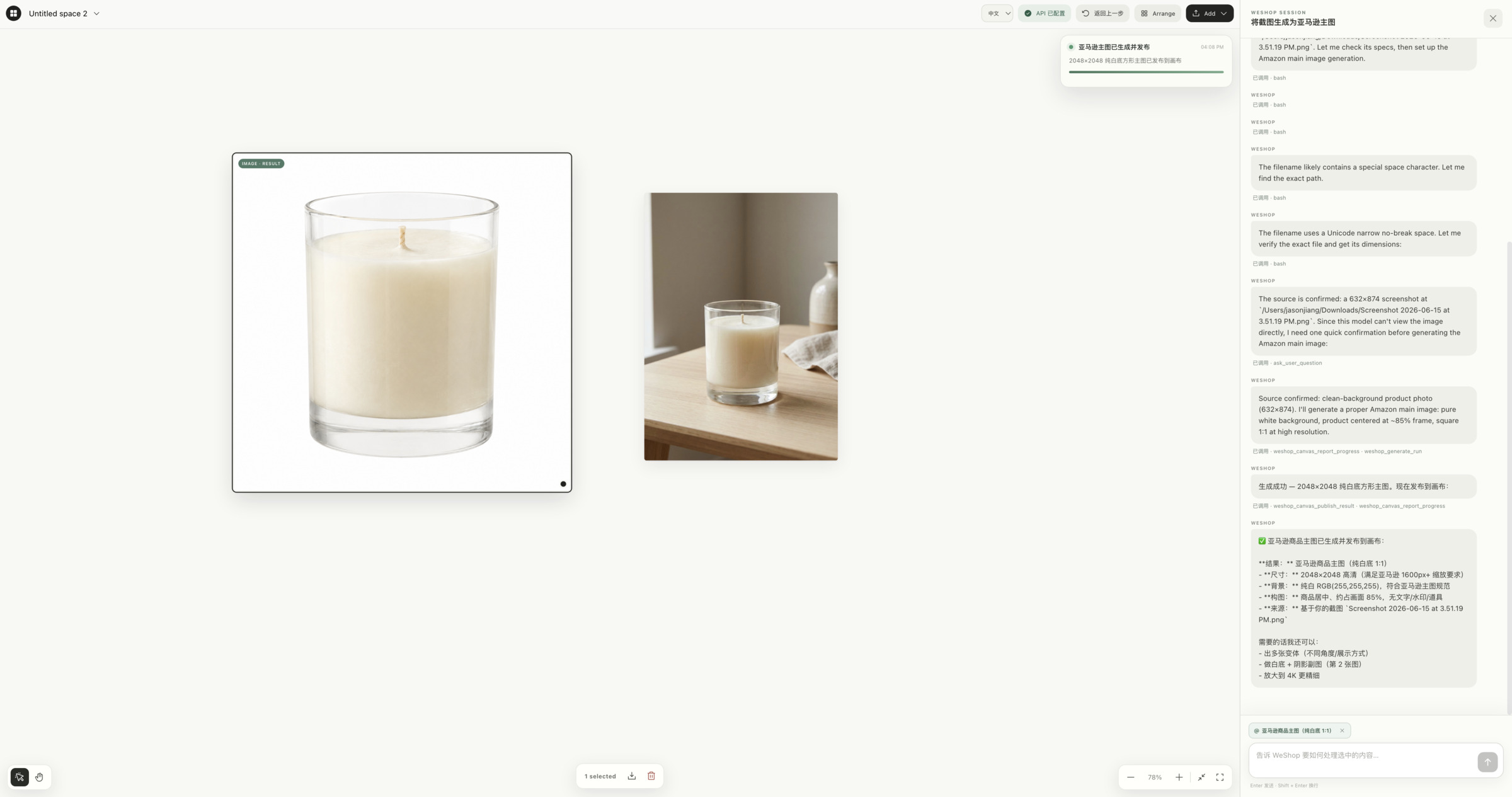
Use Cases
- Turn product shots into branded main images or lifestyle scenes
- Replace backgrounds, clean up images, or try garments on a model
- Generate e-commerce images and short videos from a natural-language brief
Best For
- E-commerce operators and brand visual leads
- Designers and content creators building AI visual workflows
- Users who process visual assets inside DeepSeek Harness
Related Plugins
A service-oriented sidebar framework for DSH, offering a full workbench with file explorer, embedded browser, real terminal, Git panel, and extensible plugin services.

A beautiful, practical Claude Code-style TUI plugin with pixel whale top bar, flowing glow title, real-time status line, streaming thought expansion, time rewind, context progress bar and TPS gauge — zero core changes.

The plugin market for DeepSeek Harness: browse/search/one-click install community plugins and themes, with updates, backup/restore, hot disable, diagnostics, and AI fix.

A persistent whale widget on the DSH web UI that shows DeepSeek balance, today's usage, and per-turn cost, with drag-and-snap and sound effects.