dsh-workbench-layout
Run the following command in DeepSeek Harness:
dsh plugin install lsq-dsh-plugins/dsh-workbench-layout
Paste the following prompt into your AI chat to install this plugin:
Run dsh plugin install lsq-dsh-plugins/dsh-workbench-layout in DeepSeek Harness to install; source code is available at https://github.com/lsq-dsh-plugins/dsh-workbench-layout
About this plugin
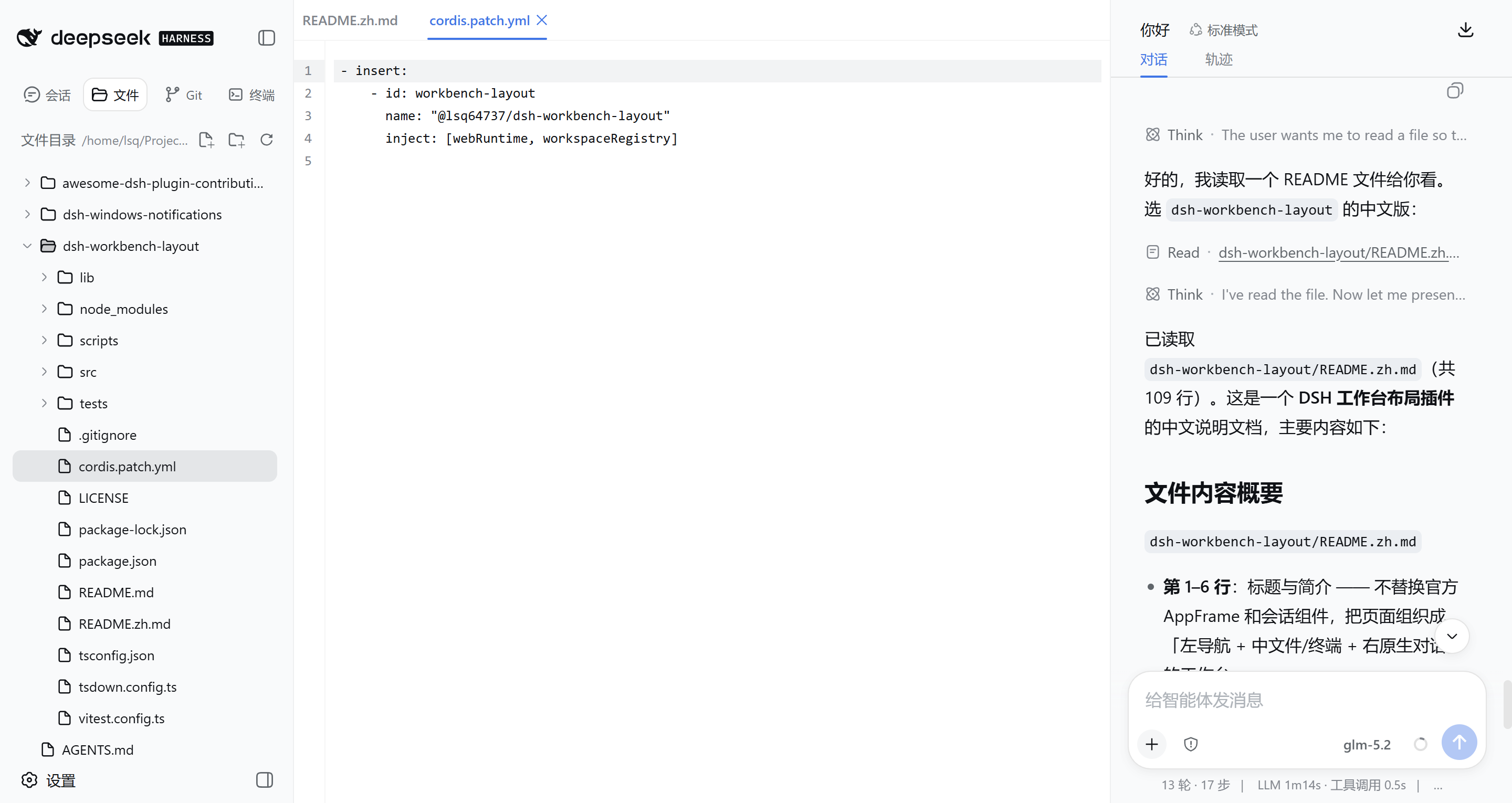
The default DSH Web interface centers everything around the conversation thread, yet real development work often requires watching code, managing files, and tracking Git changes at the same time. dsh-workbench-layout re-organises the workspace into a three-column layout without replacing the native conversation, so you no longer have to jump between tabs mid-task.
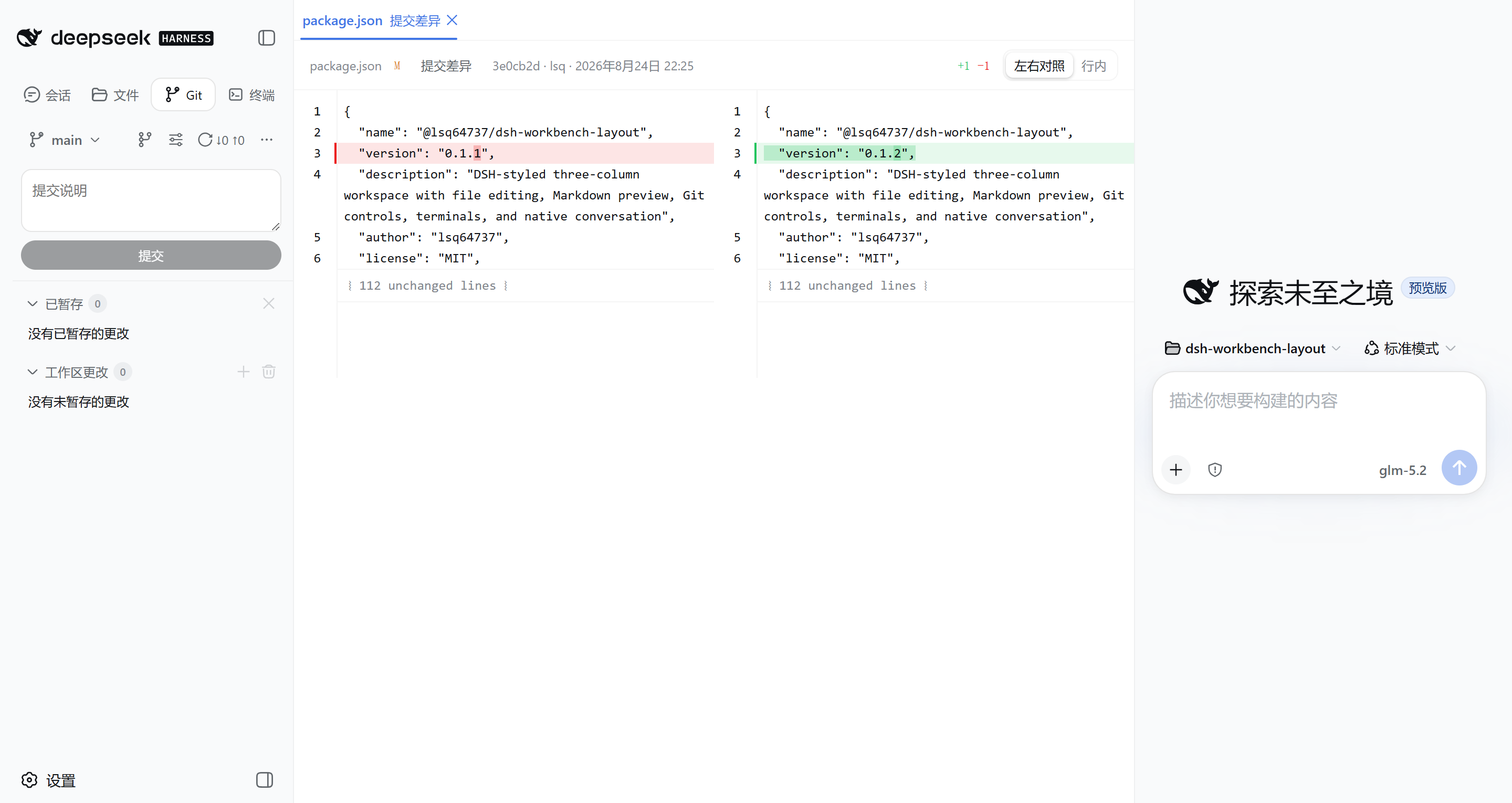
The left sidebar brings together session history, a lazily-loaded file explorer, Git change tracking with a commit graph, and a terminal list. The middle pane hosts multi-tab editing, Markdown preview, per-file diff comparison with character-level highlighting and block-level revert, and node-pty-powered interactive terminals. The right column keeps the original DSH conversation and composer intact. Git support spans staging, branch management, remote Fetch / Push / fast-forward Pull, cherry-pick, and revert, all executed as fixed-argument commands that never spawn a shell.
If your workflow pairs AI-assisted coding with full control over the codebase—editing files, managing branches, and running terminals in parallel with the chat—this plugin is built for that. It reuses DSH official components and design tokens throughout, so the visual language stays consistent with the native client.
Screenshots
Use Cases
- Edit code files and inspect per-line Git diffs while conversing with DSH
- Work across multiple file tabs and toggle between Markdown source and preview
- Manage branches, stage commits, and push to remotes directly from the sidebar
Best For
- Developers who code alongside AI conversations in a single window
- Engineers who value visual Git workflows and detailed diff inspection
- Users who want an IDE-like workspace inside DSH Web
Related Plugins
A service-oriented sidebar framework for DSH, offering a full workbench with file explorer, embedded browser, real terminal, Git panel, and extensible plugin services.

A beautiful, practical Claude Code-style TUI plugin with pixel whale top bar, flowing glow title, real-time status line, streaming thought expansion, time rewind, context progress bar and TPS gauge — zero core changes.

The plugin market for DeepSeek Harness: browse/search/one-click install community plugins and themes, with updates, backup/restore, hot disable, diagnostics, and AI fix.

A persistent whale widget on the DSH web UI that shows DeepSeek balance, today's usage, and per-turn cost, with drag-and-snap and sound effects.