dsh-compact-button
Run the following command in DeepSeek Harness:
dsh plugin install shyuan-hub/dsh-compact-button
Paste the following prompt into your AI chat to install this plugin:
Install this plugin in DeepSeek Harness by running dsh plugin install shyuan-hub/dsh-compact-button (source: https://github.com/shyuan-hub/dsh-compact-button), then restart dsh web and hard-refresh your browser to apply.
About this plugin
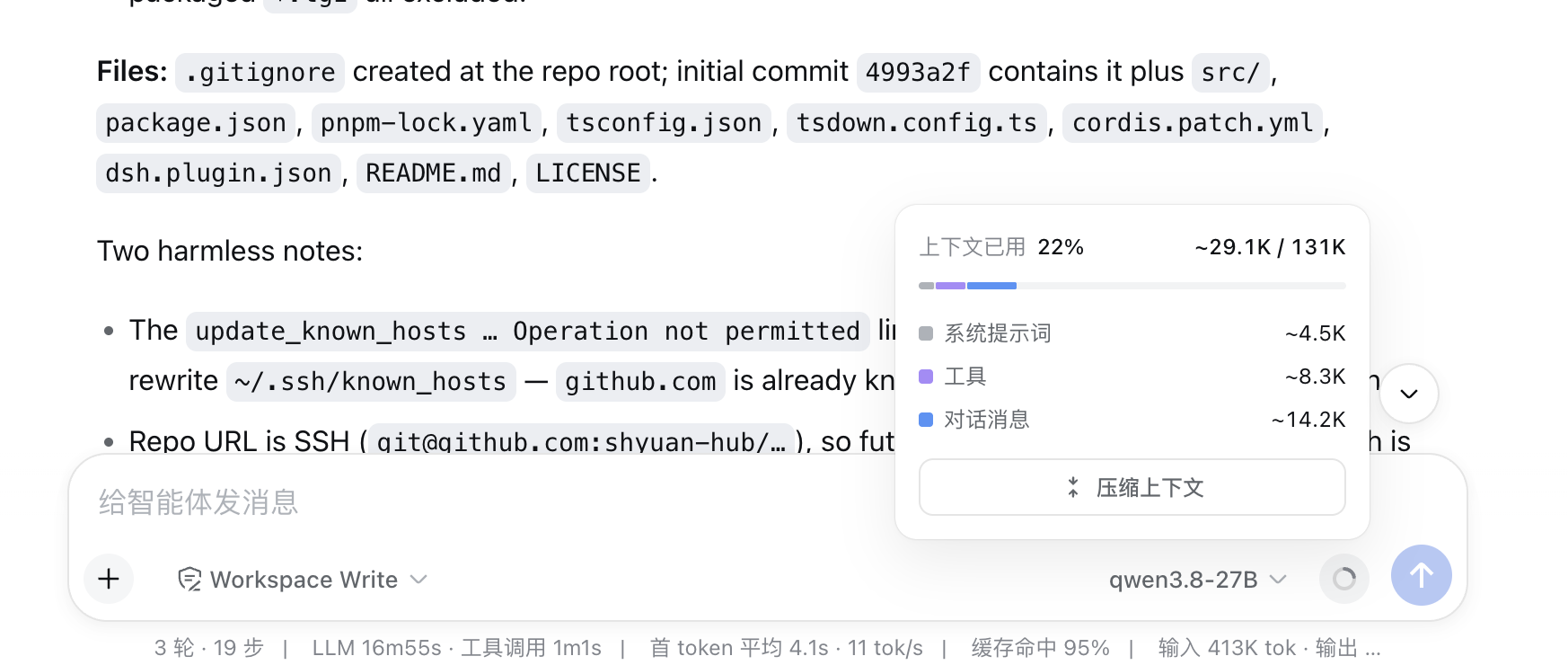
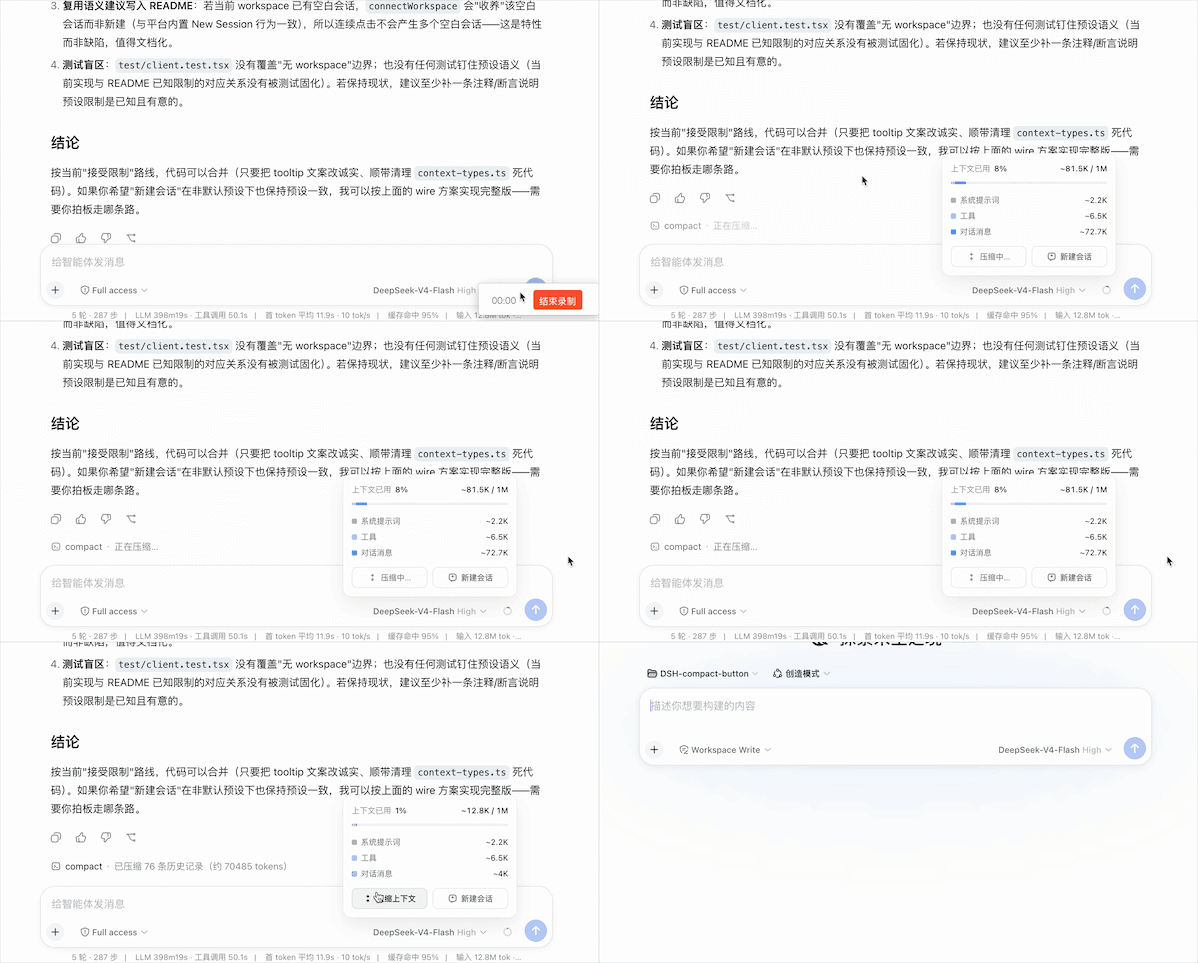
Long, multi-turn conversations steadily eat into your context window, and the usual fix is to pause and type /compact by hand. dsh-compact-button folds that step into a single click: inside the DSH Web context meter panel (the area that expands from the ring next to the composer), two buttons sit side by side — Compact context and New session. The moment you notice the window filling up, you can compress earlier history or start a fresh session without leaving the page or recalling command syntax.
The Compact button submits via session.command('/compact'), the exact same channel as typing the command manually, so the compaction result appears in the conversation stream just as it would from the keyboard. Button labels track submission state in real time (Idle, Compacting, Submitted, Not matched, Failed) and auto-reset after four seconds to keep the panel uncluttered. The New session button opens a fresh session in the current workspace and navigates to it, with a brief 1.5-second lockout to guard against accidental double-clicks. The plugin follows DSH language settings for instant Chinese or English display, and as a pure client-side add-on it renders nothing when the target slot is absent, leaving the rest of the platform completely untouched.
Built for DSH Web users who run long conversations and find themselves pausing mid-flow to free up tokens. If clearing context has become a regular interruption in your workflow, this plugin turns that pause into a single tap.
Screenshots
Use Cases
- Compress earlier conversation history with one click when the context window nearly fills up
- Open a fresh session in the current workspace and jump to it when switching topics
- Submit /compact from a button instead of typing the command manually
Best For
- DSH Web users who run long multi-turn conversations and regularly need to free up context
- Developers and researchers who prefer one-click actions over typing commands manually
- Teams working in multilingual Chinese and English DSH environments
Related Plugins
A service-oriented sidebar framework for DSH, offering a full workbench with file explorer, embedded browser, real terminal, Git panel, and extensible plugin services.

A beautiful, practical Claude Code-style TUI plugin with pixel whale top bar, flowing glow title, real-time status line, streaming thought expansion, time rewind, context progress bar and TPS gauge — zero core changes.

The plugin market for DeepSeek Harness: browse/search/one-click install community plugins and themes, with updates, backup/restore, hot disable, diagnostics, and AI fix.

A persistent whale widget on the DSH web UI that shows DeepSeek balance, today's usage, and per-turn cost, with drag-and-snap and sound effects.