dsh-blue-sea-player
Run the following command in DeepSeek Harness:
dsh plugin install Elave-66/dsh-blue-sea-player
Paste the following prompt into your AI chat to install this plugin:
Run dsh plugin install Elave-66/dsh-blue-sea-player in the DeepSeek Harness terminal to install the Blue Sea Player; source code is available at https://github.com/Elave-66/dsh-blue-sea-player .
About this plugin
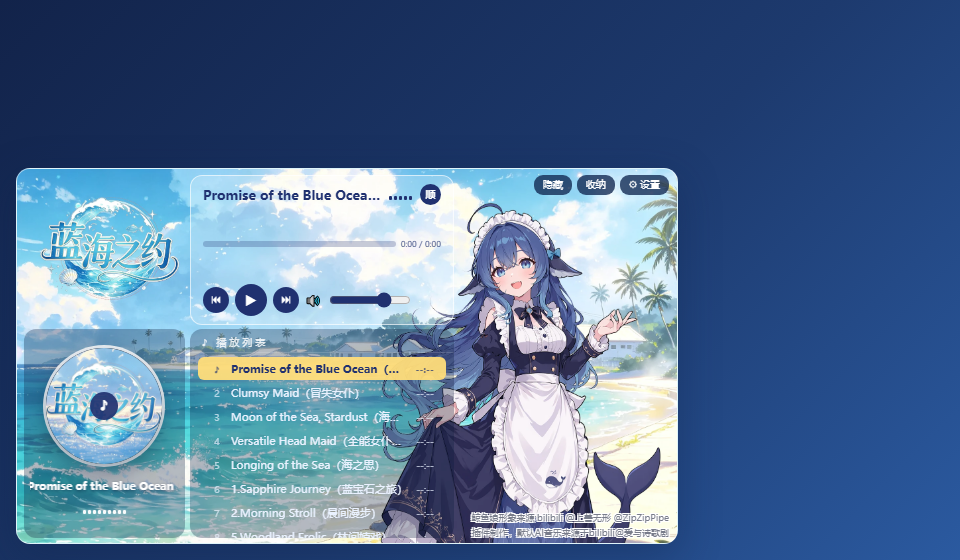
Opening the DSH Web interface fills the screen with utilitarian panels and log streams. dsh-blue-sea-player injects a whale-maid music player on every page load, turning that blank stretch into a small, breathing corner of your workspace.
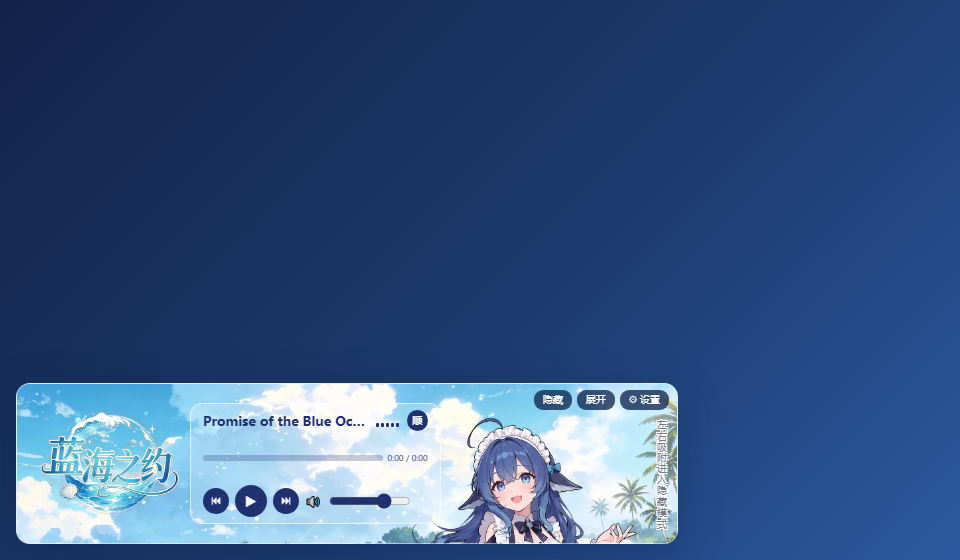
Playback is as visual as it is auditory. The active track cover becomes a continuously spinning CD with a fixed blue-note label at its centre; an overlong title scrolls beneath as a marquee. Five rhythm bars in the main panel pulse independently, never in unison, giving the widget a real sense of groove. A three-button toolbar handles collapse, expand, and settings at a glance; drag the panel to either screen edge and it shrinks into a draggable whale-maid avatar ball that unfolds with a single click. Twelve themed skins swap with one tap, and the asset manager lets you upload new covers and audio files, batch-delete, and edit individual entries with a two-step confirmation. The playlist highlights the current track in gold and supports single-track loop, list loop, and shuffle modes; scrub the progress bar by pressing and dragging.
It suits developers who live in DSH Web for long stretches, users who enjoy skin collections and a gentle on-screen companion, or anyone who simply wants a hint of melody between tool panels. The whale-maid artwork is a CC BY-NC-SA 4.0 derivative (full attribution chain required, non-commercial); the plugin code itself is MIT-licensed.
Screenshots



Use Cases
- The player appears automatically on every DSH Web page, so you can listen while coding.
- Switch between twelve themed skins with one tap to match your mood.
- Drag the panel to a screen edge to shrink it into a ball; click to expand when needed.
Best For
- Developers who spend long hours in the DSH Web interface.
- Users who enjoy on-screen companions and theme collections.
- Anyone who wants a touch of music in a utilitarian workspace.
Related Plugins

whale-girl is a desktop pet in the DSH Web GUI (bottom-right for instant companionship) — draggable, feedable, playable; completed tasks, sessions and companionship time accrue into seniority levels, titles, and memories.

A WebGPU ocean skin for DeepSeek Harness with five-wave Gerstner waves, translucent theme, day/night cycle, and quick controls, installable as plugin or extension.

A Galgame-style conversation view and visual scene editor for DSH web sessions, with a real-time editing mode.

A native skinning plugin for DeepSeek Harness: 8 designer themes, wallpapers, accent colors, and shareable theme packs, built purely on design tokens.