dsh-run-config
Run the following command in DeepSeek Harness:
dsh plugin install xiaoso456/dsh-run-config
Paste the following prompt into your AI chat to install this plugin:
Run dsh plugin install xiaoso456/dsh-run-config in your DeepSeek Harness terminal to install the plugin; visit https://github.com/xiaoso456/dsh-run-config for full documentation.
About this plugin
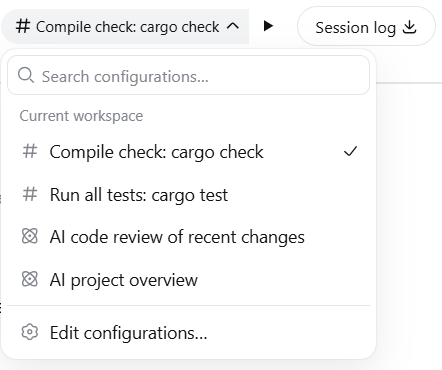
Repeatedly typing the same prompt or running the same shell commands in DeepSeek Harness is both inefficient and error-prone. dsh-run-config borrows the IDE run-configuration concept to store frequently used LLM prompts and shell commands as reusable task configurations, executable with a single click from the session header or the new-session page.
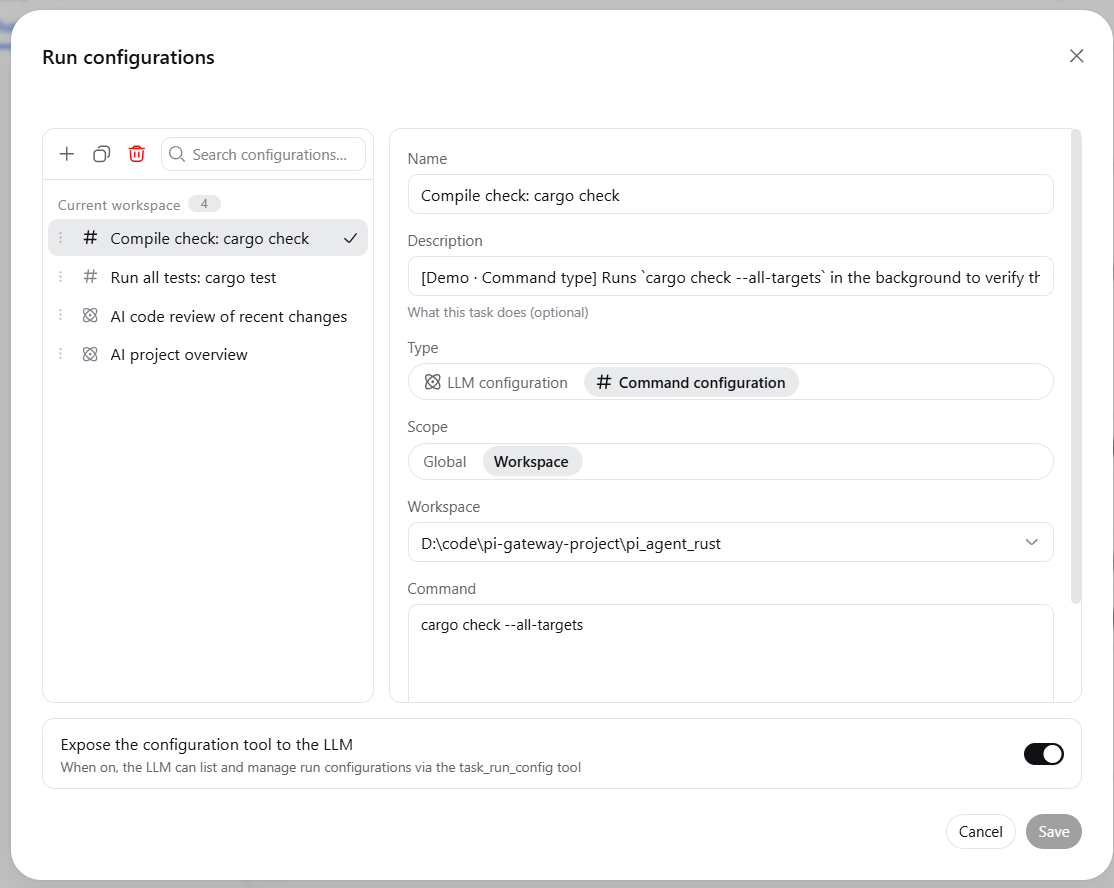
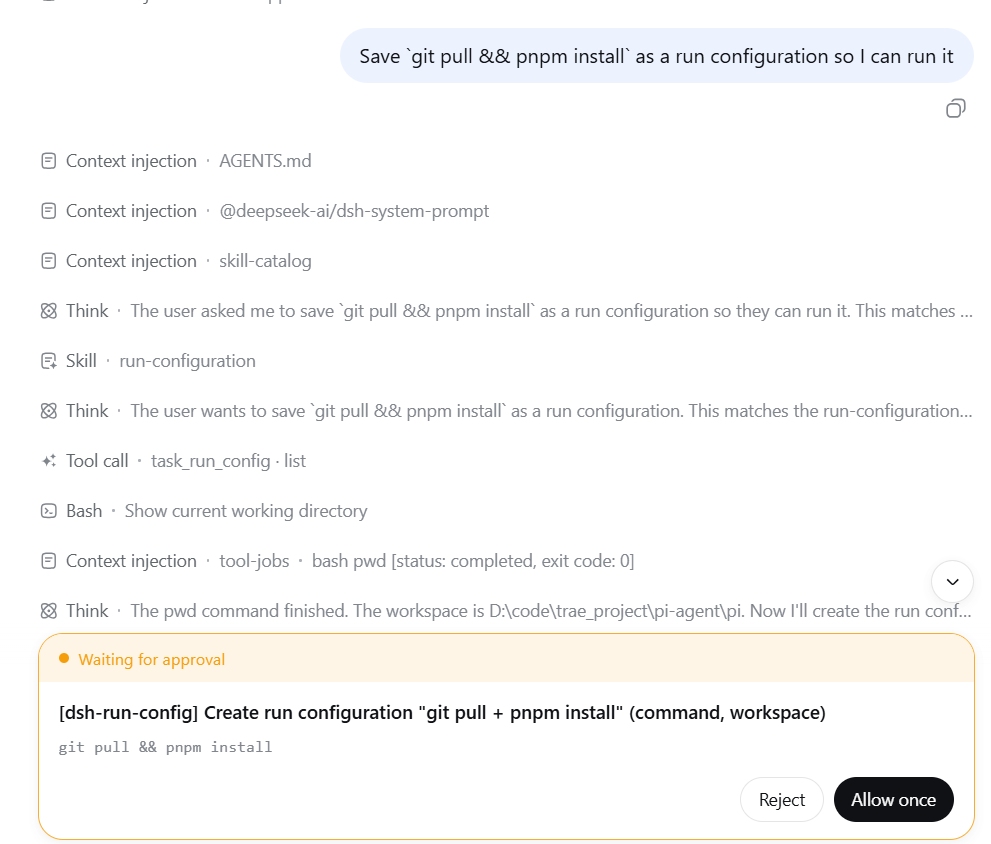
Two configuration types are supported: LLM tasks (auto-fills the prompt and sends it) and command tasks (runs a shell command in the background and notifies the model on completion). Scope can be set to global or per-workspace, and an IDE-style dialog lets you create, edit, duplicate, delete, and reorder configurations. The LLM itself can also inspect and manage configurations via the task_run_config tool, with write operations gated by an approval prompt.
Ideal for developers who repeatedly use the same prompt or command combinations in DeepSeek Harness, want independent configurations per workspace, or prefer to automate repetitive workflows with one click.
Screenshots
Use Cases
- Reusing the same prompt or command repeatedly
- One-click execution of common shell command sets
- Maintaining independent task configs per workspace
Best For
- Developers reusing the same prompts frequently
- Teams needing per-workspace config isolation
- DSH users automating repetitive workflows
Related Plugins
A service-oriented sidebar framework for DSH, offering a full workbench with file explorer, embedded browser, real terminal, Git panel, and extensible plugin services.

A beautiful, practical Claude Code-style TUI plugin with pixel whale top bar, flowing glow title, real-time status line, streaming thought expansion, time rewind, context progress bar and TPS gauge — zero core changes.

The plugin market for DeepSeek Harness: browse/search/one-click install community plugins and themes, with updates, backup/restore, hot disable, diagnostics, and AI fix.

A persistent whale widget on the DSH web UI that shows DeepSeek balance, today's usage, and per-turn cost, with drag-and-snap and sound effects.