dsh-delete-message
Run the following command in DeepSeek Harness:
dsh plugin install viplocco/dsh-delete-message
Paste the following prompt into your AI chat to install this plugin:
Run dsh plugin install viplocco/dsh-delete-message in your DeepSeek Harness terminal (source: https://github.com/viplocco/dsh-delete-message ), then fully restart the DSH Web process to activate the plugin.
About this plugin
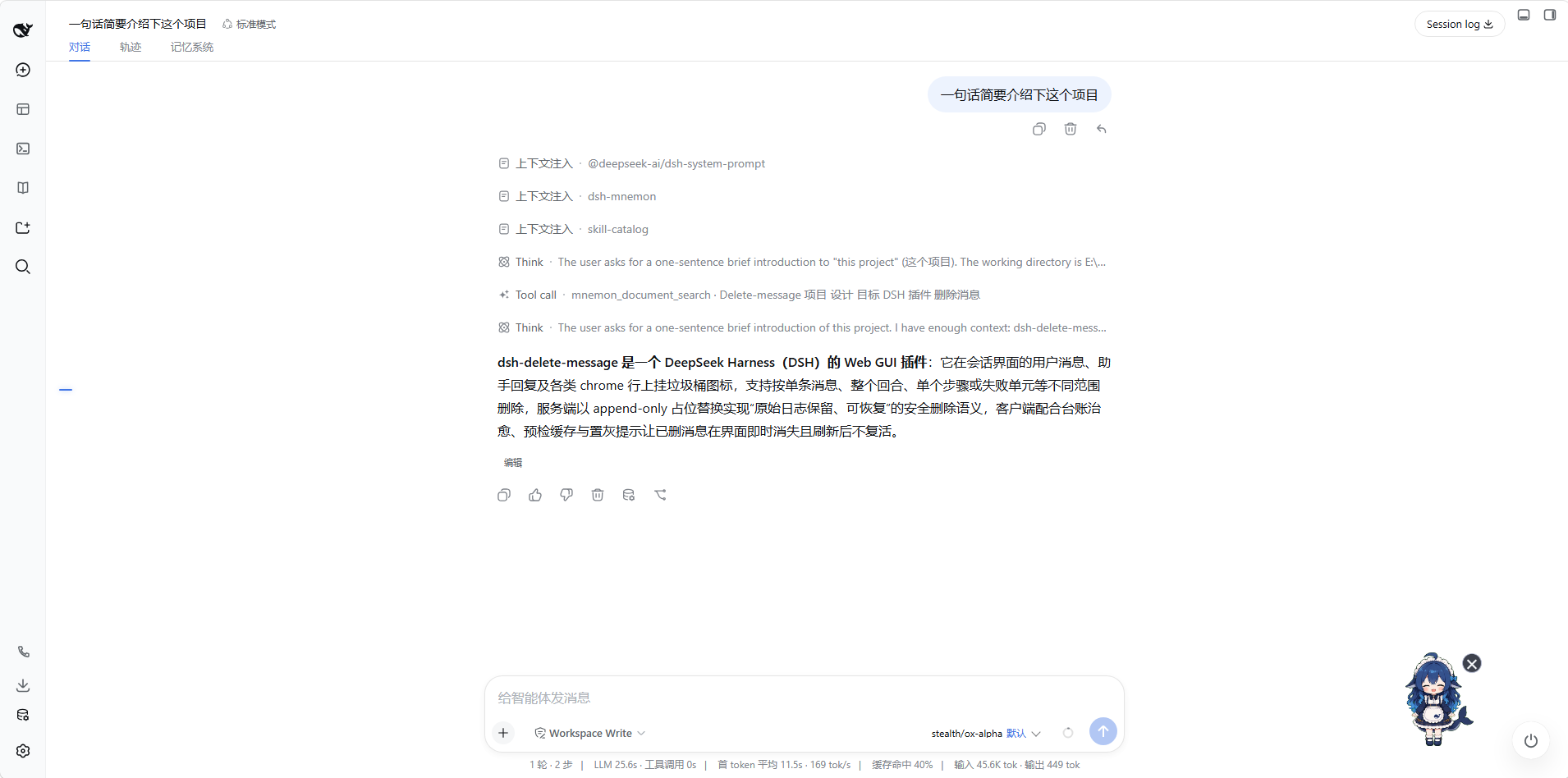
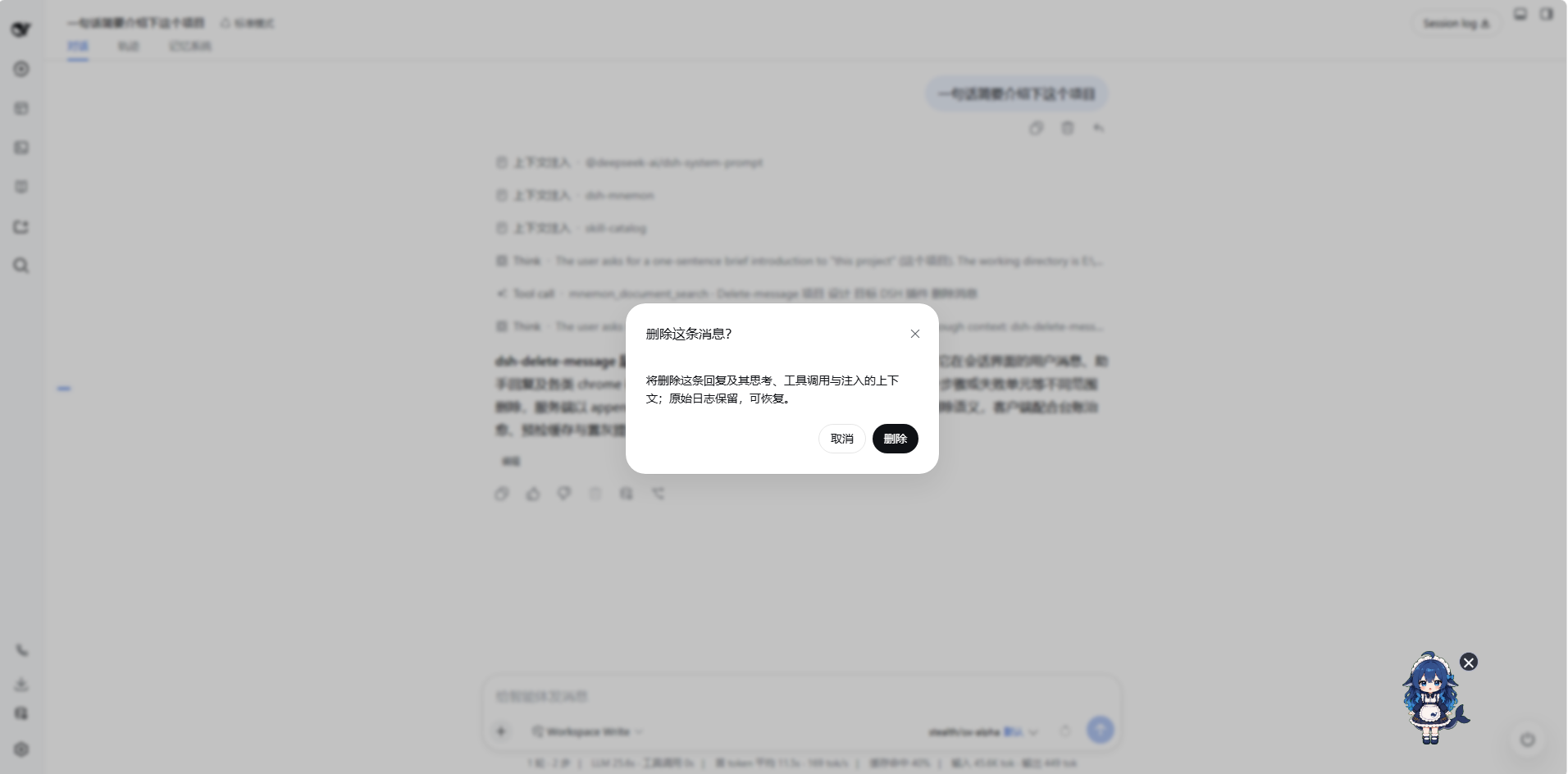
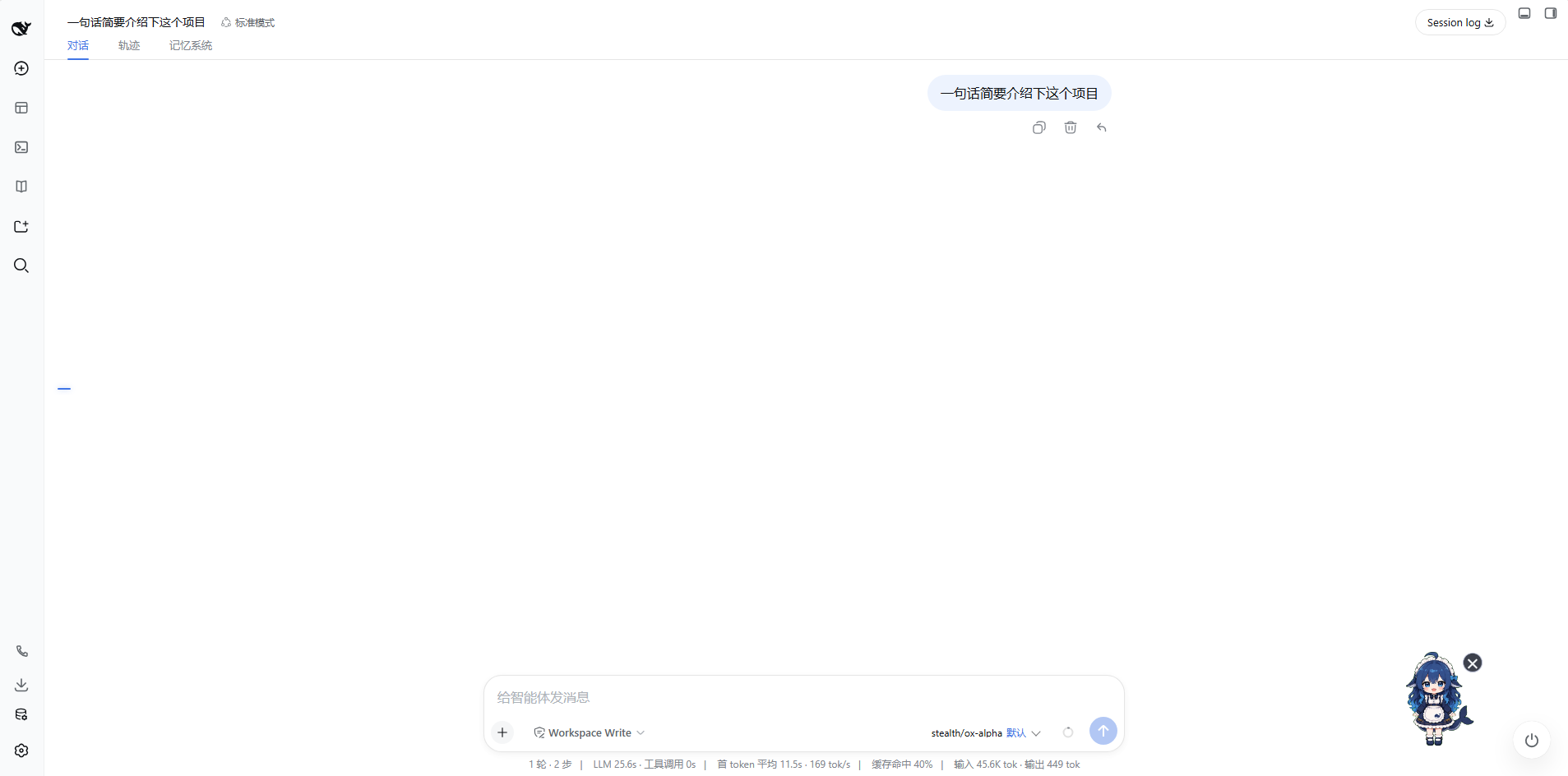
In DeepSeek Harness, a mis-sent instruction, an exhausted 502 retry, or an unwanted injected context line all linger in the model working memory, dragging phantom baggage into every subsequent turn. dsh-delete-message exists to fix exactly that: it places a trash-can button in each message action area, and upon confirmation the message is removed from model context via the host official surface-replace contract and hidden from the visible transcript, while original log bytes remain untouched and fully recoverable.
The plugin supports two granularities of deletion: step-level (removing only a single Think card or tool-call card and its paired result, leaving other steps in the same window intact) and whole-window (clearing injected lines, the reply, tool calls, and retry records together, while real user input is never affected). The confirmation dialog adapts its copy to the role of the target, a pre-flight /status check grays out non-deletable targets before the request is made, and the removal animation respects reduced-motion preferences. The interface is fully bilingual in zh and en, following the system language setting.
Best suited for developers and power users who frequently debug multi-step agent flows in Harness and often hit exhausted retries or accidental sends. Zero configuration, zero runtime dependencies, just install and fully restart the DSH Web process to get started, with no host code modifications required.
Screenshots
Use Cases
- Remove mis-sent instructions or failed retry turns while debugging multi-step agent flows
- Clean up injected context lines and tool-call records that should not enter the model context
- Correct an erroneous message mid-conversation without restarting the entire session
Best For
- Developers who frequently debug multi-step agent flows
- Harness users who often hit retry failures or accidental sends
- AI application builders who need fine-grained control over the model context window
Related Plugins
A service-oriented sidebar framework for DSH, offering a full workbench with file explorer, embedded browser, real terminal, Git panel, and extensible plugin services.

A beautiful, practical Claude Code-style TUI plugin with pixel whale top bar, flowing glow title, real-time status line, streaming thought expansion, time rewind, context progress bar and TPS gauge — zero core changes.

The plugin market for DeepSeek Harness: browse/search/one-click install community plugins and themes, with updates, backup/restore, hot disable, diagnostics, and AI fix.

A persistent whale widget on the DSH web UI that shows DeepSeek balance, today's usage, and per-turn cost, with drag-and-snap and sound effects.