dsh-notepad
Run the following command in DeepSeek Harness:
dsh plugin install chenchen4396/dsh-notepad
Paste the following prompt into your AI chat to install this plugin:
Run dsh plugin install chenchen4396/dsh-notepad in your DeepSeek Harness terminal to install this plugin; the full source code is available at https://github.com/chenchen4396/dsh-notepad .
About this plugin
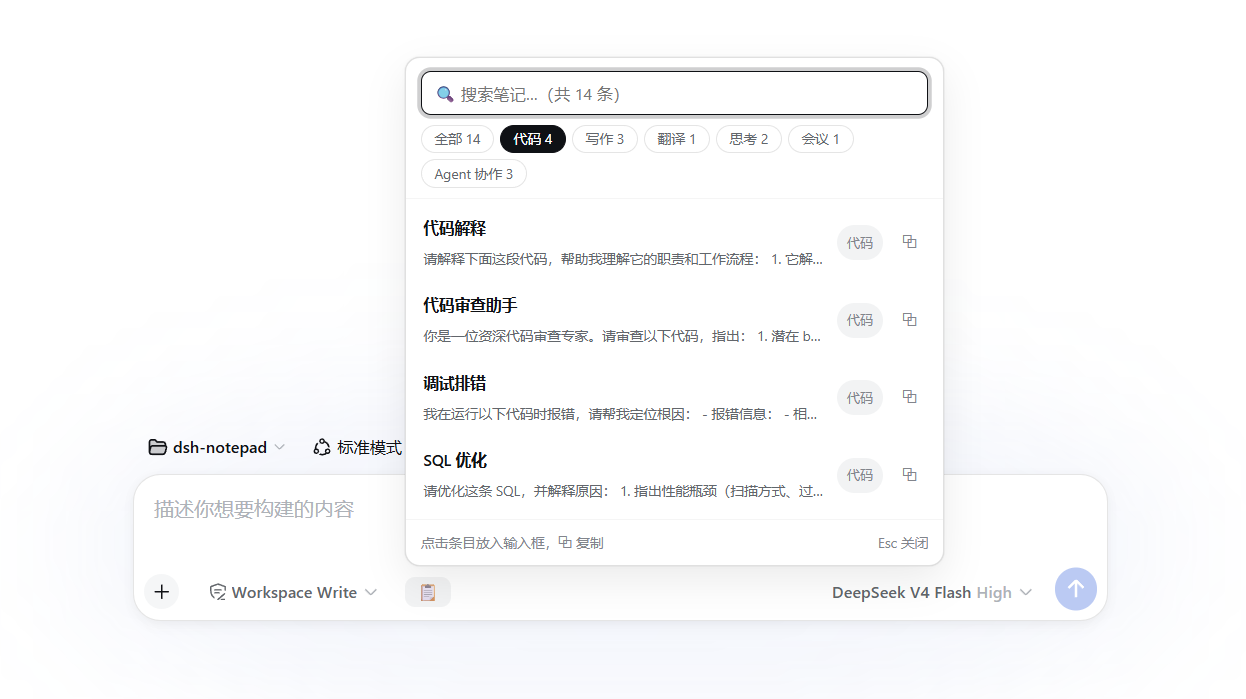
Writing weekly reports, polishing emails, reviewing code, translating, organizing meeting notes… the scenarios keep shifting, yet the high-frequency prompts, template phrases, and code snippets you reuse over and over remain scattered across memos, chat histories, and browser bookmarks, forcing you to hunt and reassemble them every single time. dsh-notepad gathers all of those fragments into a portable snippet library parked right beside the dsh web input box: one click to insert, one click to copy, without clobbering whatever draft you already have.
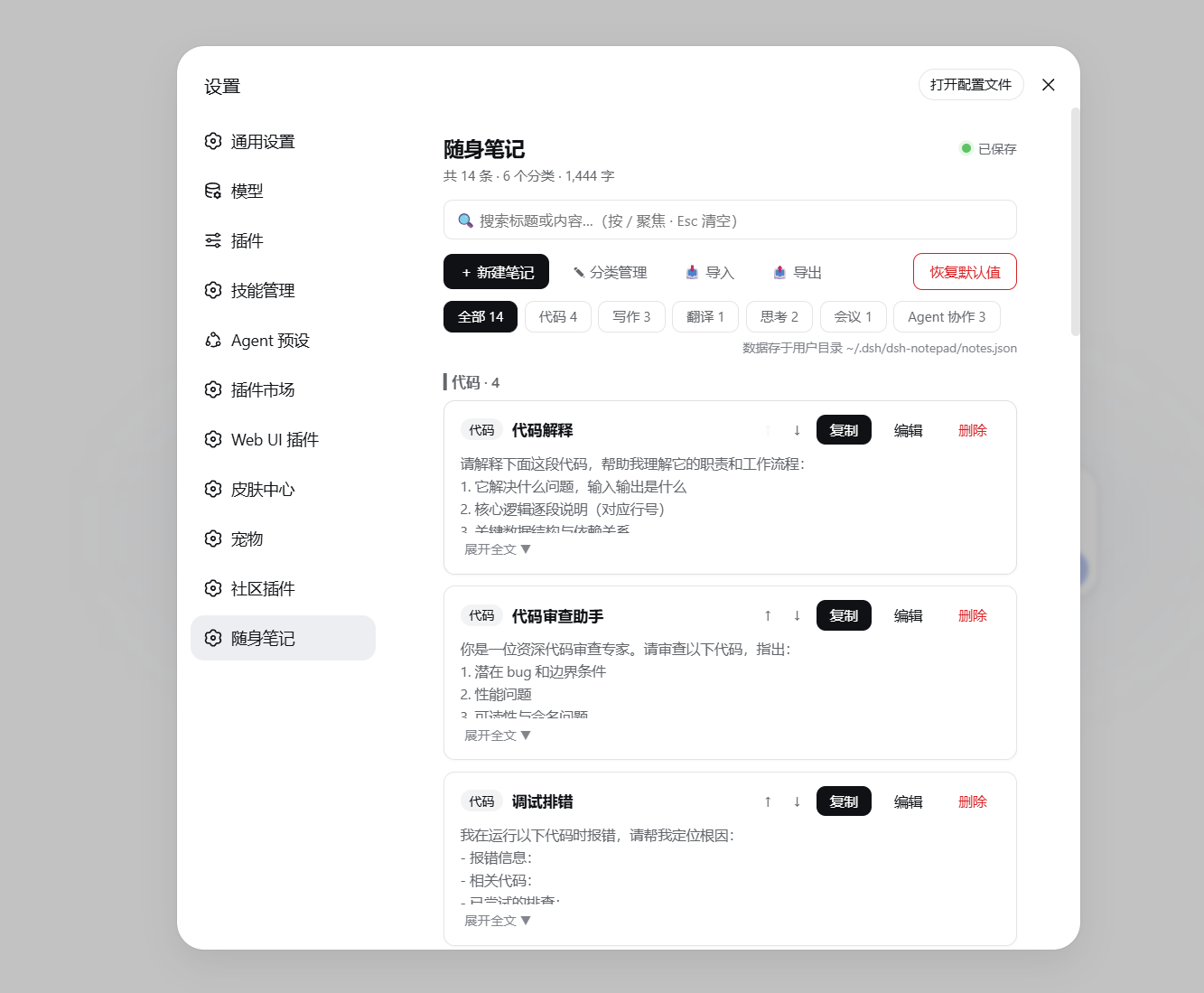
Everything is built around speed and organization. A clipboard icon next to the input expands a panel where you filter by category (code, writing, translation, thinking, meetings, etc.), search, and insert content directly while preserving your existing text, or copy it to the clipboard instantly. The Settings panel offers a unified view to add, edit, reorder, and delete notes. For sharing, export all notes as a JSON file; the recipient can import and choose to merge (duplicates auto-skipped) or replace, and plain-text or Markdown files are accepted as single-note imports with the filename becoming the title. All data lives in one local file at ~/.dsh/dsh-notepad/notes.json, with zero network calls and no telemetry, so your notes survive even after you uninstall the plugin.
If you regularly use the DeepSeek Harness Web GUI for writing, coding, translating, or meeting workflows and have already built up a collection of go-to prompt snippets, dsh-notepad is the sticky-note pad of prompts you keep on your desk, now permanently docked next to the input box, one click away whenever you need it.
Screenshots
Use Cases
- Quickly insert common prompts, templates, or code snippets during chat
- Filter by category and copy to clipboard with one click
- Export JSON to share with teammates; import and merge notes
- Manage high-frequency phrases for meetings, email polishing, and more
Best For
- Users who call DeepSeek frequently for writing, coding, or translation
- Teams that need a centralized home for prompt snippets and templates
- Developers who prefer local data storage over cloud dependency
Related Plugins
A service-oriented sidebar framework for DSH, offering a full workbench with file explorer, embedded browser, real terminal, Git panel, and extensible plugin services.

A beautiful, practical Claude Code-style TUI plugin with pixel whale top bar, flowing glow title, real-time status line, streaming thought expansion, time rewind, context progress bar and TPS gauge — zero core changes.

The plugin market for DeepSeek Harness: browse/search/one-click install community plugins and themes, with updates, backup/restore, hot disable, diagnostics, and AI fix.

A persistent whale widget on the DSH web UI that shows DeepSeek balance, today's usage, and per-turn cost, with drag-and-snap and sound effects.