dsh-pi-tui
Run the following command in DeepSeek Harness:
dsh plugin install XMoon/dsh-pi-tui
Paste the following prompt into your AI chat to install this plugin:
Please install the dsh-pi-tui plugin in DeepSeek Harness with the command dsh plugin install XMoon/dsh-pi-tui; the full source repository is https://github.com/XMoon/dsh-pi-tui.
About this plugin
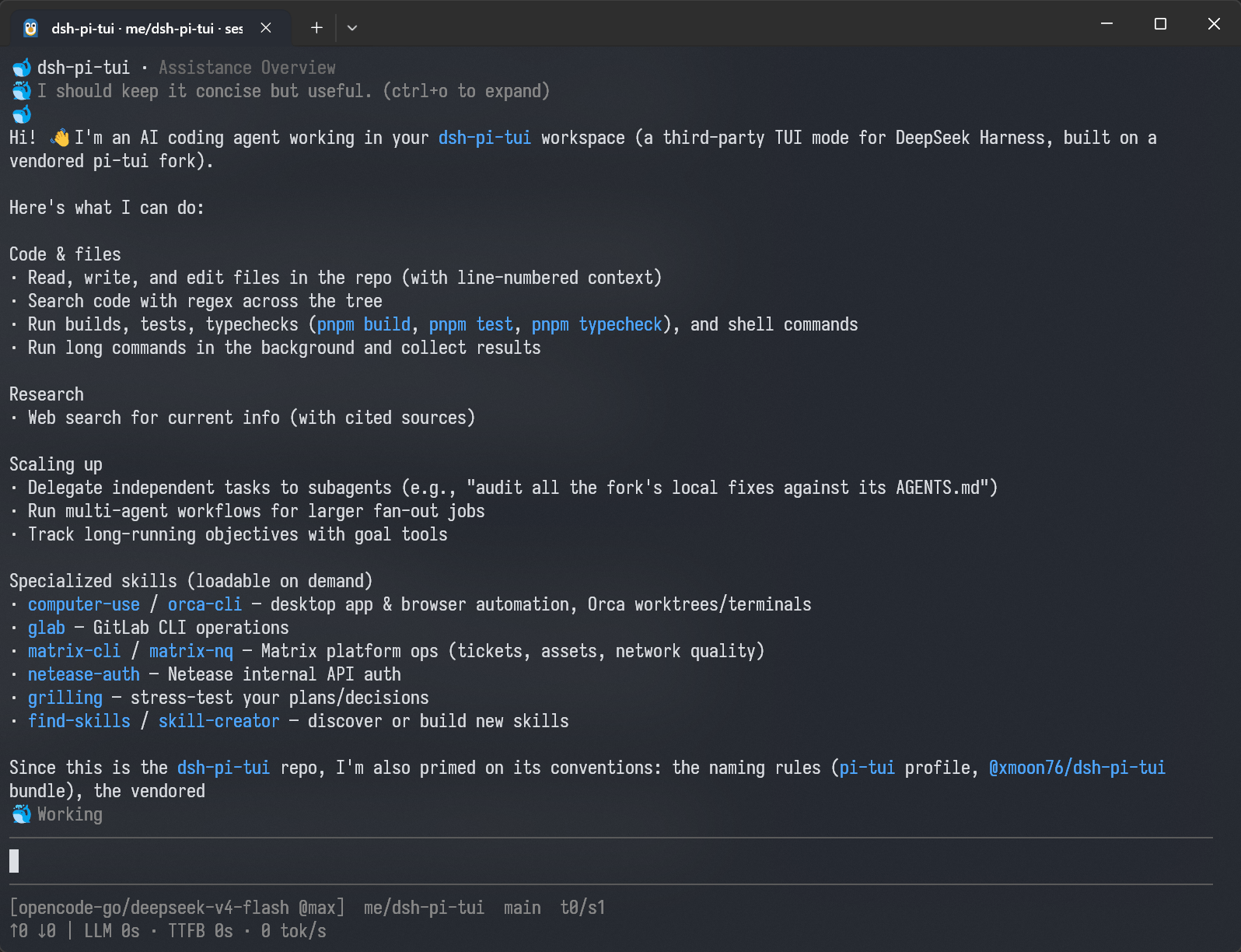
It addresses a practical problem: using DeepSeek Harness well in a terminal. The Agent Loop, Sessions, Tools, Permissions, Plan, and Goal are provided by DeepSeek Harness itself, but raw command-line output alone makes it hard to follow streaming answers, tool calls, subagents, and session changes. dsh-pi-tui turns those runtime details into a cohesive terminal interface, so users can understand what is happening, review approvals, manage sessions, and return to a previous point when needed.
Its core strengths are around visibility, recovery, and control. The TUI supports streaming Markdown, collapsible Thinking, Tool Call cards, transcript search, session creation and restoration, Rewind, Fork, session lineage, a Subagent / background task browser, and input history search. On the input side, it offers @ file completion, Ctrl+V image attachment, two shell modes with ! and !!, and settings surfaces for model, permissions, Plan, Goal, and slash commands.
It is best suited for developers, agent workflow builders, and heavy terminal users who already rely on DeepSeek Harness. If you want AI assistance with a readable thought process, inspectable tool activity, session-level rollback, and subagent management instead of a wall of scrolling logs, this plugin is a strong fit.
Screenshots
Use Cases
- Use DeepSeek Harness through a streaming terminal conversation.
- Inspect Thinking, Tool Calls, and subagent activity.
- Rewind, fork, and manage multi-turn sessions.
Best For
- DeepSeek Harness users who work mainly in the terminal.
- Developers who need to inspect agent reasoning and tool usage.
- Advanced users who manage sessions, tasks, and approvals.
Related Plugins
A service-oriented sidebar framework for DSH, offering a full workbench with file explorer, embedded browser, real terminal, Git panel, and extensible plugin services.

A beautiful, practical Claude Code-style TUI plugin with pixel whale top bar, flowing glow title, real-time status line, streaming thought expansion, time rewind, context progress bar and TPS gauge — zero core changes.

The plugin market for DeepSeek Harness: browse/search/one-click install community plugins and themes, with updates, backup/restore, hot disable, diagnostics, and AI fix.

A persistent whale widget on the DSH web UI that shows DeepSeek balance, today's usage, and per-turn cost, with drag-and-snap and sound effects.