dsh-mmx
Run the following command in DeepSeek Harness:
dsh plugin install crazyma99/dsh-mmx
Paste the following prompt into your AI chat to install this plugin:
Run dsh plugin install crazyma99/dsh-mmx in the DeepSeek Harness terminal to install this plugin; the source repository is at https://github.com/crazyma99/dsh-mmx . Restart dsh web after installation to apply changes.
About this plugin
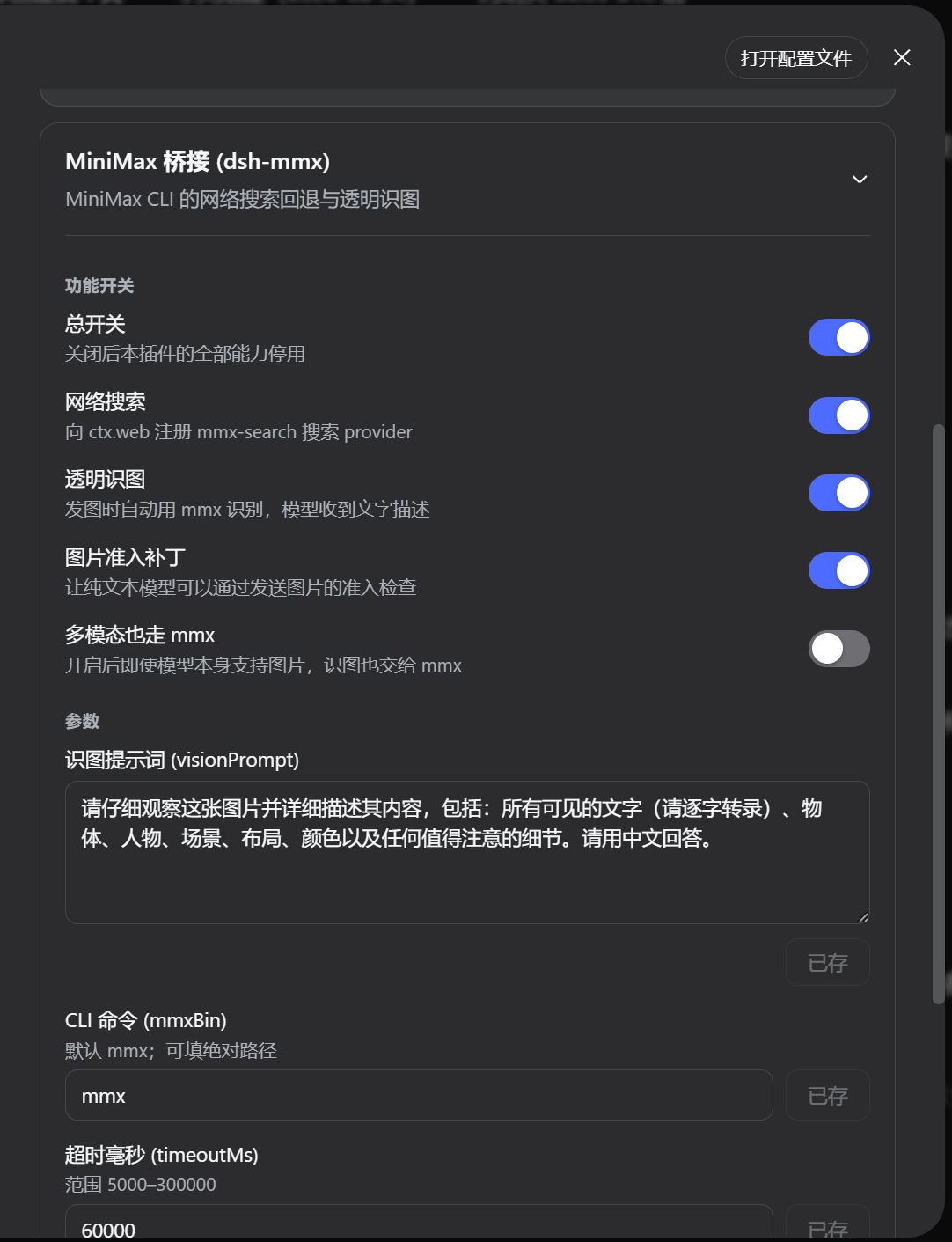
When working with text-only models in DeepSeek Harness, images become a dead end—paste a screenshot and the model can only reply with an unsupported-content error. Likewise, if the DeepSeek official search key is missing or invalid, the web-search tool simply stops working. dsh-mmx bridges both gaps by connecting the MiniMax CLI (mmx) you already have logged in on your machine into DSH, so search and image understanding take over seamlessly without changing your workflow.
Under the hood the plugin does two things. For search, it registers an mmx-search provider with the DSH web layer; when DeepSeek search is unavailable or no provider is explicitly pinned, web_search transparently falls back to MiniMax. For vision, before a text-only model receives an image, the plugin calls mmx vision describe to generate a textual description and injects it as a model-visible substitution—your conversation thread still shows the image, but the model actually processes the words. Multimodal models are passed through by default, with an optional flag to force mmx for every image.
If you already rely on the MiniMax ecosystem and want DeepSeek Harness to serve as a unified front end, dsh-mmx removes the friction of juggling multiple CLIs. It never reads, prints, or stores your API key; every subprocess call is spawned via an argument array (no shell) with timeout and output-size guards. On first run it offers a one-click install tailored to your OS plus manual steps, and once the CLI is ready the plugin activates itself within 30 seconds—no restart required.
Screenshots
Use Cases
- Auto-fallback to MiniMax search when DeepSeek search key is unavailable
- Auto-generate image descriptions via mmx vision for text-only models
- One-click mmx CLI setup on first use, auto-enables within 30 seconds
Best For
- Developers using both the MiniMax ecosystem and DeepSeek Harness
- DSH users who want text-only models to handle image inputs
- Workflow builders needing flexible search backend switching without hardcoding providers
Related Plugins
A service-oriented sidebar framework for DSH, offering a full workbench with file explorer, embedded browser, real terminal, Git panel, and extensible plugin services.

A beautiful, practical Claude Code-style TUI plugin with pixel whale top bar, flowing glow title, real-time status line, streaming thought expansion, time rewind, context progress bar and TPS gauge — zero core changes.

The plugin market for DeepSeek Harness: browse/search/one-click install community plugins and themes, with updates, backup/restore, hot disable, diagnostics, and AI fix.

A persistent whale widget on the DSH web UI that shows DeepSeek balance, today's usage, and per-turn cost, with drag-and-snap and sound effects.