dsh-deepseek-peak-indicator
Run the following command in DeepSeek Harness:
dsh plugin install DDA-DIGITAL/dsh-deepseek-peak-indicator
Paste the following prompt into your AI chat to install this plugin:
Run dsh plugin install DDA-DIGITAL/dsh-deepseek-peak-indicator in your terminal and restart the web profile; the source lives at https://github.com/DDA-DIGITAL/dsh-deepseek-peak-indicator .
About this plugin
DeepSeek charges double during weekday peak windows, and many developers only realize they have been running requests at peak rate when the month-end bill arrives. dsh-deepseek-peak-indicator closes that information gap with a small green or red dot sitting just left of the model-select menu in the composer bar, so you can tell the current pricing tier at a glance.
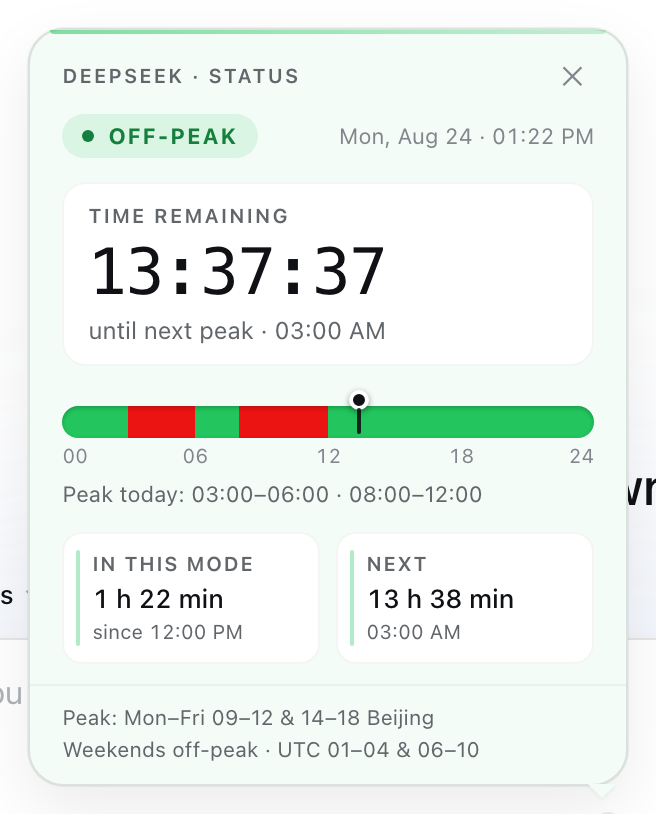
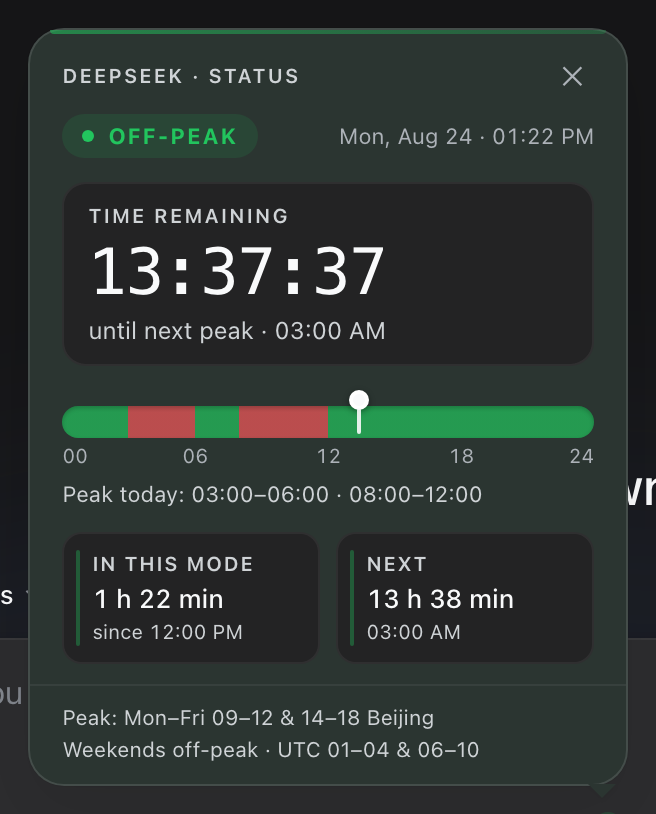
Hovering the dot reveals the current tier, the next transition time in your local timezone, and the official schedule summary. Clicking it opens a dashboard panel with a live per-second countdown, a 24-hour red-green gradient day track marked with a now indicator and summary line, and stat tiles showing elapsed time in the current mode plus the next switching point in both relative and absolute terms. The panel flips automatically at window boundaries, respects prefers-reduced-motion, and all logic runs from the local clock with zero network calls or server components.
Ideal for individual developers and engineering teams who call DeepSeek APIs regularly and care about cost and latency, removing the need to cross-reference documentation or set calendar reminders for every pricing window.
Screenshots
Use Cases
- Glance at the dot in the composer bar to confirm peak vs off-peak before firing off requests
- Open the dashboard for a live countdown and a 24-hour peak/off-peak track to schedule batch jobs
- Hover the dot to check when the next transition hits and decide whether to run now or wait
Best For
- Solo developers who call the DeepSeek API daily and track costs
- Engineering teams that schedule batch jobs around billing windows
- Web users who want zero-dependency, offline peak/off-peak awareness
Related Plugins
A service-oriented sidebar framework for DSH, offering a full workbench with file explorer, embedded browser, real terminal, Git panel, and extensible plugin services.

A beautiful, practical Claude Code-style TUI plugin with pixel whale top bar, flowing glow title, real-time status line, streaming thought expansion, time rewind, context progress bar and TPS gauge — zero core changes.

The plugin market for DeepSeek Harness: browse/search/one-click install community plugins and themes, with updates, backup/restore, hot disable, diagnostics, and AI fix.

A persistent whale widget on the DSH web UI that shows DeepSeek balance, today's usage, and per-turn cost, with drag-and-snap and sound effects.