
dsh-gate-game-plugin
Run the following command in DeepSeek Harness:
dsh plugin install CochraneK/dsh-gate-game-plugin
Paste the following prompt into your AI chat to install this plugin:
Run dsh plugin install CochraneK/dsh-gate-game-plugin in your terminal to install; the source repository is at https://github.com/CochraneK/dsh-gate-game-plugin . Restart dsh web after installation to see the lock-screen button in the sidebar.
About this plugin
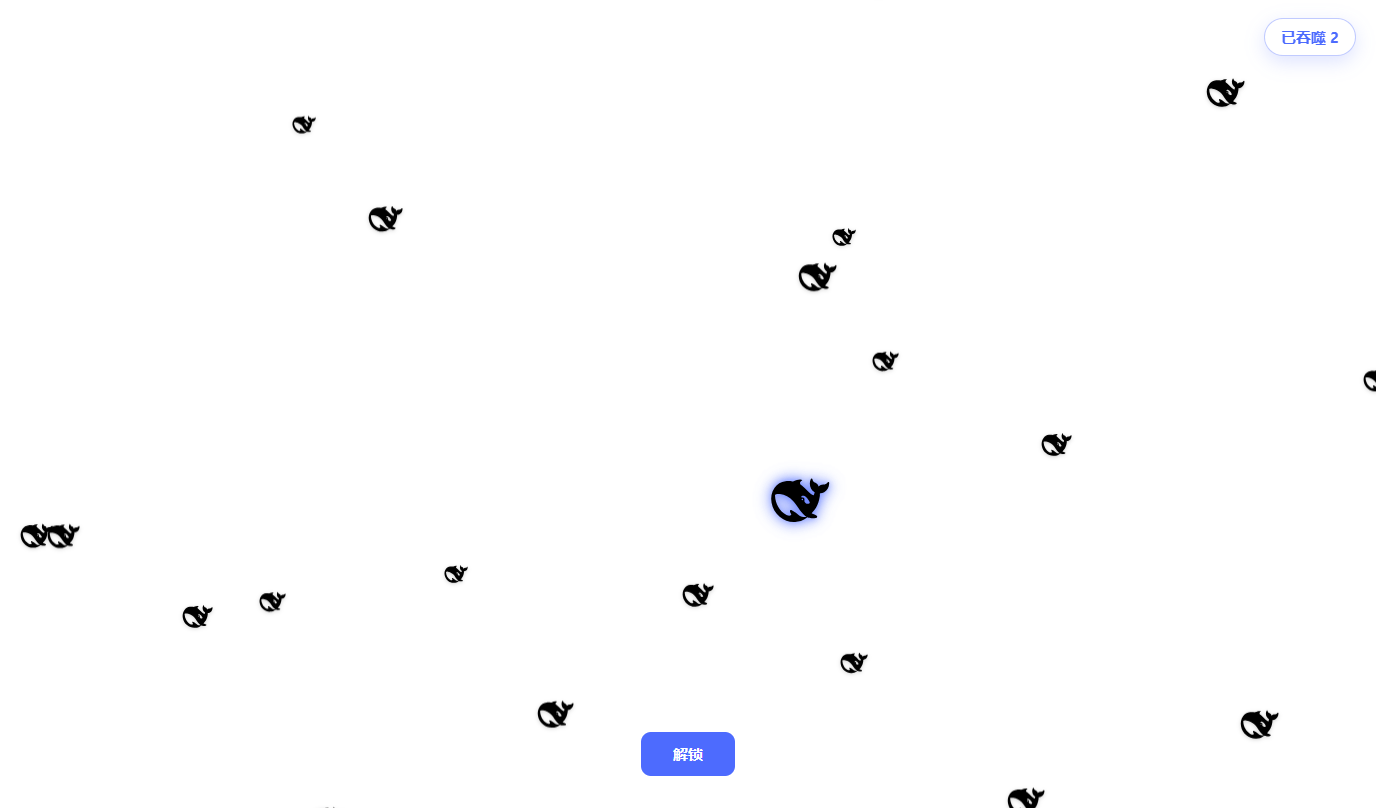
Leaving your DSH Web session often means staring at a blank lock screen. dsh-gate-game-plugin turns that wait into a tiny game: a DeepSeek logo button appears at the bottom of the sidebar; click it to lock the screen, click again to unlock.
While locked, small logos rain down from the top. Steer a glowing large logo to catch them. The more you eat, the faster you grow until a red trembling warning, a burst of shards with a white flash, and a springy respawn. The plugin also creates a cross-platform desktop shortcut pointing to your local Web UI (skipping if one already exists), configurable to rename or disable.
Best for DSH Web users who enjoy a light desktop toy and want a little ritual around locking their screen.
Screenshots
Use Cases
- Lock the screen and play a logo-catching game during short breaks
- Show off a playful lock screen during team demos
- Jump straight to the local Web UI from a desktop shortcut
Best For
- DSH Web users who enjoy desktop micro-games
- Daily users who want a playful touch on their lock screen
- Developers looking for lightweight fun plugins
Related Plugins

whale-girl is a desktop pet in the DSH Web GUI (bottom-right for instant companionship) — draggable, feedable, playable; completed tasks, sessions and companionship time accrue into seniority levels, titles, and memories.

A WebGPU ocean skin for DeepSeek Harness with five-wave Gerstner waves, translucent theme, day/night cycle, and quick controls, installable as plugin or extension.

A Galgame-style conversation view and visual scene editor for DSH web sessions, with a real-time editing mode.

A native skinning plugin for DeepSeek Harness: 8 designer themes, wallpapers, accent colors, and shareable theme packs, built purely on design tokens.