dsh-history-tree
Run the following command in DeepSeek Harness:
dsh plugin install z953218350/dsh-history-tree
Paste the following prompt into your AI chat to install this plugin:
In DeepSeek Harness, install this plugin by running `dsh plugin install z953218350/dsh-history-tree`; the full source repository URL is https://github.com/z953218350/dsh-history-tree.
About this plugin
As conversations grow longer, finding a specific past turn often becomes harder than reading the message itself. In dense web UIs, users tend to scroll repeatedly, lose context, and struggle to jump back to the exact question they care about. dsh-history-tree addresses this core navigation problem by making multi-turn history easier to scan and reach.
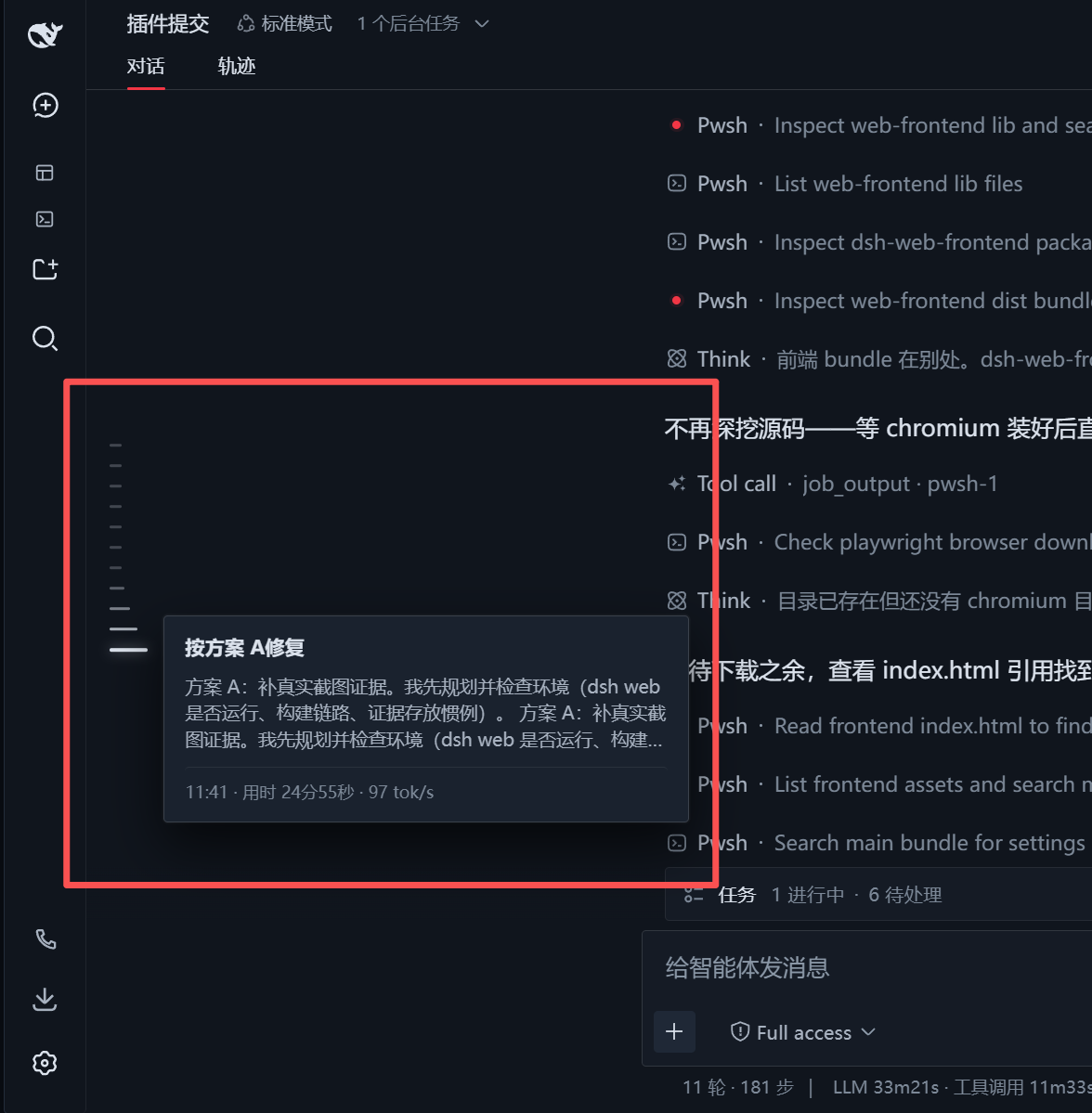
Its main strength is a Codex-style timeline rail placed along the left side of the interface, with tick marks generated from real user prompts rather than every tool, system, or artifact node. Combined with fish-eye magnification, a frosted-glass hover overview, precise click-to-jump behavior, and auto-loading of older history, it turns conversation navigation into a much smoother motion from browsing to locating.
This plugin is most useful for people who run long, back-and-forth sessions in DeepSeek Harness and frequently need to revisit earlier context. If your workflow depends on quickly finding, reviewing, and returning to specific turns in a conversation history, dsh-history-tree can make that whole process feel far more fluid and less noisy.
Screenshots
Use Cases
- Find earlier prompts quickly in long conversations.
- Jump back to key chat turns using a timeline rail.
- Load older history as you scroll upward.
Best For
- Users who run many multi-turn DSH sessions.
- Developers who need to revisit prior context fast.
- Power users who value smoother UI navigation.
Related Plugins
A service-oriented sidebar framework for DSH, offering a full workbench with file explorer, embedded browser, real terminal, Git panel, and extensible plugin services.

A beautiful, practical Claude Code-style TUI plugin with pixel whale top bar, flowing glow title, real-time status line, streaming thought expansion, time rewind, context progress bar and TPS gauge — zero core changes.

The plugin market for DeepSeek Harness: browse/search/one-click install community plugins and themes, with updates, backup/restore, hot disable, diagnostics, and AI fix.

A persistent whale widget on the DSH web UI that shows DeepSeek balance, today's usage, and per-turn cost, with drag-and-snap and sound effects.