
dsh-bloom-theme
Run the following command in DeepSeek Harness:
dsh plugin install webkubor/dsh-bloom-theme
Paste the following prompt into your AI chat to install this plugin:
To install this plugin in DeepSeek Harness, run dsh plugin install webkubor/dsh-bloom-theme; the full source URL is https://github.com/webkubor/dsh-bloom-theme.
About this plugin
Bloom for DeepSeek Harness solves a simple but important problem: making the main interface feel calmer, more personal, and easier to live with. Instead of just replacing the accent color, it brings a glass-and-Morandi design language to the UI, shaping panels, backgrounds, selected states, menus, hover feedback, and AI reasoning animations into one cohesive visual system.
The plugin offers 8 Morandi palettes, each with a light and dark version, and lets you switch themes from the top bar. Panels use frosted-glass styling with translucent surfaces, blur, delicate edges, and soft highlights. The color logic follows two tracks: readable accents for text, buttons, and active states, and atmosphere accents for gradients and cool glowing lines. With OKLCH-based tuning, WCAG AA awareness, reduced-motion support, and a lightweight CSS-variable approach, it keeps the experience visually refined without becoming noisy.
It is best for people who spend a lot of time in DeepSeek Harness reading, asking questions, and organizing thoughts, especially if they prefer quiet, low-saturation, glass-like interfaces with restrained motion.
Screenshots
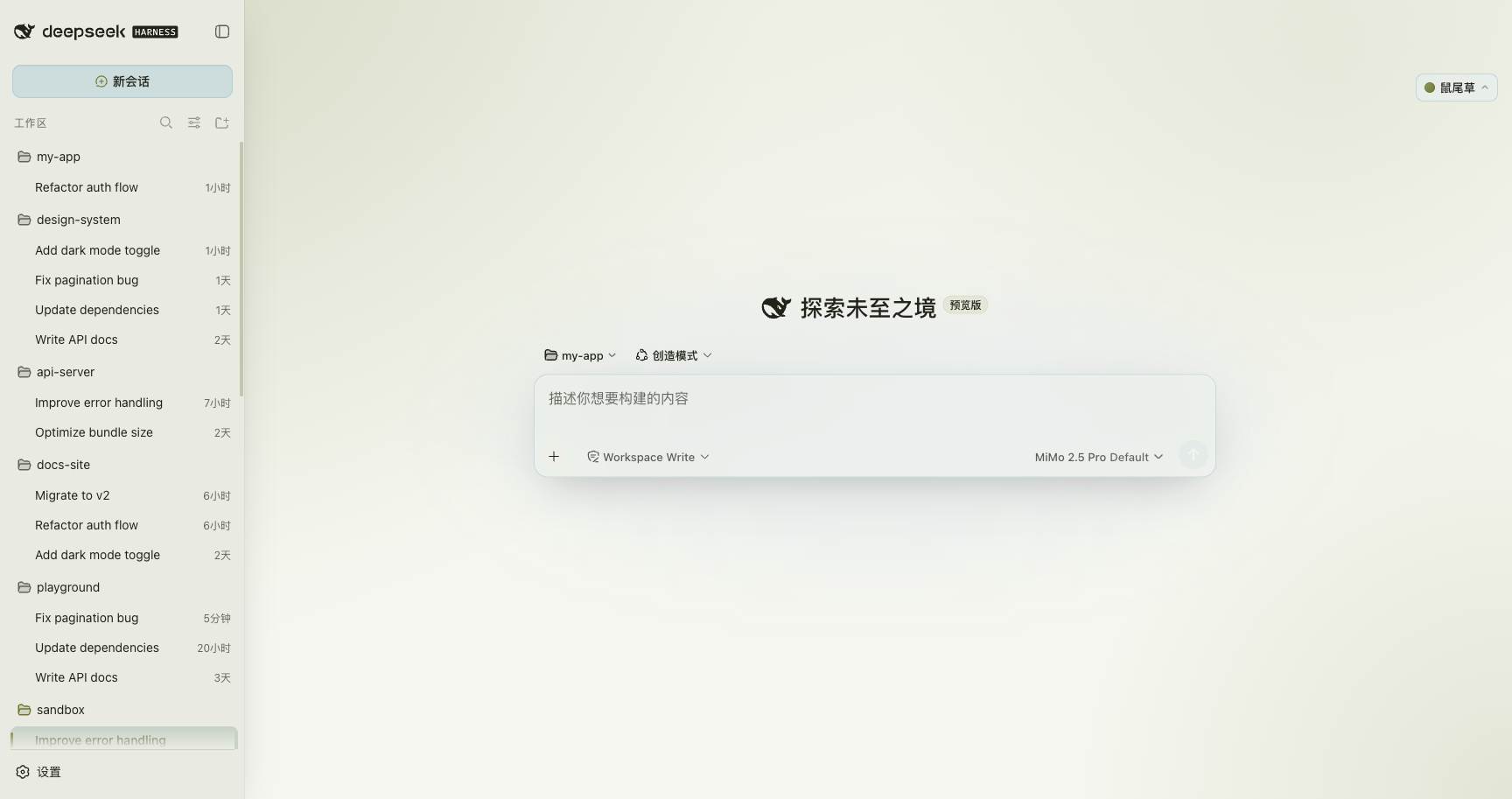
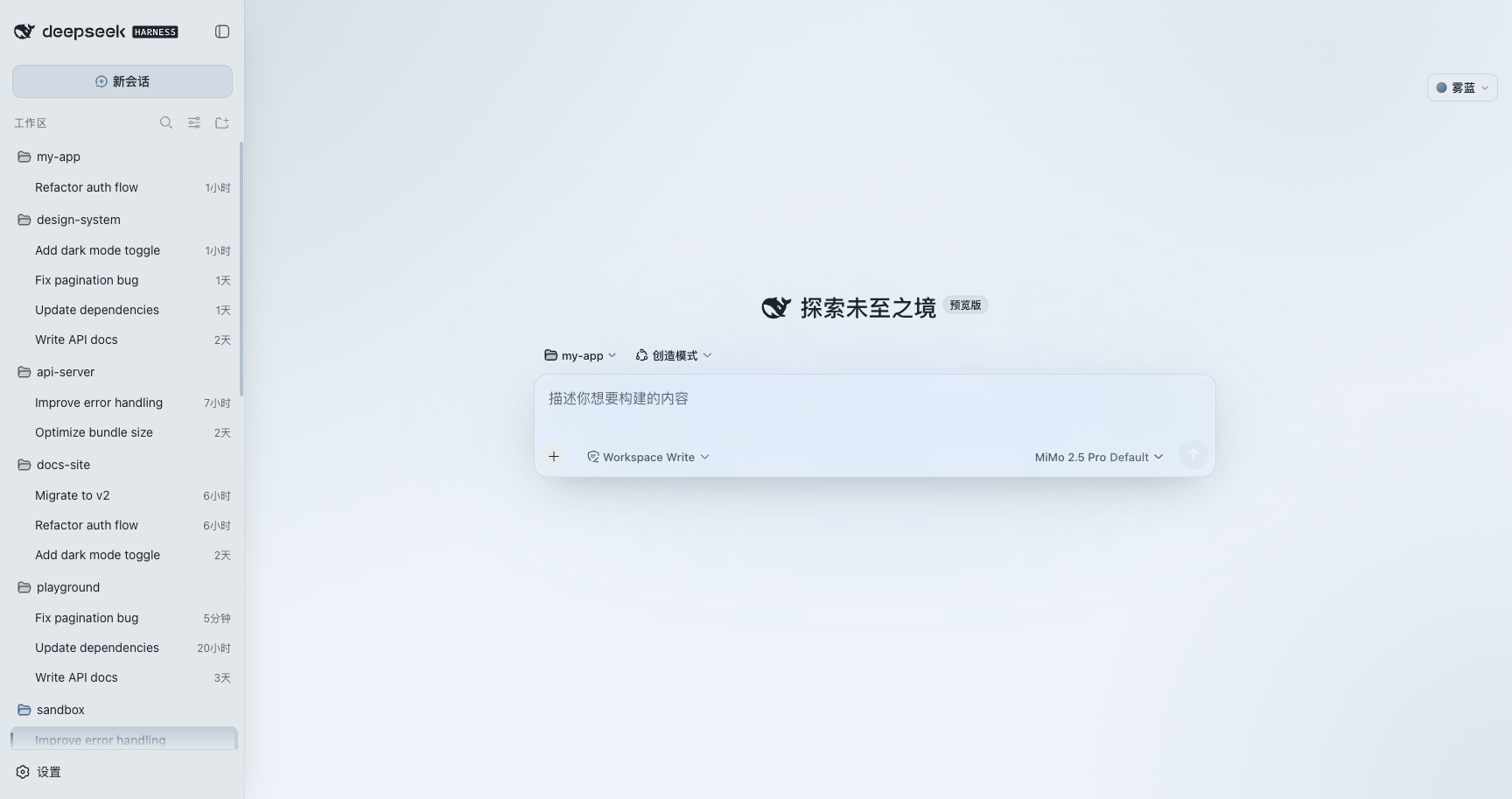
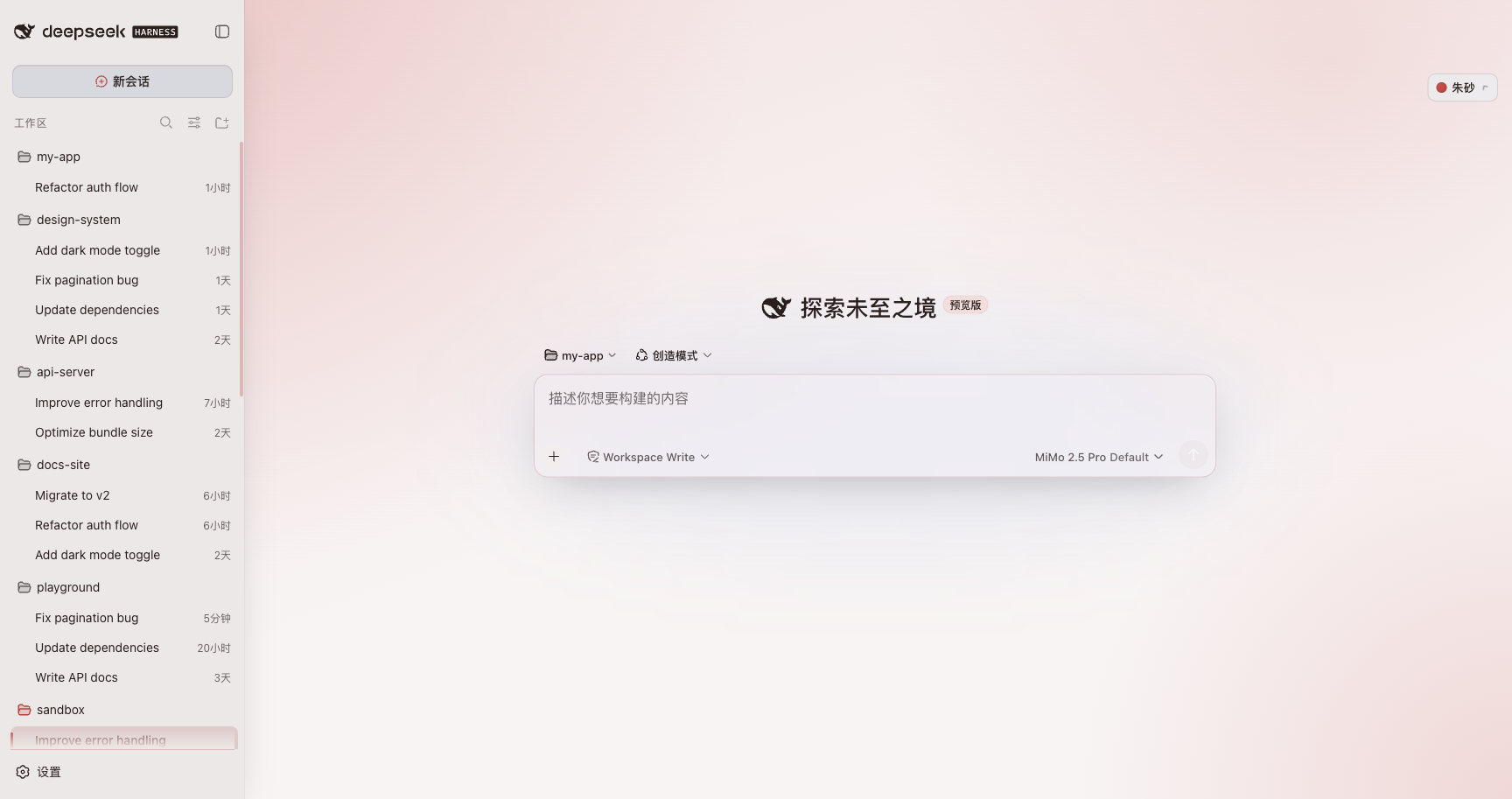
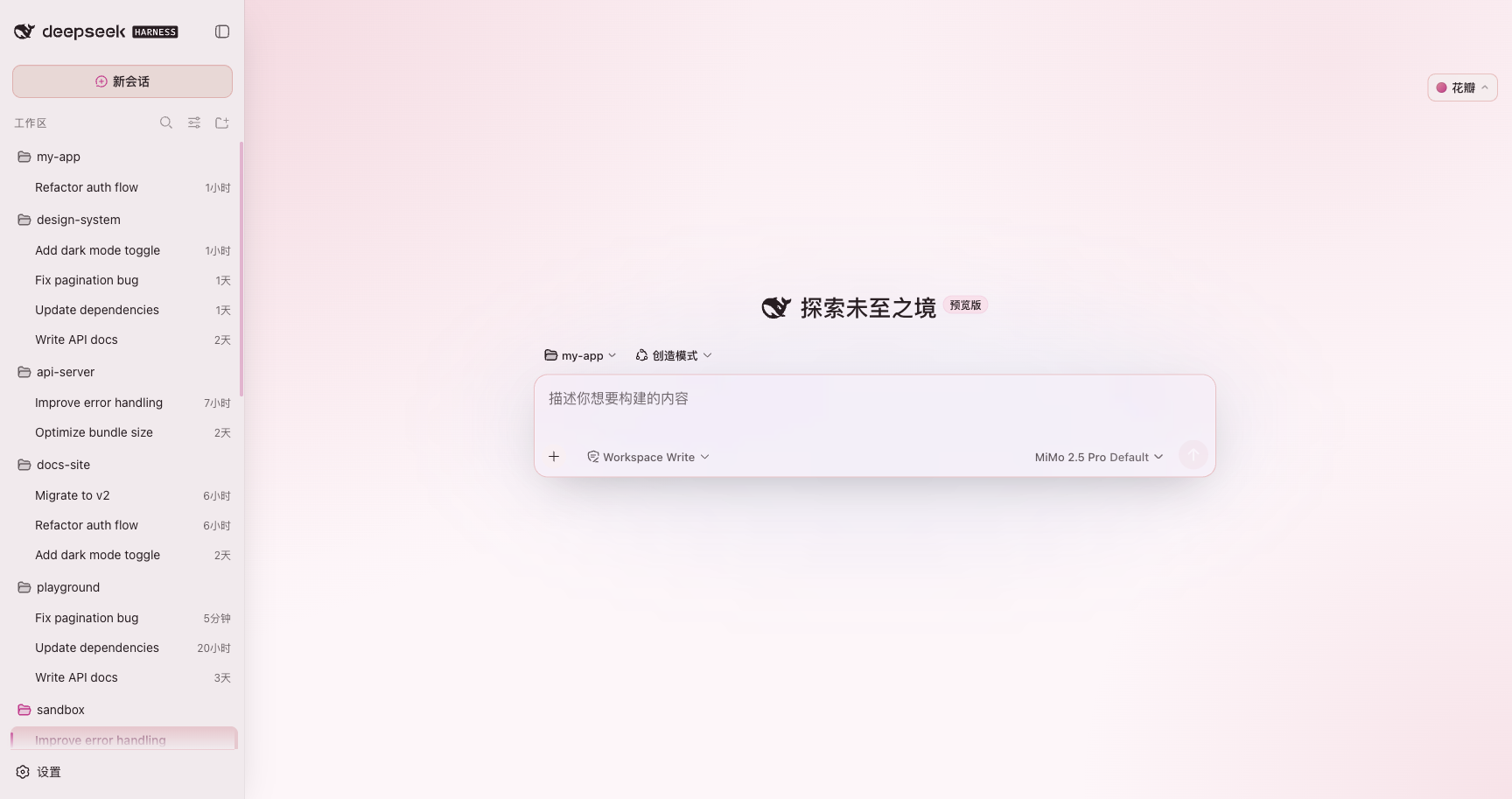
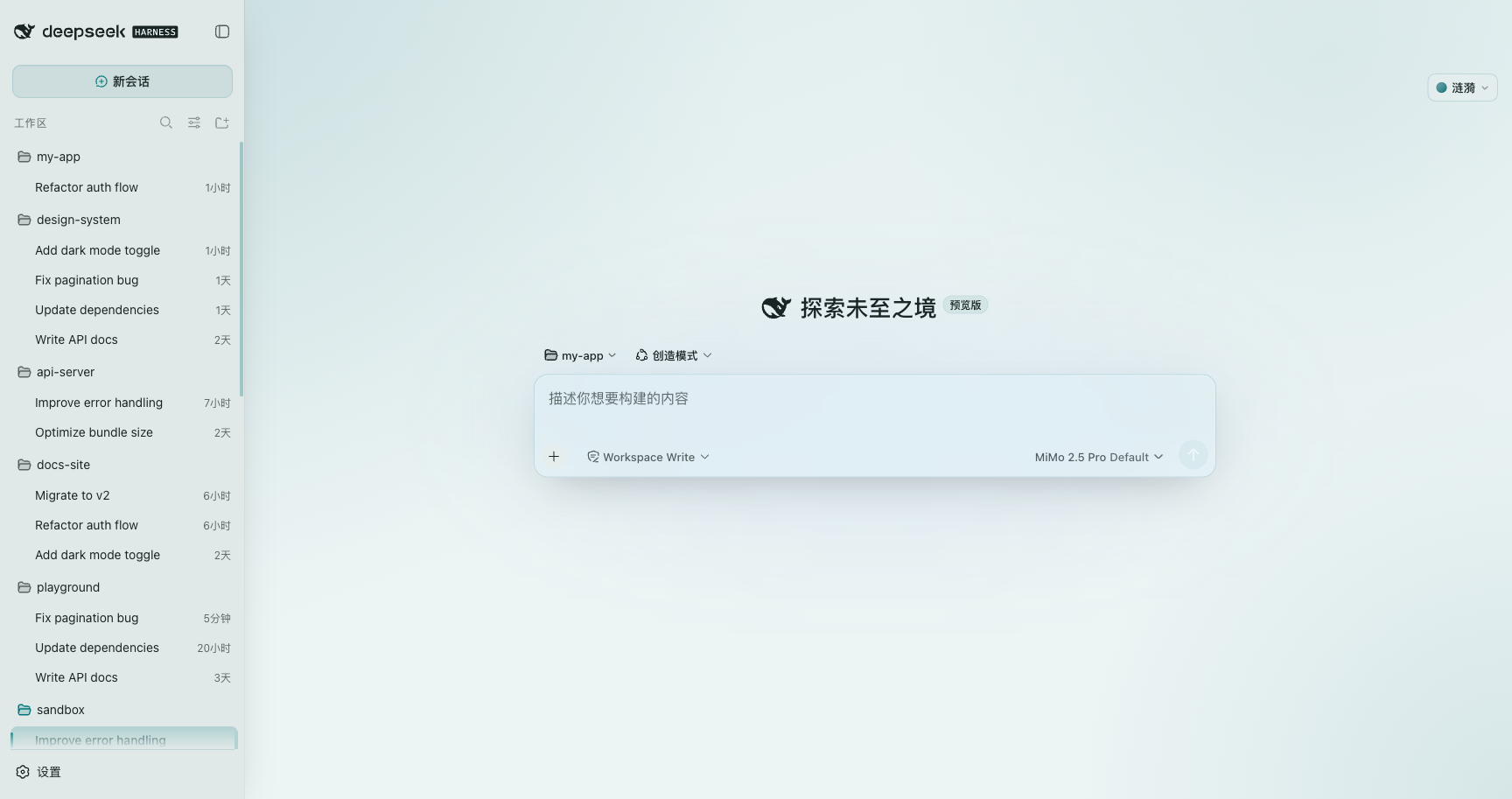
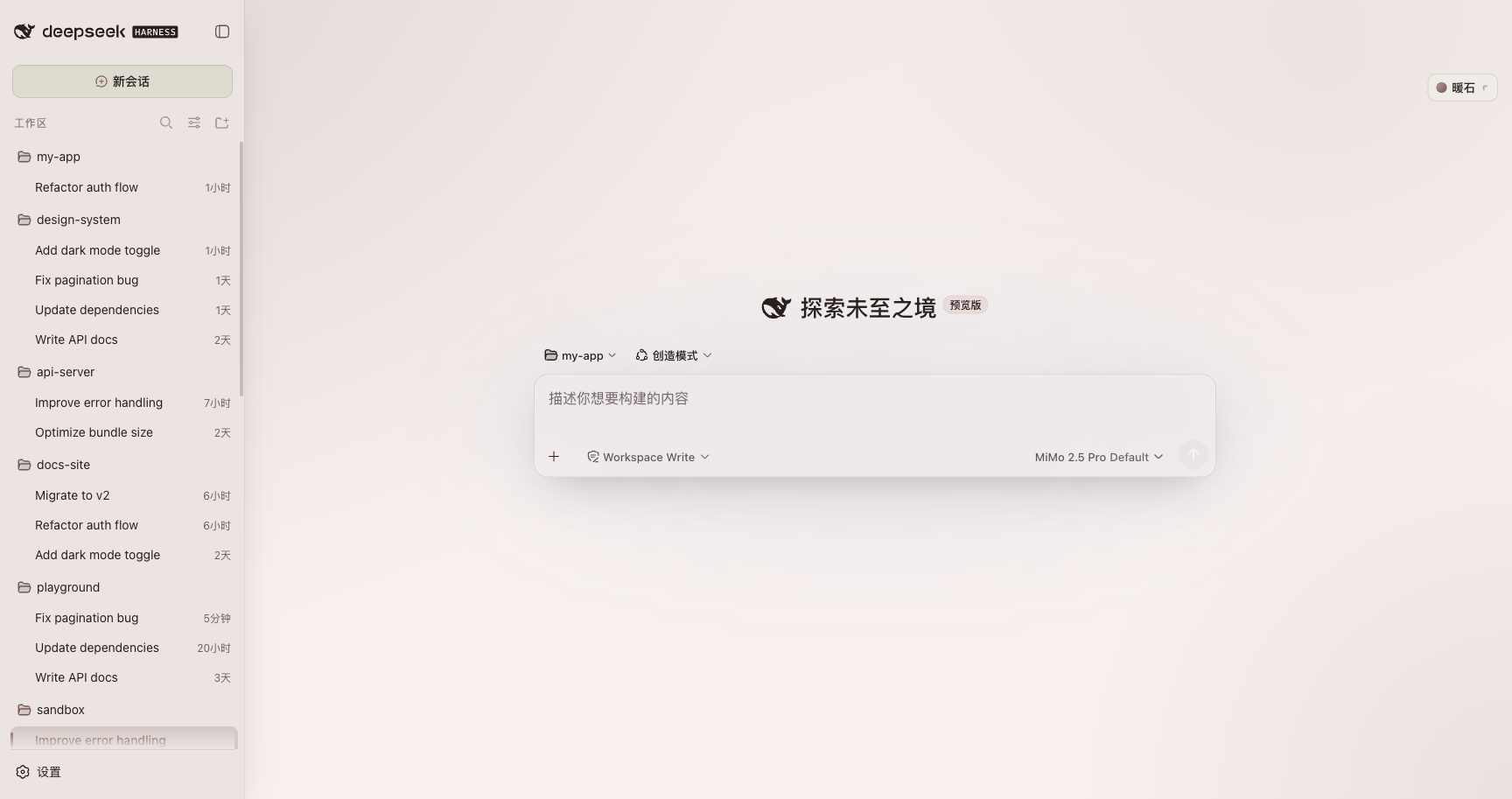
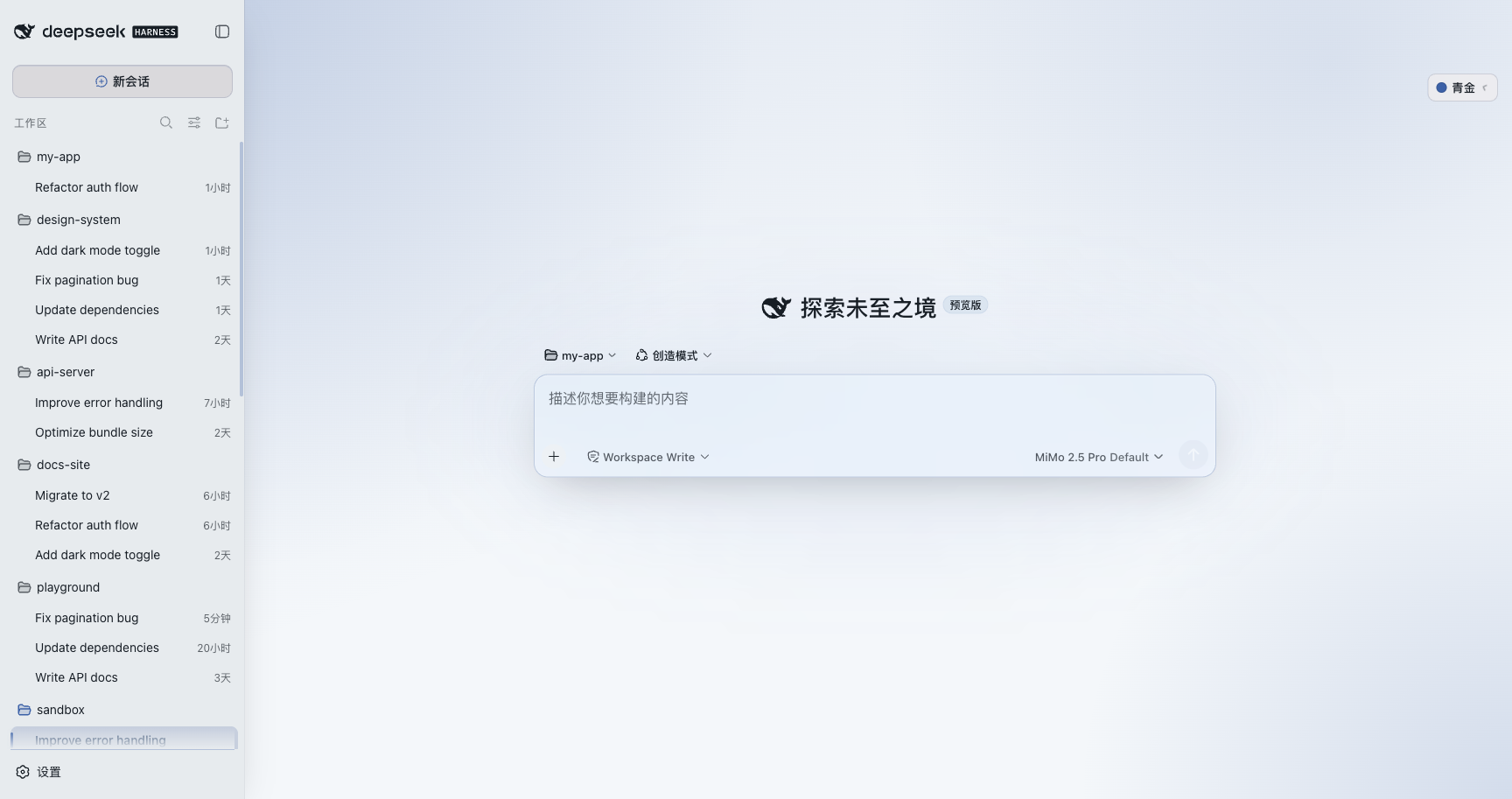
Use Cases
- Give DeepSeek Harness a calm, low-saturation theme.
- Switch quickly among 8 light and dark color palettes.
- Add frosted-glass panels and restrained motion to the workspace.
Best For
- Users who enjoy customizing the DeepSeek Harness interface.
- People who read, chat, and think in DeepSeek Harness regularly.
- Those who prefer glass-like visuals, Morandi colors, and restrained motion.
Related Plugins

whale-girl is a desktop pet in the DSH Web GUI (bottom-right for instant companionship) — draggable, feedable, playable; completed tasks, sessions and companionship time accrue into seniority levels, titles, and memories.

Renders your local Wallpaper Engine wallpapers as the DSH web background, supporting video, web, and scene wallpapers with a liquid-glass effect and rich customization.

A WebGPU ocean skin for DeepSeek Harness with five-wave Gerstner waves, translucent theme, day/night cycle, and quick controls, installable as plugin or extension.

A Galgame-style conversation view and visual scene editor for DSH web sessions, with a real-time editing mode.