dsh-config-center
Run the following command in DeepSeek Harness:
dsh plugin install runfali/dsh-config-center
Paste the following prompt into your AI chat to install this plugin:
Run dsh plugin install runfali/dsh-config-center in the DeepSeek Harness terminal to install it (source: https://github.com/runfali/dsh-config-center).
About this plugin
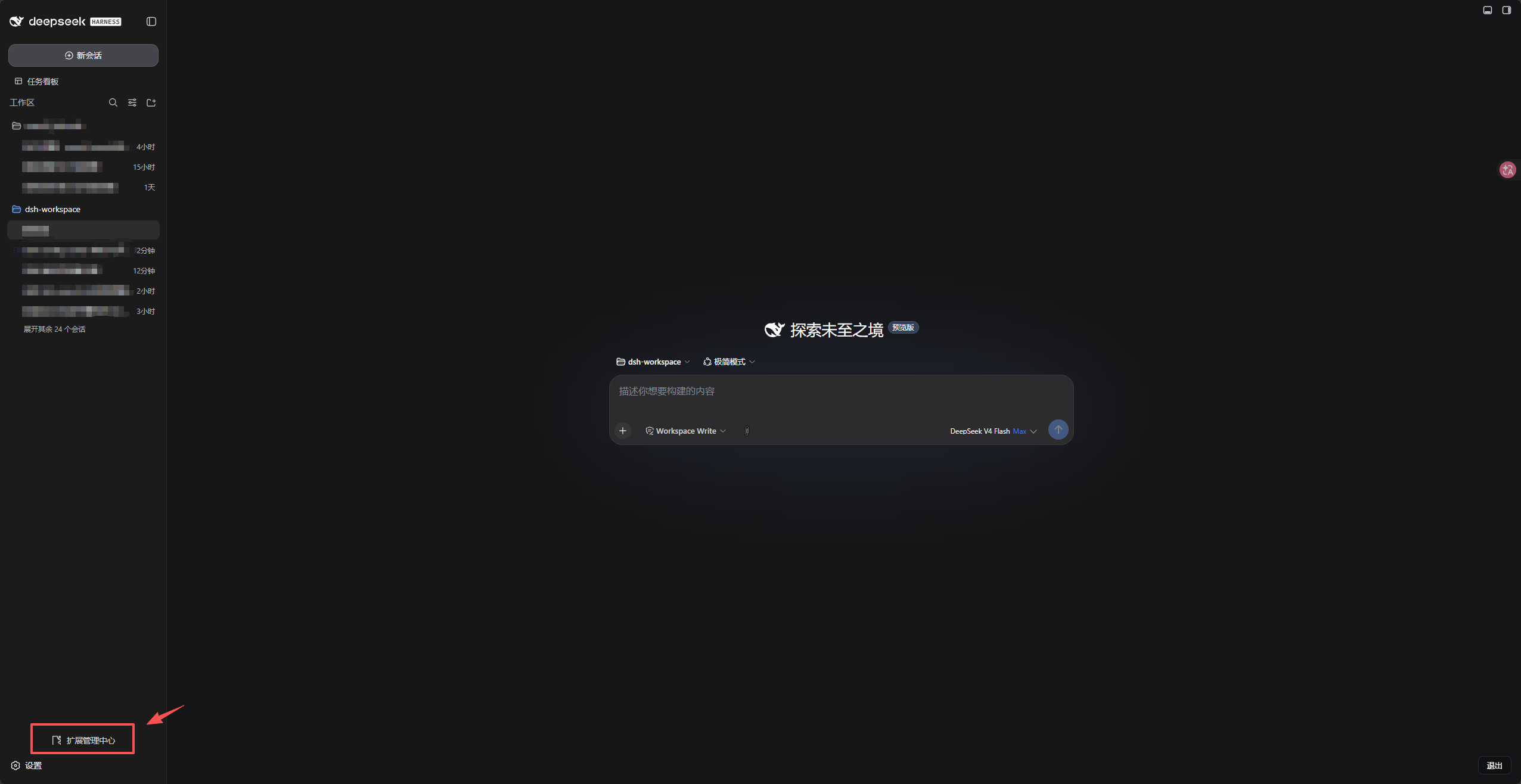
Managing plugins, skills, and MCP servers in DeepSeek Harness has traditionally meant juggling CLI commands and hand-editing YAML files — a flow that is easy to get wrong and hard to audit. dsh-config-center solves this by embedding a zero-intrusion Extension Center panel right in the dsh WebUI sidebar, so every extension lifecycle operation can be completed in the browser without touching the terminal or the dsh source tree.
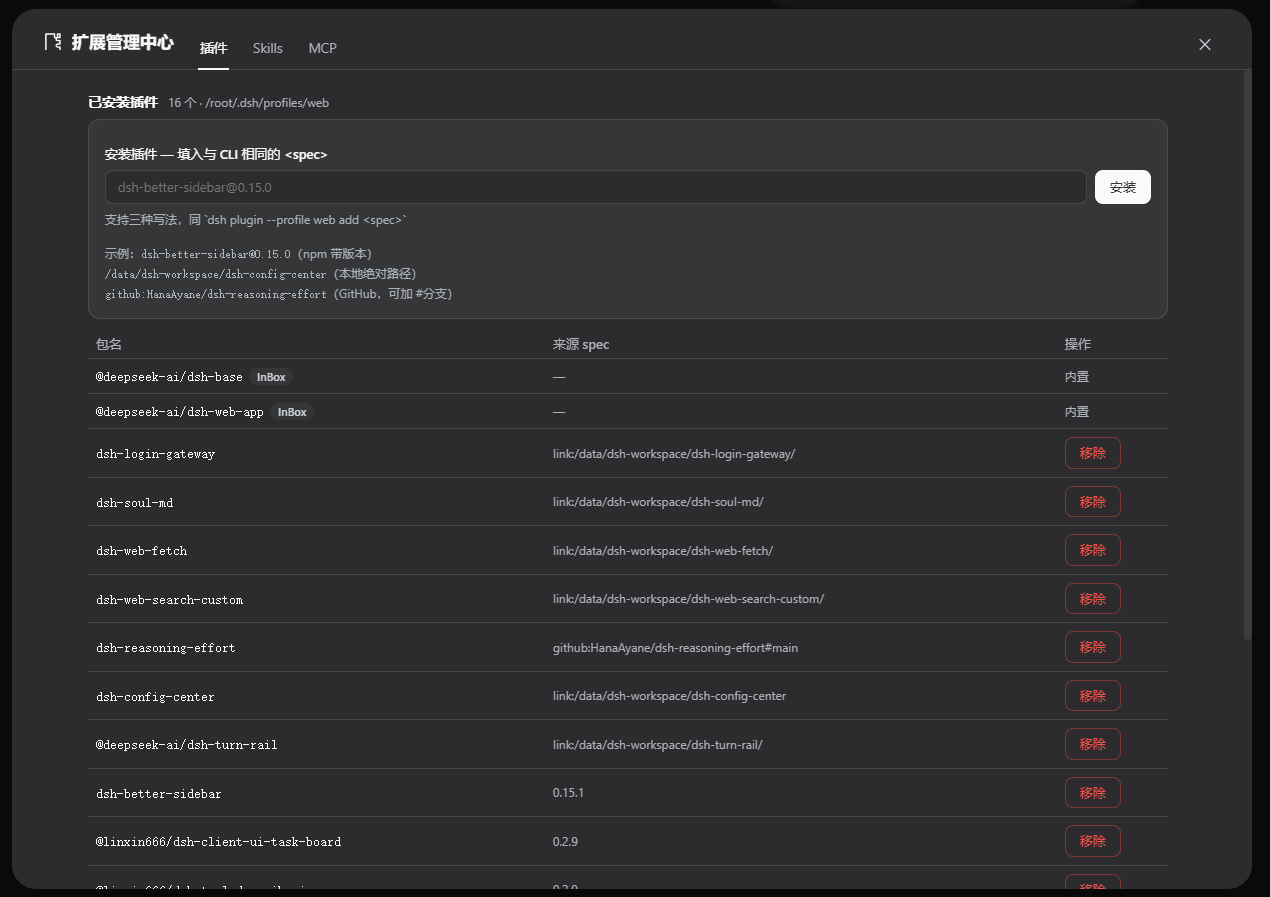
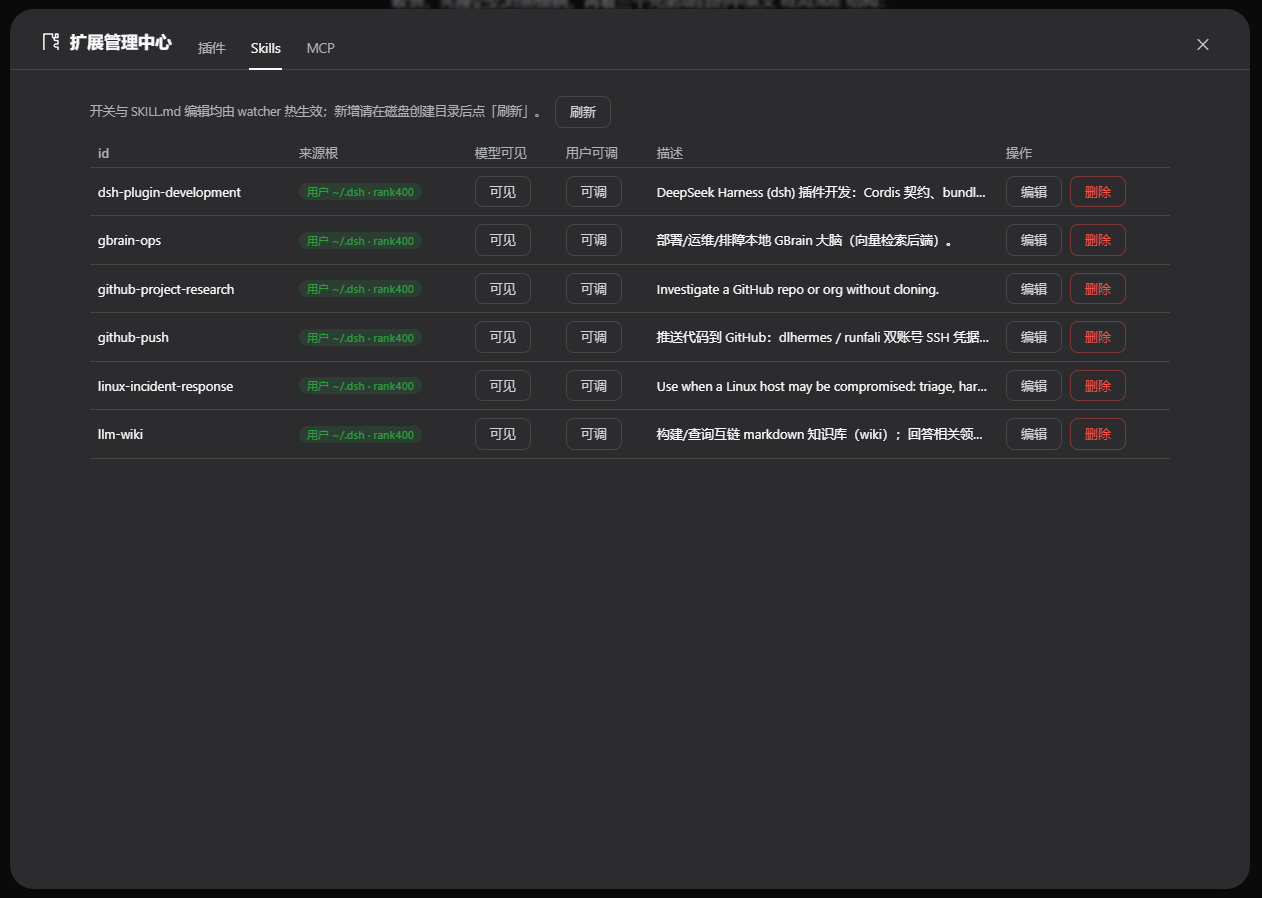
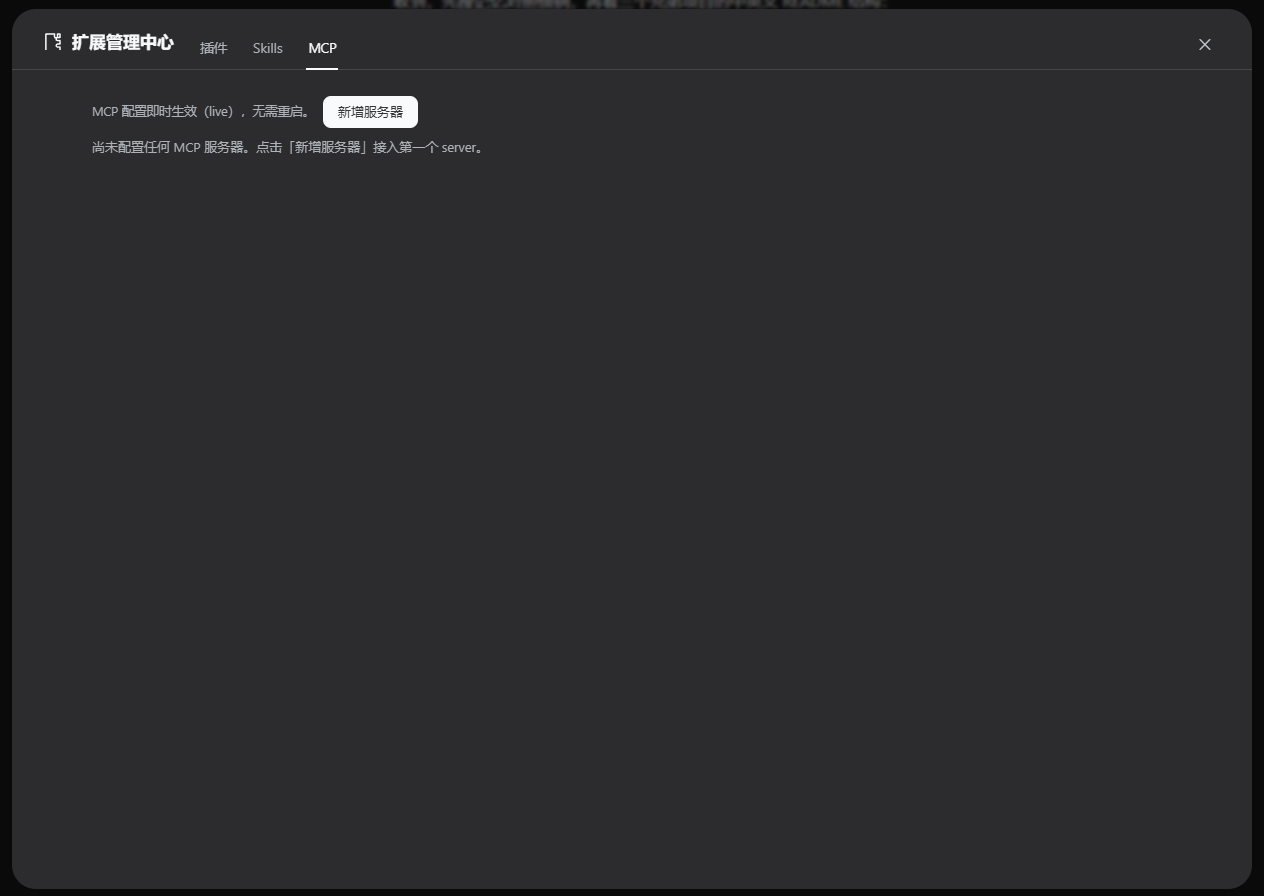
The panel exposes three tabs. The Plugins tab lets you install, remove, or edit bundle plugins by name@version, local path, or GitHub reference, and visually add, modify, disable, or delete logical rows in cordis.patch.yml. The Skills tab aggregates multi-root directory scans, toggles model-visible and user-invocable frontmatter flags, and provides full SKILL.md editing with hash-fenced saves that hot-apply through the built-in watcher. The MCP tab supports adding, editing, disabling, and removing both stdio and streamable-http servers, with a live connection badge and a one-click probe. Plugin changes require a single profile restart; skills and MCP servers take effect the moment you save.
If you run multiple plugins, custom skills, and external MCP tools under the dsh web profile and want to stop switching between a terminal and config editors, Extension Center is built for you. It modifies nothing in the dsh source, ships every runtime peer from the dsh host install itself, and leaves a completely clean state the moment you uninstall it.
Screenshots
Use Cases
- Install, disable, or remove dsh bundle plugins in bulk from the browser instead of repeating CLI commands and hand-editing YAML
- Edit and save SKILL.md content directly; the built-in watcher hot-applies changes without a profile restart
- Add stdio or streamable-http MCP servers, monitor live connection badges, and probe tool lists with one click
Best For
- dsh web profile users juggling multiple plugins, custom skills, and external MCP tools
- Developers who prefer a visual interface over repeatedly switching between a terminal and config files
- Teams that need auditable, low-risk extension changes without touching the dsh source tree
Related Plugins
A service-oriented sidebar framework for DSH, offering a full workbench with file explorer, embedded browser, real terminal, Git panel, and extensible plugin services.

A beautiful, practical Claude Code-style TUI plugin with pixel whale top bar, flowing glow title, real-time status line, streaming thought expansion, time rewind, context progress bar and TPS gauge — zero core changes.

The plugin market for DeepSeek Harness: browse/search/one-click install community plugins and themes, with updates, backup/restore, hot disable, diagnostics, and AI fix.

A persistent whale widget on the DSH web UI that shows DeepSeek balance, today's usage, and per-turn cost, with drag-and-snap and sound effects.