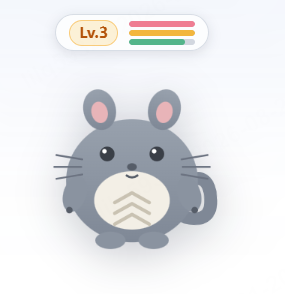
totoro-pet
Run the following command in DeepSeek Harness:
dsh plugin install Lucasli2018/totoro-pet
Paste the following prompt into your AI chat to install this plugin:
Run dsh plugin install Lucasli2018/totoro-pet in the DeepSeek Harness terminal to install the plugin (source repository: https://github.com/Lucasli2018/totoro-pet); after restarting dsh web, the chibi Totoro will appear in the bottom-right corner of the GUI page.
About this plugin
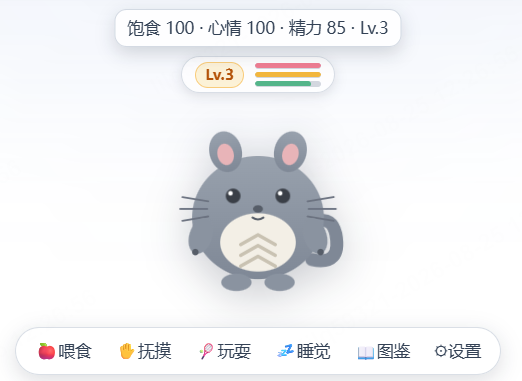
After spinning up the DSH Web GUI, the bottom-right corner of the page tends to sit empty. totoro-pet parks a hand-drawn chibi Totoro named Rongrong right there—by day it watches over your logs and builds, by night it curls into a fur ball to keep the CPU warm, so long stretches of staring at a terminal are no longer just a blinking cursor.
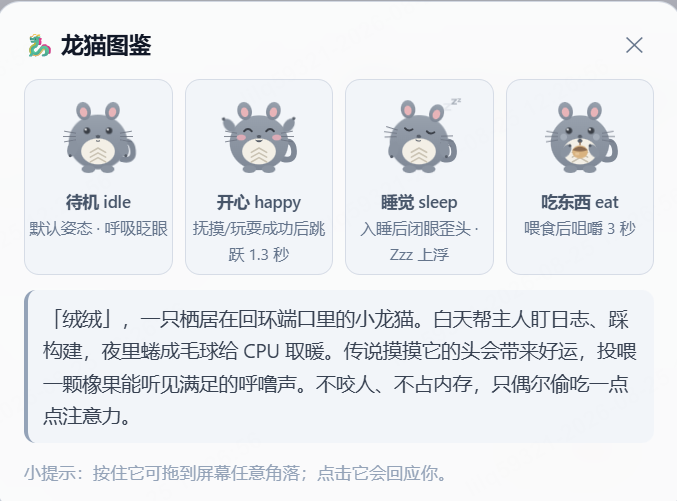
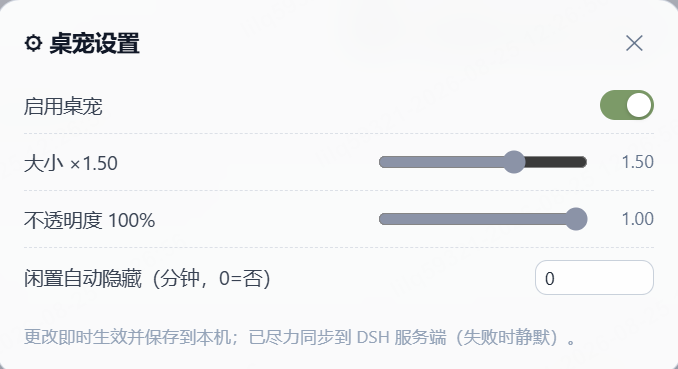
At the core is a full interaction-and-growth loop: feeding, petting, playing, and sleeping each move the three-axis status bar (satiety, mood, energy) and accrue experience points. Stats decay with real-world time, and the level formula is deliberately simple (level = floor(exp/50)+1). Four pose animations—idle breathing and blinking, happy hop, chewing while eating, and floating Zzz during sleep—cross-fade without shape jumps, and five-tone, nine-line random speech bubbles keep feedback immediate yet unobtrusive. You can drag the pet to any screen corner, scale it from 0.5× to 2.0×, tune opacity from 30% to 100%, auto-hide it when idle, and browse a pose-compendium card that lists every trigger condition.
The plugin ships zero-build with no third-party runtime dependencies: the browser half inlines every SVG and style into a single file, while the host half registers via ESM. The HTTP API binds exclusively to 127.0.0.1, caps request bodies at 64 KB, and persists state through atomic tmp+rename writes with automatic fallback on corruption. It is best suited for DSH Web GUI developers who want a small, living companion on their tool page without spinning up another Electron window.
Screenshots

Use Cases
- Having a small companion in the page corner during long coding sessions to ease eye strain
- Adding a lightweight interactive toy inside the DSH Web GUI without opening another window
- Sprinkling some warmth into a shared team tooling page for daily builds and log watching
Best For
- Engineers who develop and debug with the DSH Web GUI on a daily basis
- Fans of desktop pets and interactive growth toys who enjoy a few minutes of virtual Totoro care
- Lightweight users who want a splash of fun on their tooling page without spinning up another Electron window
Related Plugins

whale-girl is a desktop pet in the DSH Web GUI (bottom-right for instant companionship) — draggable, feedable, playable; completed tasks, sessions and companionship time accrue into seniority levels, titles, and memories.

A WebGPU ocean skin for DeepSeek Harness with five-wave Gerstner waves, translucent theme, day/night cycle, and quick controls, installable as plugin or extension.

A Galgame-style conversation view and visual scene editor for DSH web sessions, with a real-time editing mode.

A native skinning plugin for DeepSeek Harness: 8 designer themes, wallpapers, accent colors, and shareable theme packs, built purely on design tokens.