dsh-theme-tuner
Run the following command in DeepSeek Harness:
dsh plugin install shawnlone/dsh-theme-tuner
Paste the following prompt into your AI chat to install this plugin:
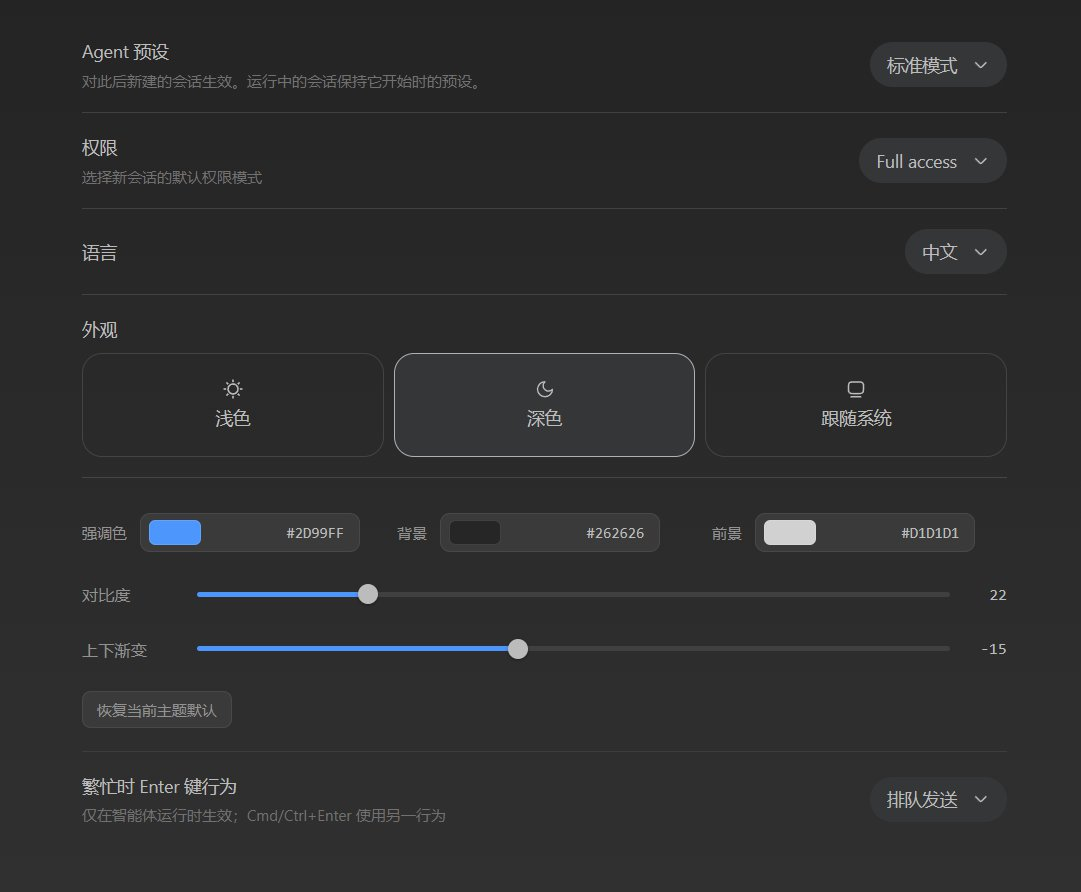
Run dsh plugin install shawnlone/dsh-theme-tuner in your DeepSeek Harness terminal; the source lives at https://github.com/shawnlone/dsh-theme-tuner . After installing, restart the corresponding web profile and the theme-tuner panel will appear directly beneath Appearance under General Settings.
About this plugin
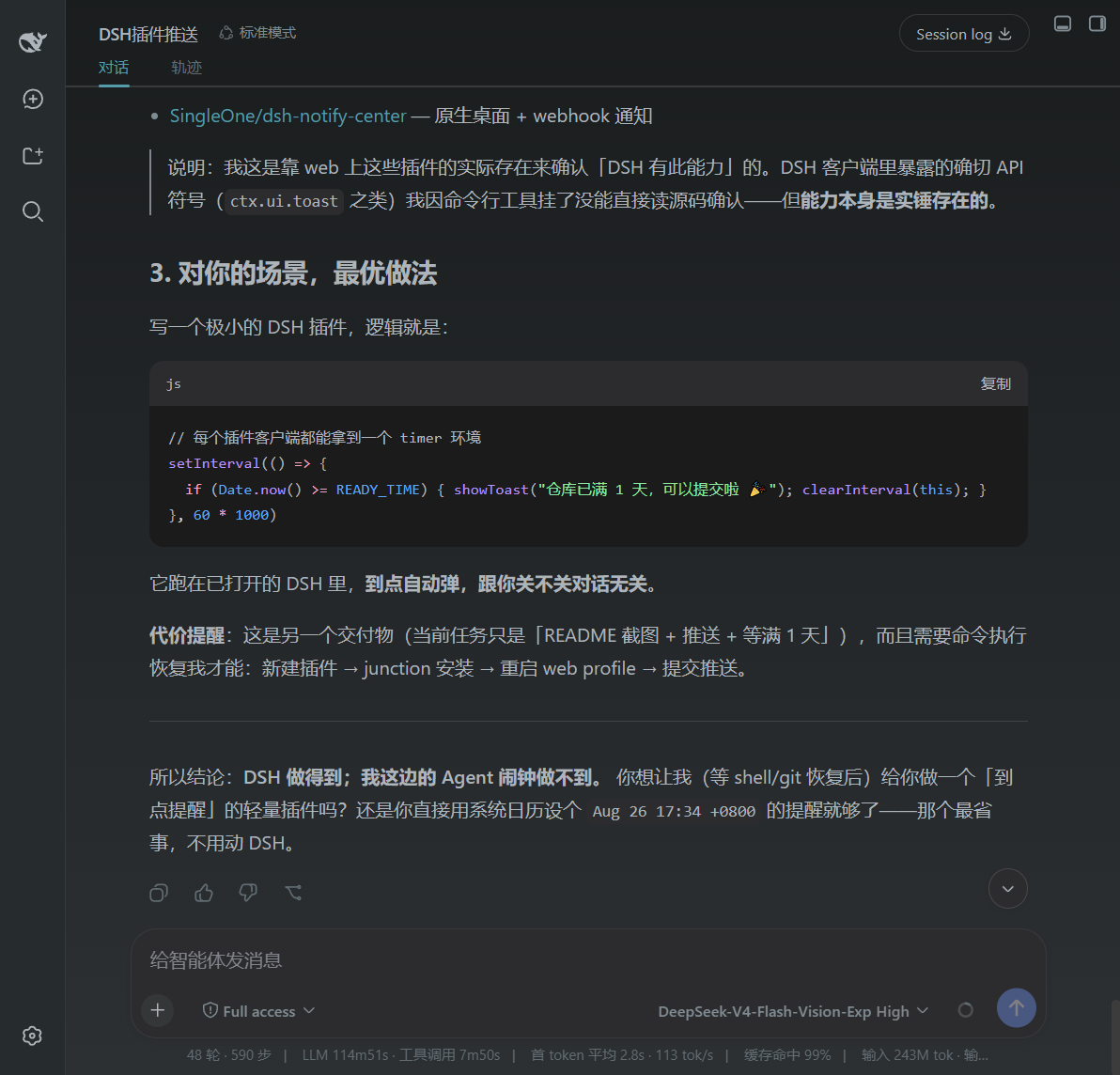
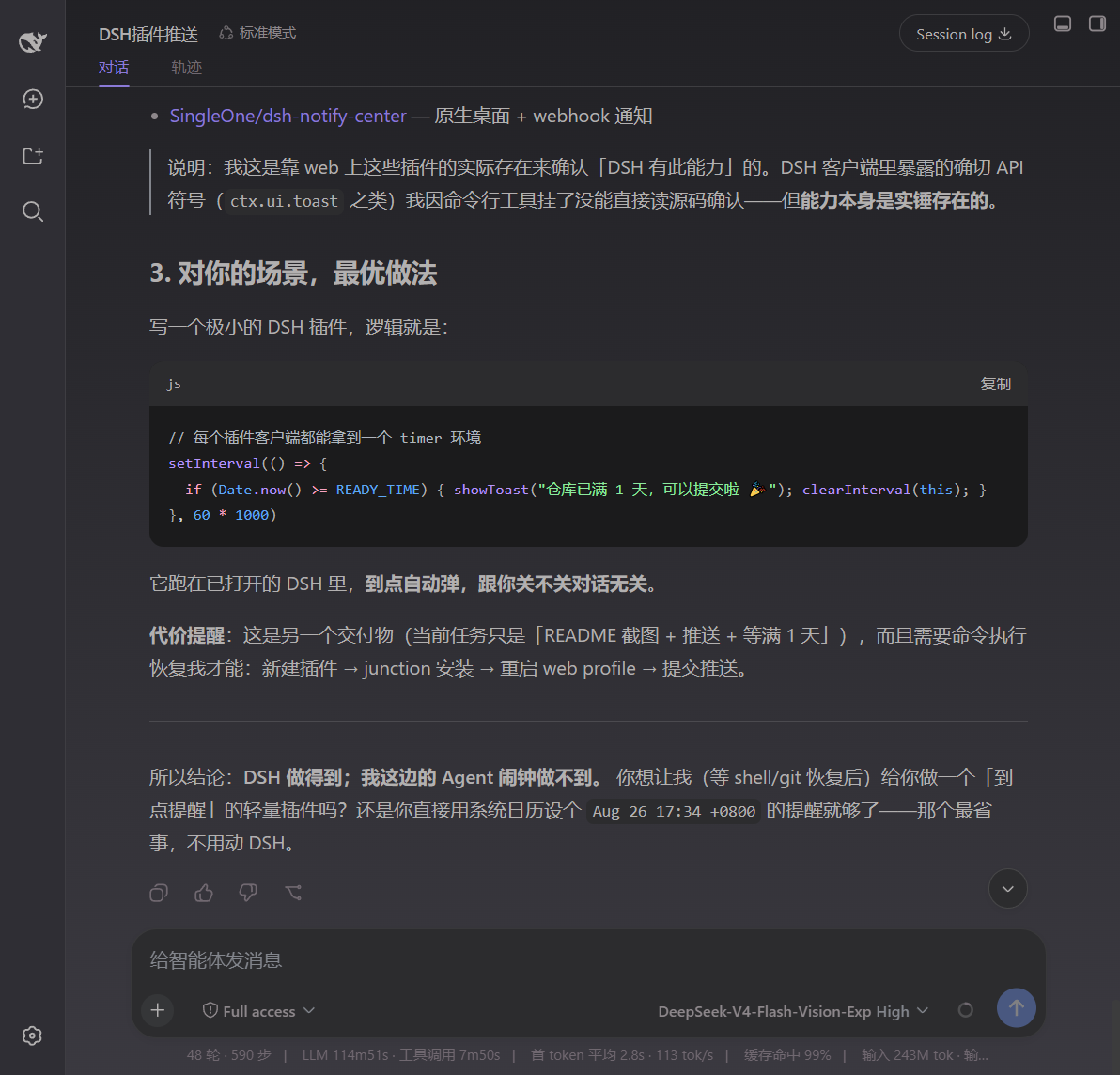
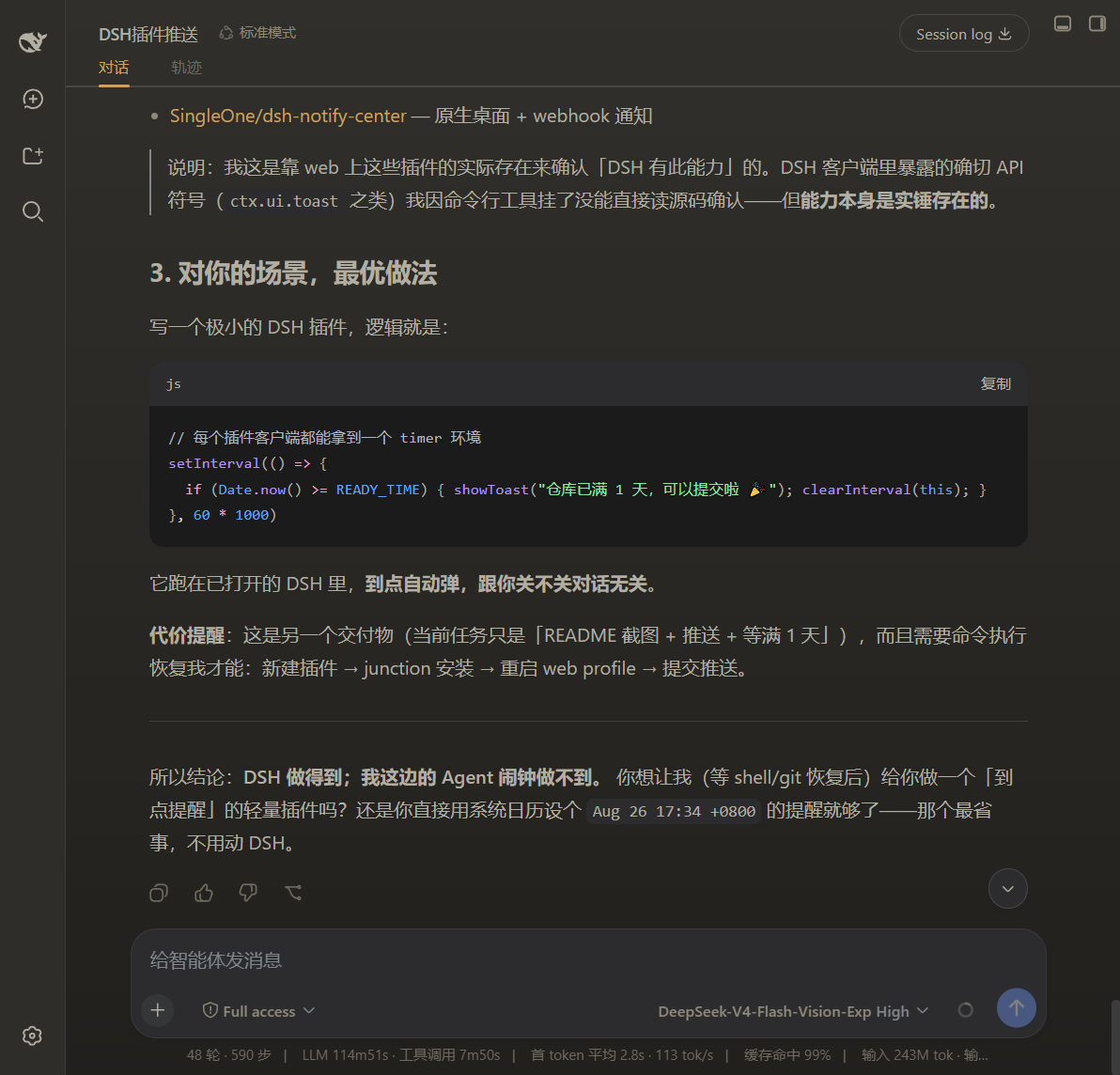
DSH ships with Light, Dark, and Follow System modes, but the colour palette for each is locked: accent, background layers, and foreground greys are all preset. If you want to shift the accent from blue to purple, lighten a background layer in dark mode, or bump foreground contrast a notch, the built-in settings give you no fine-grained control. dsh-theme-tuner closes that gap by mounting a panel directly beneath the Appearance section with live sliders for accent, background, foreground, contrast, and gradient—you adjust, see the result instantly, and never need a restart.
A key design choice is separate persistence for light and dark profiles, so toggling modes never overwrites your custom values. Foreground is not a single flat colour: you pick a base hue and a contrast level, and the plugin automatically derives the primary, secondary, and tertiary text shades to keep readability intact. Every change is written through theme.overrideTokens into DSW design variables the moment a slider moves, and one click restores the current theme to its factory default.
It is built for DSH users who feel the default theme is close but not quite right, and who do not want to hunt for an alternative theme or hand-edit CSS. Nudging one or two colour parameters to match a personal or brand preference is all it takes, with zero front-end knowledge required.
Screenshots
Use Cases
- Change the DSH accent to a personal or brand colour
- Fine-tune foreground contrast in dark mode
- Align a team's DSH palette without editing CSS
Best For
- DSH users who feel the default theme is off but find no alternative
- Designers who need brand-coloured UI without hand-writing CSS
- Heavy DSH users who want independent light and dark palettes
Related Plugins
A service-oriented sidebar framework for DSH, offering a full workbench with file explorer, embedded browser, real terminal, Git panel, and extensible plugin services.

A beautiful, practical Claude Code-style TUI plugin with pixel whale top bar, flowing glow title, real-time status line, streaming thought expansion, time rewind, context progress bar and TPS gauge — zero core changes.

The plugin market for DeepSeek Harness: browse/search/one-click install community plugins and themes, with updates, backup/restore, hot disable, diagnostics, and AI fix.

A persistent whale widget on the DSH web UI that shows DeepSeek balance, today's usage, and per-turn cost, with drag-and-snap and sound effects.