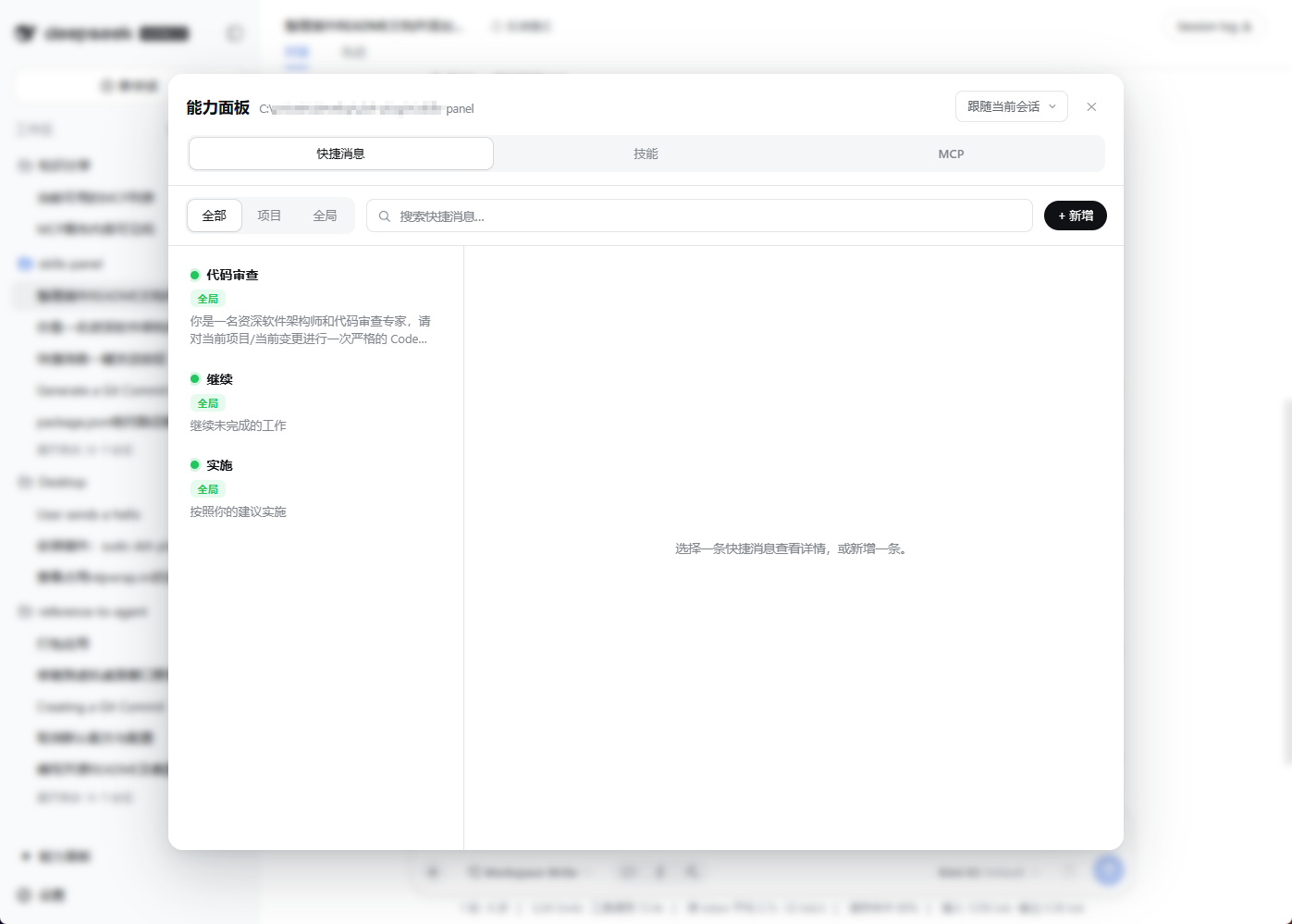
dsh-plugin-capability-panel
Run the following command in DeepSeek Harness:
dsh plugin install chengdb/dsh-plugin-capability-panel
Paste the following prompt into your AI chat to install this plugin:
Run dsh plugin install chengdb/dsh-plugin-capability-panel in the DeepSeek Harness terminal to install this plugin; repository: https://github.com/chengdb/dsh-plugin-capability-panel
About this plugin
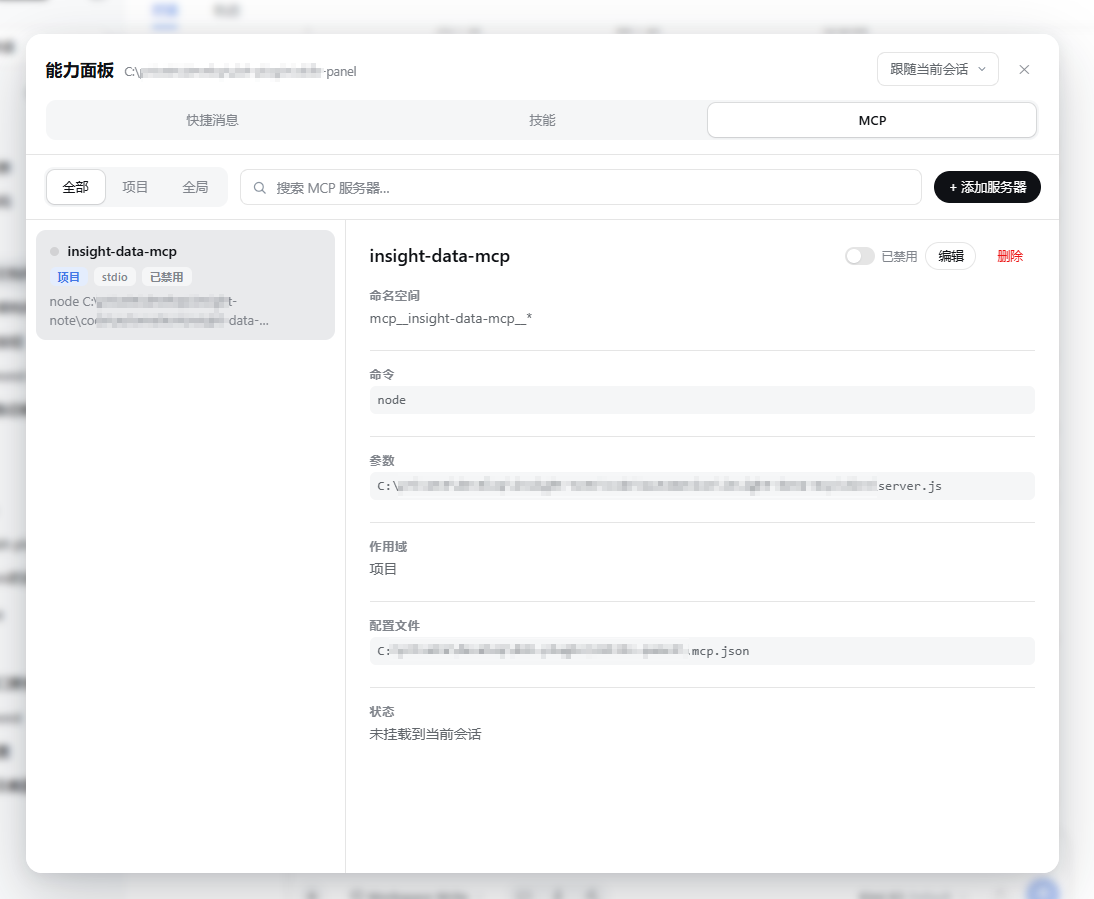
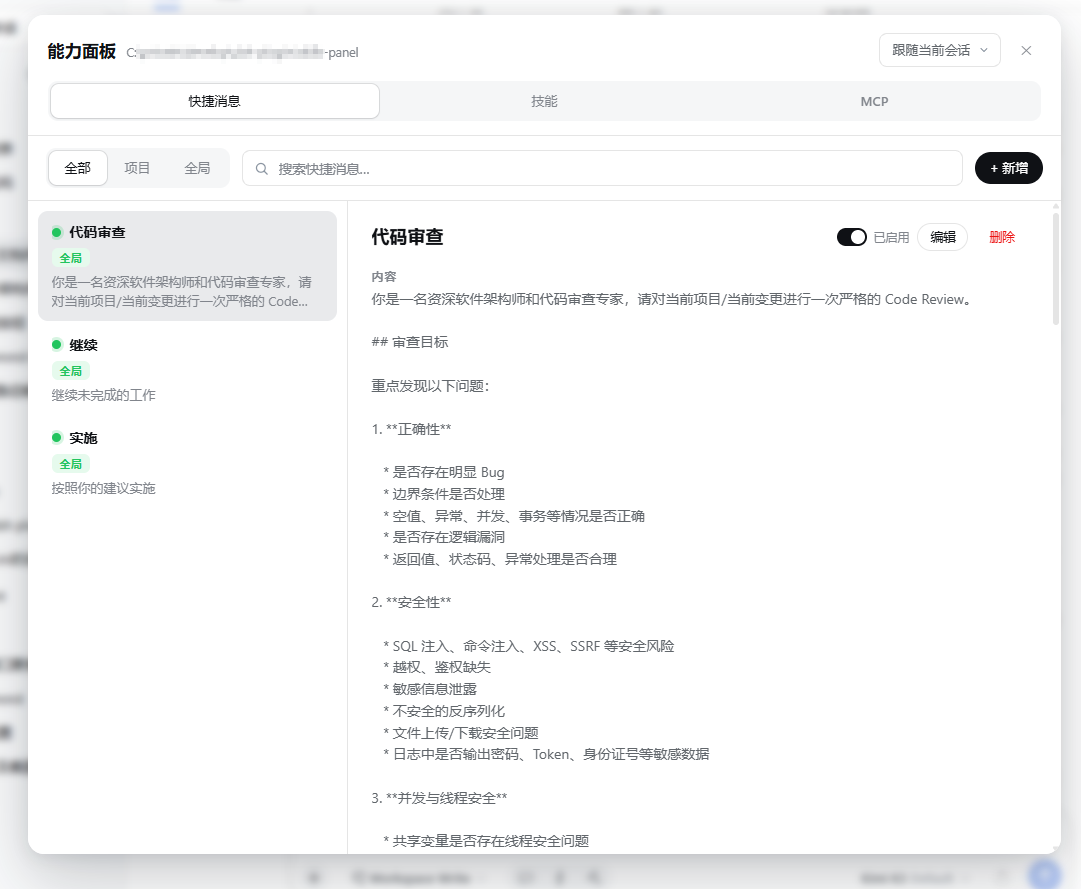
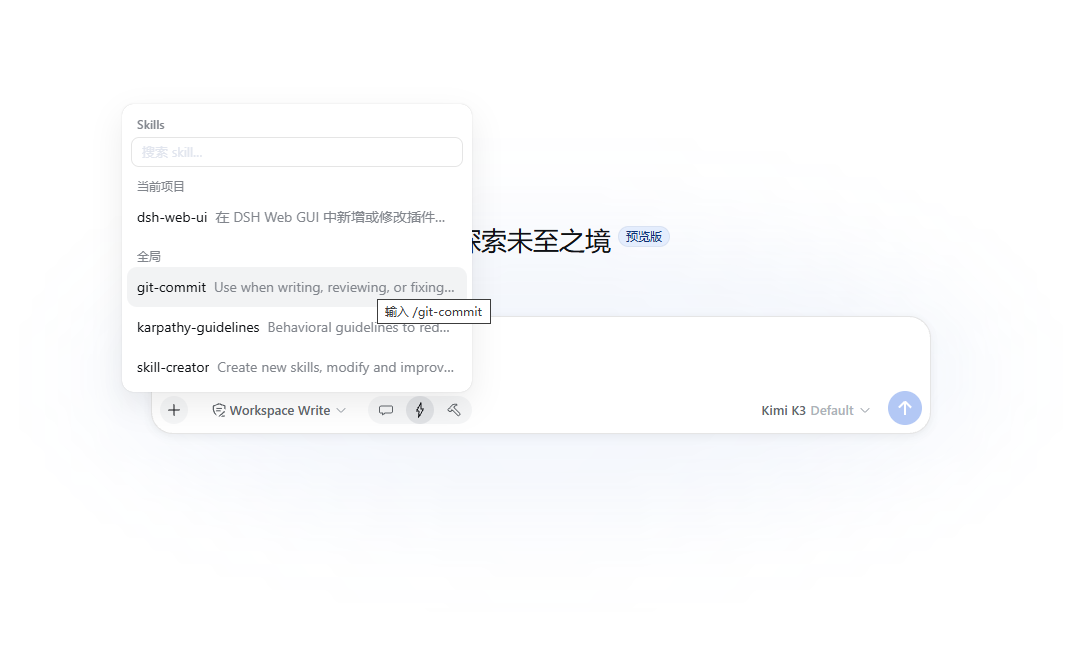
Managing Skills, MCP servers, and quick messages in DeepSeek Harness (DSH) has traditionally meant bouncing between terminal commands, hand-editing JSON files, and restarting sessions, often while juggling multiple project workspaces. dsh-plugin-capability-panel consolidates all three capability domains into a single web GUI panel, so you can browse, install, toggle, edit, import, and export everything without ever leaving the browser.
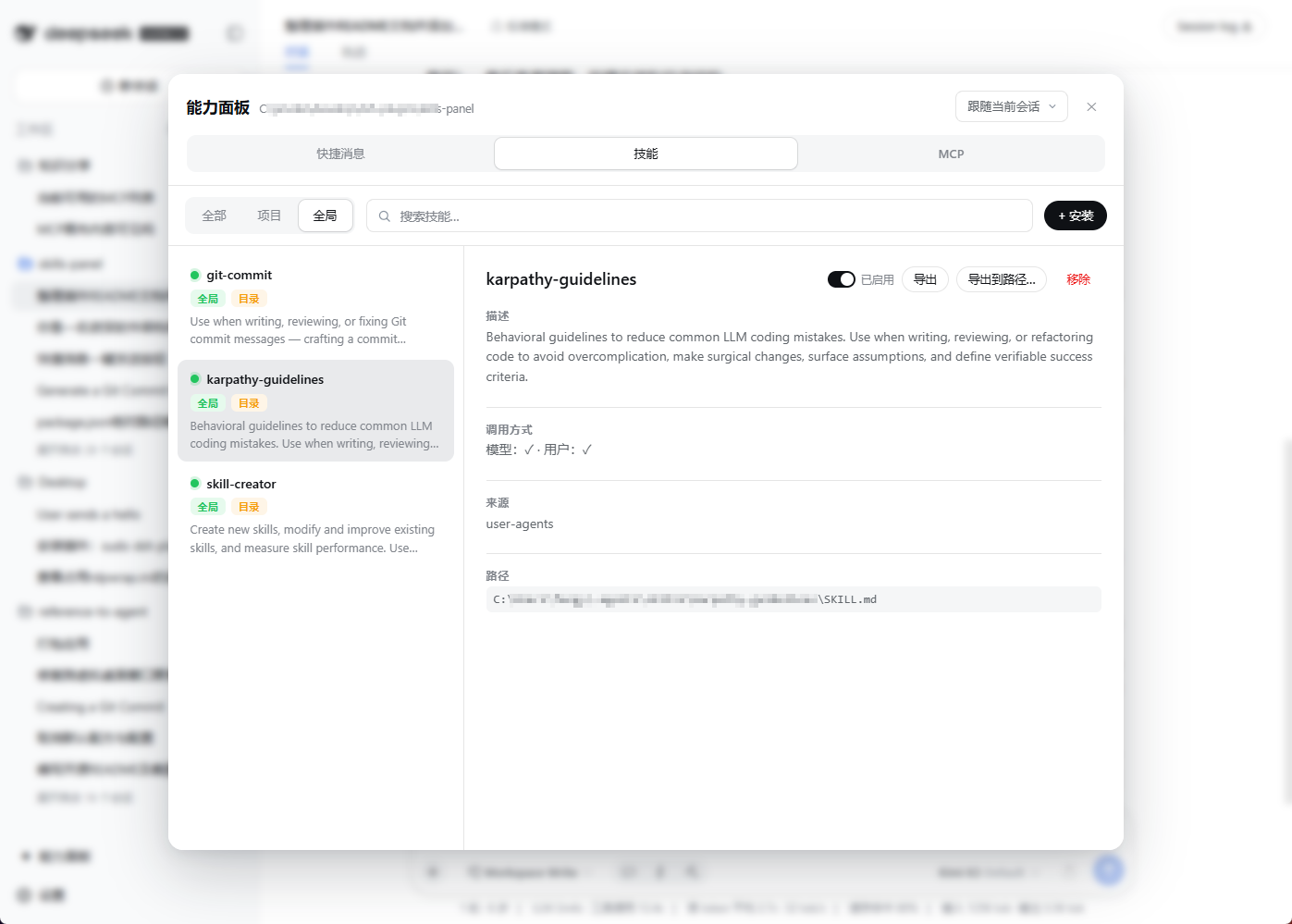
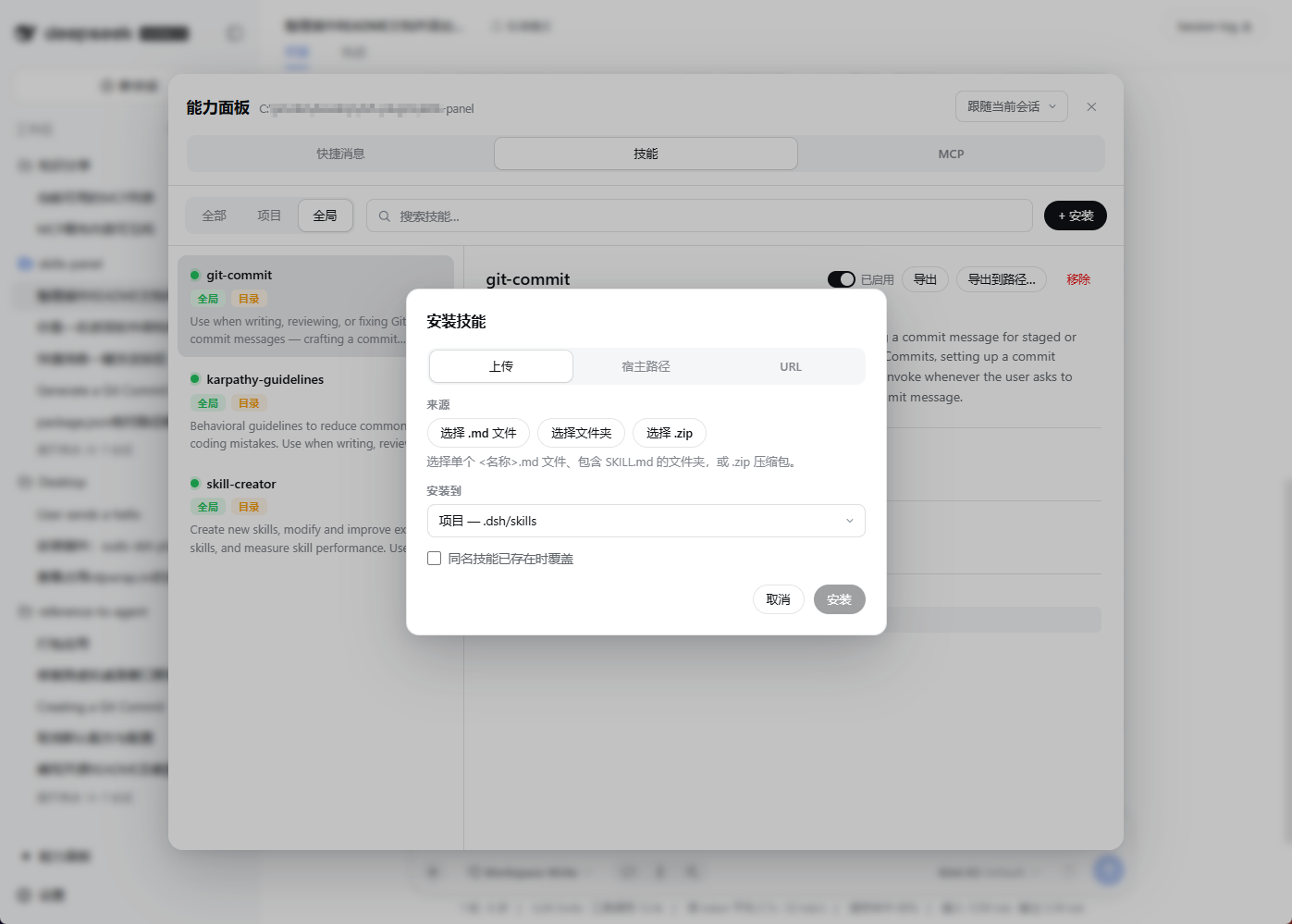
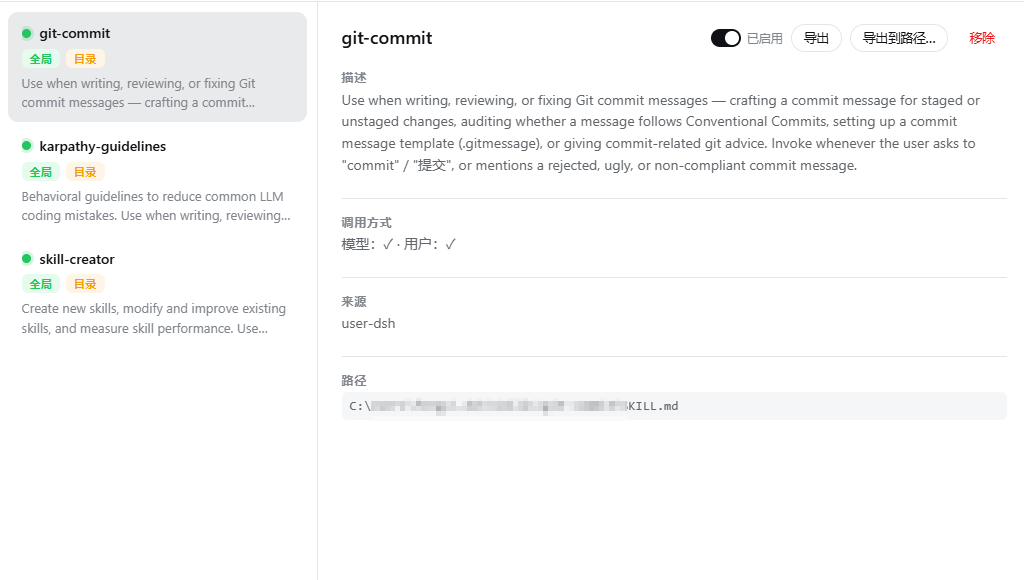
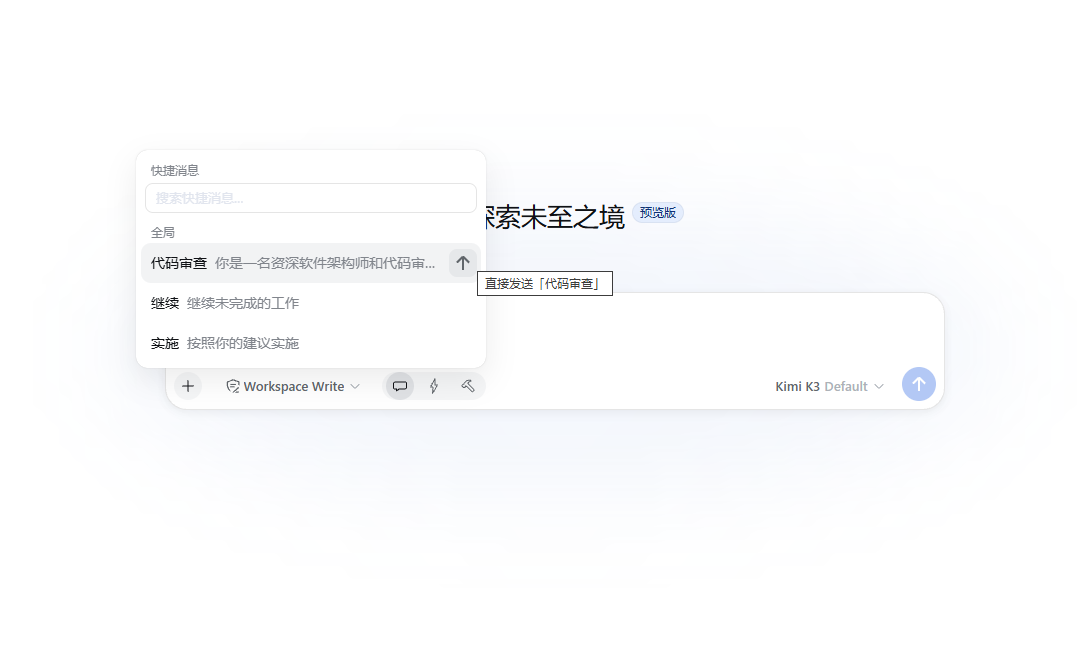
The panel switches between Quick Messages, Skills, and MCP at the top, then filters each domain by All / Project / Global with keyword search. Skills can be installed three ways: drag-and-drop upload in the browser (unpacked via DecompressionStream with zero dependencies), copying from a host directory, or pulling from a GitHub repository URL or a raw .md file; the on-disk format is byte-compatible with the official filesystem provider. MCP server entries follow the .mcp.json schema used by Claude Code; every configuration change automatically hot-remounts the affected sessions. Quick Messages support one-tap draft insertion or an instant-send button. Each item carries an enable/disable toggle that writes only two flat keys while preserving the original content untouched.
For teams maintaining multiple DSH projects, the project-level override is the standout feature: disable a global Skill, MCP server, or quick message for one project and the global config stays intact while other projects remain completely unaffected. MCP servers hot-disconnect from the current project sessions and re-mount on re-enable. If you are tired of hand-editing .mcp.json, hunting for SKILL.md files on disk, or pasting the same prompt over and over, this panel removes that friction.
Screenshots
Use Cases
- Drag a .zip into the browser to install a skill, edit config to hot-mount an MCP server, no terminal needed
- Disable a global MCP server for one project only; other projects stay untouched and it hot-unmounts instantly
- Save frequent prompts as quick messages with one-click draft insert or instant send
- Switch between multiple DSH workspaces and manage capabilities without restarting sessions or hand-writing JSON
Best For
- Developers running multiple DSH projects who frequently toggle Skills and MCP servers
- Config managers who prefer a visual panel over hand-editing .mcp.json and SKILL.md
- Team members who need shared prompt management with per-project enable and disable control
Related Plugins
A service-oriented sidebar framework for DSH, offering a full workbench with file explorer, embedded browser, real terminal, Git panel, and extensible plugin services.

A beautiful, practical Claude Code-style TUI plugin with pixel whale top bar, flowing glow title, real-time status line, streaming thought expansion, time rewind, context progress bar and TPS gauge — zero core changes.

The plugin market for DeepSeek Harness: browse/search/one-click install community plugins and themes, with updates, backup/restore, hot disable, diagnostics, and AI fix.

A persistent whale widget on the DSH web UI that shows DeepSeek balance, today's usage, and per-turn cost, with drag-and-snap and sound effects.