dsh-git-graph
Run the following command in DeepSeek Harness:
dsh plugin install 1841220388zzzcccxxx-star/dsh-git-graph
Paste the following prompt into your AI chat to install this plugin:
In DeepSeek Harness, choose source installation and enter the full repository URL: https://github.com/1841220388zzzcccxxx-star/dsh-git-graph.
About this plugin
When doing AI coding or agent development in DeepSeek Harness, developers often switch between the chat UI, code editor, terminal, and external Git clients. Inspecting commit history, checking uncommitted changes, and understanding branch state should not constantly break the development flow.
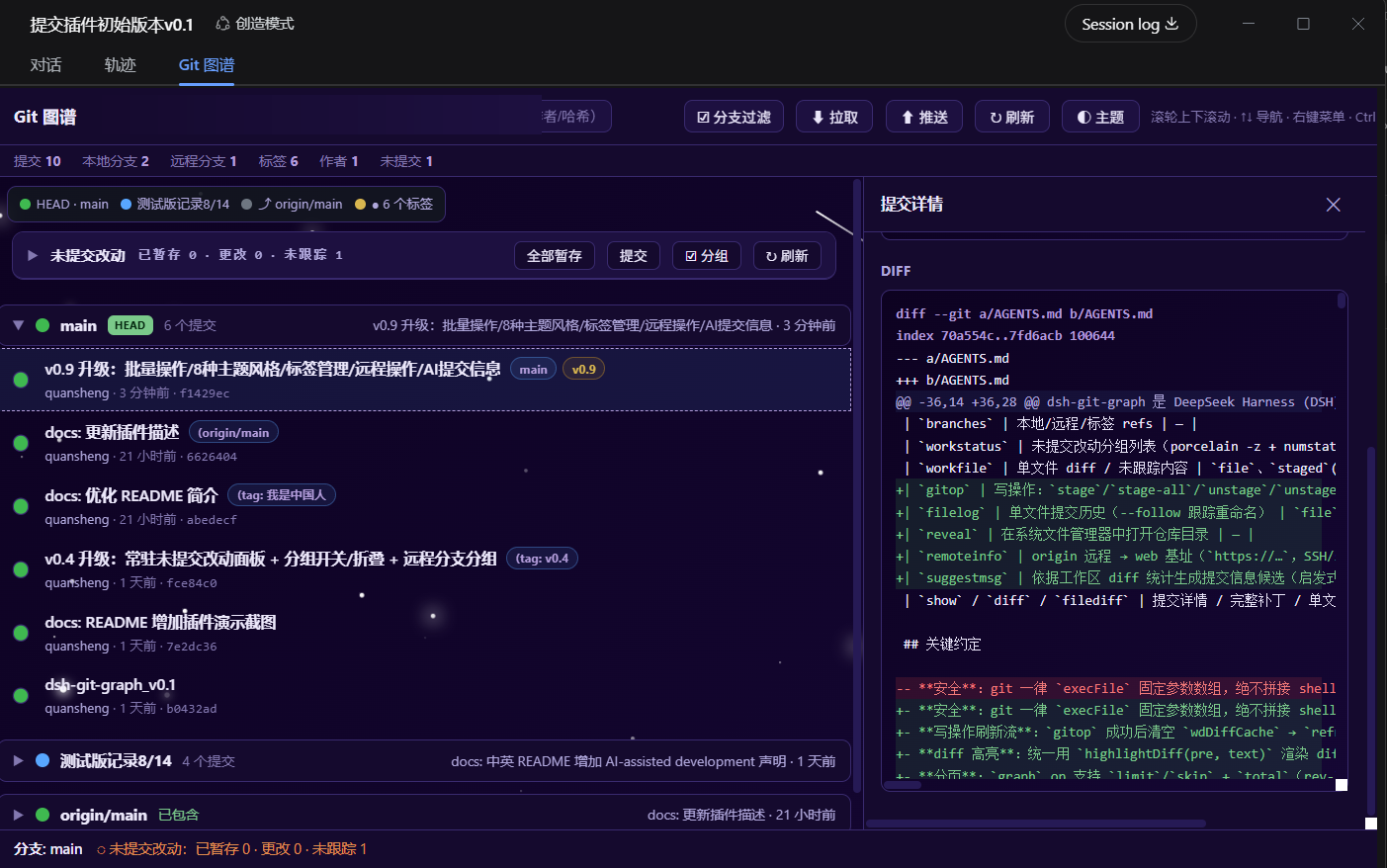
dsh-git-graph embeds a GitHub-style commit graph, branch filtering, commit details, file diffs, and a VSCode-like uncommitted changes panel directly into the DSH chat interface. It can follow the current conversation workspace, open other Git repositories from disk, compare commits, stage or unstage changes, discard files, create branches, tag commits, fetch or push remotes, and optionally generate commit messages with AI assistance.
It is especially useful for developers who want AI coding and version management in the same workspace, as well as teams that need a more intuitive way to review Git history and local changes without leaving the harness interface.
Screenshots
Use Cases
- View Git commit history and branch structure inside the chat interface.
- Quickly review uncommitted changes and perform staging, discard, or commit actions.
- Compare two commits and inspect a file's full history.
Best For
- Developers using DeepSeek Harness for AI coding.
- Users who want a visual interface for managing Git repositories.
- Teams that need commits, branches, and workspace changes in one view.
Related Plugins
A service-oriented sidebar framework for DSH, offering a full workbench with file explorer, embedded browser, real terminal, Git panel, and extensible plugin services.

A beautiful, practical Claude Code-style TUI plugin with pixel whale top bar, flowing glow title, real-time status line, streaming thought expansion, time rewind, context progress bar and TPS gauge — zero core changes.

The plugin market for DeepSeek Harness: browse/search/one-click install community plugins and themes, with updates, backup/restore, hot disable, diagnostics, and AI fix.

A persistent whale widget on the DSH web UI that shows DeepSeek balance, today's usage, and per-turn cost, with drag-and-snap and sound effects.