dsh-image-theme
Run the following command in DeepSeek Harness:
dsh plugin install Carpon39038/dsh-image-theme
Paste the following prompt into your AI chat to install this plugin:
Run dsh plugin install Carpon39038/dsh-image-theme in a DeepSeek Harness terminal; the full source is available at https://github.com/Carpon39038/dsh-image-theme.
About this plugin
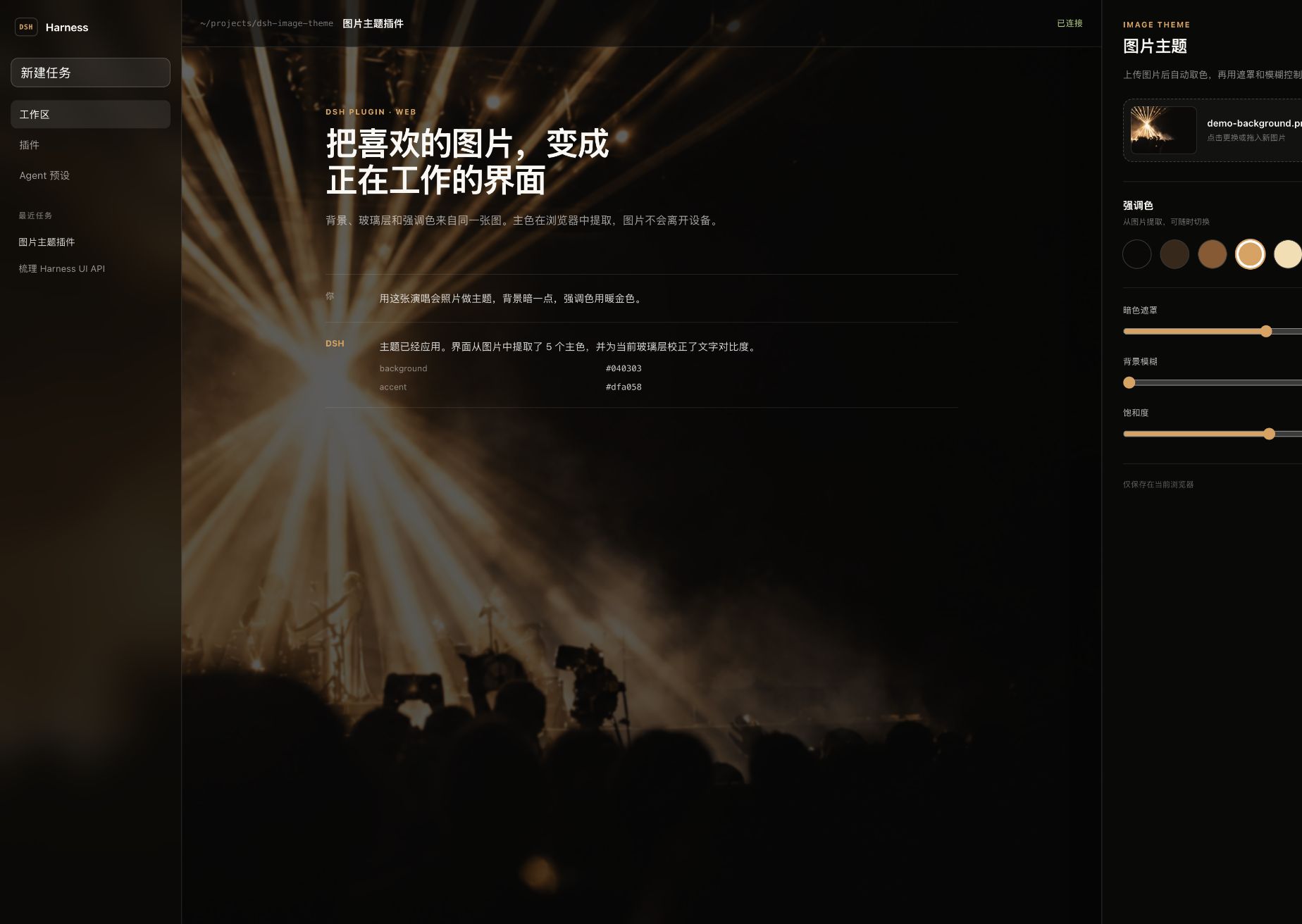
The default themes in the DeepSeek Harness web client are clean but uniform; wanting to define an entire color scheme from a personal photo or design mockup used to mean manually tweaking hex values one by one. dsh-image-theme collapses that into three quick steps: drag in an image, pick an accent, and apply.
Inside the browser the plugin downsamples the image to a 96×96 grid, samples up to 6 000 opaque pixels, converts them to CIE Lab space, and runs a deterministic k-means pass to extract five stable colors. The darkest shade becomes a translucent glass surface, the user selects one of the remaining colors as the DSH accent, and the plugin corrects text-to-accent contrast before writing over a dozen public tokens through ctx.theme.overrideTokens(), touching no host source code. The original image fills the entire window as a backdrop with adjustable dark overlay, blur, saturation, and position. Every byte stays in IndexedDB and localStorage; nothing is uploaded, and disabling the plugin preserves both the image and the settings for later.
Built for developers, designers, or any daily DSH web client user who wants a cohesive theme generated from a single wallpaper, with zero design expertise required.
Screenshots
Use Cases
- Drag in a wallpaper and get a cohesive theme in seconds
- Give your DSH workspace a personal visual identity
- Customize your theme with zero data leaving the browser
Best For
- Developers who want a personal touch in their DSH interface
- Designers who want a single photo to define the entire UI palette
- Privacy-first users who prefer local-only workflows
Related Plugins

whale-girl is a desktop pet in the DSH Web GUI (bottom-right for instant companionship) — draggable, feedable, playable; completed tasks, sessions and companionship time accrue into seniority levels, titles, and memories.

A WebGPU ocean skin for DeepSeek Harness with five-wave Gerstner waves, translucent theme, day/night cycle, and quick controls, installable as plugin or extension.

A Galgame-style conversation view and visual scene editor for DSH web sessions, with a real-time editing mode.

A native skinning plugin for DeepSeek Harness: 8 designer themes, wallpapers, accent colors, and shareable theme packs, built purely on design tokens.