dsh-outline
Run the following command in DeepSeek Harness:
dsh plugin install urzeye/dsh-outline
Paste the following prompt into your AI chat to install this plugin:
To install this plugin in DeepSeek Harness, use the full source URL https://github.com/urzeye/dsh-outline and restart dsh web after the first installation.
About this plugin
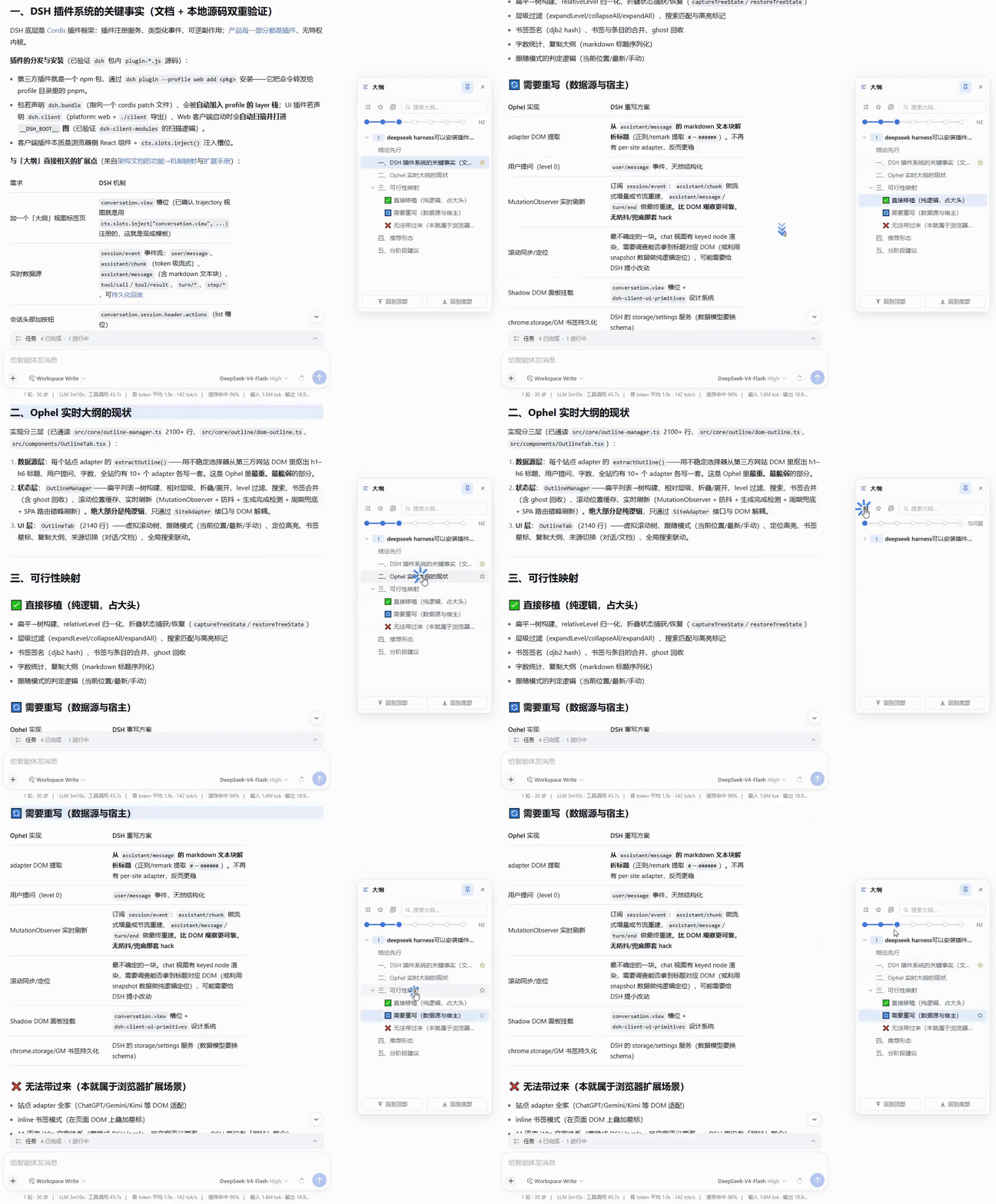
In DeepSeek Harness's Web GUI, long conversations and streamed replies can quickly become hard to navigate. Answers grow token by token, headings appear late, and users often lose track of what they asked, what was just answered, and where the current reading position is. dsh-outline addresses that problem by turning a session into a live outline tree, with user prompts as top-level nodes and assistant Markdown headings nested underneath them.
The plugin's main strengths are real-time behavior, low-friction presentation, and practical navigation. It builds the outline from session events rather than scraping the DOM, so it updates during streaming and can recover across refreshes, reconnects, and history pages through the DSH runtime. Clicking a node scrolls to the corresponding content and highlights the reading position, while expansion depth controls, search, favorites, copy actions, and top or bottom shortcuts make long answers feel more like browsable documents. The floating panel appears at the right edge, can be previewed, pinned, or dragged, and follows DSH theme and language settings without crowding the chat area.
It is well suited for people who use DSH Web GUI for extended conversations, especially when reviewing code, reading documentation, taking research notes, comparing ideas, or jumping back to specific prompts and answer sections. For users who want DeepSeek Harness chats to behave more like a navigable workspace, dsh-outline provides a simple but practical structure layer.
Screenshots
Use Cases
- Locate prompts and answer sections in long sessions
- Track generated headings while replies stream in
- Navigate code, docs, or research conclusions more easily
Best For
- Users working with long conversations in DSH Web GUI
- Readers who need quick jump points inside answers
- People doing technical Q&A or document analysis in the browser
Related Plugins
A service-oriented sidebar framework for DSH, offering a full workbench with file explorer, embedded browser, real terminal, Git panel, and extensible plugin services.

A beautiful, practical Claude Code-style TUI plugin with pixel whale top bar, flowing glow title, real-time status line, streaming thought expansion, time rewind, context progress bar and TPS gauge — zero core changes.

The plugin market for DeepSeek Harness: browse/search/one-click install community plugins and themes, with updates, backup/restore, hot disable, diagnostics, and AI fix.

A persistent whale widget on the DSH web UI that shows DeepSeek balance, today's usage, and per-turn cost, with drag-and-snap and sound effects.