dsh-krill-theme
Run the following command in DeepSeek Harness:
dsh plugin install i1j/dsh-krill-theme
Paste the following prompt into your AI chat to install this plugin:
Run dsh plugin install i1j/dsh-krill-theme in DeepSeek Harness to install the Krill theme plugin (repository: https://github.com/i1j/dsh-krill-theme), then add it to dsh.profile.bundles in your profile and restart dsh web to activate.
About this plugin
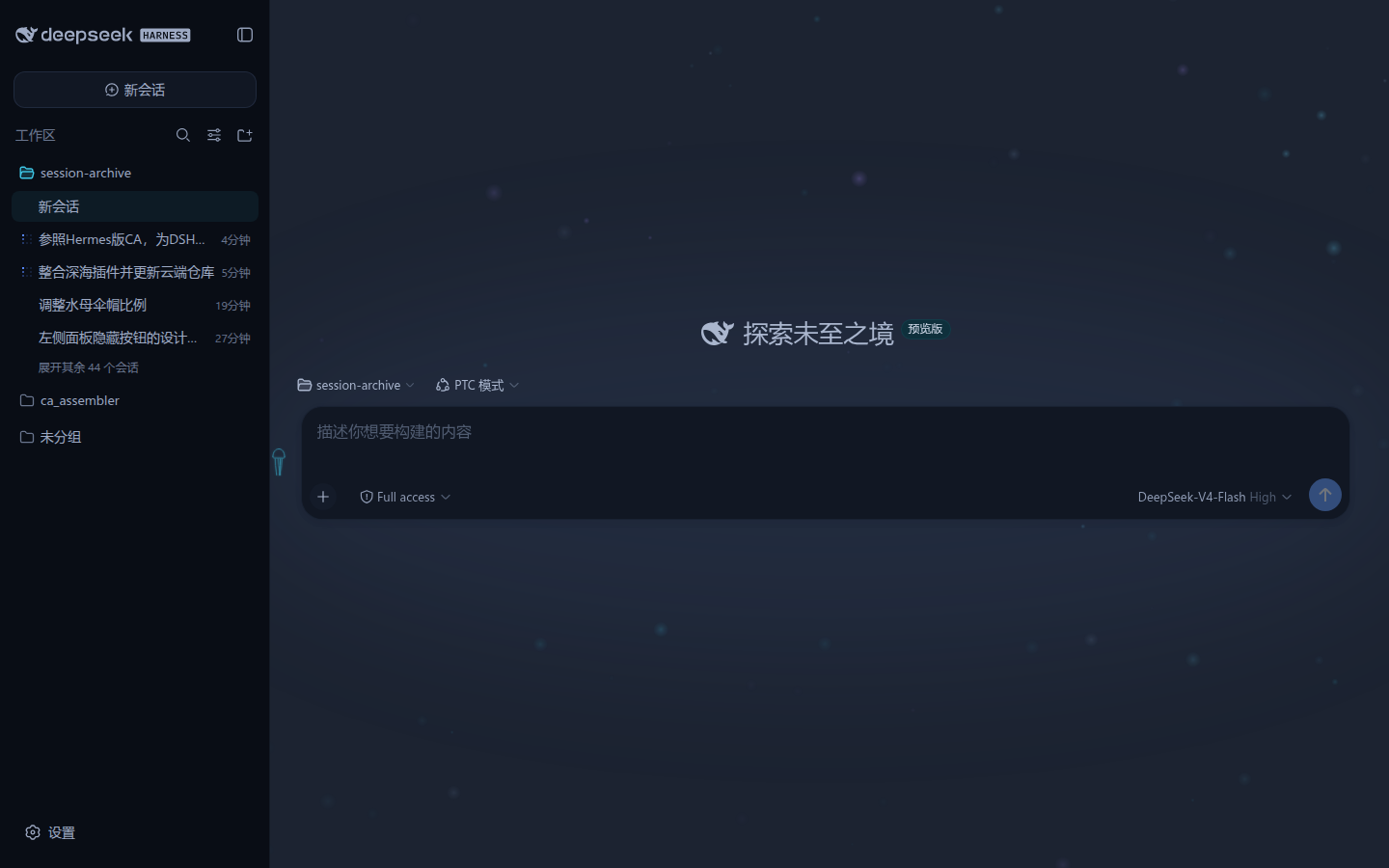
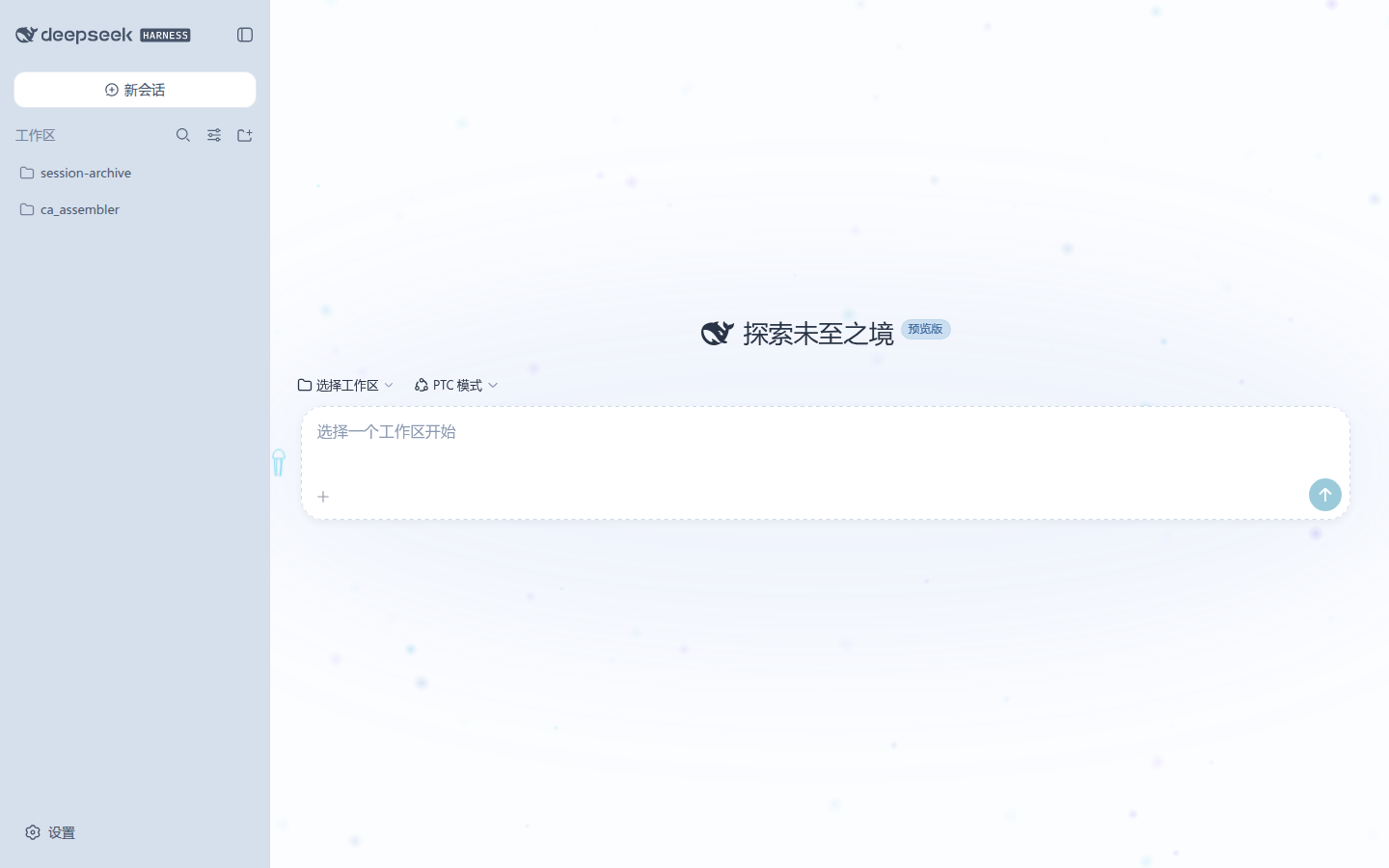
In most DSH Web setups, dark mode and light mode feel like two unrelated skins. The Krill theme unifies them into one zero-dependency CSS plugin built around a marine metaphor: dark mode becomes a deep-sea world where brightness encodes information priority (brighter means more important), while light mode becomes a shallow-sea world where clarity plays that role (clearer means more important). Both palette stacks coexist in a single stylesheet via mutually exclusive body selectors and switch automatically with the system preference—no dist rebuild, no component code touched.
The conversation panel hosts a lightweight oceanic plankton animation: canvas-rendered glowing sprites drift in a shared current whose direction and speed shift periodically, creating a quiet ambient layer that never competes with reading. When the model is generating, the plankton enter a deep-dive state—nearly vertical updraft at roughly 40× base speed, extra bright micro-particles surfacing from the bottom, an overall brightness boost, and a soft top-white-to-bottom-dark gradient glow that breathes in rhythm with the surge. A pulsing jellyfish button in the corner opens a cyan-tinted parameter panel where particle count, opacity, flow speed, swing amplitude, tide pulse, dive count scale, brightness, and glow intensity are all adjustable in real time via the panel, the window.DSH_DEEPSEA API, or plain CSS custom properties. Under the hood the plugin redefines approximately 95+ design tokens on the body element, so the sidebar, dock, overlays, menus, settings, scrollbars, status colours, and Shiki code highlighting all follow a single source of truth.
Krill is a good fit if you want DSH Web to feel like an immersive underwater workspace without writing a line of component code, or if you simply prefer a visual hierarchy where the most critical content is always the brightest (dark) or clearest (light) element on screen. Because every visual decision is expressed as a CSS custom property or a commented source section, you can trim, tune, or extend any layer independently.
Screenshots
Use Cases
- Give DSH Web an immersive underwater feel without touching any component code
- Unify dark and light palettes under one coherent marine metaphor that follows the system preference
- Add a subtle animated backdrop to the chat bar that intensifies into a deep-dive mode during generation
Best For
- DSH Web users who gravitate toward oceanic aesthetics and immersive UI
- Users who want a one-click visual overhaul without writing component code
- Developers who prefer to trim or retune a ready-made theme via CSS custom properties
Related Plugins

whale-girl is a desktop pet in the DSH Web GUI (bottom-right for instant companionship) — draggable, feedable, playable; completed tasks, sessions and companionship time accrue into seniority levels, titles, and memories.

A WebGPU ocean skin for DeepSeek Harness with five-wave Gerstner waves, translucent theme, day/night cycle, and quick controls, installable as plugin or extension.

A Galgame-style conversation view and visual scene editor for DSH web sessions, with a real-time editing mode.

A native skinning plugin for DeepSeek Harness: 8 designer themes, wallpapers, accent colors, and shareable theme packs, built purely on design tokens.