dsh-skill-select
Run the following command in DeepSeek Harness:
dsh plugin install wyzh0117/dsh-skill-select
Paste the following prompt into your AI chat to install this plugin:
Run dsh plugin install wyzh0117/dsh-skill-select in your terminal to install this plugin; the source repository is available at https://github.com/wyzh0117/dsh-skill-select.
About this plugin
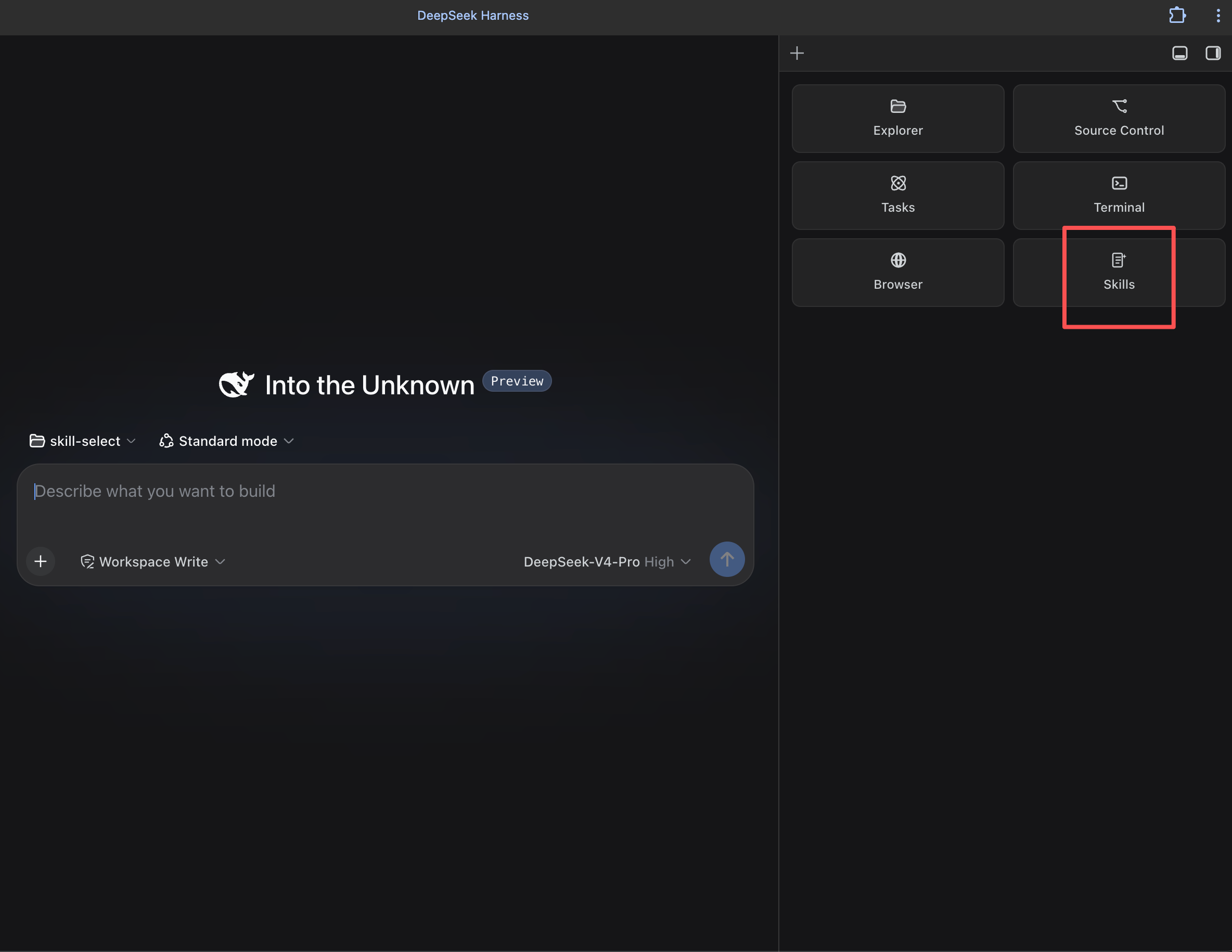
Once you have a handful of custom skills configured in the DSH web UI, manually typing each /skill-name into every new session becomes tedious and error-prone. dsh-skill-select adds a sidebar that lists every configured skill—grouped by Repo, Name, Most Used, or Source—so you can tick the ones you need and inject them into the current composer with a single click. Beyond per-session picks, it offers persistent Auto-start defaults that fire on the first message of each session, an optional Guard mode that blocks the model from calling any skill outside your approved set, and unified browsing of user skills registered under Codex, Grok, or Hermes agents.
Maintenance is covered too: a one-click Update runs git pull on git-backed skills and re-fetches those carrying a per-skill origin marker, surfacing a changelog right in the panel. Descriptions are pulled from frontmatter when present; otherwise a short English summary is generated and cached locally. The plugin never writes to skill files, keeping your library untouched. It also detects dsh-better-sidebar and registers itself as a native Skills tab; if that add-on is absent or disabled, it draws its own right-hand sidebar with a simple toggle—no extra setup required.
Built for developers who have accumulated a growing library of custom skills in the DSH web UI and want a single visual place to choose which ones to load, enforce a least-privilege Guard on what the model can reach, keep skills up to date with one click, and reach into skills registered under different agents—all without leaving the chat window.
Screenshots
Use Cases
- Switch between multiple custom skills quickly instead of typing /skill-name every time
- Set Auto-start defaults so high-frequency skills load automatically in every new session
- Enable Guard mode to restrict the model to only explicitly approved skills
Best For
- Developers with a growing library of custom skills in the DSH web UI
- Teams managing skills across multiple agents like Codex, Grok, and Hermes
- Engineers who want to enforce least-privilege access to model-invokable skills
Related Plugins
A service-oriented sidebar framework for DSH, offering a full workbench with file explorer, embedded browser, real terminal, Git panel, and extensible plugin services.

A beautiful, practical Claude Code-style TUI plugin with pixel whale top bar, flowing glow title, real-time status line, streaming thought expansion, time rewind, context progress bar and TPS gauge — zero core changes.

The plugin market for DeepSeek Harness: browse/search/one-click install community plugins and themes, with updates, backup/restore, hot disable, diagnostics, and AI fix.

A persistent whale widget on the DSH web UI that shows DeepSeek balance, today's usage, and per-turn cost, with drag-and-snap and sound effects.