dsh-plugin-window-stats
Run the following command in DeepSeek Harness:
dsh plugin install wellorbetter/dsh-plugin-window-stats
Paste the following prompt into your AI chat to install this plugin:
To install this plugin in DeepSeek Harness, execute dsh plugin install wellorbetter/dsh-plugin-window-stats and restart the web service. Source: https://github.com/wellorbetter/dsh-plugin-window-stats
About this plugin
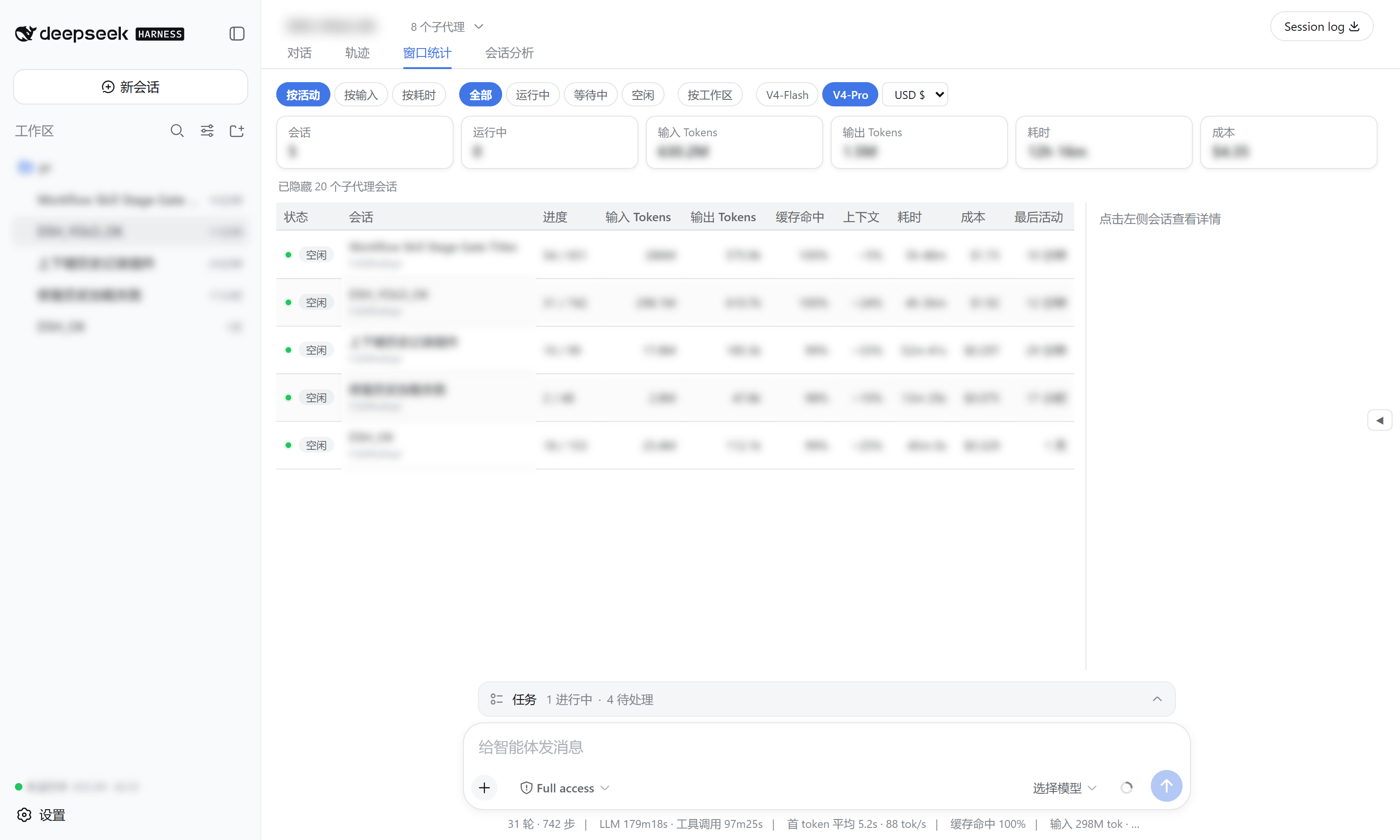
Managing multiple sessions in DeepSeek Harness and tracking token usage, cost, and context pressure can often be a tedious task. The Window Stats plugin is designed specifically to address this challenge, transforming complex backend data into an intuitive dashboard. By leveraging official projections, it provides a global overview that lets you instantly see the progress of every session, token consumption, and estimated costs. Whether you are analyzing historical data or monitoring a live session, it offers tools like token heatmaps, trend charts, and detailed data panels to help you precisely control resource usage.
Beyond basic data visualization, this tool offers powerful analysis capabilities. It supports filtering by workspace and model and allows flexible currency switching to meet various cost accounting needs. For developers and researchers who frequently handle large contexts or are concerned about API overhead, this 100% local-running plugin—requiring no external API calls—is an ideal assistant for boosting efficiency and optimizing cost control.
Screenshots
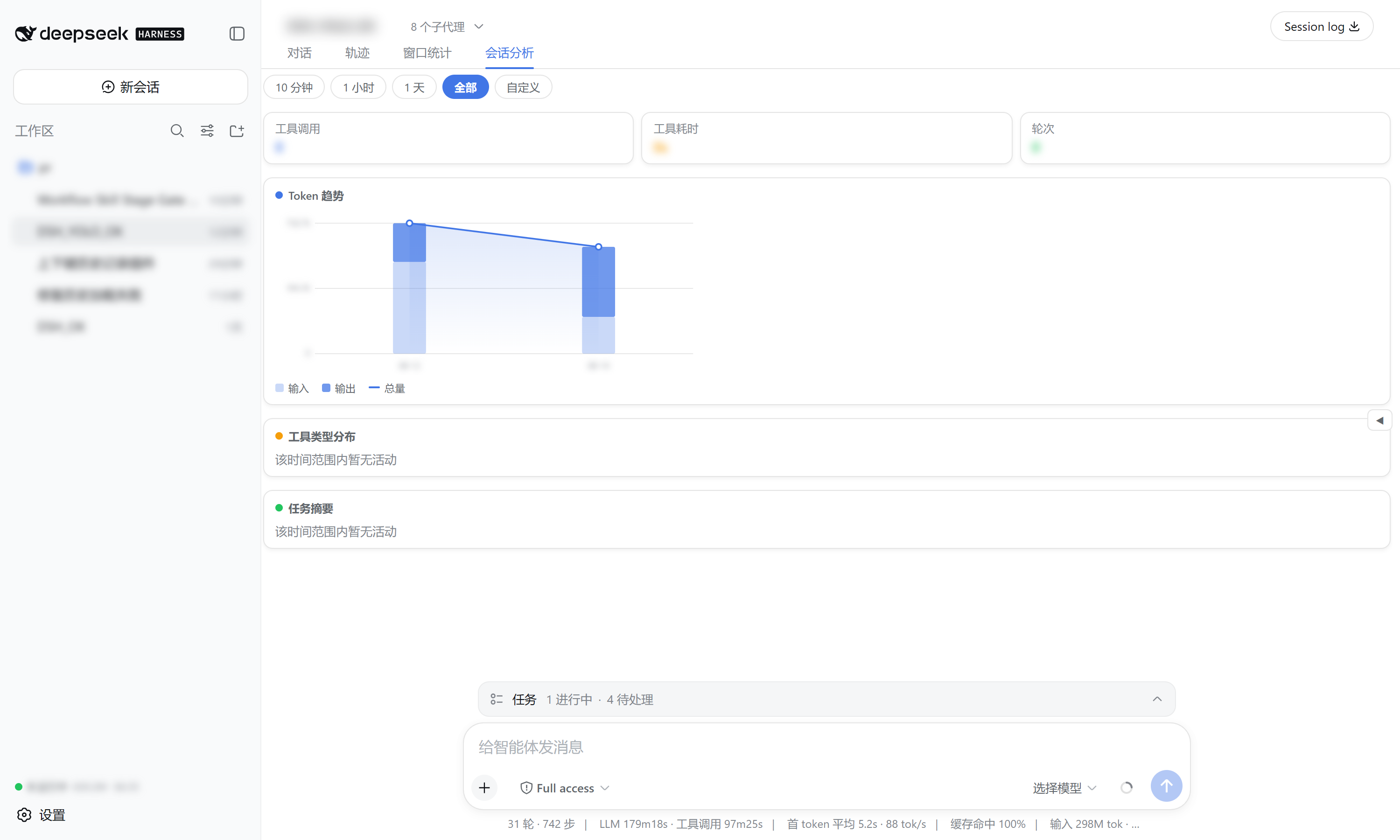
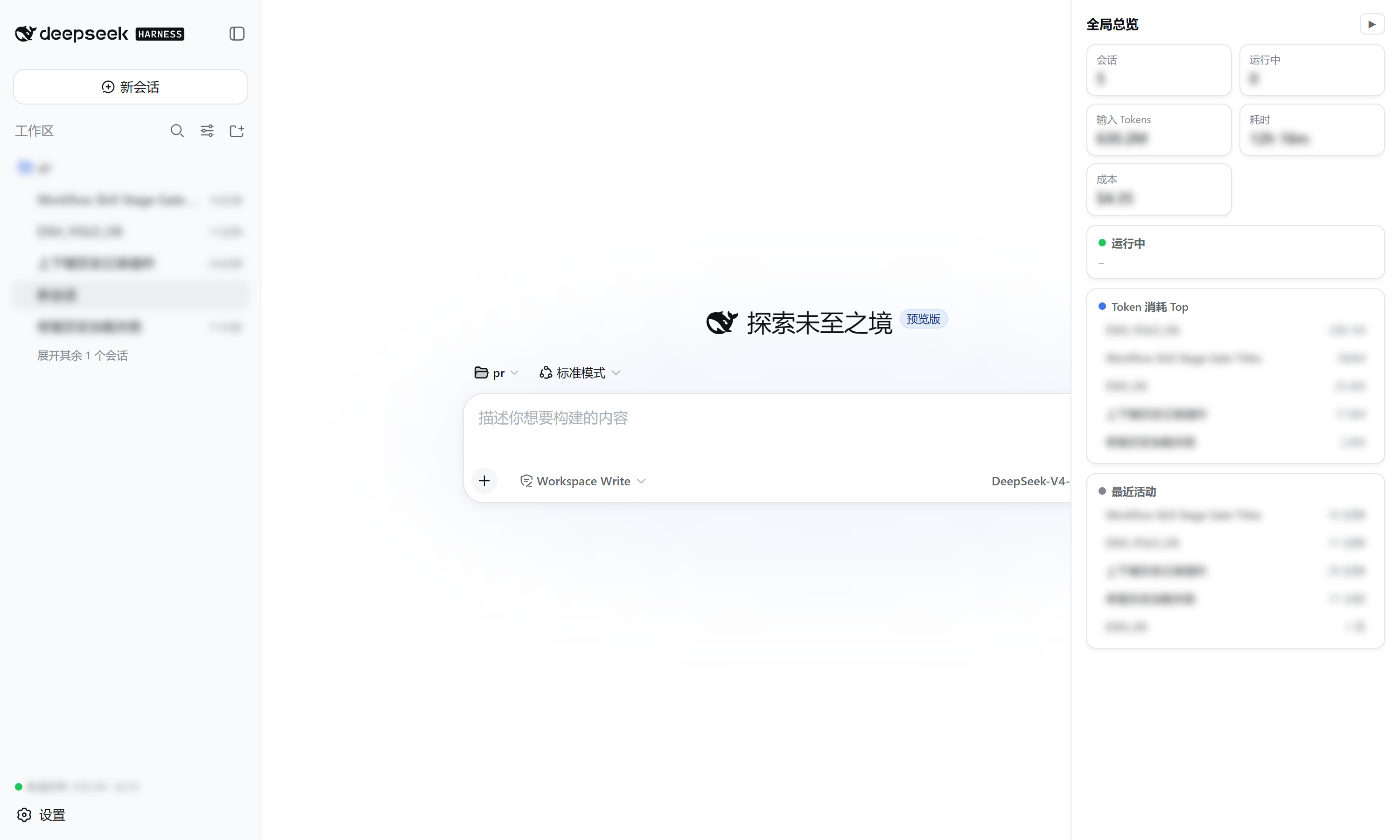
Use Cases
- Track token consumption and costs for DeepSeek sessions
- Analyze session context pressure and history
- View conversation progress and efficiency statistics
Best For
- Developers requiring fine-grained management of DeepSeek sessions
- Teams concerned with API costs and budgeting
- Users wishing to analyze model context usage in depth
Related Plugins
A service-oriented sidebar framework for DSH, offering a full workbench with file explorer, embedded browser, real terminal, Git panel, and extensible plugin services.

A beautiful, practical Claude Code-style TUI plugin with pixel whale top bar, flowing glow title, real-time status line, streaming thought expansion, time rewind, context progress bar and TPS gauge — zero core changes.

The plugin market for DeepSeek Harness: browse/search/one-click install community plugins and themes, with updates, backup/restore, hot disable, diagnostics, and AI fix.

A persistent whale widget on the DSH web UI that shows DeepSeek balance, today's usage, and per-turn cost, with drag-and-snap and sound effects.