dsh-theme-background-center
Run the following command in DeepSeek Harness:
dsh plugin install syOPV/dsh-theme-background-center
Paste the following prompt into your AI chat to install this plugin:
dsh plugin install syOPV/dsh-theme-background-center. Source: https://github.com/syOPV/dsh-theme-background-center
About this plugin
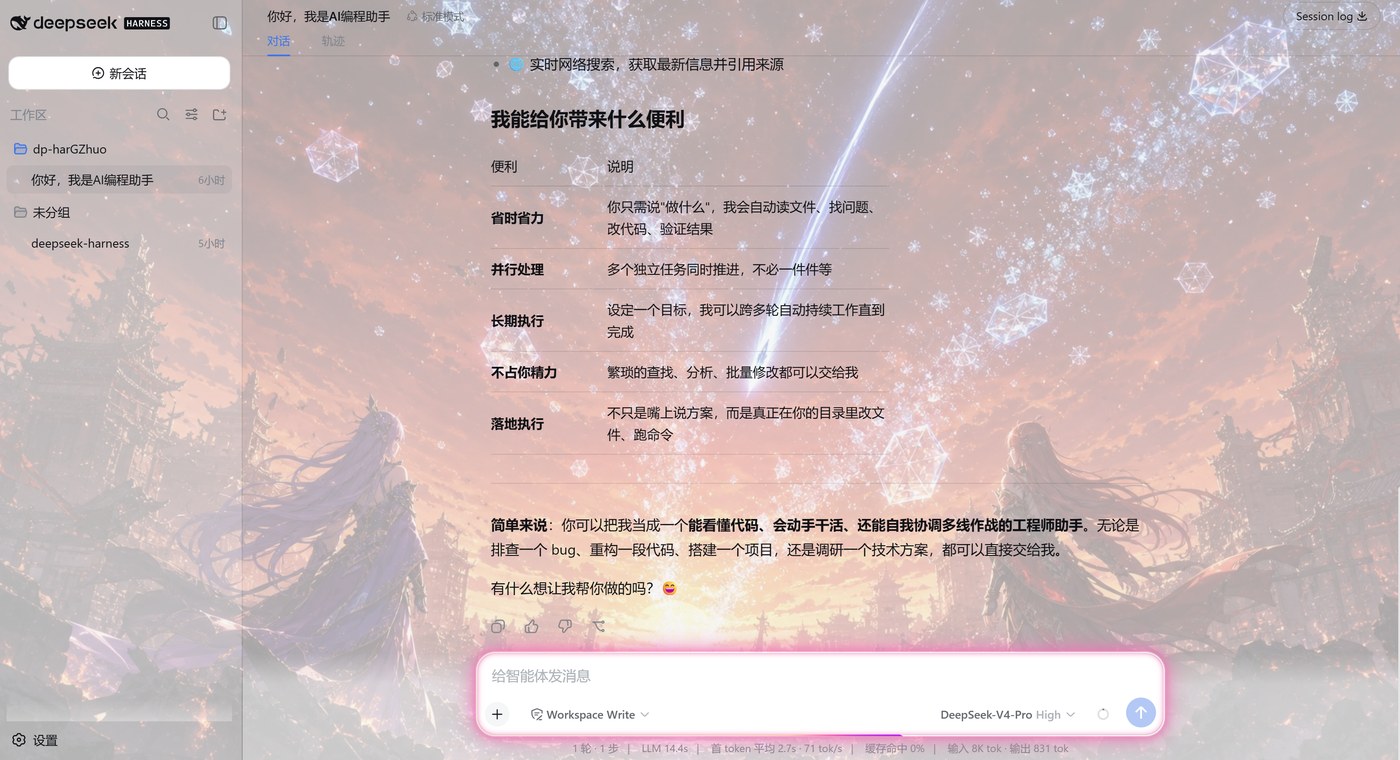
The default DeepSeek Harness interface often appears monotonous. dsh-theme-background-center aims to create a personalized visual space for users by integrating in-depth customization of themes, backgrounds, and ambient lighting through a single panel. It offers various preset themes ranging from Deep Blue to Cyberpunk, as well as background functions supporting dynamic gradients and custom images. More notably, the built-in frosted glass effect and adjustable neon ambient lighting can instantly infuse your chat interface with a sense of technology and artistry, satisfying both personalization and aesthetic needs.
Screenshots
Use Cases
- Daily DeepSeek users wanting to customize the interface theme and background to enhance visual experience.
- Long-term AI assistant users needing to switch to eye-protection green or dark mode to relieve visual fatigue.
- Tech-savvy users pursuing Cyberpunk or dreamy gradient styles, hoping to turn the Web UI into a personal space.
Best For
- AI users who care about interface aesthetics.
- DeepSeek players pursuing personalized experiences.
- Developers who often work at night or for long hours.
Related Plugins

whale-girl is a desktop pet in the DSH Web GUI (bottom-right for instant companionship) — draggable, feedable, playable; completed tasks, sessions and companionship time accrue into seniority levels, titles, and memories.

A WebGPU ocean skin for DeepSeek Harness with five-wave Gerstner waves, translucent theme, day/night cycle, and quick controls, installable as plugin or extension.

A Galgame-style conversation view and visual scene editor for DSH web sessions, with a real-time editing mode.

A native skinning plugin for DeepSeek Harness: 8 designer themes, wallpapers, accent colors, and shareable theme packs, built purely on design tokens.