dsh-skill-panel
Run the following command in DeepSeek Harness:
dsh plugin install lywusichen/dsh-skill-panel
Paste the following prompt into your AI chat to install this plugin:
Please run the installation command in DeepSeek Harness to install the plugin with source code address https://github.com/lywusichen/dsh-skill-panel.
About this plugin
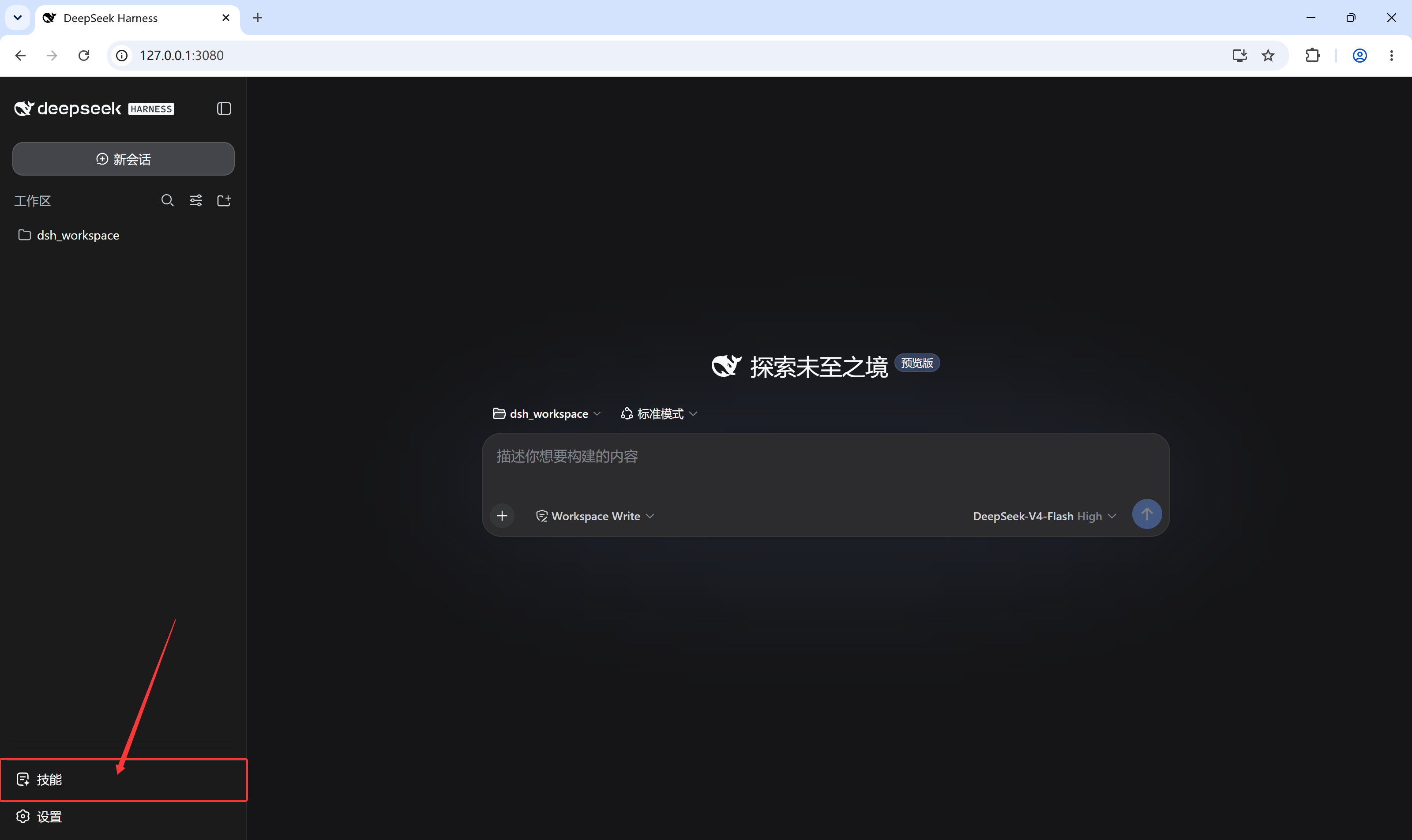
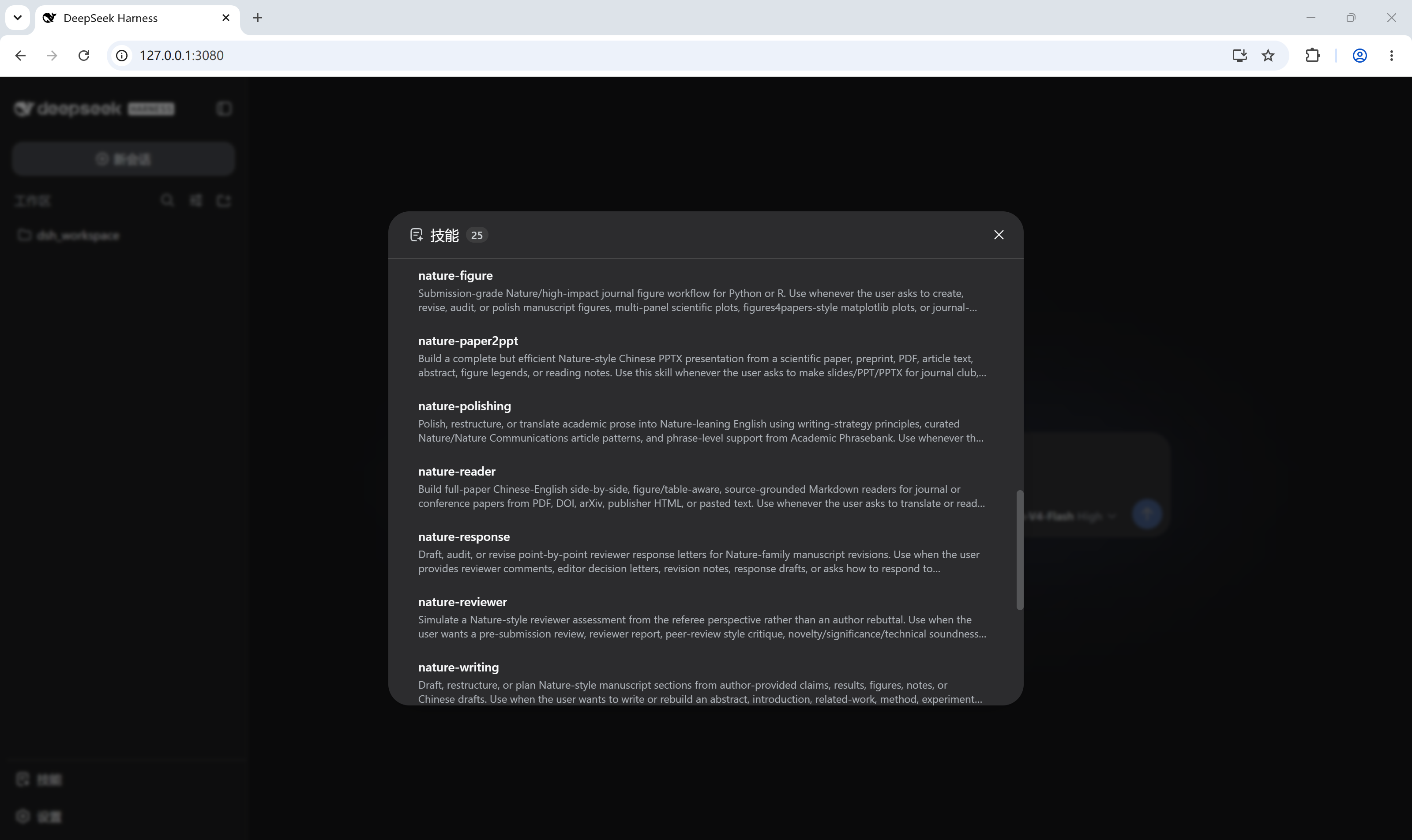
When using DeepSeek Harness, developers often struggle to quickly locate the specific directory of a skill on the local disk or need to frequently check which skills are currently loaded in the session. dsh-skill-panel solves this pain point perfectly by adding an intuitive trigger at the bottom of the left sidebar that opens a dialog with the same style as the built-in settings, providing a consistent user experience.
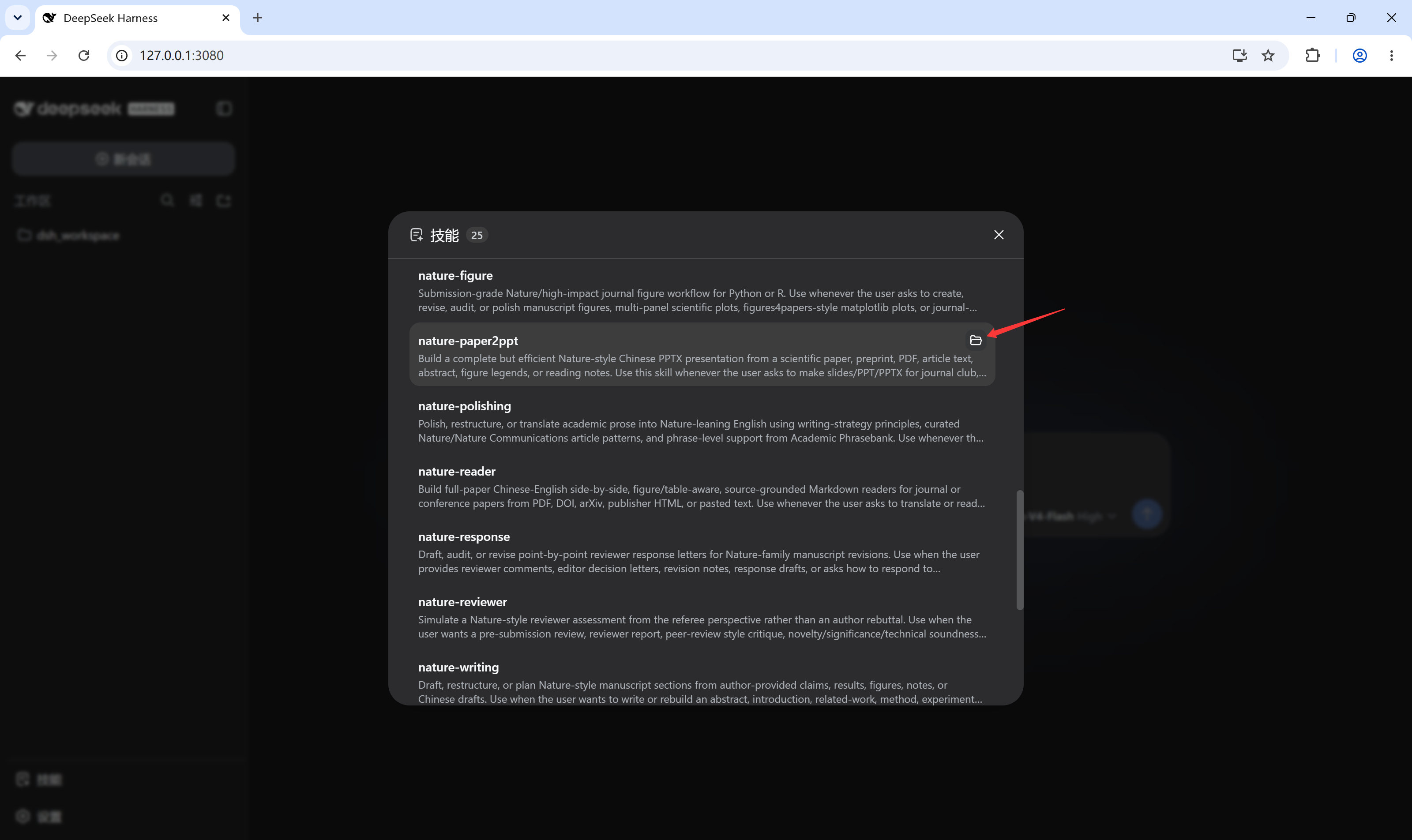
The core capability of this plugin lies in its zero-configuration automatic connection and precise file system navigation. It does not require modifying configuration files or writing custom RPCs, directly utilizing the platform's standard interfaces to display the current session's skill catalog. Additionally, it features an intelligent auto-refresh mechanism that keeps the list accurate in real-time, whether skills are added, removed, or modified on disk.
It is ideal for developers and administrators who need to interact frequently with skill files, helping them check skill status and jump directly to the local folder without leaving the interface or restarting the application. The bilingual interface supporting Simplified Chinese and English adapts to various usage scenarios.
Screenshots
Use Cases
- Quickly view the list of loaded skills in the current session
- Directly click to open the local folder of the skill on disk
- Real-time sync of the skill list without manual refresh or restart
Best For
- Developers who need to frequently manage skill files
- Users building complex workflows with DeepSeek Harness
- AI assistant users seeking simplified skill directory navigation
Related Plugins
A service-oriented sidebar framework for DSH, offering a full workbench with file explorer, embedded browser, real terminal, Git panel, and extensible plugin services.

A beautiful, practical Claude Code-style TUI plugin with pixel whale top bar, flowing glow title, real-time status line, streaming thought expansion, time rewind, context progress bar and TPS gauge — zero core changes.

The plugin market for DeepSeek Harness: browse/search/one-click install community plugins and themes, with updates, backup/restore, hot disable, diagnostics, and AI fix.

A persistent whale widget on the DSH web UI that shows DeepSeek balance, today's usage, and per-turn cost, with drag-and-snap and sound effects.