dsh-theme-pack
Run the following command in DeepSeek Harness:
dsh plugin install math-lrz/dsh-theme-pack
Paste the following prompt into your AI chat to install this plugin:
Run `dsh plugin install math-lrz/dsh-theme-pack` in DeepSeek Harness to apply the 16 community themes. Source: https://github.com/math-lrz/dsh-theme-pack
About this plugin
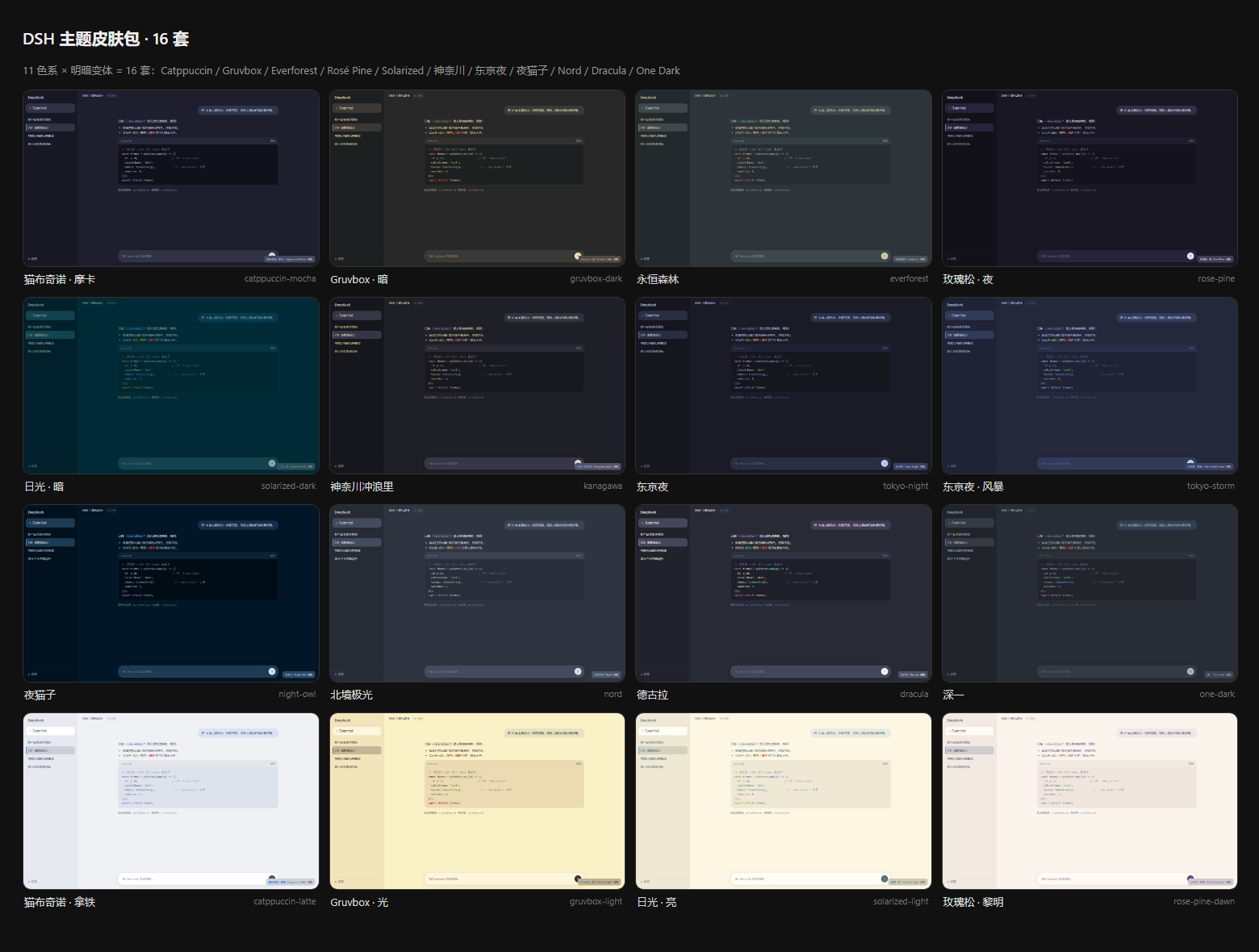
While the default DeepSeek Harness (DSH) Web GUI is functional, it may lack the visual flair some users desire. This plugin solves that by delivering a comprehensive suite of community-designed themes, allowing you to effortlessly customize the look and feel of your DSH interface. The core strength lies in its "Zero-Intrusion" and "Zero-Build" approach. It does not rewrite global stylesheets but precisely overrides 80 semantic tokens defined in DSH's theme contract. This ensures skins never conflict with base styles, and requires no complex build chains, as the client bundle is a lightweight, lazy-loaded module ready to run immediately. Featuring 16 curated themes—including popular palettes like Catppuccin, Gruvbox, and Tokyo Night—users can instantly switch looks by simply clicking a swatch in "Settings -> General." Whether you are a developer who prefers specific color schemes or a user looking to personalize their workspace, this plugin offers the perfect visual upgrade.
Screenshots
Use Cases
- When you want to change the tone of the DSH default interface.
- When you feel visual fatigue from long-term tool usage.
- When you need to maintain visual comfort in different lighting environments.
Best For
- Developers seeking personalized visual experiences.
- Geeks with specific preferences for code editor color schemes.
- Tool users who wish to enhance productivity and comfort.
Related Plugins

whale-girl is a desktop pet in the DSH Web GUI (bottom-right for instant companionship) — draggable, feedable, playable; completed tasks, sessions and companionship time accrue into seniority levels, titles, and memories.

A WebGPU ocean skin for DeepSeek Harness with five-wave Gerstner waves, translucent theme, day/night cycle, and quick controls, installable as plugin or extension.

A Galgame-style conversation view and visual scene editor for DSH web sessions, with a real-time editing mode.

A native skinning plugin for DeepSeek Harness: 8 designer themes, wallpapers, accent colors, and shareable theme packs, built purely on design tokens.