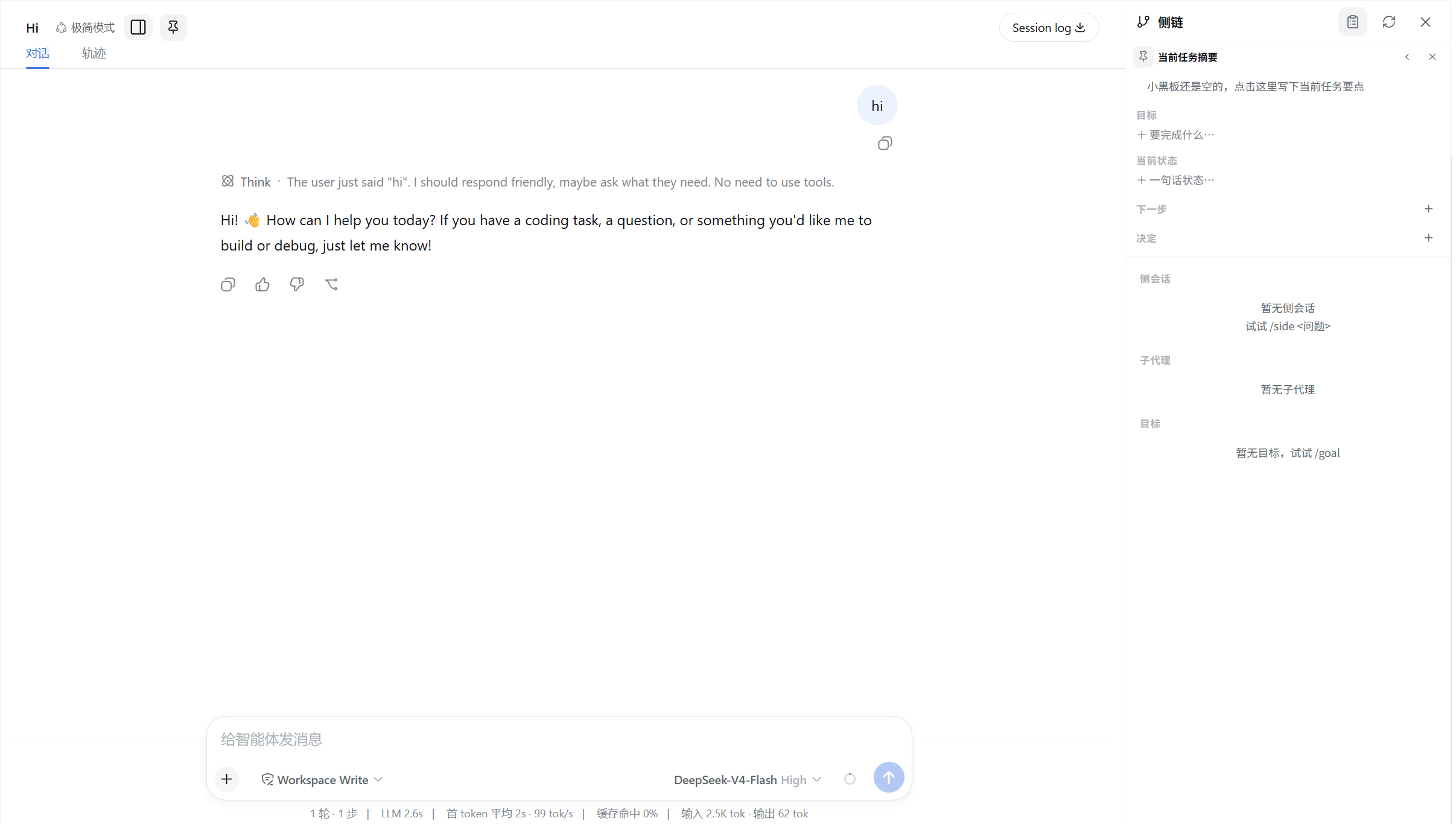
dsh-side-workspace
Run the following command in DeepSeek Harness:
dsh plugin install invalidnaaaame/dsh-side-workspace
Paste the following prompt into your AI chat to install this plugin:
To install this plugin in DeepSeek Harness, run the command dsh plugin install invalidnaaaame/dsh-side-workspace and refer to its source code at https://github.com/invalidnaaaame/dsh-side-workspace.
About this plugin
In complex development and thinking scenarios, it is often necessary to keep the main conversation focused while simultaneously handling multiple independent tasks or alternative solutions. dsh-side-workspace is designed for this, inspired by ChatGPT and Codex, bringing a core experience similar to "side conversations," "integrated workspace," and "pinned summary board" to DeepSeek Harness.
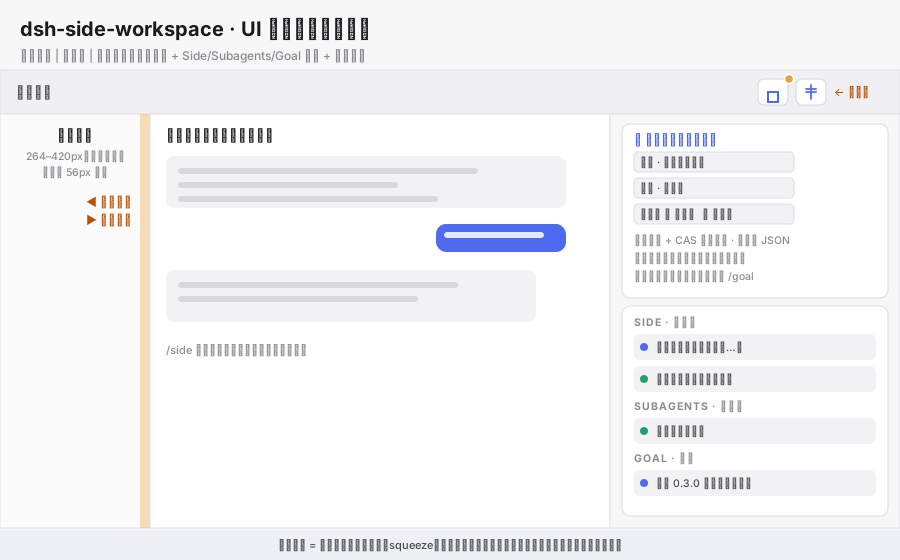
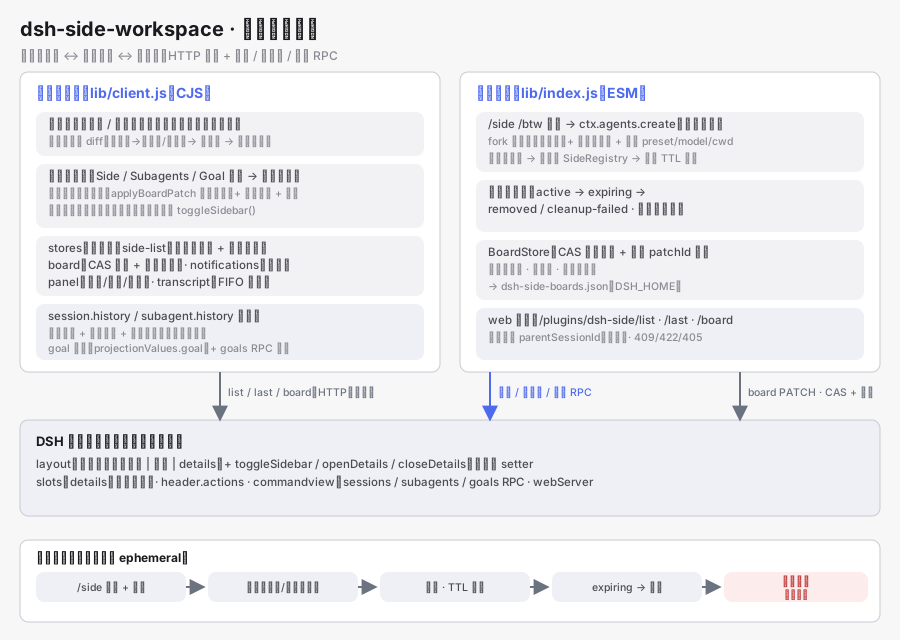
The plugin's core capability transforms context management from a linear flow into a multidimensional space. Using the /side command, you can seamlessly fork the current conversation into a background child session without blocking the main thread. The integrated right workspace acts as a centralized console, allowing you to manage all active side conversations, sub-agents, and session goals at a glance, eliminating the clutter of stacked dialogue.
This plugin is ideal for developers and researchers who need to handle complex project workflows, conduct multi-angle solution comparisons, or frequently record decisions and next steps. Whether you want to temporarily detach for deep thinking or build a structured workflow, it provides strong support, making AI collaboration more organized and efficient.
Screenshots
Use Cases
- Parallel processing of complex tasks while keeping the main conversation focused
- Centralized management of multiple AI side conversations and session goals
- Recording decisions, steps, and structured workflow progress
Best For
- Developers needing to handle complex project workflows
- Researchers conducting multi-angle solution comparisons
- Users wishing to build structured workflows
Related Plugins
A service-oriented sidebar framework for DSH, offering a full workbench with file explorer, embedded browser, real terminal, Git panel, and extensible plugin services.

A beautiful, practical Claude Code-style TUI plugin with pixel whale top bar, flowing glow title, real-time status line, streaming thought expansion, time rewind, context progress bar and TPS gauge — zero core changes.

The plugin market for DeepSeek Harness: browse/search/one-click install community plugins and themes, with updates, backup/restore, hot disable, diagnostics, and AI fix.

A persistent whale widget on the DSH web UI that shows DeepSeek balance, today's usage, and per-turn cost, with drag-and-snap and sound effects.