dsh-web-enhance
Run the following command in DeepSeek Harness:
dsh plugin install yangzhe1991/dsh-web-enhance
Paste the following prompt into your AI chat to install this plugin:
In DeepSeek Harness, please run dsh plugin install yangzhe1991/dsh-web-enhance to install this plugin, with source code available at https://github.com/yangzhe1991/dsh-web-enhance.
About this plugin
In the DeepSeek Harness Web UI, managing long conversations often requires excessive scrolling and manual clicking. dsh-web-enhance aims to resolve these friction points by providing real-time cost transparency, automatic reasoning expansion, and seamless navigation.
First, the plugin integrates a session cost meter into the status bar, calculating usage in real-time based on official DeepSeek pricing. It distinguishes between peak and off-peak hours, precisely tracking the entire lifecycle of a session. For unloaded history, it provides estimates, ensuring costs remain clearly visible.
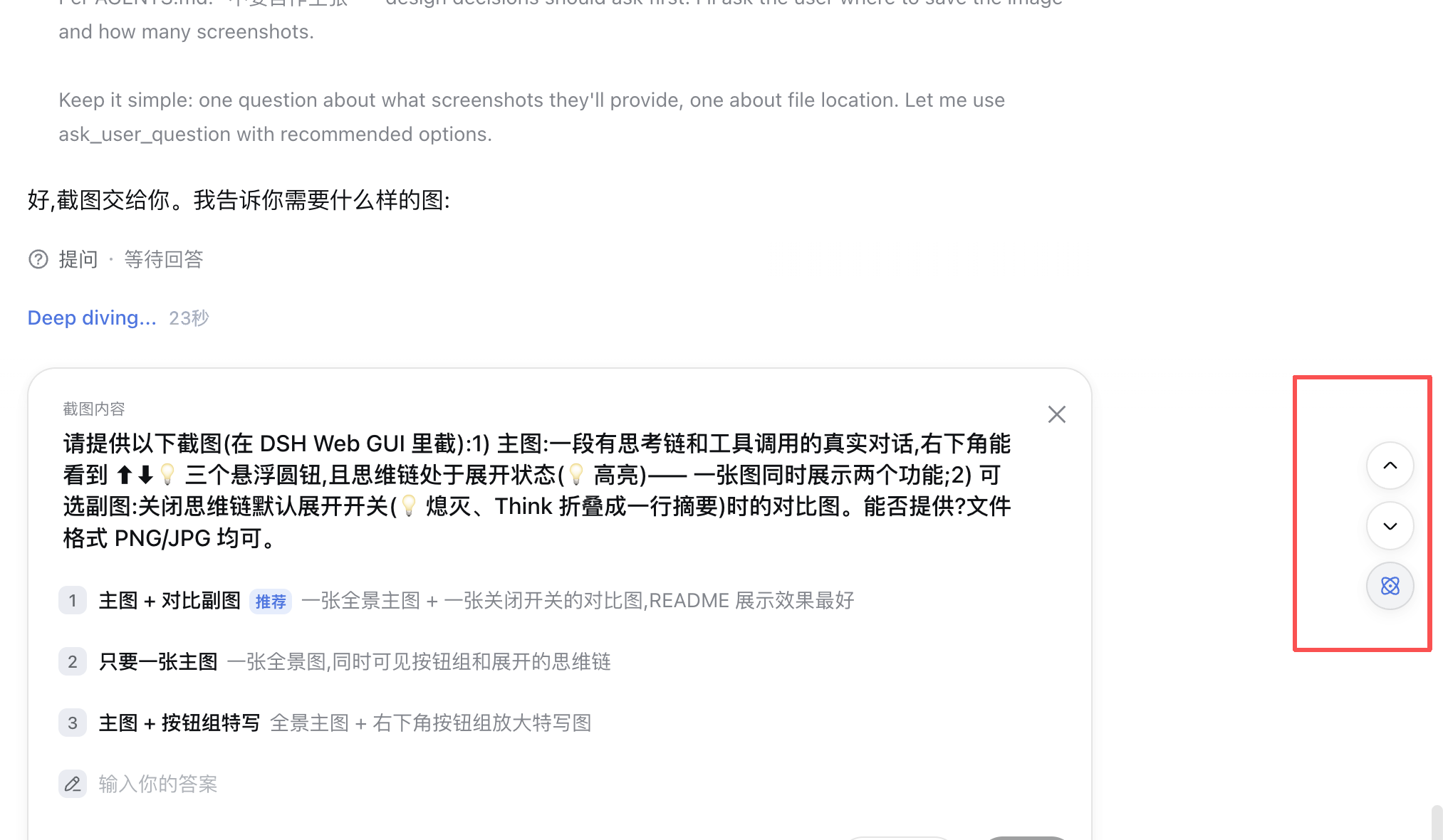
Second, the navigation feature provides a pair of floating buttons that allow you to quickly jump to the start or end of a specific reply, skipping intermediate reasoning and tool calls. Finally, the auto-thinking chain expansion feature enables users to view the full reasoning process instantly without expanding rows one by one, while respecting manual collapse settings.
This plugin is perfect for researchers, developers, or anyone frequently using the DeepSeek API for complex conversations, aiming to improve user experience and cost transparency.
Screenshots
Use Cases
- Quickly locate reply paragraphs in long conversation flows
- Real-time monitoring of DeepSeek API session costs
- Automatically expand and view full model reasoning process
Best For
- Developers needing precise management of API consumption
- Researchers accustomed to deeply reading model thinking process
- Users frequently conducting multi-turn conversations
Related Plugins
A service-oriented sidebar framework for DSH, offering a full workbench with file explorer, embedded browser, real terminal, Git panel, and extensible plugin services.

A beautiful, practical Claude Code-style TUI plugin with pixel whale top bar, flowing glow title, real-time status line, streaming thought expansion, time rewind, context progress bar and TPS gauge — zero core changes.

The plugin market for DeepSeek Harness: browse/search/one-click install community plugins and themes, with updates, backup/restore, hot disable, diagnostics, and AI fix.

A persistent whale widget on the DSH web UI that shows DeepSeek balance, today's usage, and per-turn cost, with drag-and-snap and sound effects.