dsh-pathlink
Run the following command in DeepSeek Harness:
dsh plugin install penguin-oo/dsh-pathlink
Paste the following prompt into your AI chat to install this plugin:
To install this plugin, run the command: dsh plugin install penguin-oo/dsh-pathlink in DeepSeek Harness. Source: https://github.com/penguin-oo/dsh-pathlink
About this plugin
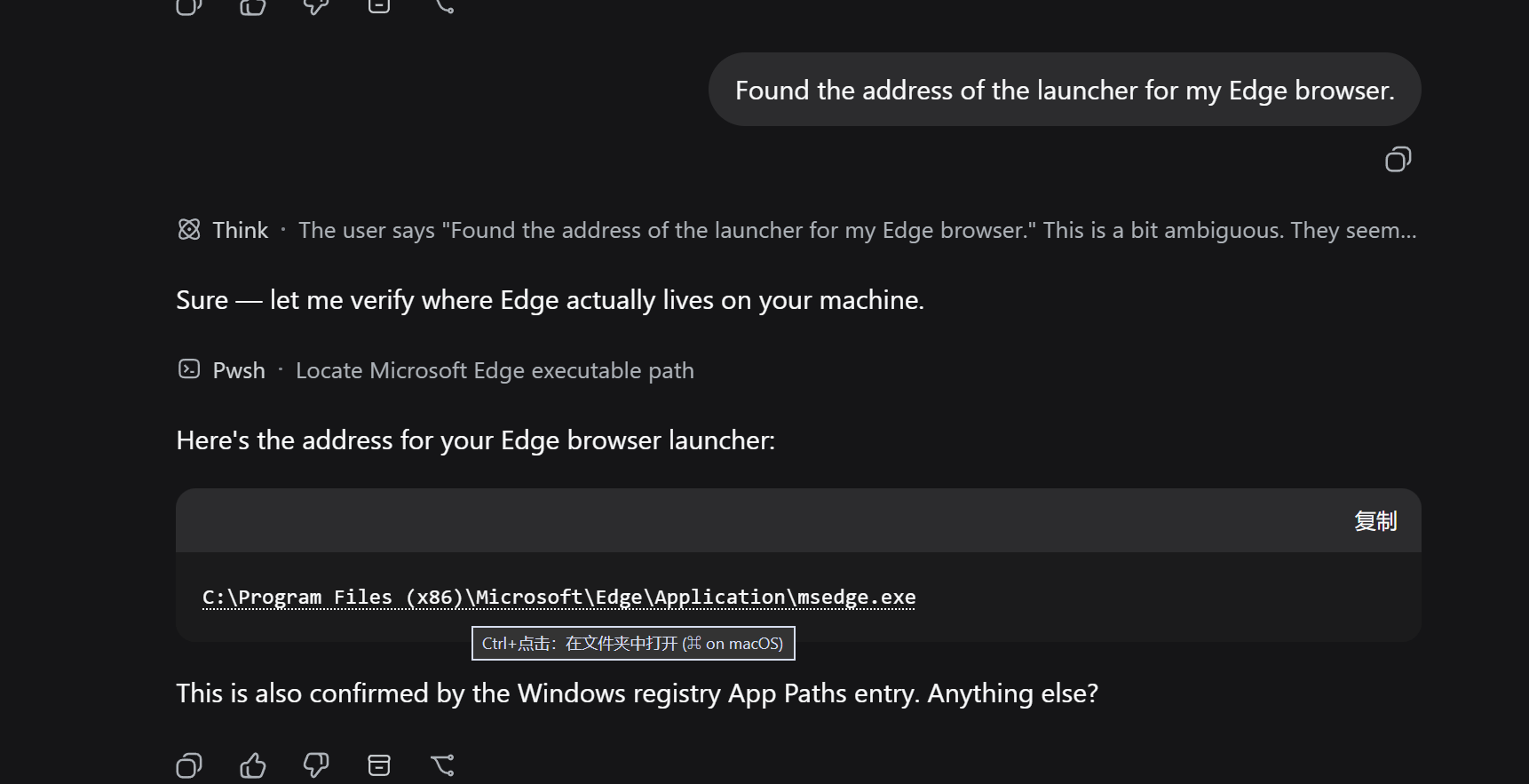
When interacting with DeepSeek Harness, assistants often generate code snippets or file lists containing file paths or URLs. Manually copying these paths and opening external managers disrupts the workflow. dsh-pathlink aims to eliminate this friction, making path interaction seamless.
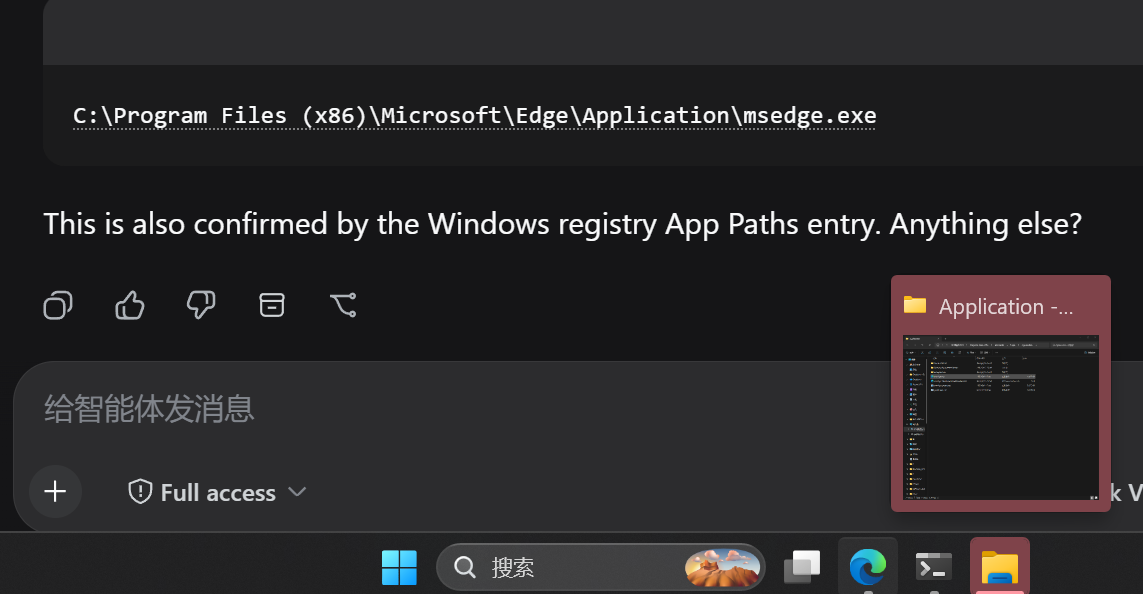
This plugin works by recognizing file paths and links in rendered messages, adding a subtle dotted underline. By holding Ctrl and clicking (or ⌘ on Mac), users can instantly open the containing folder in the OS file manager or open the link in a browser. It supports relative path resolution and existence checks, providing friendly toasts for invalid paths instead of silent failures.
It is ideal for developers, data analysts, and researchers who rely on DeepSeek Harness to handle code and data. The plugin makes text-based AI collaboration more intuitive, significantly boosting productivity for file navigation.
Screenshots
Use Cases
- During code reviews, when the assistant lists file paths, jump to view them with one click.
- During data analysis, quickly open the folder containing key data.
- Browsing documentation links, open external resources in a new browser tab.
Best For
- Developers who need to frequently handle code files and paths.
- Data analysts relying on DeepSeek to handle data files.
- End users who need efficient file system navigation.
Related Plugins
A service-oriented sidebar framework for DSH, offering a full workbench with file explorer, embedded browser, real terminal, Git panel, and extensible plugin services.

A beautiful, practical Claude Code-style TUI plugin with pixel whale top bar, flowing glow title, real-time status line, streaming thought expansion, time rewind, context progress bar and TPS gauge — zero core changes.

The plugin market for DeepSeek Harness: browse/search/one-click install community plugins and themes, with updates, backup/restore, hot disable, diagnostics, and AI fix.

A persistent whale widget on the DSH web UI that shows DeepSeek balance, today's usage, and per-turn cost, with drag-and-snap and sound effects.