dsh-workspace-files-explorer
Run the following command in DeepSeek Harness:
dsh plugin install YZz-S/dsh-workspace-files-explorer
Paste the following prompt into your AI chat to install this plugin:
To install this plugin in DeepSeek Harness, run the command dsh plugin install YZz-S/dsh-workspace-files-explorer, or install directly from https://github.com/YZz-S/dsh-workspace-files-explorer.
About this plugin
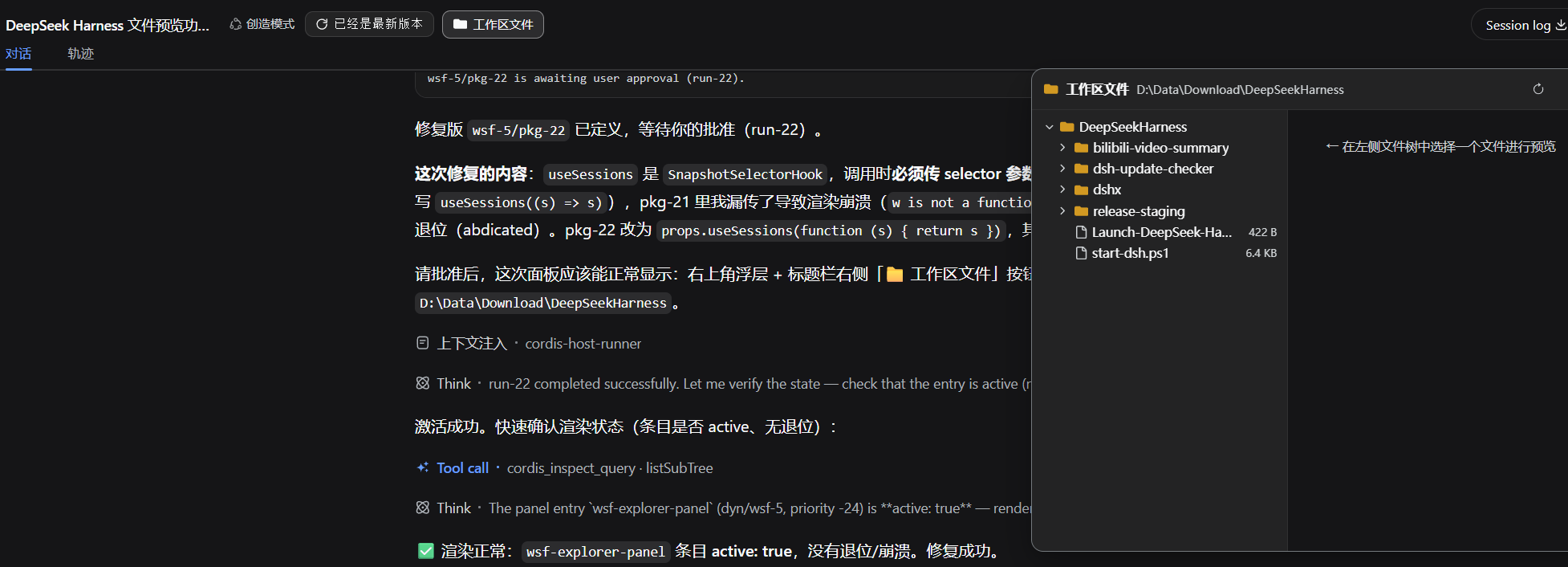
When using DeepSeek Harness for development, you often have to paste code snippets into the Chat interface. This interrupts your workflow and makes it difficult to get an overview of the project structure or perform batch operations. The lack of an integrated file browsing experience is a common pain point in Web IDE interaction.
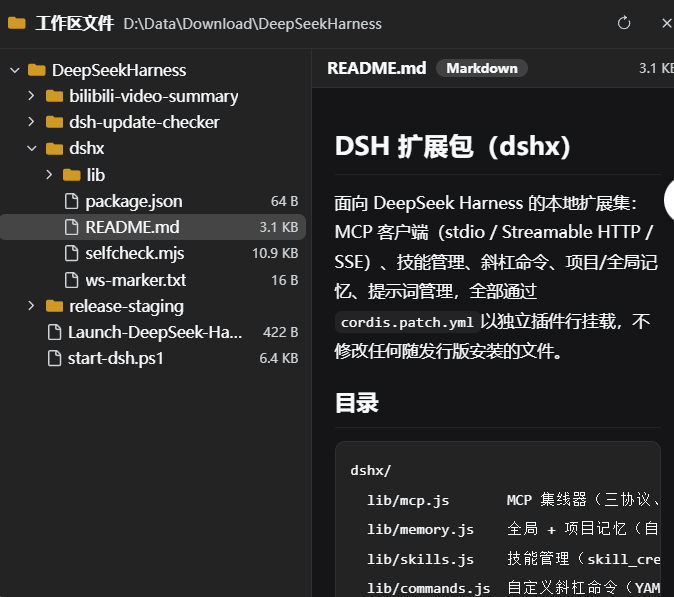
The dsh-workspace-files-explorer plugin is designed to address this. It offers a lightweight floating panel that allows you to browse the file tree of your current session's workspace directly within the browser. Whether you are checking configuration files or inspecting the project structure, it provides clarity at a glance.
For code files, the plugin supports line numbers and syntax highlighting for over 30 languages, significantly improving readability; for Markdown files, it renders rich text. With security in mind, all preview content is HTML-escaped, ensuring that all operations remain read-only within the local workspace without risking privacy leaks.
This plugin is ideal for developers who need to frequently perform code reviews, debugging, or view project structures within an AI-assisted programming environment. It seamlessly brings local development experiences into the DeepSeek Harness Web interface, making remote collaboration and quick file viewing more efficient.
Screenshots
Use Cases
- Quickly view project file structure outside the Chat window.
- Preview AI-generated code snippets to check syntax and logic.
- View Markdown documentation or configuration files within the project.
Best For
- Developers using DeepSeek Harness for daily programming.
- Debuggers who need frequent access to file structures and code.
- Web interface users seeking a local file browsing experience.
Related Plugins
A service-oriented sidebar framework for DSH, offering a full workbench with file explorer, embedded browser, real terminal, Git panel, and extensible plugin services.

A beautiful, practical Claude Code-style TUI plugin with pixel whale top bar, flowing glow title, real-time status line, streaming thought expansion, time rewind, context progress bar and TPS gauge — zero core changes.

The plugin market for DeepSeek Harness: browse/search/one-click install community plugins and themes, with updates, backup/restore, hot disable, diagnostics, and AI fix.

A persistent whale widget on the DSH web UI that shows DeepSeek balance, today's usage, and per-turn cost, with drag-and-snap and sound effects.