dsh-queue-plus
Run the following command in DeepSeek Harness:
dsh plugin install starslittle/dsh-queue-plus
Paste the following prompt into your AI chat to install this plugin:
In DeepSeek Harness, install this plugin from the source URL https://github.com/starslittle/dsh-queue-plus.
About this plugin
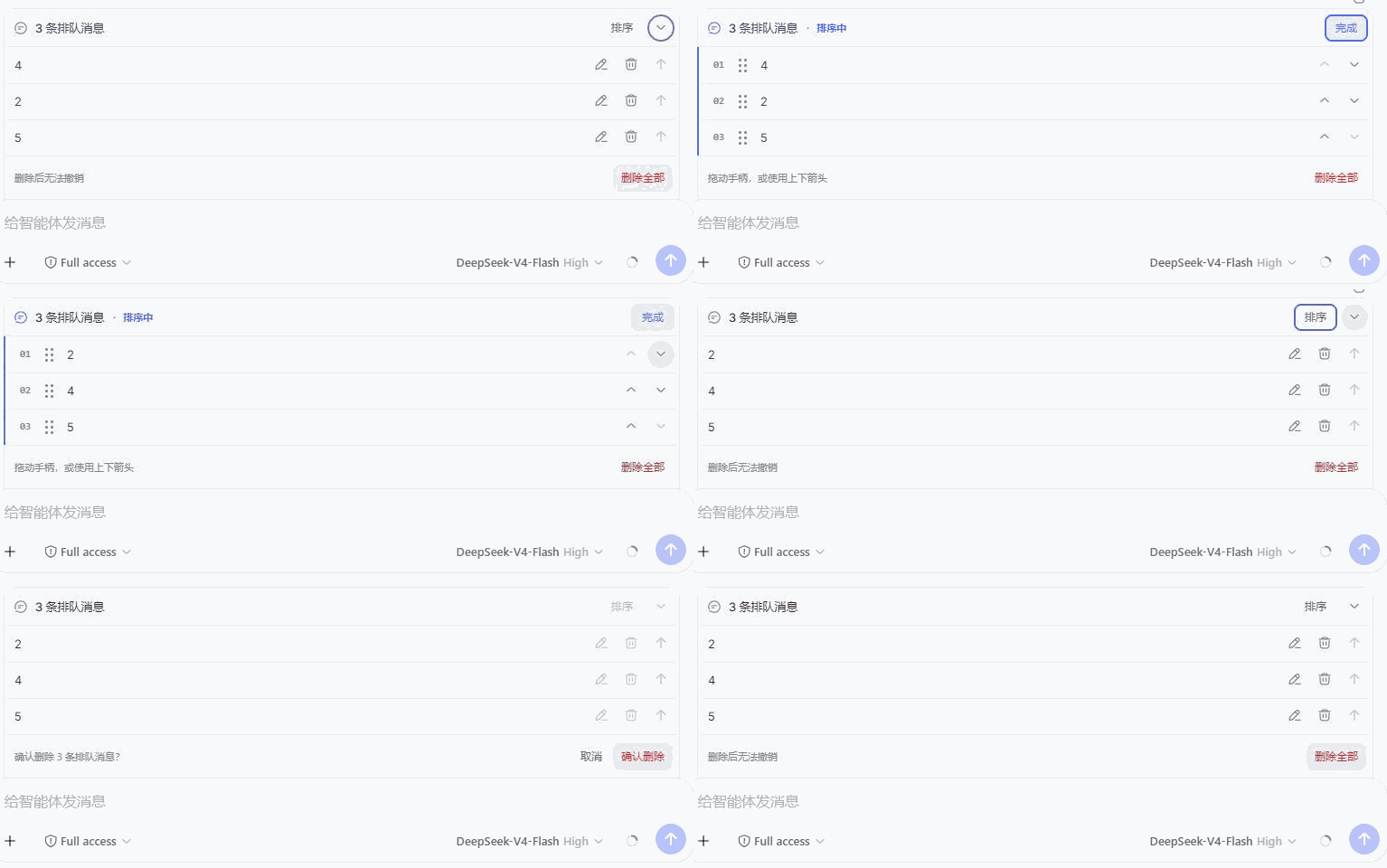
dsh-queue-plus provides a more convenient queue message panel for DeepSeek Harness. When many messages are queued, users often need to revise content, remove entries, or change the processing order. The plugin takes over QueueDock through an official DSH slot without hiding or duplicating queue messages, and the official queue returns automatically when the plugin is disabled or removed.
It lets you edit, delete, or insert queued messages, reorder them by dragging or using arrow keys, and perform bulk deletion with confirmation while following the official processing flow. It also automatically expands new queues, remembers manually collapsed states, and supports Chinese, English, keyboard, and touch interaction. This is suitable for users who frequently manage DSH queued messages and want finer control while staying within the official queue behavior.
Screenshots
Use Cases
- Adjust the sending order when many messages are queued.
- Edit or remove queued content before sending.
- Insert follow-up messages and bulk-remove invalid entries.
Best For
- Users who frequently queue messages in DSH.
- Users who need to reorder queues or remove messages in bulk.
- Users who want to manage queues safely through official behavior.
Related Plugins
A service-oriented sidebar framework for DSH, offering a full workbench with file explorer, embedded browser, real terminal, Git panel, and extensible plugin services.

A beautiful, practical Claude Code-style TUI plugin with pixel whale top bar, flowing glow title, real-time status line, streaming thought expansion, time rewind, context progress bar and TPS gauge — zero core changes.

The plugin market for DeepSeek Harness: browse/search/one-click install community plugins and themes, with updates, backup/restore, hot disable, diagnostics, and AI fix.

A persistent whale widget on the DSH web UI that shows DeepSeek balance, today's usage, and per-turn cost, with drag-and-snap and sound effects.