dsh-token-usage
Run the following command in DeepSeek Harness:
dsh plugin install AFAP/dsh-token-usage
Paste the following prompt into your AI chat to install this plugin:
To install the dsh-token-usage plugin in DeepSeek Harness, please run the install command and visit its open source address: https://github.com/AFAP/dsh-token-usage.
About this plugin
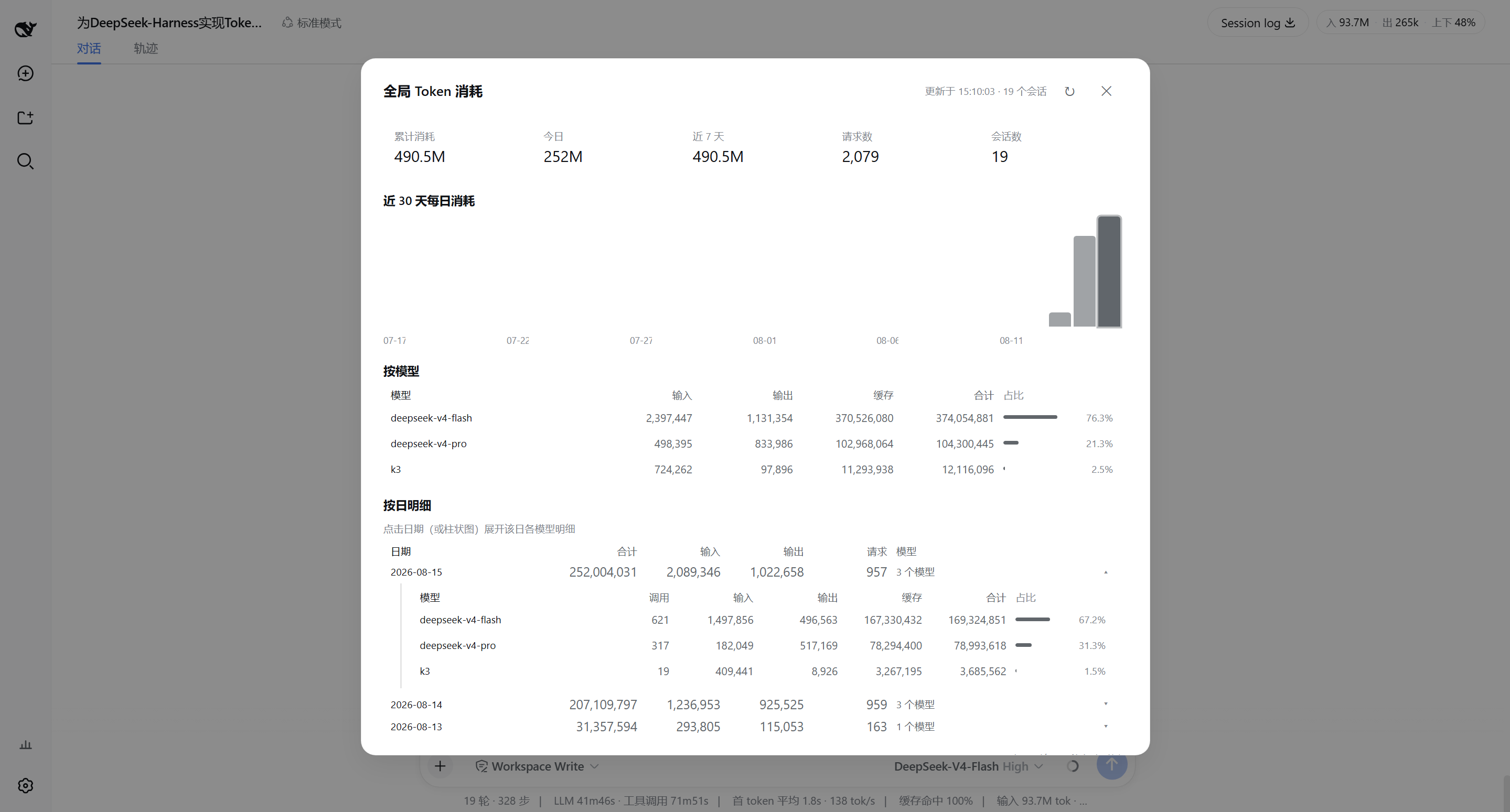
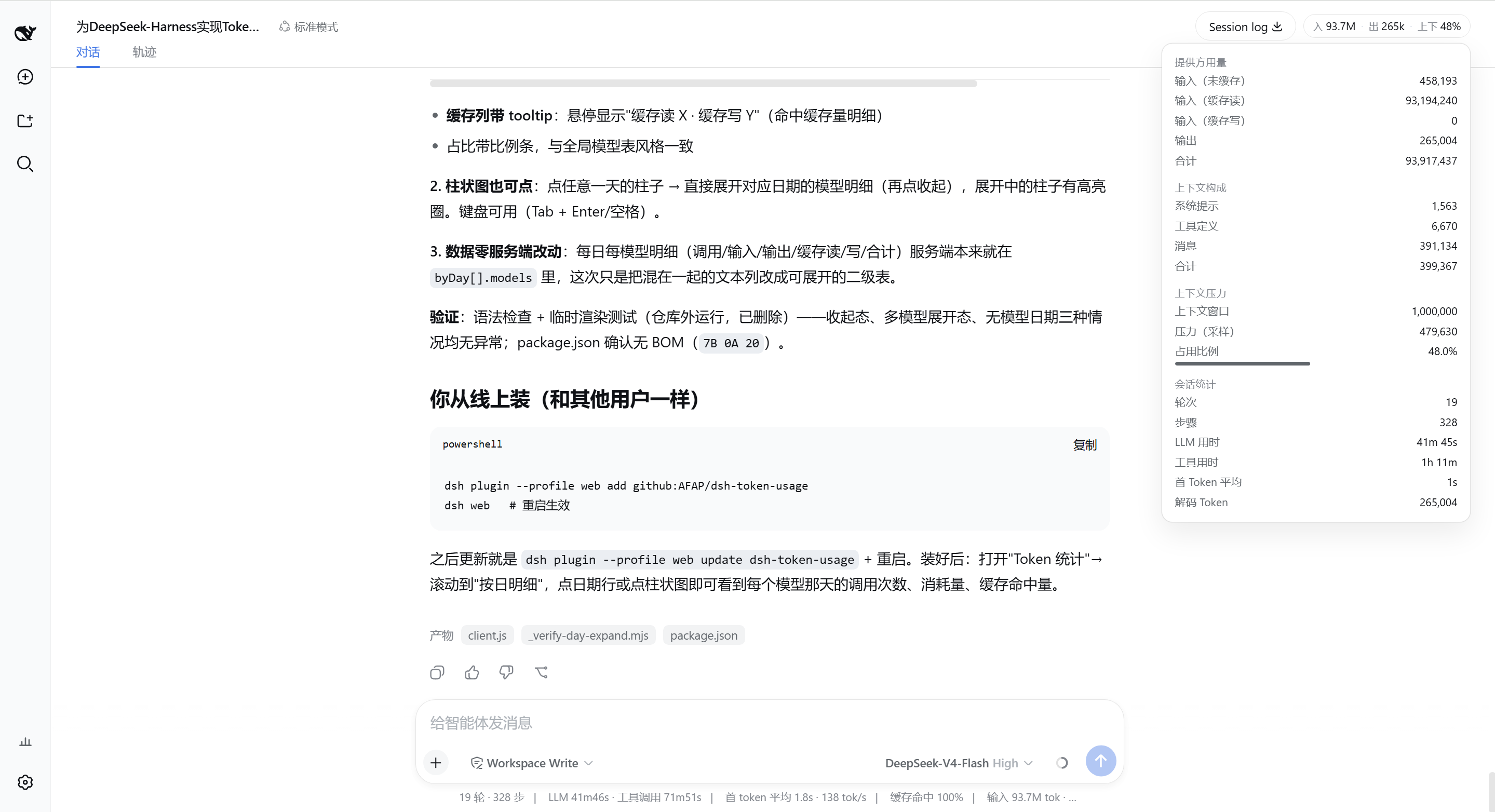
For developers heavily relying on DeepSeek Harness, real-time monitoring of token consumption is crucial for controlling costs and optimizing performance. This plugin addresses the challenge of viewing backend logs intuitively by providing clear visual feedback, allowing you to easily monitor conversation costs and context usage directly on the web interface.
Screenshots
Use Cases
- Monitor daily token consumption trends
- Analyze context pressure and usage of a single session
- Optimize API call costs and resource allocation
Best For
- Developers requiring precise cost management
- AI researchers studying conversation model usage patterns
- AI Product Managers concerned with token consumption and efficiency
Related Plugins
A service-oriented sidebar framework for DSH, offering a full workbench with file explorer, embedded browser, real terminal, Git panel, and extensible plugin services.

A beautiful, practical Claude Code-style TUI plugin with pixel whale top bar, flowing glow title, real-time status line, streaming thought expansion, time rewind, context progress bar and TPS gauge — zero core changes.

The plugin market for DeepSeek Harness: browse/search/one-click install community plugins and themes, with updates, backup/restore, hot disable, diagnostics, and AI fix.

A persistent whale widget on the DSH web UI that shows DeepSeek balance, today's usage, and per-turn cost, with drag-and-snap and sound effects.