dsh-viewboost
Run the following command in DeepSeek Harness:
dsh plugin install AlexCHONG8/dsh-viewboost
Paste the following prompt into your AI chat to install this plugin:
To install the dsh-viewboost plugin in DeepSeek Harness, run the command dsh plugin install AlexCHONG8/dsh-viewboost or visit the full source code at https://github.com/AlexCHONG8/dsh-viewboost.
About this plugin
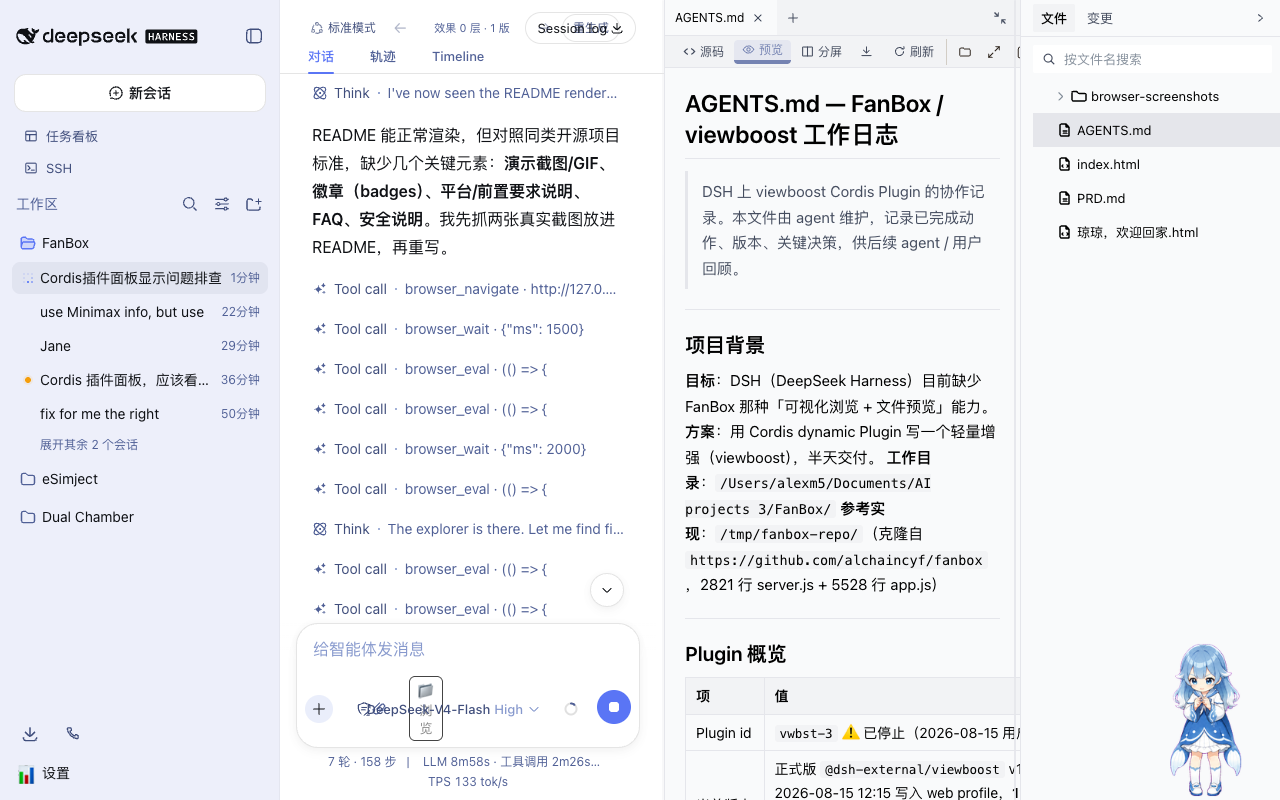
While DeepSeek Harness's right-side preview panel is powerful, it often falls short when handling file operations, especially for macOS users who need to quickly locate files in Finder or utilize native file referencing. dsh-viewboost is designed to address this pain point by enhancing the toolbar with lightweight yet powerful file management tools.
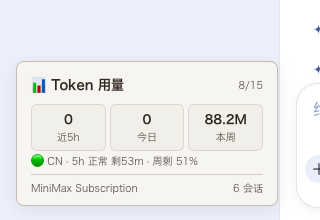
The plugin's core capability lies in its comprehensive file management assistance. It introduces new buttons like "Show in Finder," "Fullscreen," "Copy Path," and "Copy File Reference," allowing users to perform complex file operations without leaving the interface. Additionally, the integrated Token usage card in the bottom-left corner provides real-time monitoring of recent 5-hour, daily, and weekly consumption, including optional MiniMax quota status, making resource management transparent.
This tool is ideal for developers or designers who frequently handle file streams within DSH. Whether you need to open files in Finder for secondary editing or wish to precisely control Token consumption, dsh-viewboost offers a seamless experience. It is a clean and efficient addition that significantly boosts workflow efficiency in DeepSeek Harness.
Screenshots
Use Cases
- Quickly locate and open previewed files in macOS Finder.
- Paste AI-generated file references directly into local folders.
- Monitor Token usage and MiniMax quota status in real-time.
Best For
- DeepSeek Harness users who frequently use macOS.
- Developers and creators who need to handle file streams frequently.
- Users who are concerned about API costs and quota consumption.
Related Plugins
A service-oriented sidebar framework for DSH, offering a full workbench with file explorer, embedded browser, real terminal, Git panel, and extensible plugin services.

A beautiful, practical Claude Code-style TUI plugin with pixel whale top bar, flowing glow title, real-time status line, streaming thought expansion, time rewind, context progress bar and TPS gauge — zero core changes.

The plugin market for DeepSeek Harness: browse/search/one-click install community plugins and themes, with updates, backup/restore, hot disable, diagnostics, and AI fix.

A persistent whale widget on the DSH web UI that shows DeepSeek balance, today's usage, and per-turn cost, with drag-and-snap and sound effects.