dsh-meter
Run the following command in DeepSeek Harness:
dsh plugin install dshworks/dsh-meter
Paste the following prompt into your AI chat to install this plugin:
Add the dsh-meter plugin to your DeepSeek Harness by installing it directly from the source code at https://github.com/dshworks/dsh-meter.
About this plugin
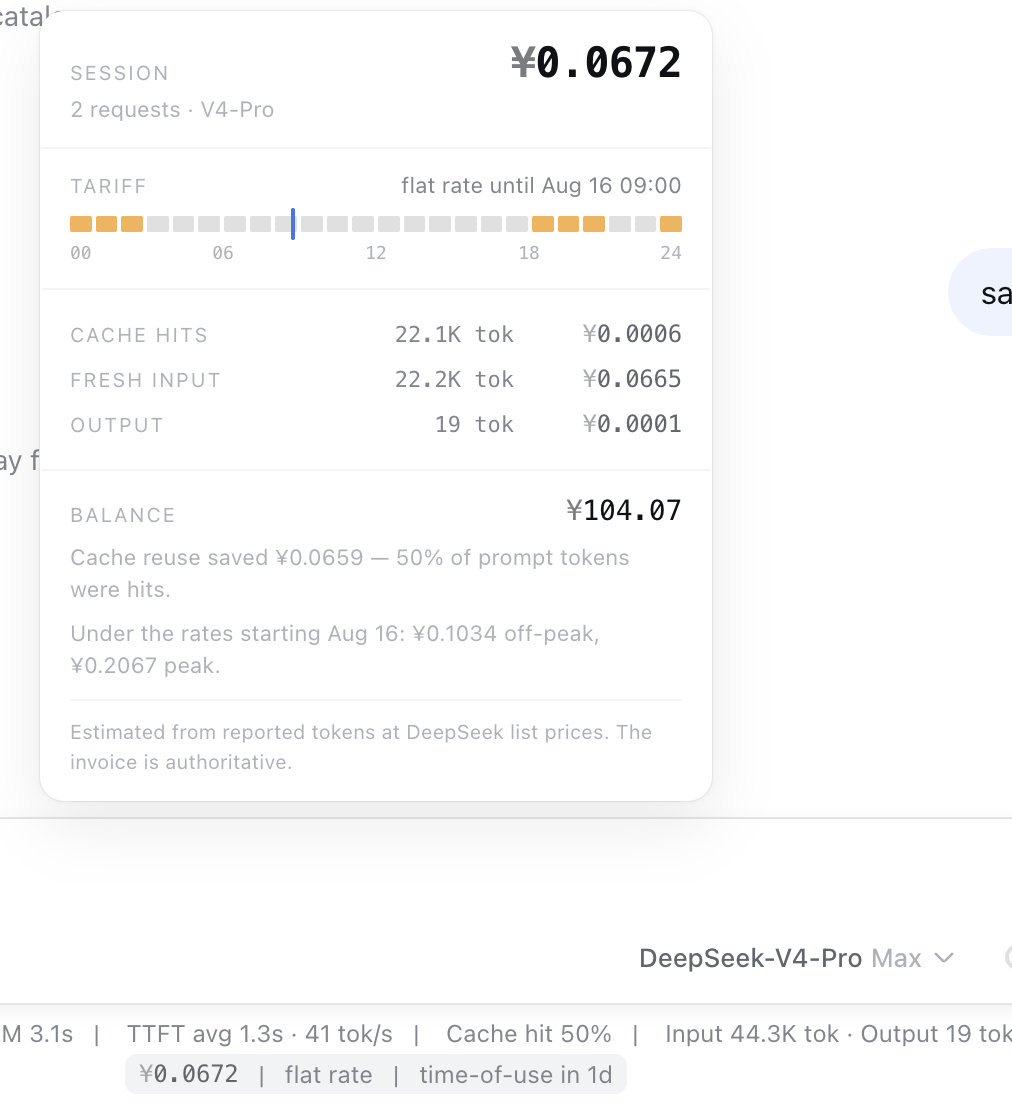
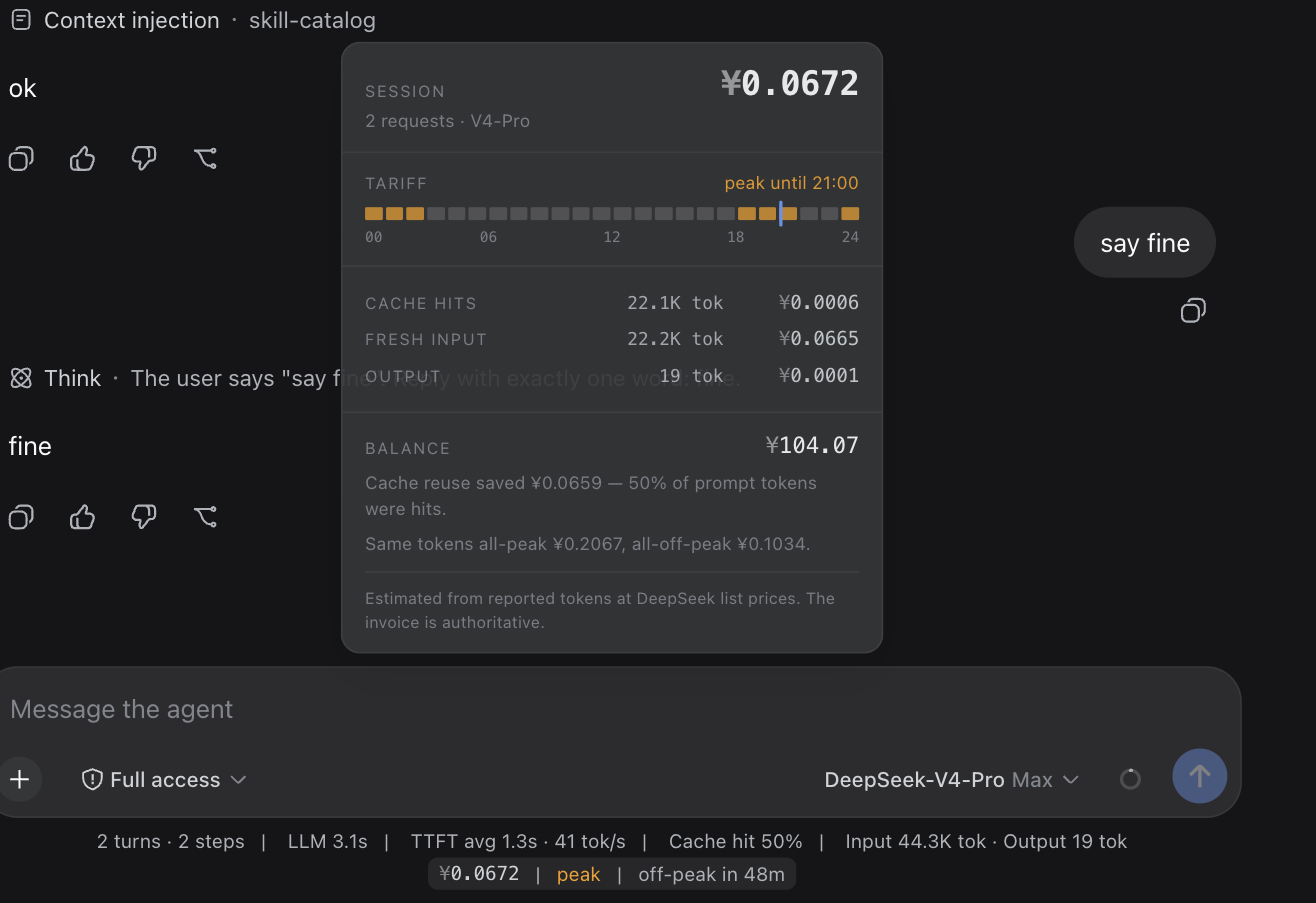
DeepSeek's billing structure has evolved from flat rates to time-of-use pricing, complicating cost visibility. dsh-meter is built to tackle this, transforming opaque bills into an immediate rate dashboard that lets you see the current tariff, countdown, and session total clearly before or after payment.
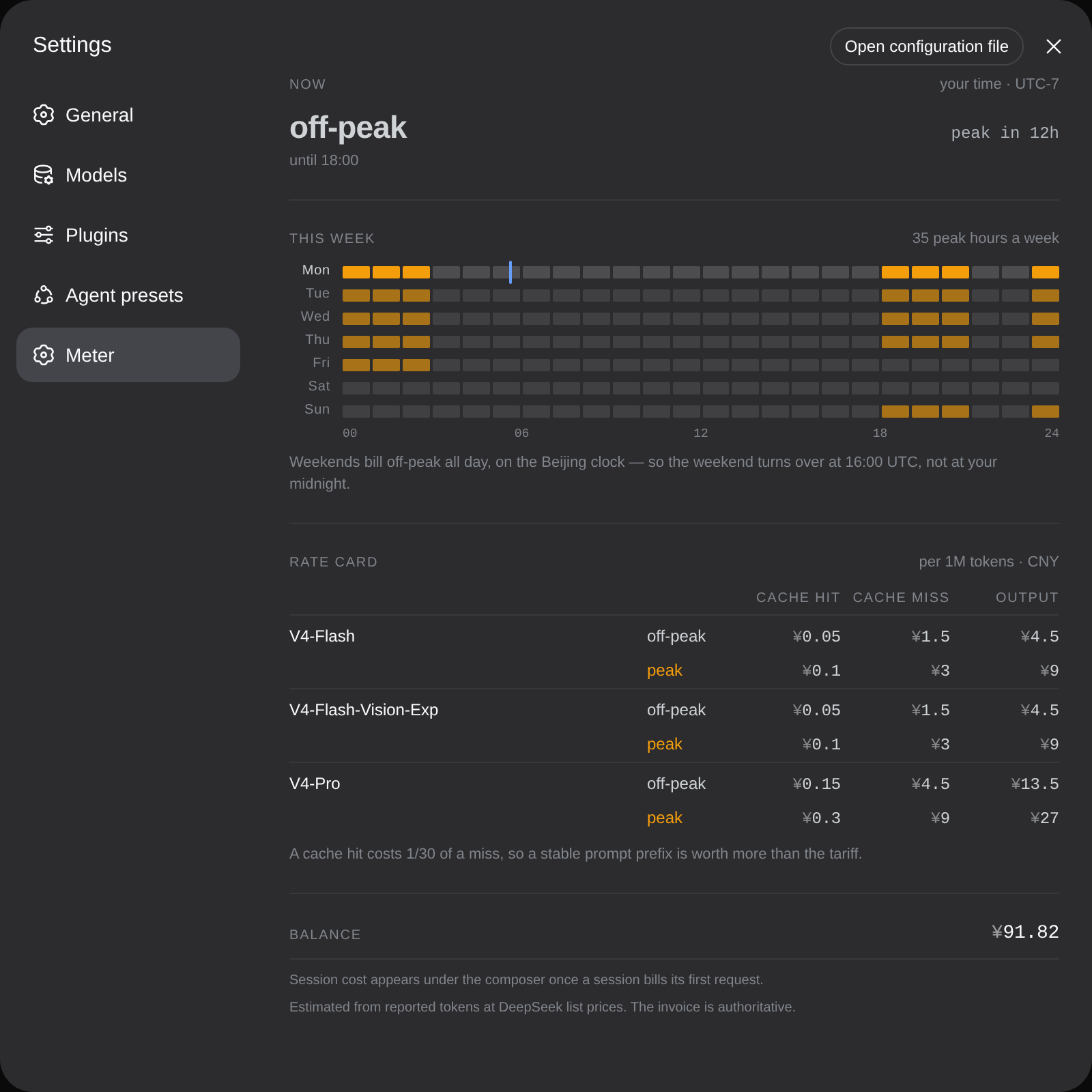
Seamlessly integrated into the Harness Composer, the plugin displays a concise line of data that instantly reveals the session's financial health. It solves the tricky timezone conversion problem by providing a 24-hour rate strip in your local time, helping you visualize peak and off-peak windows without complex arithmetic.
This is an essential tool for developers and AI assistant builders who demand precise cost control. It offers detailed account balance checks, granular breakdowns of cache hits versus misses, and a static JSON feed for offline pricing calculations, ensuring you always know exactly what your tokens cost.
Screenshots
Use Cases
- View session token costs and rate countdown in real-time.
- Optimize API request timing to avoid peak hours and reduce costs.
- Analyze the economic difference between cache hits and misses.
Best For
- Developers requiring precise control over AI expenditures.
- Engineers building cost-sensitive AI assistants.
- Users concerned with DeepSeek's time-of-use billing model.
Related Plugins
A service-oriented sidebar framework for DSH, offering a full workbench with file explorer, embedded browser, real terminal, Git panel, and extensible plugin services.

A beautiful, practical Claude Code-style TUI plugin with pixel whale top bar, flowing glow title, real-time status line, streaming thought expansion, time rewind, context progress bar and TPS gauge — zero core changes.

The plugin market for DeepSeek Harness: browse/search/one-click install community plugins and themes, with updates, backup/restore, hot disable, diagnostics, and AI fix.

A persistent whale widget on the DSH web UI that shows DeepSeek balance, today's usage, and per-turn cost, with drag-and-snap and sound effects.