dsh-museai-tavern
Run the following command in DeepSeek Harness:
dsh plugin install yejiming/dsh-museai-tavern
Paste the following prompt into your AI chat to install this plugin:
Install this plugin in DeepSeek Harness from the source repository at https://github.com/yejiming/dsh-museai-tavern using the plugin install command.
About this plugin
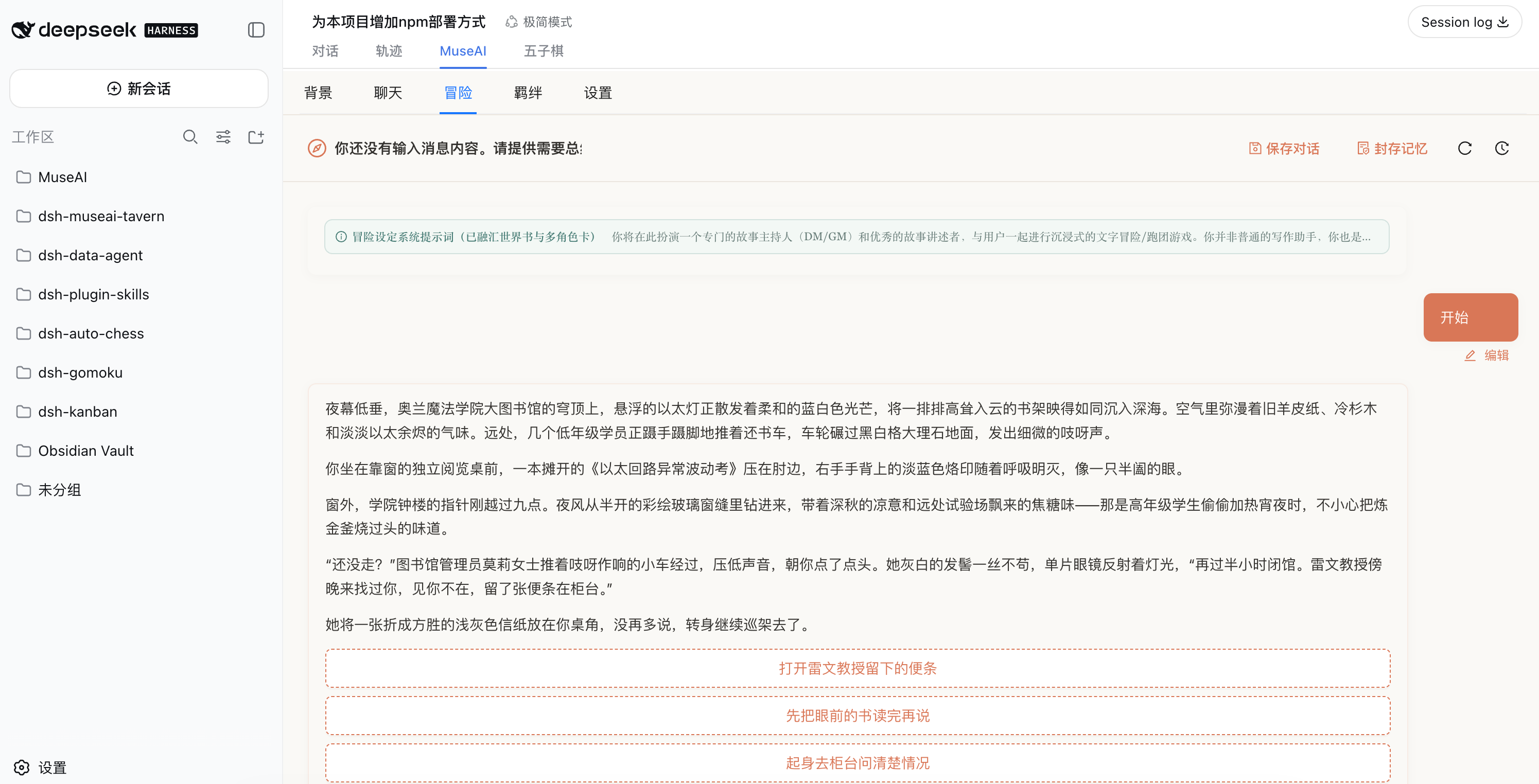
dsh-museai-tavern addresses the friction of switching between separate role-play tools or configuring additional API credentials when you already use DeepSeek Harness. It adds a MuseAI tab to the conversation panel, bringing the five MuseAI pages—background, chat, adventure, bond, and settings—into the DSH Web GUI while reusing models already configured in DSH.
Its core capabilities include managing world books and character cards, JSON import/export, dual MuseAI / SillyTavern export with conversion preview, streaming partner chat, session history, style presets, memory condensing, and adventure sessions with multiple character cards and candidate choices. The bond page presents relationships and a timeline, while settings expose editable system prompts and sampling parameters, with data persisted through the plugin’s storage domain.
This plugin is a good fit for players who enjoy character chat, interactive fiction, GM-style adventures, or companion conversations, and for DSH users who want narrative tools and model access in one interface.
Screenshots
Use Cases
- Stream character chats bound to a world book and character card.
- Run text adventures or GM-style sessions with multiple character cards.
- Manage world books, character cards, style presets, and view bond timelines.
Best For
- Players who enjoy character chat, interactive fiction, and companion conversations.
- Creators who run text adventures, GM sessions, or multi-character stories.
- DSH users who want to reuse configured models and manage sessions in one GUI.
Related Plugins

whale-girl is a desktop pet in the DSH Web GUI (bottom-right for instant companionship) — draggable, feedable, playable; completed tasks, sessions and companionship time accrue into seniority levels, titles, and memories.

Renders your local Wallpaper Engine wallpapers as the DSH web background, supporting video, web, and scene wallpapers with a liquid-glass effect and rich customization.

A WebGPU ocean skin for DeepSeek Harness with five-wave Gerstner waves, translucent theme, day/night cycle, and quick controls, installable as plugin or extension.

A Galgame-style conversation view and visual scene editor for DSH web sessions, with a real-time editing mode.