dsh-client-ui-quote
Run the following command in DeepSeek Harness:
dsh plugin install skyhancloud/dsh-client-ui-quote
Paste the following prompt into your AI chat to install this plugin:
You can add this plugin to DeepSeek Harness by running the install command: `dsh plugin install skyhancloud/dsh-client-ui-quote` (Source: https://github.com/skyhancloud/dsh-client-ui-quote).
About this plugin
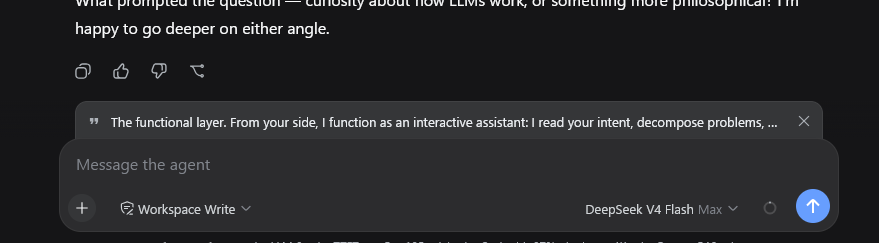
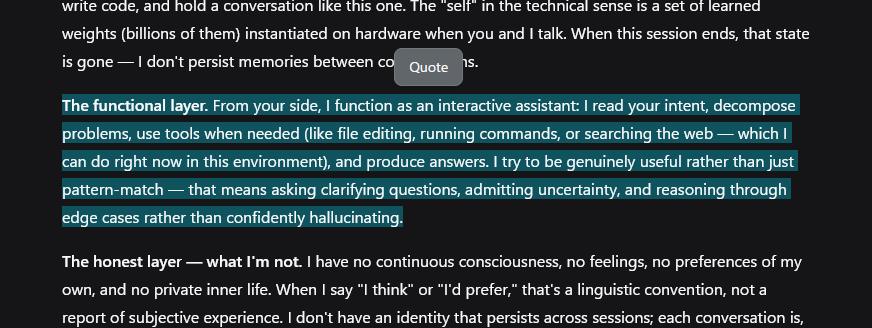
Referencing specific parts of an AI response during conversations can be cumbersome, often requiring disruptive copy-pasting that disrupts the flow and loses formatting. dsh-client-ui-quote solves this pain point by bringing a native quoting experience to the DeepSeek Harness web interface. The plugin offers an intuitive "Quote" feature: users simply select any text within an AI reply, and a toolbar appears to transform that selection into a clean banner. This design ensures that the quoted content does not interfere with the main input box but acts as a pending attachment. It also supports bilingual interfaces and provides a fallback for older Harness versions to ensure smooth usage. For users who need to review code, discuss academic topics, or reproduce complex logic, this plugin significantly improves information reuse efficiency. It is particularly suitable for developers and technical personnel who prefer multi-turn conversations on the web and wish to maintain context continuity.
Screenshots






Use Cases
- Select AI-generated code snippets for further explanation or modification.
- Quote specific data or key conclusions provided by the AI in multi-turn conversations.
- Quickly reproduce AI logic steps for debugging or verification.
Best For
- Developers and technicians who frequently need to reference context.
- Researchers using DeepSeek Harness for technical investigation.
- Web users seeking to improve conversation continuity and efficiency.
Related Plugins
A service-oriented sidebar framework for DSH, offering a full workbench with file explorer, embedded browser, real terminal, Git panel, and extensible plugin services.

A beautiful, practical Claude Code-style TUI plugin with pixel whale top bar, flowing glow title, real-time status line, streaming thought expansion, time rewind, context progress bar and TPS gauge — zero core changes.

The plugin market for DeepSeek Harness: browse/search/one-click install community plugins and themes, with updates, backup/restore, hot disable, diagnostics, and AI fix.

A persistent whale widget on the DSH web UI that shows DeepSeek balance, today's usage, and per-turn cost, with drag-and-snap and sound effects.