dsh-alive
Run the following command in DeepSeek Harness:
dsh plugin install AikenFra/dsh-alive
Paste the following prompt into your AI chat to install this plugin:
To install this plugin in DeepSeek Harness, please run the installation command or visit the GitHub source repository at https://github.com/AikenFra/dsh-alive。
About this plugin
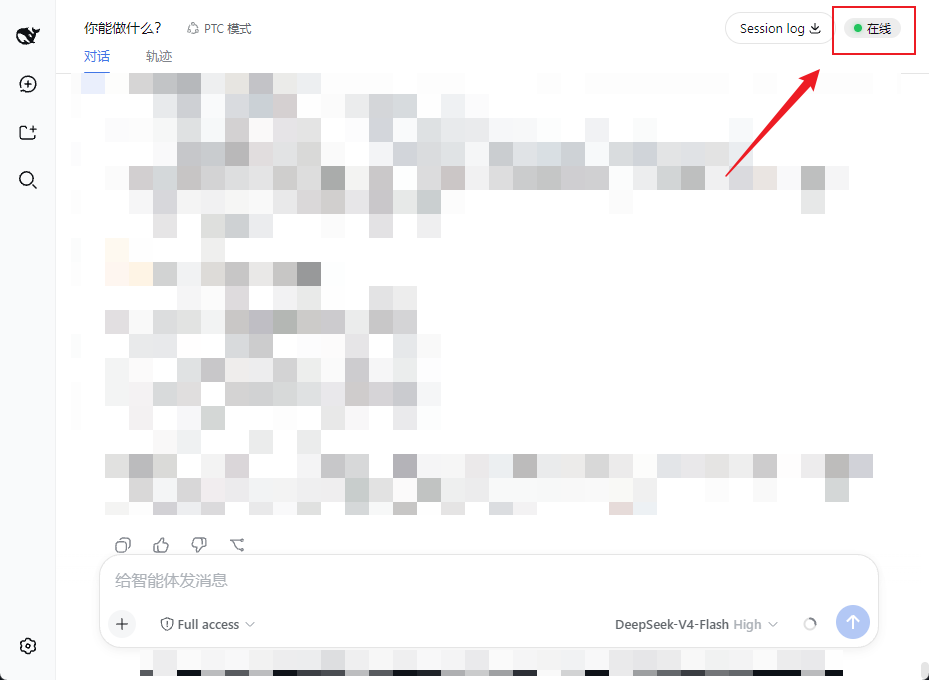
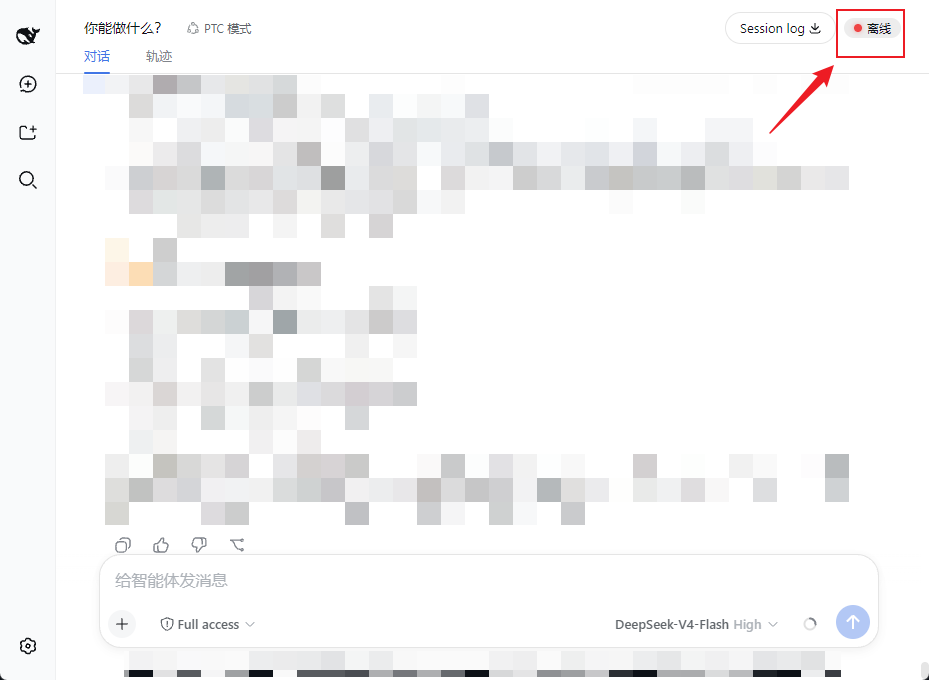
When using the DeepSeek Harness Web UI, it is often difficult to tell at a glance whether the backend service is actually running. dsh-alive solves this by providing a visual status indicator in the conversation header, ensuring you never have to blindly wonder if your connection is still alive.
The plugin works by maintaining a constant heartbeat in the interface; it polls a local process endpoint every 15 seconds to update the status dot. It is a zero-token solution that offers a seamless user experience—green for online, red for offline—without requiring any configuration or adding latency.
This tool is perfect for anyone who relies on the dsh Web UI for daily operations, offering peace of mind by instantly signaling service health. It eliminates the need to constantly check the terminal, allowing you to focus entirely on your tasks while the plugin quietly monitors the system's availability.
Screenshots
Use Cases
- Need to know if the local service is running
- Want status feedback during long model runs
- Avoid wasting time due to silent service crashes
Best For
- Users frequently using DeepSeek Harness Web UI
- Developers looking to reduce operational overhead
- Individuals needing real-time service status monitoring
Related Plugins
A service-oriented sidebar framework for DSH, offering a full workbench with file explorer, embedded browser, real terminal, Git panel, and extensible plugin services.

A beautiful, practical Claude Code-style TUI plugin with pixel whale top bar, flowing glow title, real-time status line, streaming thought expansion, time rewind, context progress bar and TPS gauge — zero core changes.

The plugin market for DeepSeek Harness: browse/search/one-click install community plugins and themes, with updates, backup/restore, hot disable, diagnostics, and AI fix.

A persistent whale widget on the DSH web UI that shows DeepSeek balance, today's usage, and per-turn cost, with drag-and-snap and sound effects.