sent-msg-locator
Run the following command in DeepSeek Harness:
dsh plugin install ShanHaiFish/sent-msg-locator
Paste the following prompt into your AI chat to install this plugin:
To install the Sent Message Locator plugin in DeepSeek Harness, please run dsh plugin install ShanHaiFish/sent-msg-locator and refer to the source code at https://github.com/ShanHaiFish/sent-msg-locator for details.
About this plugin
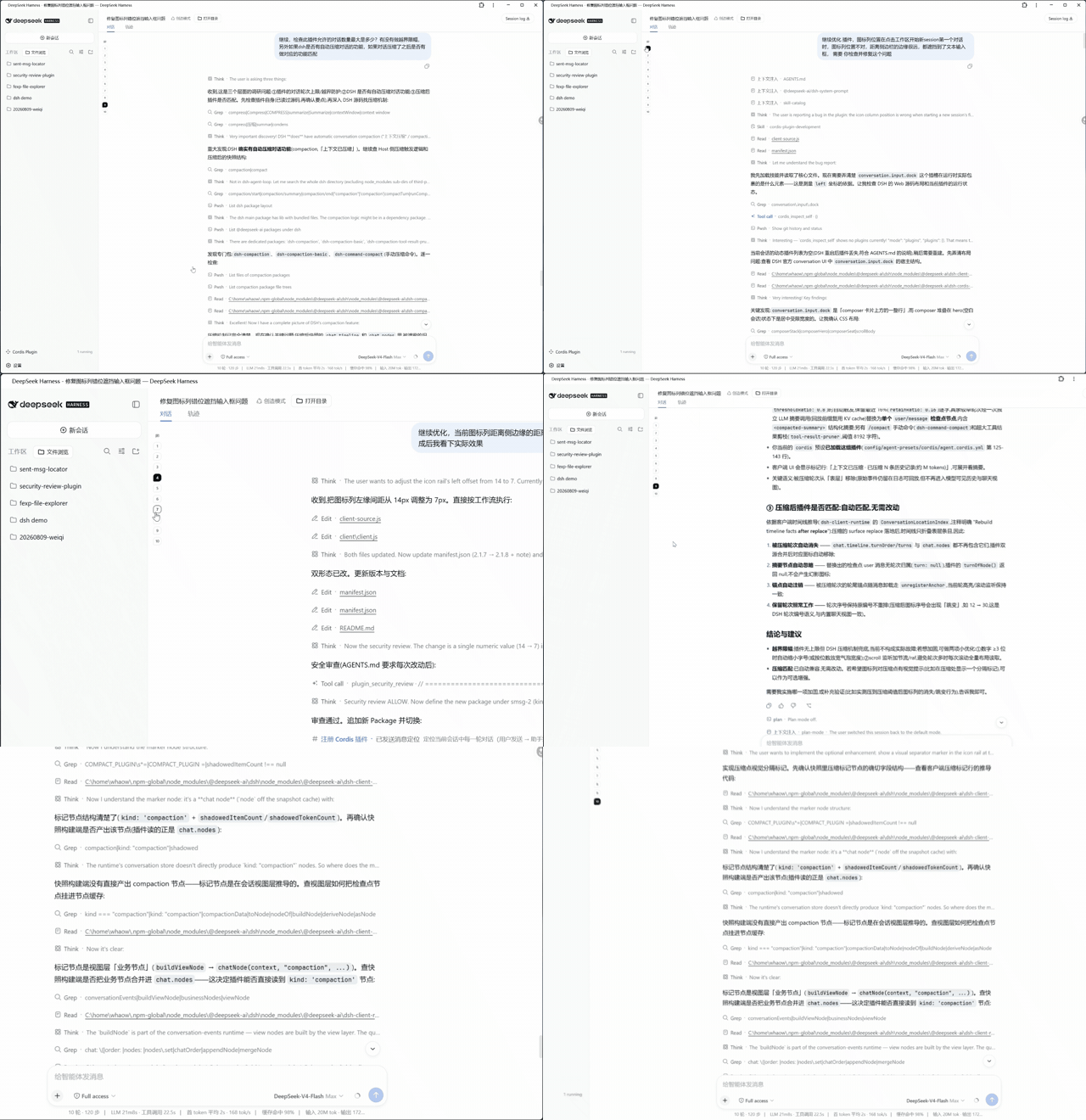
In long conversations, quickly locating specific turns often requires scrolling back and forth, easily losing context. sent-msg-locator is designed to solve this pain point. It automatically generates bubble icons for each turn on the left edge of the chat area, allowing users to clearly see the conversation structure. The core capability lies in its fluid interaction experience; clicking any bubble smoothly scrolls to the beginning of that turn. Coupled with an auto-highlight mechanism, it accurately indicates the current browsing progress. Additionally, a hover tooltip displays the turn's timestamp and a summary of the first user message, helping users quickly recall details. As a pure client-side plugin, it relies entirely on official snapshot data and does not depend on backend interfaces, ensuring data consistency and loading speed. Whether tracking an AI's reasoning process or revisiting complex task chains, this tool provides clear and efficient message navigation support for deep users and developers.
Screenshots
Use Cases
- Quickly locate specific turns in long conversations
- Track complex task execution flows
- Quickly review conversation context and key information
Best For
- Users who need to efficiently manage long conversations
- Developers who want to deeply analyze AI reasoning processes
- Deep users with high requirements for reading experience
Related Plugins
A service-oriented sidebar framework for DSH, offering a full workbench with file explorer, embedded browser, real terminal, Git panel, and extensible plugin services.

A beautiful, practical Claude Code-style TUI plugin with pixel whale top bar, flowing glow title, real-time status line, streaming thought expansion, time rewind, context progress bar and TPS gauge — zero core changes.

The plugin market for DeepSeek Harness: browse/search/one-click install community plugins and themes, with updates, backup/restore, hot disable, diagnostics, and AI fix.

A persistent whale widget on the DSH web UI that shows DeepSeek balance, today's usage, and per-turn cost, with drag-and-snap and sound effects.