dsh-cost-estimate
Run the following command in DeepSeek Harness:
dsh plugin install Yvesgao/dsh-cost-estimate
Paste the following prompt into your AI chat to install this plugin:
To install this plugin in DeepSeek Harness, run `dsh plugin install Yvesgao/dsh-cost-estimate` or visit https://github.com/Yvesgao/dsh-cost-estimate to view the source.
About this plugin
One of the biggest pain points when using DeepSeek for deep conversations or processing long documents is the unpredictability of costs. When you send a complex, long question to the model, you often have to wait until the answer is complete to see the actual Token usage and cost. This "hindsight" experience makes it difficult to control budgets in real-time.
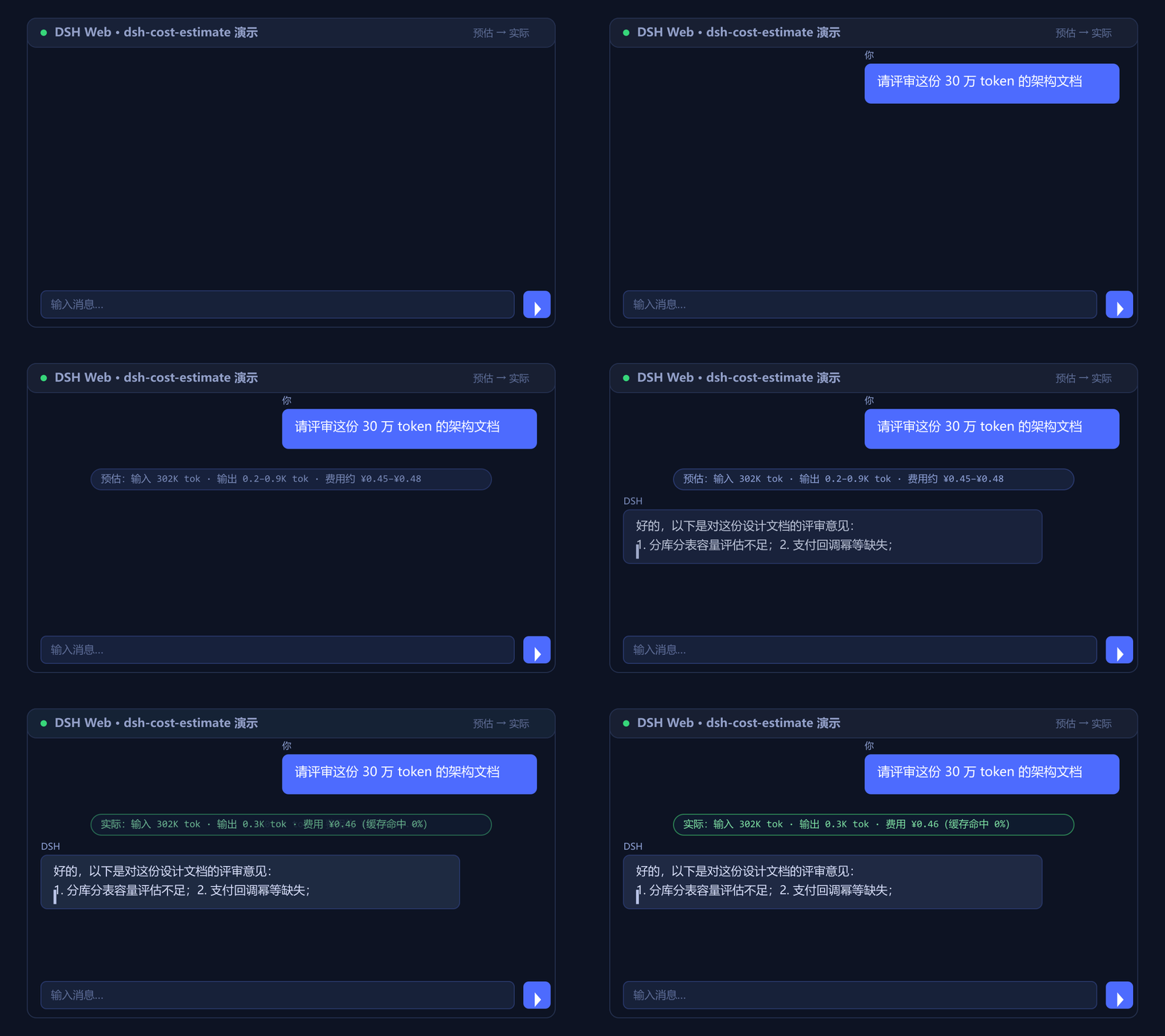
dsh-cost-estimate is designed to solve this problem. It achieves a "quote before answering, check bill after" workflow by inserting a real-time inline notification into the Web chat stream. Before the model starts generating, it intelligently predicts the input and output Token ranges and estimated costs based on historical data; once the answer is finished, the same line automatically flips to display the actual consumption.
Beyond the intuitive preview, this plugin features advanced capabilities such as peak/off-peak pricing strategies based on Beijing time and a cross-session calibration mechanism that refines estimates over time. It is perfect for developers who need to iterate on complex Prompts or researchers handling large volumes of text, allowing them to clearly grasp the economic cost of each turn and achieve precise budget control.
Screenshots
Use Cases
- Estimating costs when processing long technical documents
- Checking expenses before generating large amounts of code
- Monitoring Token consumption during complex Prompt debugging
Best For
- Developers needing precise control over API call costs
- Researchers frequently handling large volumes of text
- Enterprise users concerned with peak/off-peak pricing strategies
Related Plugins
A service-oriented sidebar framework for DSH, offering a full workbench with file explorer, embedded browser, real terminal, Git panel, and extensible plugin services.

A beautiful, practical Claude Code-style TUI plugin with pixel whale top bar, flowing glow title, real-time status line, streaming thought expansion, time rewind, context progress bar and TPS gauge — zero core changes.

The plugin market for DeepSeek Harness: browse/search/one-click install community plugins and themes, with updates, backup/restore, hot disable, diagnostics, and AI fix.

A persistent whale widget on the DSH web UI that shows DeepSeek balance, today's usage, and per-turn cost, with drag-and-snap and sound effects.