deepseek-harness-skin
Run the following command in DeepSeek Harness:
dsh plugin install Zdram/deepseek-harness-skin
Paste the following prompt into your AI chat to install this plugin:
To install this plugin in DeepSeek Harness, visit https://github.com/Zdram/deepseek-harness-skin and execute the installation command.
About this plugin
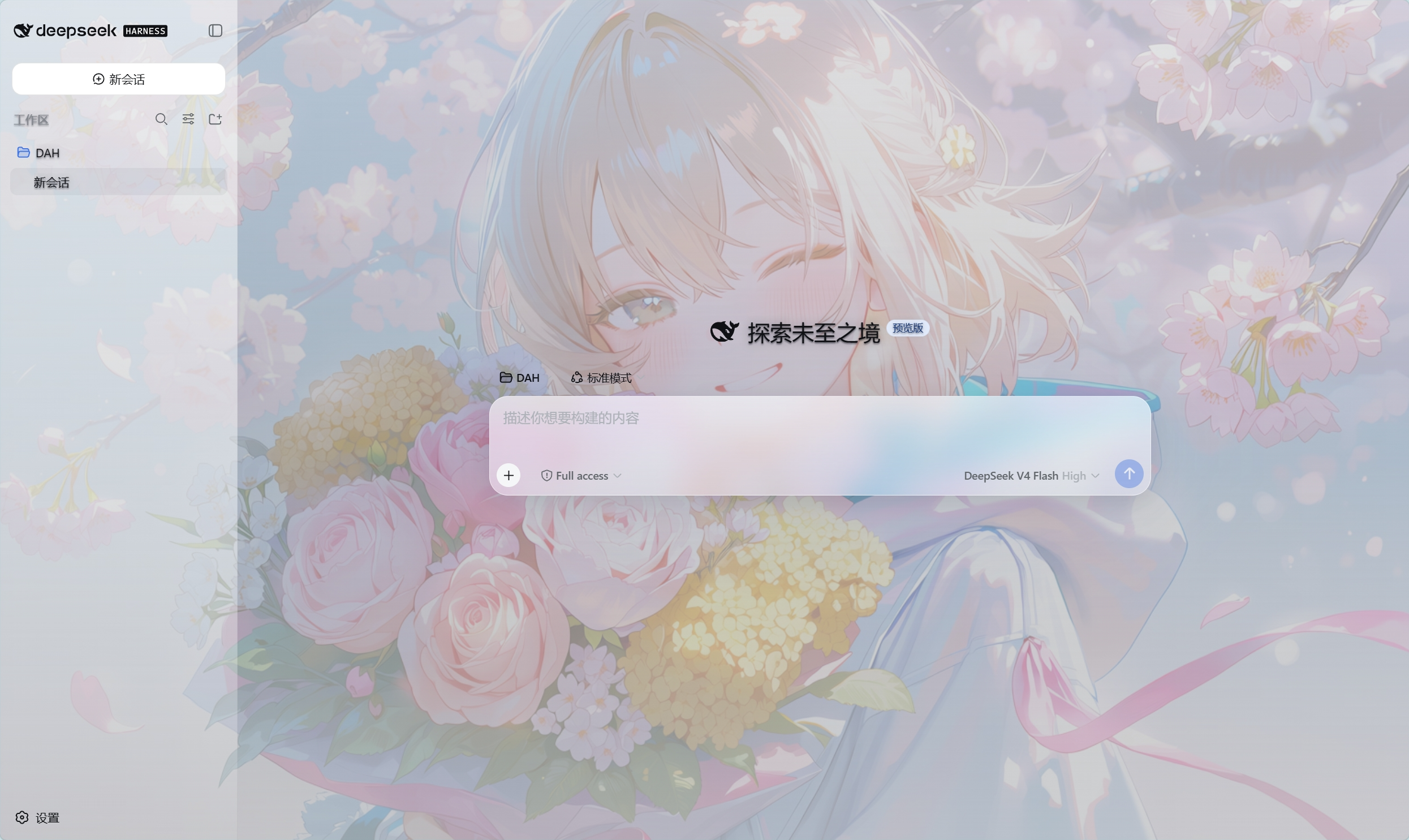
The default DeepSeek Harness interface is functional but visually plain. The deepseek-harness-skin plugin addresses this by injecting a personalized anime aesthetic into the chat platform, transforming a mundane utility into an immersive experience.
Its core capability lies in its elegant visual overhaul. Upon installation, the web interface transforms into a full-screen background that remains fixed during scrolling, with a subtle overlay ensuring chat legibility. Sidebar, chat areas, and settings panels adopt a popular semi-transparent glassmorphism style that is both modern and aesthetically pleasing. Furthermore, the background remains stable when switching sessions, eliminating any flashbacks or resets.
This plugin is an ideal choice for users who value personalization. Whether you prefer the built-in default anime images or wish to showcase a personal local wallpaper, the plugin offers flexible configuration options. It turns the interaction with DeepSeek Harness into more than just data exchange; it becomes a visually delightful experience.
Screenshots
Use Cases
- Enhance visual comfort during long DeepSeek chat sessions.
- Users seeking to replace the default monotonous interface.
- Create an immersive anime chat atmosphere.
Best For
- Visual design enthusiasts.
- Heavy users of DeepSeek Harness.
- Developers seeking aesthetic interfaces.
Related Plugins

whale-girl is a desktop pet in the DSH Web GUI (bottom-right for instant companionship) — draggable, feedable, playable; completed tasks, sessions and companionship time accrue into seniority levels, titles, and memories.

A WebGPU ocean skin for DeepSeek Harness with five-wave Gerstner waves, translucent theme, day/night cycle, and quick controls, installable as plugin or extension.

A Galgame-style conversation view and visual scene editor for DSH web sessions, with a real-time editing mode.

A native skinning plugin for DeepSeek Harness: 8 designer themes, wallpapers, accent colors, and shareable theme packs, built purely on design tokens.