dsh-dafeiyu
Run the following command in DeepSeek Harness:
dsh plugin install QCYTSN/dsh-dafeiyu
Paste the following prompt into your AI chat to install this plugin:
To install this plugin in DeepSeek Harness: fully exit the DSH Host, then run dsh plugin install QCYTSN/dsh-dafeiyu in your DSH installation directory, or install the .tgz package from the Releases page of the GitHub repository https://github.com/QCYTSN/dsh-dafeiyu.
About this plugin
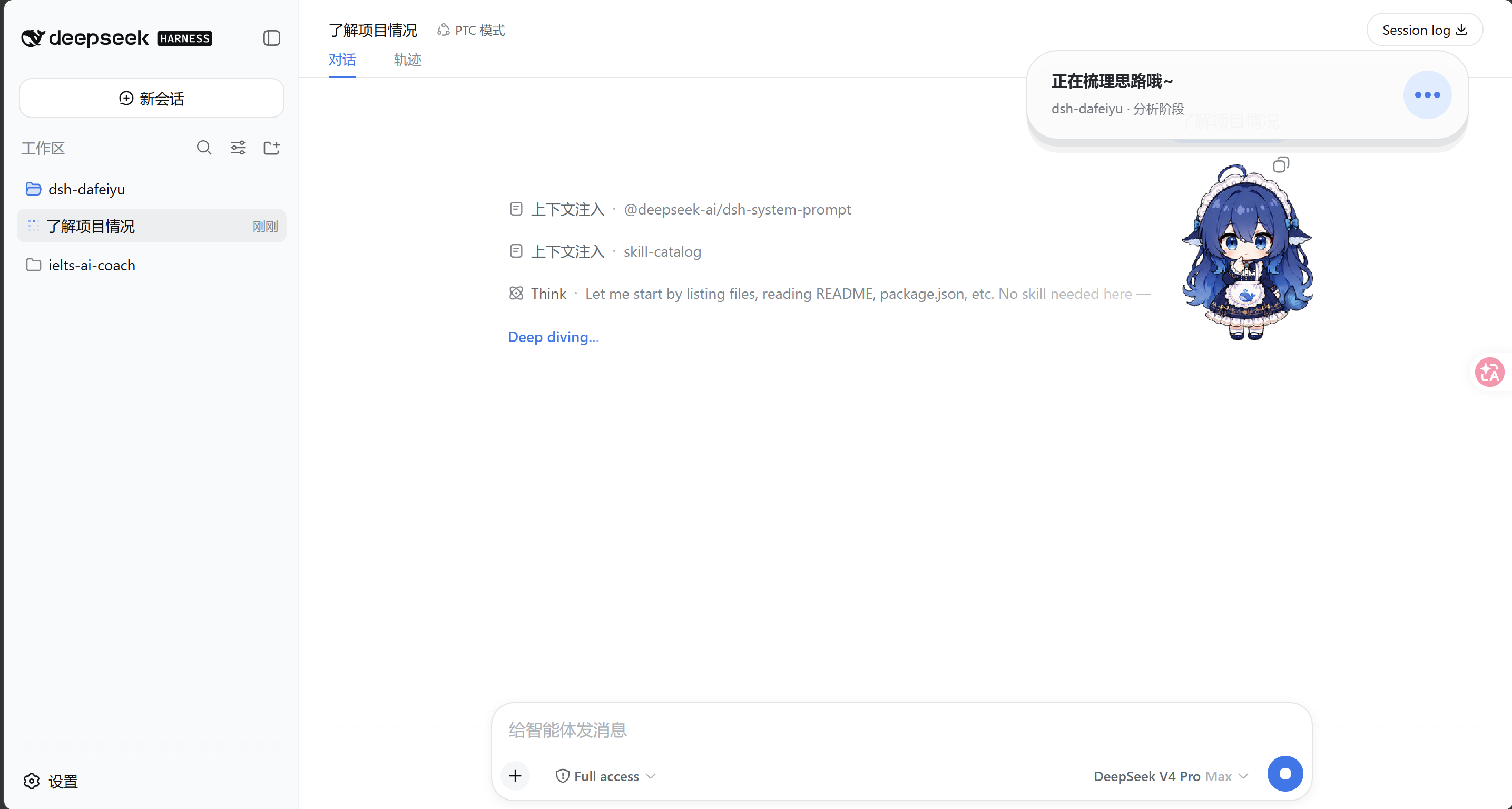
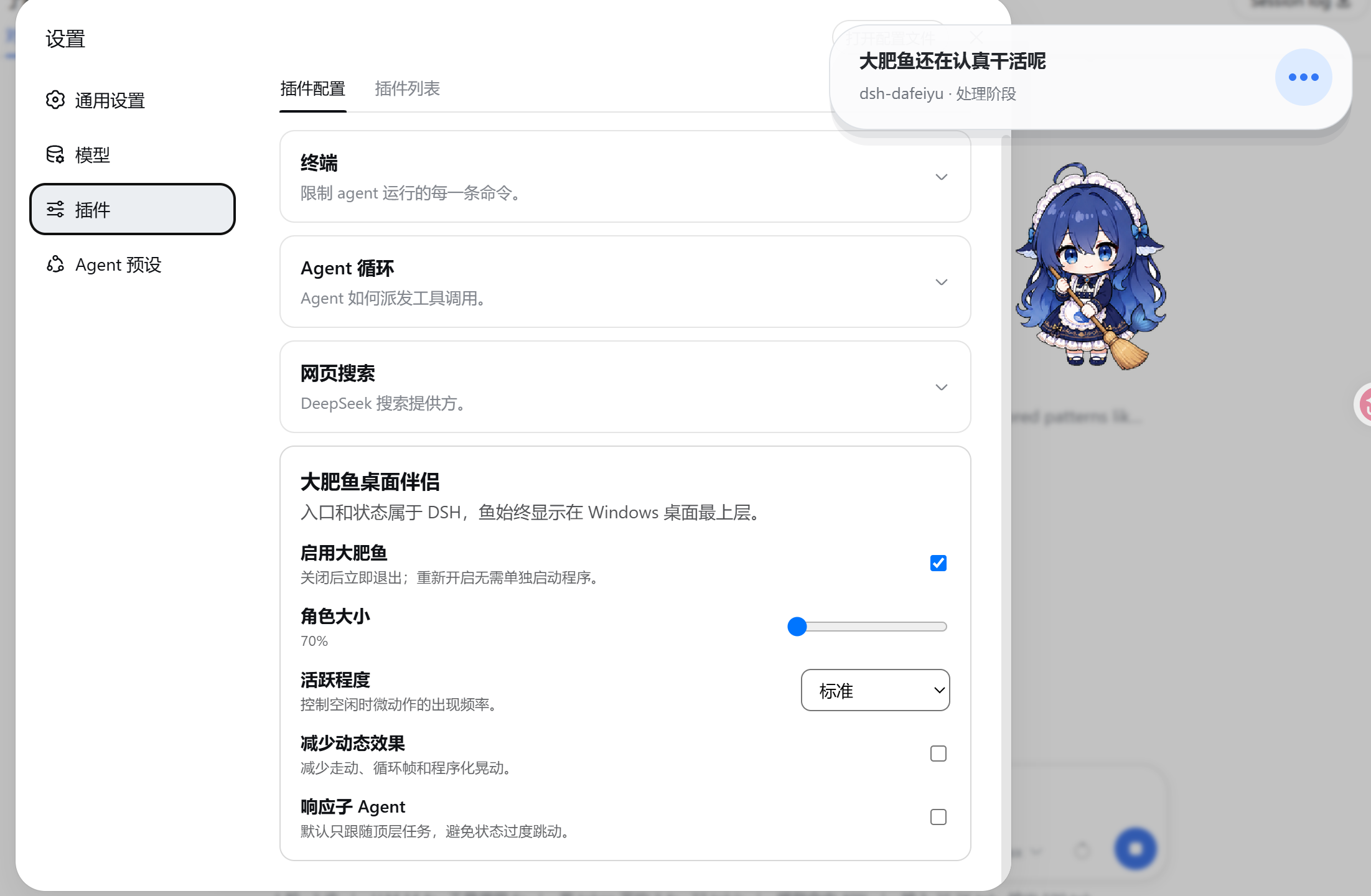
If you often run long tasks in DeepSeek Harness but have to switch to a browser, editor, or documents, you've probably faced this dilemma: what is DSH thinking right now? Which step is it on? Is it stuck waiting for confirmation, or has it already finished quietly? DSH Dafeiyu is built exactly for this scenario. It's not another desktop pet that needs to be launched separately. Instead, it's a plugin-enabled companion that follows DSH's real lifecycle and lives natively on your desktop, using a transparent, borderless, always-on-top window to bring the Agent's true working state back into view — even when you're focused on another application.
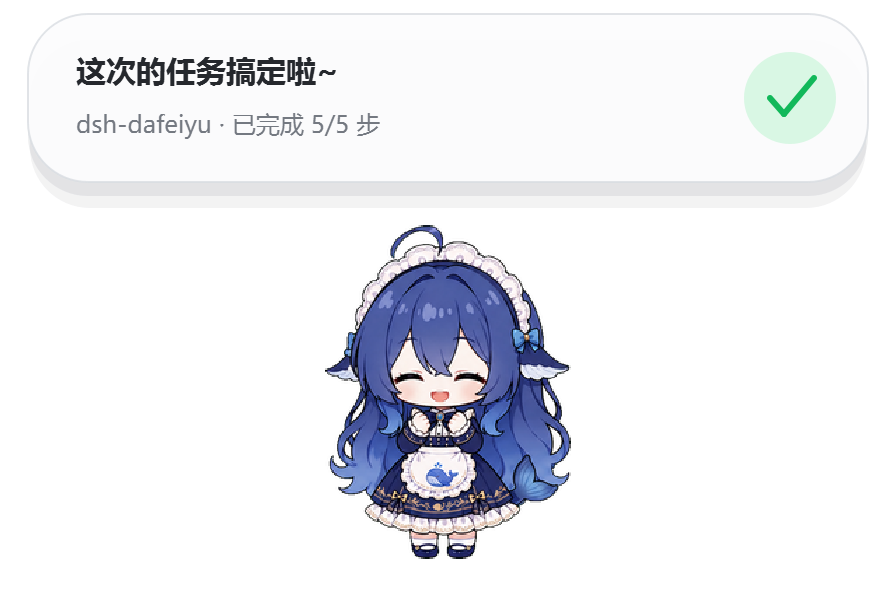
Its core capabilities are all driven by real DSH events: it doesn't read your screen, doesn't listen to other software, and never guesses what you're doing. The status card shows the project directory, the current phase (analysis, implementation, verification), the step in progress, and genuine progress like "3/5 steps completed" — but only when DSH provides structured todo data. Without that data, it shows reliable phase information rather than making up percentages. When multiple sessions run at once, it prioritizes the one that needs the most attention, following the order: waiting for confirmation > error > working > thinking > idle.
Who is it for? It's for anyone who treats DeepSeek Harness as a daily productivity tool and regularly juggles multiple tasks. Developers, researchers, and content creators alike will benefit if they want to stay aware of Agent status after leaving the DSH page, without being disturbed. Just drag it, click it, or right-click to adjust display preferences, and it quietly guards a corner of your desktop. The privacy boundary is clean too: no API key access, no screenshots, no telemetry, no new network ports — it simply follows your most recently active top-level DSH session.
In short, DSH Dafeiyu solves one problem: keeping DeepSeek Harness progress from being hidden behind other windows. The entry point belongs to DSH, the lifecycle belongs to DSH, and the display layer belongs to your desktop.
Screenshots




Use Cases
- Keeping an eye on Agent thinking, waiting, or completion status while working in other apps during long DSH tasks
- Automatically surfacing the DSH session that needs human attention most (e.g., waiting for confirmation or errors) when multiple tasks run in parallel
- Checking the current project phase and real todo progress from an always-on-top desktop card without frequently switching windows
Best For
- Developers who rely heavily on DeepSeek Harness and frequently multitask
- Researchers and content creators who want to stay aware of Agent activity without leaving their current app
- DSH users who value privacy and want a lightweight desktop companion without screenshots or telemetry
Related Plugins
A service-oriented sidebar framework for DSH, offering a full workbench with file explorer, embedded browser, real terminal, Git panel, and extensible plugin services.

A beautiful, practical Claude Code-style TUI plugin with pixel whale top bar, flowing glow title, real-time status line, streaming thought expansion, time rewind, context progress bar and TPS gauge — zero core changes.

The plugin market for DeepSeek Harness: browse/search/one-click install community plugins and themes, with updates, backup/restore, hot disable, diagnostics, and AI fix.

A persistent whale widget on the DSH web UI that shows DeepSeek balance, today's usage, and per-turn cost, with drag-and-snap and sound effects.